Find any Unity asset you own. Import only what you need.
The offline-first asset manager for Unity. Search inside every Asset Store package, archive and folder you own, see real previews, and import only what you need.

Asset Store purchases, custom and Synty packages, registries, folders, archives, free catalogs and Unity Asset Manager in one index that works offline.
See prefabs, materials, particles, VFX, UI, fonts and animations the way Unity renders them, before anything enters your project.
Bring in a single file with its meshes, materials and textures: 18 files and 33.7 MB instead of a 497 MB package in one real case.

“This is a must have to manage all your Assets!”
“Google for your asset library!”
“…only import the parts you need so the editor doesn't slow to a crawl.”
“First asset to import to any new project”
Save project space, compile time, and search time.
Built for real libraries: the screenshots on this site come from 4,935 packages with 3.2 million files and 906 hours of audio. Asset Inventory keeps a collection like that responsive, visual and under your control, and brings only the right content into each project.
Keep the catalog in your hands
Search indexed content offline. Your catalog, metadata, previews and AI captions stay on infrastructure you control, with no mandatory cloud service or storage subscription.
Stay fast at library scale
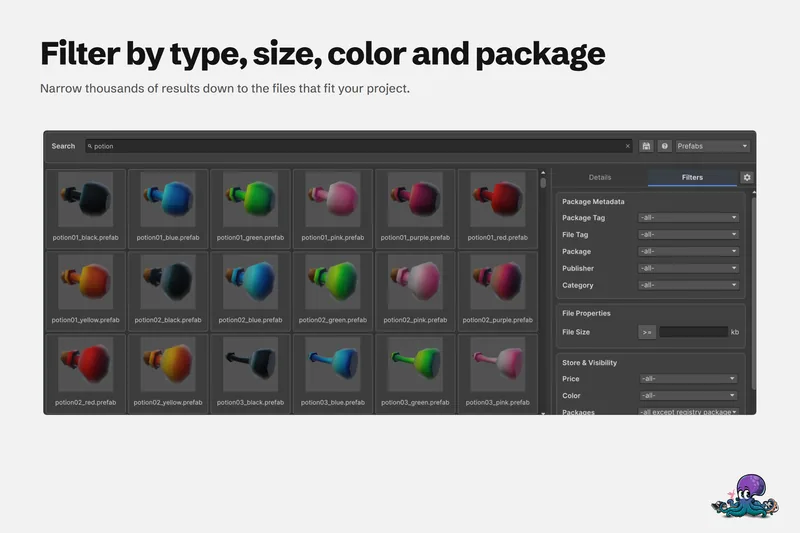
Browse thousands of packages and millions of files with filters for type, size, dimensions, length, color, vertices and tags, plus exact phrases and SQL expressions.
Find assets by what they show and sound like
Optionally describe images and sounds with local Ollama or LM Studio models, search by meaning and find similar sounds, so badly named files become discoverable.
See more before importing
Generate high-resolution previews for prefabs, materials, UI, fonts, video, particles, VFX Graph and animations, and play sounds on selection, also in FMOD projects, before anything enters your project.
Import only what the project needs
Select a useful file, analyze its dependencies with optional script analysis, and import the smallest working set into the folder you choose, or drag it straight into the scene.
Search free catalogs next to your purchases
Find CC0 and openly licensed models, materials, HDRIs, icons and fonts from Poly Haven, ambientCG, NVIDIA SimReady, NASA, Smithsonian 3D and more, and import only what you pick.
Choose local simplicity or team scale
Start instantly with portable SQLite, or connect MySQL/MariaDB when multiple people need reliable concurrent access.
Know licenses, orders and versions
Report which packages and licenses a project uses, export third-party notices, find Asset Store orders and invoices, and back up package versions before they disappear.
Export without lock-in
Export catalog data as CSV, static HTML websites, package contents, license reports, JSON overrides, Markdown or your own template-driven format.
Automate with actions and coding assistants
Chain setup and export steps into actions, and let coding assistants search, import and place assets through 41 MCP and command-line tools that confirm every change.
Pick the job. See how it works.
Each guide shows one everyday problem with a real library, the steps inside Unity, and what you get back.
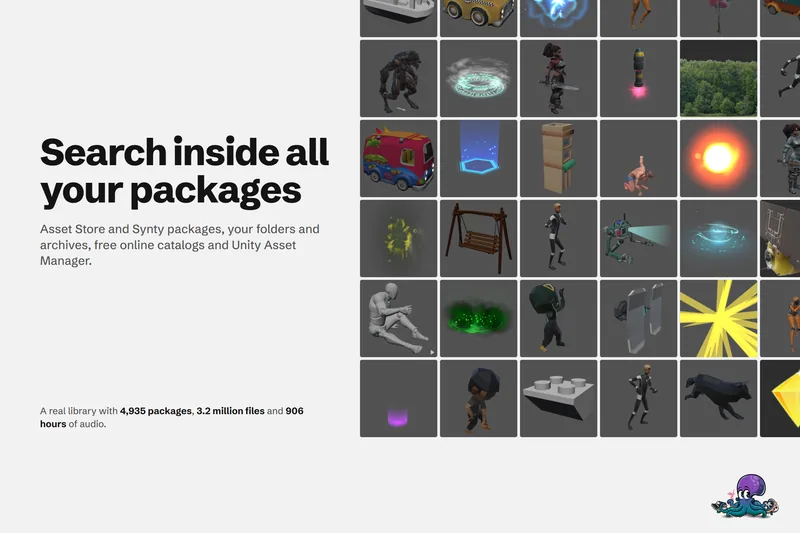
Search inside every Unity package you own
The Package Manager searches package names. Asset Inventory indexes every file in every package you own, with filters, saved searches and Unity Search integration, so you search for the asset itself.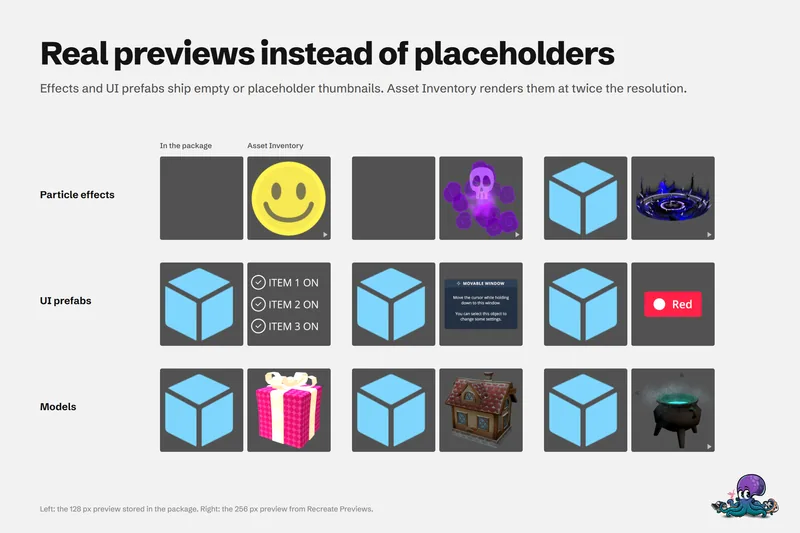
Preview Unity package contents without importing
Unity's embedded previews are small, often badly lit and missing for effects, UI and fonts. Asset Inventory indexes package contents and renders its own previews, animated where it helps, before anything is imported.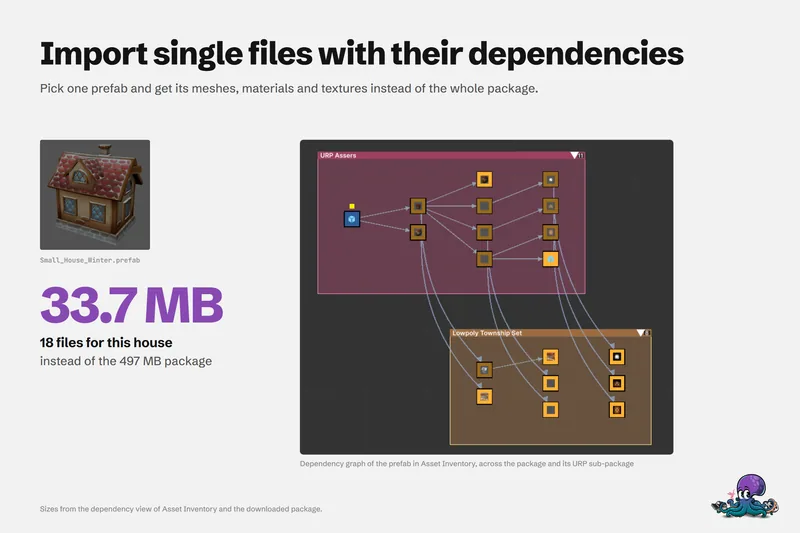
Import single assets from a package with their dependencies
Pick one prefab and get its meshes, materials and textures instead of the whole package: how the dependency analysis works, where files land, how scripts and render pipelines are handled, and where the limits are.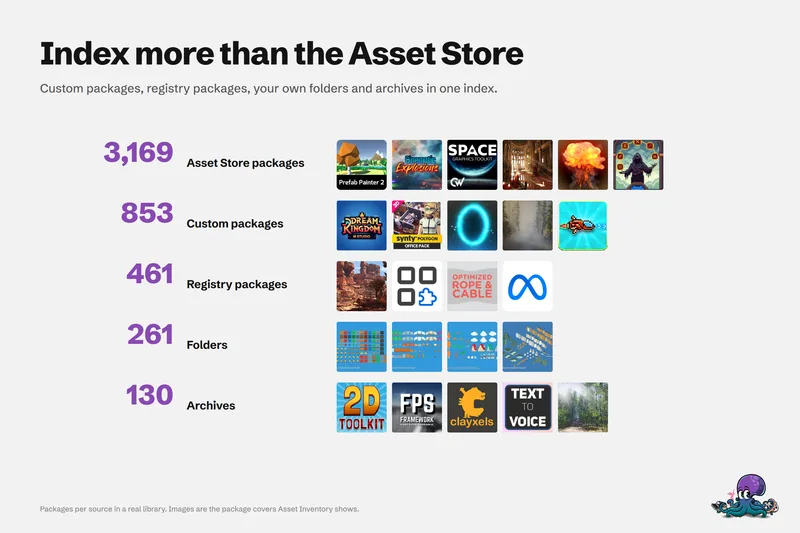
Organize every Asset Store purchase in one library
Asset Store purchases, custom and Synty packages, registries, folders, archives, catalogs and Asset Manager in one list inside Unity, with tags, update strategies, hiding, custom metadata and bulk actions.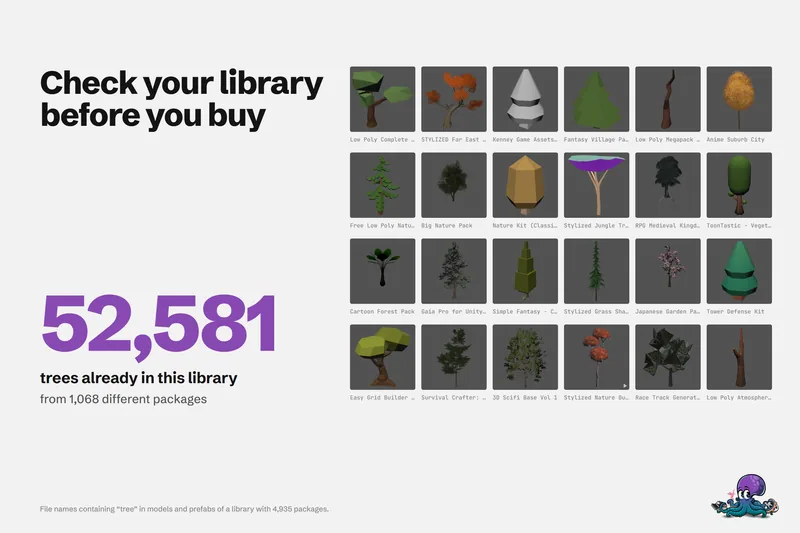
Check if you already own an asset before you buy
One real library holds 52,581 files with tree in their name. How to search what you own, find badly named files, check free catalogs and unclaimed freebies, and see what you paid before you add to the cart.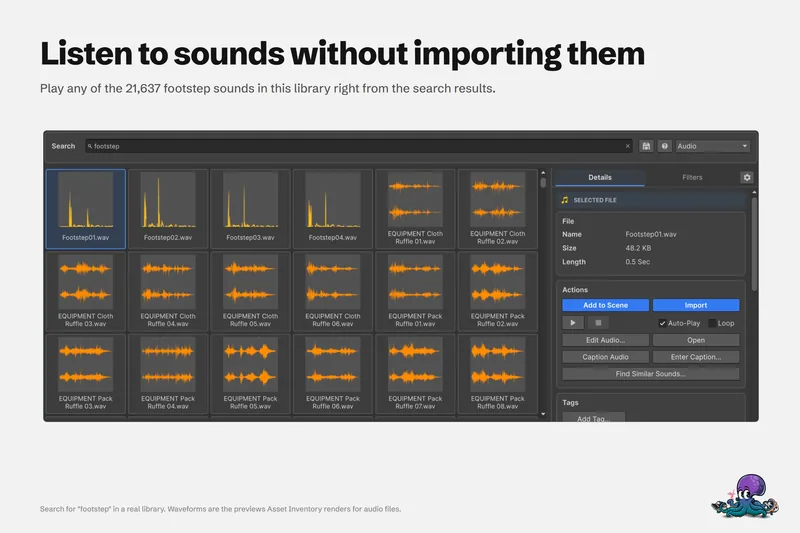
Search your whole Unity sound effects library without importing
Package names say little about the sounds inside. Search every audio file you own by name and length, listen in the results, trim before import, and let a local model caption, tag and match sounds.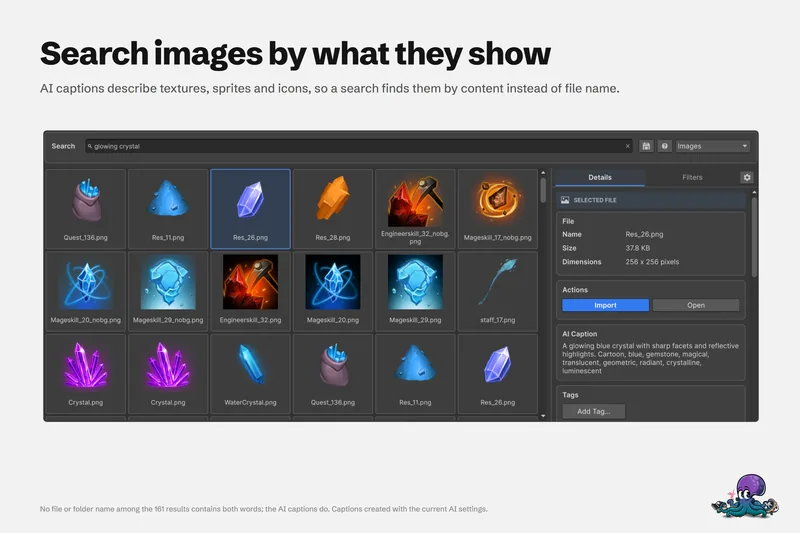
Find Unity assets by what they show or sound like, with local AI
File names lie. A local model captions each preview and sound, and search by meaning ranks results with your filters still applied. Runs on Ollama, LM Studio or BLIP, with hosted providers optional.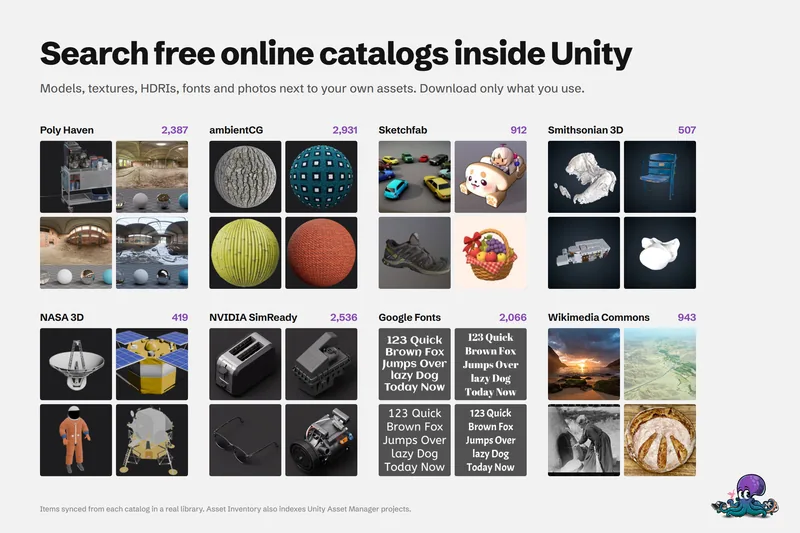
Search free asset catalogs inside Unity, next to the assets you own
Search free online catalogs such as Poly Haven and ambientCG in the same window as your purchases. Catalogs store metadata and previews only, and you download or import just the items you choose.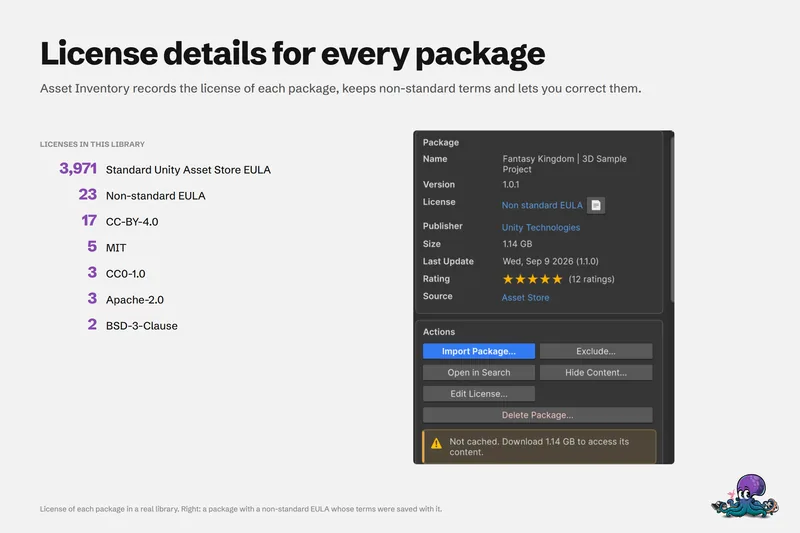
Create a license report for the assets in your Unity project
Shipping means knowing what you used and under which terms. Asset Inventory identifies the packages behind your project files, shows each license with its agreements, and exports a Third Party Licenses file in Markdown.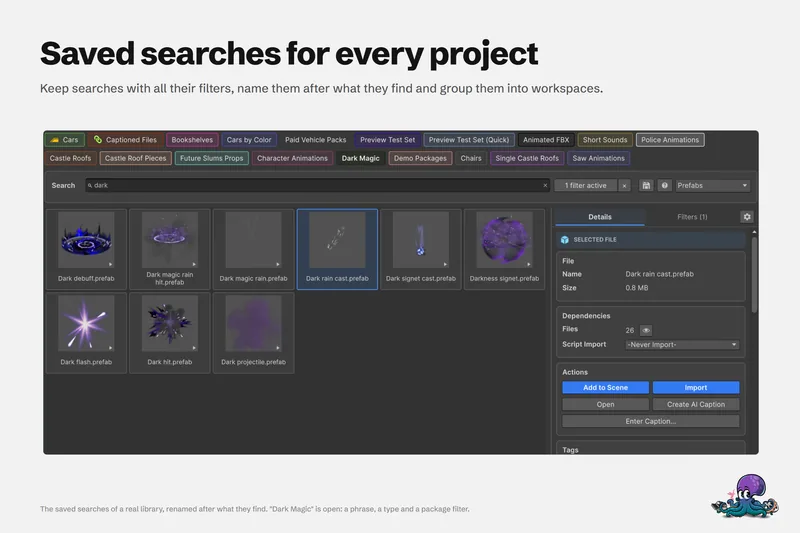
Use one Unity asset library across your team and all your computers
Index once and use the catalog everywhere: SQLite on a network drive for light use, MySQL or MariaDB when several people work at once, shared tags through override files, and a static website for people without Unity.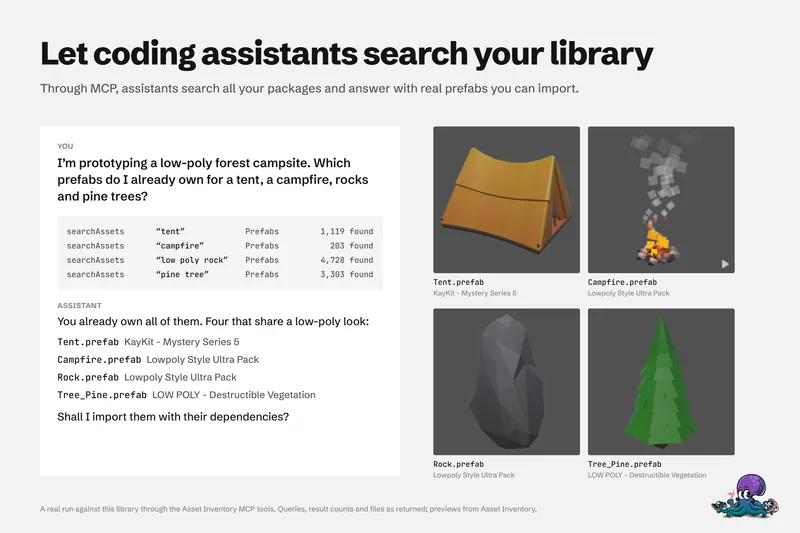
Let coding assistants search and import the Unity assets you own
Connect Claude Code, Codex or Unity AI Assistant to Asset Inventory. 41 tools let an assistant search every package you own, import prefabs with dependencies and place them, with a dry run before every change.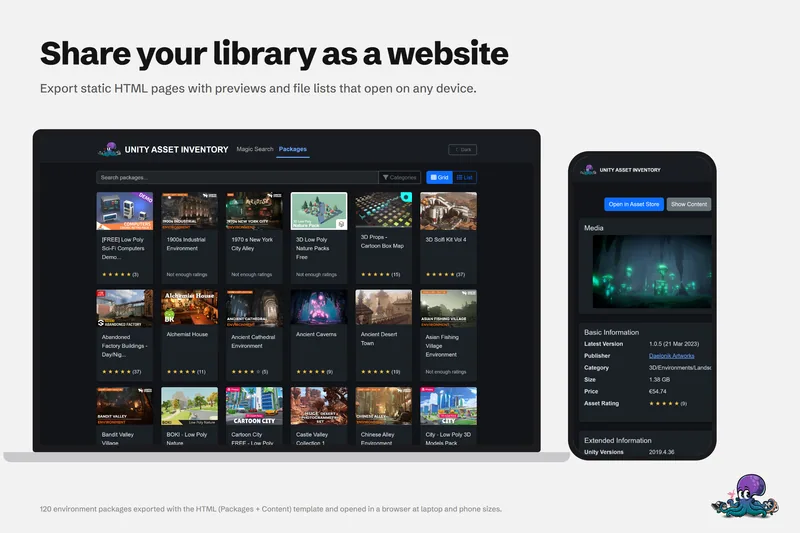
Share your Unity asset library as a website
Template exports turn your Asset Inventory catalog into a static HTML site with file search, package pages and light and dark themes, ready for any web server or CDN. CSV, Markdown and custom formats work too.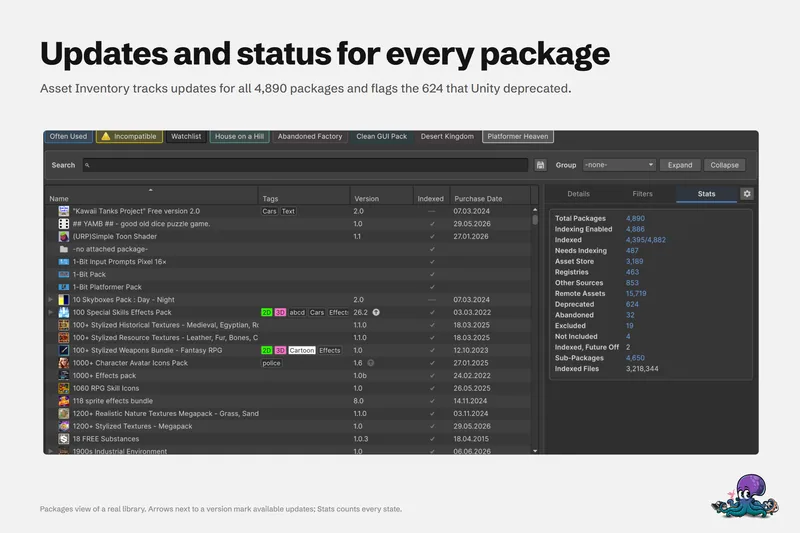
Back up Asset Store packages and keep older versions
Asset Inventory copies your Asset Store downloads into a backup folder, keeps several versions per package and imports an older one from a dropdown, even after Unity deprecates or disables the package.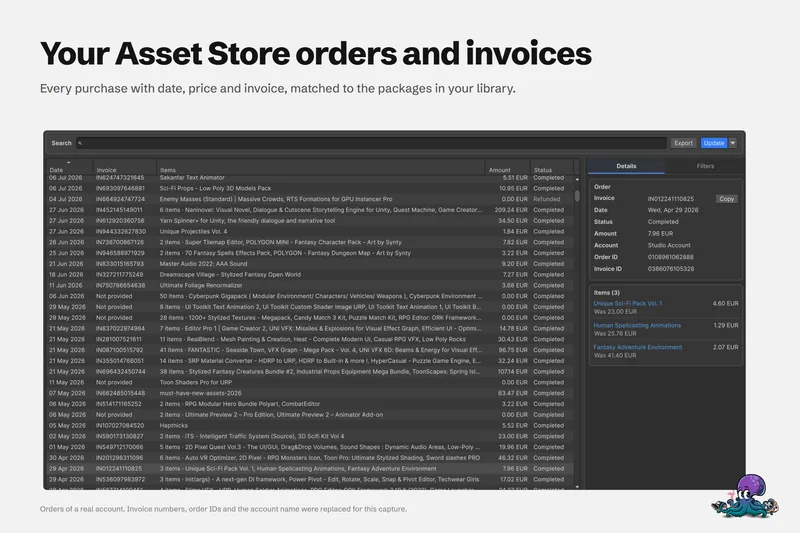
Find your Unity Asset Store orders and invoices in one place
The Orders window loads the order history of the Unity account in your Editor, searches it by invoice, order, package or publisher, exports CSV or JSON, and records what you actually paid for each package.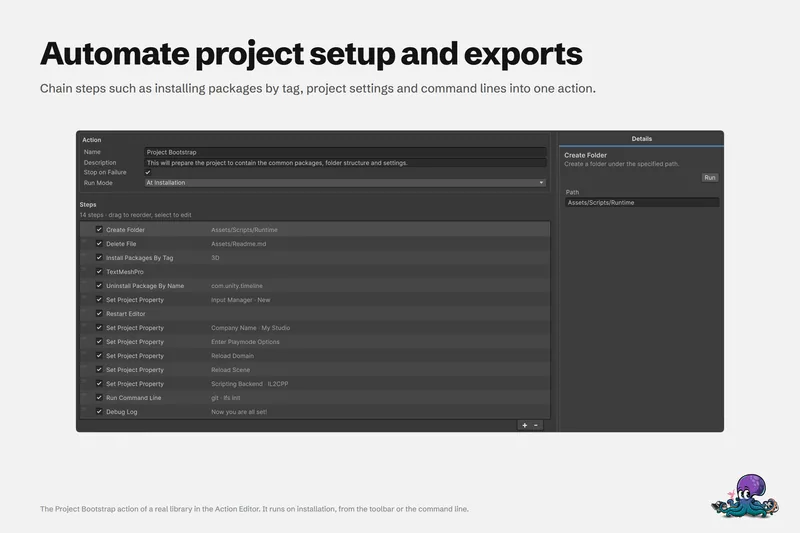
Automate Unity project setup with reusable actions
Custom actions create your folder layout, copy shared files, set project properties and define symbols, and install the packages you always use. Set one to At Installation and every new project offers to set itself up, in any supported Unity version.Real workflows. Real Unity output.
One search for the collection you work with.
Unity Asset Library can find and import individual assets from participating Store packages. Asset Inventory 4 also searches your private packages, folders and archives. Inspect the files, choose what comes into your project, and keep track of their sources.
| Capability | Asset Inventory 4 | Unity Asset Library | Unity Package Manager | Unity Asset Manager |
|---|---|---|---|---|
| Search inside packages | YesEvery file in every indexed package | PartlyParticipating Store packages, already indexed by Unity | NoPackage names only | PartlyItemized 3D, 2D and Audio packs |
| Individual asset previews | YesUnity-rendered prefab, VFX, UI, material and animation previews | YesItem previews and model inspection in the 3D, Audio and Sprite catalog | NoPublisher's marketing images | NoPack images for Store assets |
| Import single assets with dependencies | YesDependency graph, import size and script choices | YesPrepared files for the selected item | NoWhole package, deselect files by hand | PartlyFor itemized and uploaded cloud assets |
| Asset Store account | YesPurchases, updates, orders and version backups | PartlyFree items and eligible content you own | YesPurchases, downloads and updates | Partly3D, 2D and Audio, latest version only |
| Sources beyond the Asset Store | YesFolders, archives, registries, free catalogs, Asset Manager | NoStore catalog | PartlyRegistry packages | PartlyYour uploads |
| Works offline | YesIndexed results, saved previews and imports from local files | NoSearch uses Unity's service | NoMy Assets requires sign-in | NoCloud service |
| AI-assisted search | YesImage and audio descriptions, search by meaning, similar sounds | YesDescriptive, GameObject and Scene-view search | NoNone | PartlyAI tags on upload |
| Team use | YesShared database or MySQL/MariaDB | PartlyAccess follows the Unity organization | NoPer user | YesRoles, versions and reviews |
Each comparison links to the product documentation and shows when it was checked. Unity Asset Library is available as an experimental Editor plug-in.
Articles and field notes
 September 16, 2026
How to organize Unity Asset Store downloads: six approaches compared
Labels, folders, spreadsheets, standalone apps, a cloud DAM or an index inside Unity: what each approach is good at, where each one stops, and a practical setup for a large Asset Store library.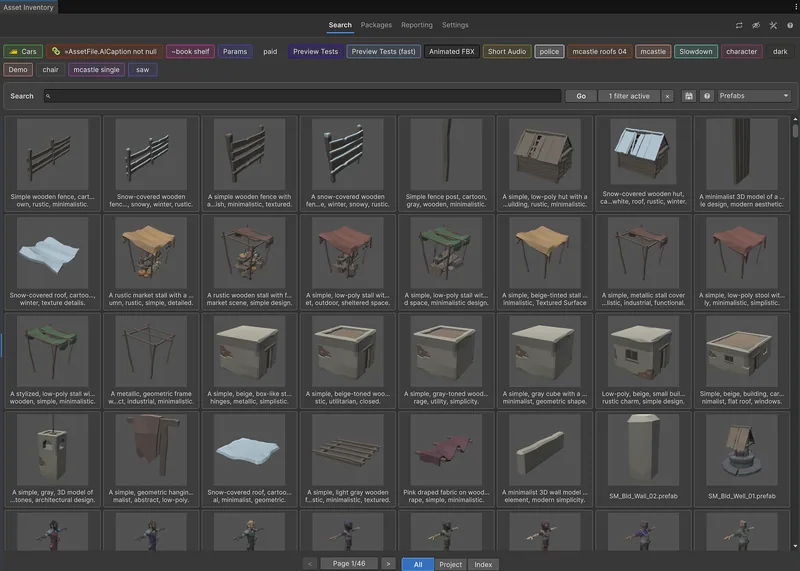 August 27, 2026
I Bought a Unity Humble Bundle. Then I Had to Find Anything in It
Dozens of Unity packages and archives from one bundle, and no way to browse them. How one indexed folder turned the downloads into a searchable library without unpacking or importing everything.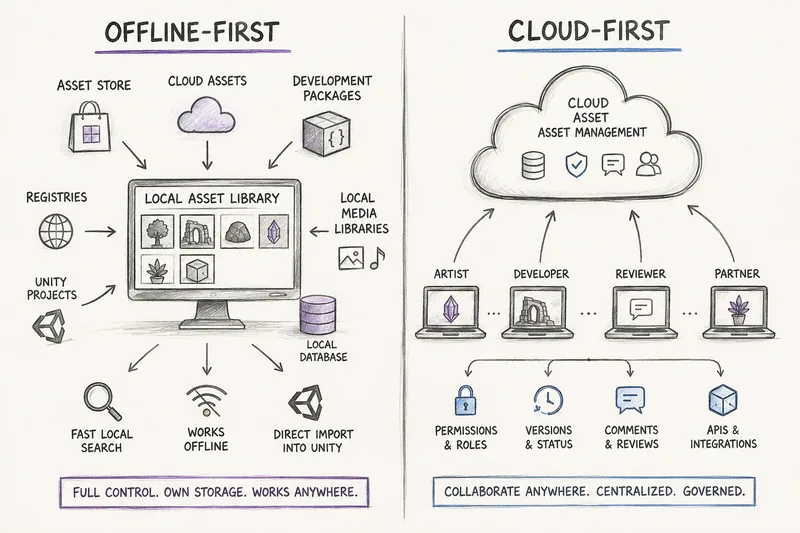 August 2, 2026
The Case for an Offline-First Unity Asset Library
Cloud collaboration is powerful, but most Unity libraries already live on local drives. Why an offline-first index can be broader, faster and cheaper, and how it works alongside Unity Asset Manager.Frequently asked questions
What is Asset Inventory?
An asset manager for the Unity Editor. It indexes everything you own, from Asset Store purchases and custom or Synty packages to registry packages, folders, archives, free online catalogs and Unity Asset Manager, so you can search inside all of it, preview files and import only what a project needs.
Does it work offline?
Yes, for everything already indexed: search, browsing, previews and imports from local files. Downloading purchases, refreshing online catalogs, hosted AI services and Unity Asset Manager sync need a connection.
Do I have to download all my Asset Store purchases?
Packages are indexed from your local Asset Store cache. You can download them in bulk, or let Asset Inventory download, index and delete them again to save space. Once indexed, a package stays searchable without the download.
Will it import whole packages into my project?
Only if you ask it to. By default it imports the file you select together with its detected dependencies into a folder you choose. Scripts are only imported when you pick a script analysis mode.
Which Unity versions and platforms are supported?
Unity 2022.3 or newer. It is actively tested on Windows and macOS, and Linux is reported to work. A few features need newer versions, such as VFX Graph previews (Unity 6) and the coding-assistant integration (Unity 6.3).
Do I need AI or a subscription?
No. Image and audio descriptions and search by meaning are optional. They run with local Ollama or LM Studio models without per-request fees, or with a hosted provider if you prefer. Asset Inventory itself is a one-time Asset Store purchase.
Can my team share one library?
Yes. Put the SQLite database on shared storage for light use, or switch to MySQL or MariaDB for concurrent access. Asset Inventory is licensed per seat, so everyone who uses it needs a seat.
How is it different from Unity Asset Manager and AssetHoard?
Unity Asset Manager is a cloud service for an organization's own assets, and Asset Inventory can index its projects next to everything else. AssetHoard is a standalone app for several engines. Asset Inventory works inside Unity, renders previews with Unity and imports assets with their dependencies.
Turn a scattered asset collection into a library your whole team can use.
Search everything, understand what you found, and move only the assets your project actually needs.