I Migrated 31 Unity MCP Tools to the New Unity CLI. It Was Easier Than I Expected
How Asset Inventory moved 31 MCP tools to the new Unity CLI and became one command surface for the terminal, scripts, CI, and AI agents without duplicating its product logic.
When Unity announced its new command-line interface, I had two immediate reactions.
The first was: finally.
The second was: I already have 31 MCP tools inside Asset Inventory. How much of that work am I about to redo?
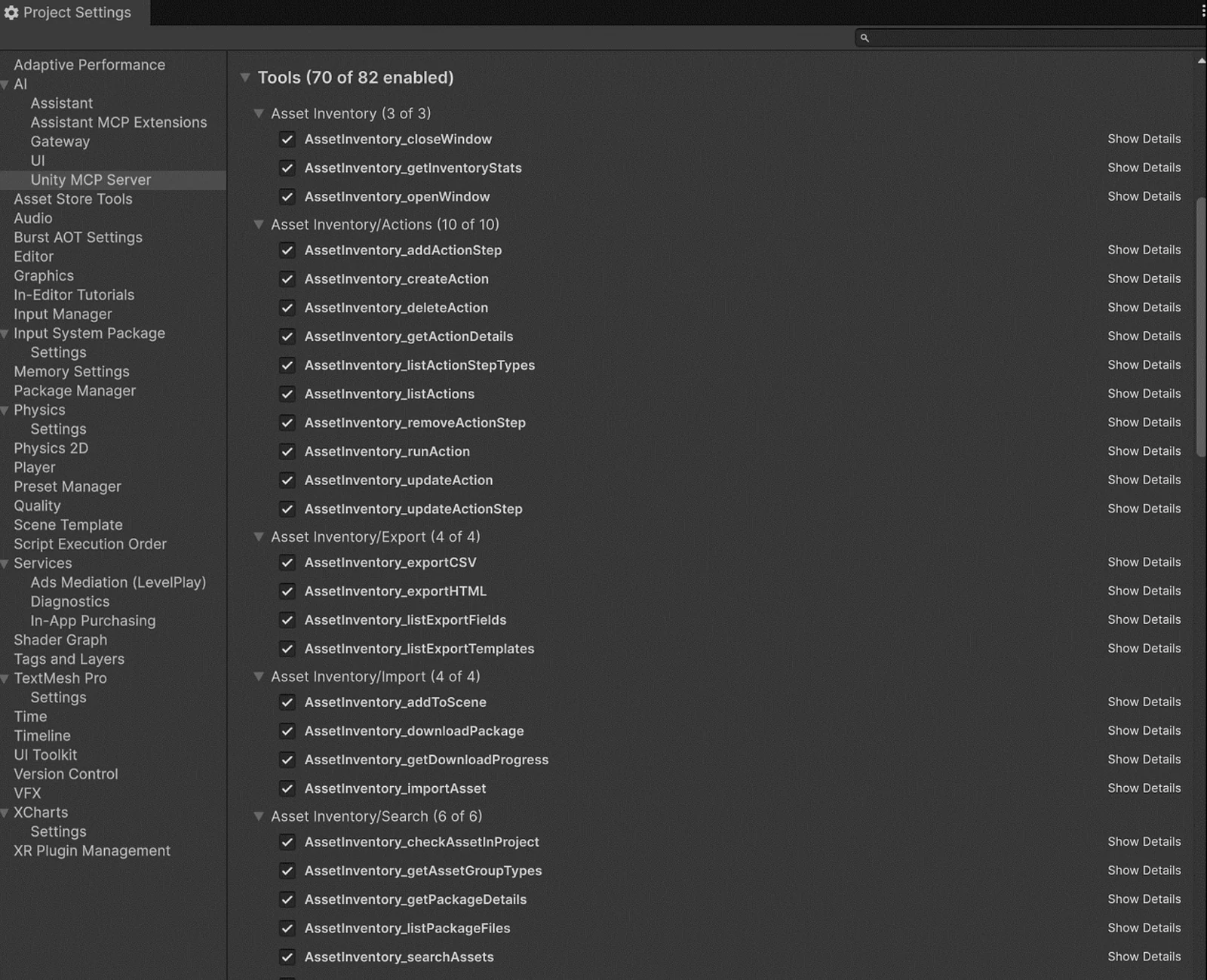
That question matters when you are an indie developer. I do not have a platform team waiting to migrate integrations while I keep building the product. Every day spent maintaining glue code is a day not spent improving search, import workflows, previews, documentation, or the dozens of other things a commercial Unity tool needs.
The pleasant surprise was that the actual CLI conversion was easy.
The more useful surprise was that the migration exposed a better architecture for the tools I already had.
Unity has deprecated the MCP server that lived inside the in-Editor AI Assistant package and replaced it with the MCP server built into the new Unity CLI. The protocol is not going away. The server moved to a better foundation, built on the Unity Pipeline package. If an agent can run shell commands, Unity recommends direct unity command and unity eval calls because they can be faster and use fewer tokens. If it cannot, unity mcp exposes the same Pipeline command surface through MCP. Unity explains the distinction in its migration guide. As I learned when I benchmarked both paths, that recommendation is more nuanced than “a fresh CLI process always returns sooner than a warmed MCP connection.”
That changes the design question for a Unity tool developer.
The question is no longer, “How do I build an MCP tool?”
It is, “What operations should my Unity tool expose, and which transports should be able to call them?”
Why Asset Inventory Was a Useful Test Case
Asset Inventory indexes Unity packages and their contents outside the current project, so I can search the assets I own before importing several gigabytes just to find one prefab, texture, audio clip, or script.
That makes it a surprisingly broad automation target. Its 31 operations are not a collection of toy methods. They search packages, package files, and current-project assets. They inspect package details and inventory statistics. They manage tags. They download and import content. They add an imported prefab to a scene. They export CSV and HTML. They create, edit, and run multi-step custom actions.
On my development machine, one CLI call currently reaches an Asset Inventory database containing 4,871 packages and 3,213,388 files. That is exactly the kind of real data surface where transport details, pagination, validation, error handling, and safety stop being theoretical.
Before the migration, those operations were implemented directly as MCP tools. A simplified version of the old statistics tool looked like this:
[McpTool(    "AssetInventory_getInventoryStats",    "Get database overview: total packages, indexed count, file count, and source breakdown.",    Groups = new[] { "Asset Inventory" })]public static object GetInventoryStats(){    object initError = McpResultHelper.EnsureInit();    if (initError != null) return initError;
    InventoryStats stats = Assets.GetInventoryStats();    stats.DatabaseSize = DBAdapter.GetDBSize();    return Response.Success(        $"Inventory contains {stats.TotalPackages} packages " +        $"({stats.IndexedPackages} indexed) with {stats.TotalFiles} files.",        stats);}
It worked, but the method owned too many responsibilities. Product initialization, the actual Asset Inventory operation, MCP metadata, and MCP response formatting all lived together. Adding a second transport meant either duplicating the method or first separating those concerns.
The Real Migration: Extract the Operation, Then Adapt It
I moved the behavior behind a transport-neutral automation layer. The same operation now returns an Asset Inventory response with a stable success state, message, error code, and optional data:
internal static AutomationResponse GetInventoryStats(){    AutomationResponse initError = AutomationResultHelper.EnsureInit();    if (initError != null) return initError;
    InventoryStats stats = Assets.GetInventoryStats();    stats.DatabaseSize = DBAdapter.GetDBSize();    return AutomationResponse.Success(        $"Inventory contains {stats.TotalPackages} packages " +        $"({stats.IndexedPackages} indexed) with {stats.TotalFiles} files.",        stats);}
There is no Unity Assistant type here. There is no Pipeline type either. It is just the product operation.
Once that existed, the new Unity CLI adapter became almost boring, which is exactly what I wanted:
using AssetInventory.Automation;using Unity.Pipeline.Commands;
public static class PipelineUtilityCommands{    [CliCommand(        "asset_inventory_get_inventory_stats",        "Get Asset Inventory database statistics. Read-only.",        Tags = new[] { "asset-inventory" })]    public static AssetInventoryCommandResult GetInventoryStats()    {        return PipelineResultAdapter.Convert(            UtilityAutomation.GetInventoryStats());    }}
The existing MCP contract became equally small:
[McpTool( "AssetInventory_getInventoryStats", "Get database overview: total packages, indexed count, file count, and source breakdown.", EnabledByDefault = true, Groups = new[] { "Asset Inventory" })]public static object GetInventoryStats(){ return AssistantResponseAdapter.Convert( UtilityAutomation.GetInventoryStats());}That is the whole pattern.
The core operation knows Asset Inventory. The Pipeline adapter knows [CliCommand] and [CliArg]. The Assistant adapter knows [McpTool], parameter descriptions, and Assistant response objects. Neither adapter contains independent product behavior.
For 31 commands, the entire Pipeline adapter is only about 535 lines of C#. Most of the migration work went into extracting and hardening the shared operations, not translating MCP attributes into CLI attributes.
This is why I describe the migration as easy even though the final change was substantial. The mechanical conversion was simple. The worthwhile engineering was making sure I would never have to maintain the same behavior twice.
The CLI Is a Better Foundation Than an Editor-Owned MCP Server
The new setup is more useful than a one-for-one server replacement.
Pipeline makes a running Editor self-describing. A static method marked with [CliCommand] is discovered automatically, and each [CliArg] becomes part of the generated command schema. Running unity command lists what the connected Editor can do. A human can call those commands from a terminal, a build script can consume their structured output, and an AI agent can use the same surface directly or through unity mcp.
The CLI also understands projects and running instances. When several Editors are open, I can target the right one with --project-path instead of hoping a client connected to whichever server registered first. Results can be emitted as JSON or TSV, errors are separated from normal output, and the CLI has predictable process-level behavior for automation. Unity also provides diagnostics, authentication, Editor installation, modules, builds, and tests through the same executable. Unity’s announcement gives a good overview of the larger direction.
There is also an eval path for questions and actions that were not registered in advance. It can compile and run C# against the live Editor without a project recompile or domain reload. I still prefer explicit commands for stable product operations because they provide names, descriptions, argument schemas, validation, and a contract I can test, but eval is a powerful escape hatch for development and diagnosis.
The CLI and Pipeline package are still experimental, so I am treating their APIs as a versioned integration boundary rather than pretending they can never change. For the conversion described here, I validated with Unity CLI 1.0.0-beta.6 and com.unity.pipeline 0.5.0-exp.1. The CLI reference recommends checking unity --help for the authoritative syntax of the installed version.
Keeping an Optional Unity 6 Integration Out of a Unity 2022 Package
Asset Inventory still supports Unity 2022.3. Pipeline requires Unity 6.0 LTS or newer. Making the base package depend directly on Pipeline would have raised Asset Inventory’s minimum version and broken projects that do not want any AI or CLI integration.
The clean solution was a child assembly definition inside the Asset Inventory package:
{ "name": "AssetInventory.Integration.UnityPipeline.Editor", "references": [ "AssetInventory.Editor", "Unity.Pipeline" ], "autoReferenced": true, "defineConstraints": [ "ASSET_INVENTORY_UNITY_PIPELINE" ], "versionDefines": [ { "name": "com.unity.pipeline", "expression": "0.5.0-exp.1", "define": "ASSET_INVENTORY_UNITY_PIPELINE" } ]}When Pipeline is installed, Unity compiles the adapter and discovers its commands. When Pipeline is absent, Unity excludes that assembly and the base Asset Inventory package remains compilable. The Assistant adapter uses the same arrangement in a separate child assembly.
This also means customers do not have to import a second Asset Inventory integration package or manage a custom scripting define. The adapter ships with the tool and activates when its companion package exists.
I deliberately did not add a startup hook to force Pipeline on. Pipeline owns its server lifecycle and command discovery. Respecting that ownership keeps the integration small and preserves a user’s explicit opt-out.
Parameters: Easy, With One Important Difference
An MCP tool commonly receives one parameter object. A CLI command is more natural when its arguments are visible as individual flags.
For simple values, the conversion is direct:
[CliCommand( "asset_inventory_check_asset_in_project", "Check whether an asset GUID exists in the current project. Read-only.", Tags = new[] { "asset-inventory", "search" })]public static AssetInventoryCommandResult CheckAssetInProject( [CliArg("guid", "Asset GUID from search results.", Required = true)] string guid){ return PipelineResultAdapter.Convert( UtilityAutomation.CheckAssetInProject( new UtilityAutomation.CheckAssetRequest { Guid = guid }));}For more complicated inputs, I kept the CLI boundary intentionally simple. Asset Inventory action steps, for example, can have dynamic parameter sets. The CLI accepts those values as a JSON string, and the shared operation parses and validates them. That is easier to invoke reliably than trying to reproduce an open-ended nested MCP schema as a collection of command-line flags.
One small gotcha is worth calling out: the flag name follows the exact [CliArg] name. In the current Pipeline version, [CliArg("search_phrase", ...)] is invoked as --search_phrase, not --search-phrase. I discovered this the useful way: the CLI rejected my first command and suggested the correct argument. Let command discovery and the installed CLI’s help output be your source of truth.
What the Converted Surface Looks Like
Installing Pipeline and discovering Asset Inventory’s commands is straightforward:
unity pipeline installunity command ` --project-path "D:\Unity\AssetInventory" ` --tag asset-inventory ` --detail compact ` --format jsonThat live discovery call reports all 31 asset_inventory_* commands. No extra registry file and no custom server startup code are involved.
A read-only operation is just a normal command:
unity command asset_inventory_get_inventory_stats ` --project-path "D:\Unity\AssetInventory" ` --format jsonThe shortened result from my current catalog looks like this:
{ "success": true, "message": "Inventory contains 4871 packages (4385 indexed) with 3213388 files.", "data": { "TotalPackages": 4871, "IndexedPackages": 4385, "TotalFiles": 3213388 }}Search works the same way:
unity command asset_inventory_search_packages ` --project-path "D:\Unity\AssetInventory" ` --search_phrase "environment" ` --max_results 10 ` --format jsonThe command returns bounded, paginated structured results. I can inspect them in PowerShell, feed them into another script, call the same operation from an agent, or use Unity CLI’s MCP mode without creating another Asset Inventory implementation.
To move an MCP client itself to the new server, Unity’s user-facing flow is similarly short:
unity pipeline installunity mcp configure <client>The second command updates the supported client’s Unity entry while preserving its other configuration. Unity documents the full MCP migration flow here.
What “Faster Than MCP” Actually Means
This was the result that made me stop and check my benchmark twice.
I had read Unity’s recommendation to prefer direct commands when an agent can use the shell, and I expected unity command to beat MCP on every axis. That is not what happened. The mistake was treating “the CLI” and “MCP” as two competing products.
unity mcp is itself a mode of the new Unity CLI. It is not the deprecated in-Editor Assistant server. All three paths I tested converge on the same Pipeline server, the same [CliCommand], and the same Asset Inventory operation:
One-off caller -> unity command ---------\Warm script -> unity shell ------------+-> Pipeline -> [CliCommand] -> shared operationMCP client -> unity mcp -------------/The difference is how the client reaches that shared lane. unity command normally starts a process, resolves the project, parses one command, connects, prints a structured result, and exits. unity shell --protocol ndjson stays alive for a stream of direct commands. unity mcp also stays alive, but speaks MCP’s JSON-RPC protocol and exposes the commands as tools.
That makes persistent MCP a strong latency baseline. It has already paid its startup and initialization cost, so its extra protocol envelope is cheap. A fresh direct command pays process startup on every invocation.
The Latency Results
The test machine was a Windows 11 PC with an Intel Core i9-13900K and 64 GB of RAM, running Unity 6000.3.22f1, Unity CLI 1.0.0-beta.6, and Pipeline 0.5.0-exp.1. Each steady-state result below is the median of 25 measured calls after five warm-up calls.
I used two Asset Inventory operations. get_asset_group_types is deliberately tiny and exposes transport overhead. get_inventory_stats performs real database work across my multi-million-file catalog.
+--------------------------+----------------+---------------+-----------------+| Operation | unity mcp | unity shell | unity command || | (persistent) | (warm) | (fresh process) |+--------------------------+----------------+---------------+-----------------+| Get asset group types | 22 ms | 108 ms | 118 ms || Get inventory statistics | 441 ms | 532 ms | 536 ms |+--------------------------+----------------+---------------+-----------------+So yes: in this local benchmark, persistent MCP was faster per call. For a tiny operation, process and dispatch overhead dominated. For the database-backed operation, the actual Asset Inventory work dominated and the gap narrowed to about 18 percent.
A separate set of ten cold starts told the same story, although the first-result gap was small. Starting unity mcp, receiving its tool catalog, and completing the first MCP call took a median of 119 ms. A fresh direct unity command completed in 137 ms. Those are close enough that I would not build an architecture around the difference, but they do disprove the idea that direct invocation must always have lower wall-clock latency.
Unity does not publish the benchmark method behind the “faster and fewer tokens” guidance in its migration document. My interpretation is that the guidance describes the end-to-end agent workflow, not a guarantee about warmed transport latency for an already-selected command. A shell-capable agent can issue the exact command it needs without first receiving and reasoning over a large MCP tool catalog. It can also combine CLI calls with ordinary shell commands instead of routing every step through model tool selection. That can make the complete task faster even if one warmed MCP round trip is quicker.
The catalog size makes the token argument tangible. The MCP tools/list response for the Editor’s 173 registered tools was 94,469 bytes of raw JSON. Asset Inventory’s 31 definitions accounted for 19,680 bytes. Raw bytes are not model tokens, and clients can filter, cache, or lazily load schemas, so this is not a token benchmark. It does show the context that a known direct command can avoid. The response from the Asset Inventory command itself was roughly the same size through either route.
What About Memory?
Direct CLI is not dramatically lighter at peak. In ten process-start samples, a fresh unity command reached a median peak working set of about 33 MB. The persistent unity mcp process sat at about 35 MB, while a warm unity shell used about 29 MB.
The important distinction is lifetime, not peak allocation. A one-off command returns that memory to the operating system as soon as it exits. MCP and shell processes keep their roughly 30 MB working sets resident so the next request is ready. For occasional CI or scripting calls, direct CLI therefore has essentially no idle client footprint. For a busy interactive session, retaining a small process is a sensible trade for lower latency.
There is also a scale issue worth keeping honest. The Unity Editor running this large development project was using roughly 3.5 GB of working memory during the test. A six-megabyte difference between client modes is real, but it is not the memory story that should drive a Unity tooling architecture.
Parallel Does Not Mean Twice the Throughput
I also launched matching MCP and CLI calls simultaneously. For the tiny operation, MCP completed before the direct CLI request reached the Editor, so there was almost no interaction. For the database-backed operation, both requests entered the same Editor work queue. The median MCP response rose to roughly half a second, while the CLI response that arrived second completed at about 1.06 seconds.
MCP and direct CLI are separate entrances to one Editor, not separate execution cores. Running both in parallel can help when work is independent or external, but it cannot make two main-thread Editor operations execute concurrently. In this test it mostly demonstrated queueing.
So What Is the Big CLI Advantage?
The win is not that unity command must beat unity mcp by a few milliseconds. The win is that Unity now has one external, structured automation surface, and MCP is one supported way to access it.
For Asset Inventory, one [CliCommand] now works from a terminal, PowerShell, a build script, CI, a persistent NDJSON shell, and any agent using Unity’s MCP mode. I get project targeting when multiple Editors are open, structured output, standard error handling and exit codes, command discovery, diagnostics, and a process that can be invoked only when needed. The server lifecycle no longer belongs to an Editor window or to one AI package. Most importantly, I do not need separate product logic for human automation and agent automation.
It also lets me choose the invocation style for the workload instead of forcing every caller through the same protocol:
+----------------------+------------------------+--------------------------------+| Situation | Best default | Why |+----------------------+------------------------+--------------------------------+| One-off script or | unity command | Structured output, exit code, || CI step | | and no resident client after || | | the command finishes. |+----------------------+------------------------+--------------------------------+| Many commands from | unity shell | Reuses one process while || one script | --protocol ndjson | retaining direct CLI || | | semantics. |+----------------------+------------------------+--------------------------------+| High-frequency | unity mcp | Typed tool discovery and the || interactive agent | | lowest warmed latency I || | | tested. |+----------------------+------------------------+--------------------------------+| Client without | unity mcp | Provides Unity's supported || shell access | | transport for MCP-only || | | clients. |+----------------------+------------------------+--------------------------------+| Ad hoc Editor | unity eval | Runs a focused expression || investigation | | without a permanent command. |+----------------------+------------------------+--------------------------------+That is a much stronger story than claiming one transport always wins a microbenchmark. The new Unity CLI makes direct commands, warm scripted sessions, and MCP peers on the same Pipeline foundation. I can optimize the caller without forking Asset Inventory’s behavior, and users can pick the mode that fits their environment.
A Better Transport Still Needs Product-Level Safety
Giving an agent or script access to search is low risk. Giving it access to import packages, edit tags, export files, delete actions, or place objects into a scene is different.
The CLI migration was a good moment to make the mutation contract explicit. Every Asset Inventory operation that changes something now defaults to a dry run. The preview returns a SHA-256 confirmation token bound to the exact validated operation and scope. Execution requires the caller to send that token back with the same inputs.
The shared guard looks like this in use:
AutomationResponse confirmation = AutomationMutationGuard.RequireConfirmation( "tag_package", request.DryRun, request.ConfirmationToken, new { packageId = request.PackageId, packageName = info.GetDisplayName(), tagName, action = action.ToString() }, request.PackageId.ToString(), info.GetDisplayName(), tagName, action.ToString());if (confirmation != null) return confirmation;From the terminal, the first call previews the change because dry_run defaults to true:
unity command asset_inventory_tag_package ` --project-path "D:\Unity\AssetInventory" ` --package_id 16883 ` --tag_name "favorite" ` --action add ` --format jsonOnly the follow-up call executes it:
unity command asset_inventory_tag_package ` --project-path "D:\Unity\AssetInventory" ` --package_id 16883 ` --tag_name "favorite" ` --action add ` --dry_run false ` --confirmation_token <token-from-preview> ` --format jsonIf any scope value changes, or the current target state no longer matches the preview, the token is rejected and a fresh preview is returned.
This is not a Pipeline requirement. It is an Asset Inventory safety contract, and that distinction matters. Transport-level security controls who can reach the Editor. Product-level validation controls what a particular operation is allowed to do. Both belong in a serious automation surface.
Because the confirmation guard lives in the transport-neutral layer, CLI calls and legacy MCP calls receive the same protection.
The Tests That Made the Migration Feel Small
Thin adapters are easy to read, but they are also easy to accidentally make incomplete. A renamed command, omitted argument, missing default, or assembly-definition mistake can silently remove a capability from discovery.
I added discovery tests that ask Pipeline for the registered commands and Assistant for the registered MCP tools. They assert the exact 31 names, uniqueness, descriptions, generated schemas, and parameter lists. Every mutating Pipeline command must expose dry_run with a default of true and a confirmation_token. The Assistant tests verify that the established tools remain available and enabled by default unless a user explicitly disabled them.
There is also a package-boundary test proving that the base AssetInventory.Editor assembly contains no Unity Pipeline or Unity AI dependency. That test may sound less exciting than a search test, but it protects every Asset Inventory customer still working in a project without those optional packages.
The live smoke test then becomes tiny:
- Ask Pipeline which commands have the
asset-inventorytag. - Confirm that it discovers 31.
- Run a read-only statistics command against the intended project.
- Run one mutation preview and confirm that no change occurs without the matching token.
That is much easier to trust than clicking around an Assistant settings panel and assuming every tool registered correctly.
My Migration Checklist for Existing Unity MCP Tools
If you already have custom MCP tools in a Unity package, this is the sequence I would use:
- Inventory the existing tool names, descriptions, parameter schemas, defaults, and mutation behavior before changing code.
- Extract each operation into a transport-neutral method that returns a stable result type. Keep validation and business logic there.
- Add a thin Pipeline adapter with one
[CliCommand]method per operation and explicit[CliArg]parameters. - Preserve the old
[McpTool]adapter temporarily if existing users or clients depend on those names. - Put each optional transport in its own child assembly definition, gated by a package version define. Keep the base package free of optional references.
- Use simple CLI-friendly argument types. Accept JSON text for genuinely dynamic nested input and validate it inside the shared layer.
- Make mutations dry-run by default, return a precise preview, and require confirmation tied to the validated scope.
- Test discovery, names, parameter lists, schemas, defaults, and package boundaries. Do not test only the underlying operation.
- Validate direct CLI calls with an explicit
--project-path, then validateunity mcpfor clients that still need MCP. - Pin and document the experimental Pipeline version you tested, and treat
unity --helpplus live command discovery as authoritative for current syntax.
The key is step two. If your old MCP methods already delegate to a clean service layer, the rest really is mostly attributes and response mapping. If they do not, resist the temptation to copy and edit the MCP classes. Extract first. Your future self will only have one implementation to fix.
The Broader Win for an Indie Developer
I started this migration because a server was being replaced.
I finished it with a better automation API for Asset Inventory.
The old view was that Asset Inventory had an MCP integration. The new view is that Asset Inventory has 31 supported automation operations. Today they can be called from the terminal, scripts, CI, Unity CLI’s MCP server, or the existing Assistant adapter. Tomorrow another transport can be added without moving search logic, import behavior, or safety checks again.
That is why the Unity CLI feels like a meaningful improvement rather than another integration to maintain. It gives Unity tools a common local execution surface that works for humans and agents, supports structured automation, discovers project-specific capabilities, and targets the correct running Editor explicitly. MCP remains useful, but it is no longer the place where the product logic has to live.
Asset Inventory is the example here, not the point.
The point is that you do not need to rewrite 31 MCP tools as 31 unrelated CLI commands.
Build 31 product operations once. Put a thin MCP adapter on one side and a thin CLI adapter on the other. Let Unity Pipeline handle discovery and connectivity. Then spend your time on the part only you can build: the tool itself.
An earlier version of this article was published on Medium.
Find any Unity asset you own. Import only what you need.
Keep reading
 Article
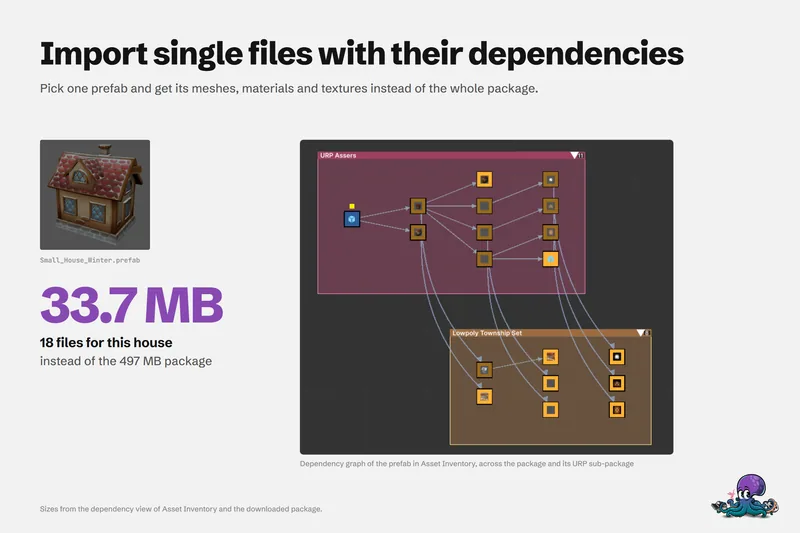
Smaller Unity projects: import assets, not packages
Most project bloat starts with importing a whole package for one asset. Where size and slowness come from, the manual ways to stay lean, and dependency-aware imports that bring 33.7 MB instead of 497 MB.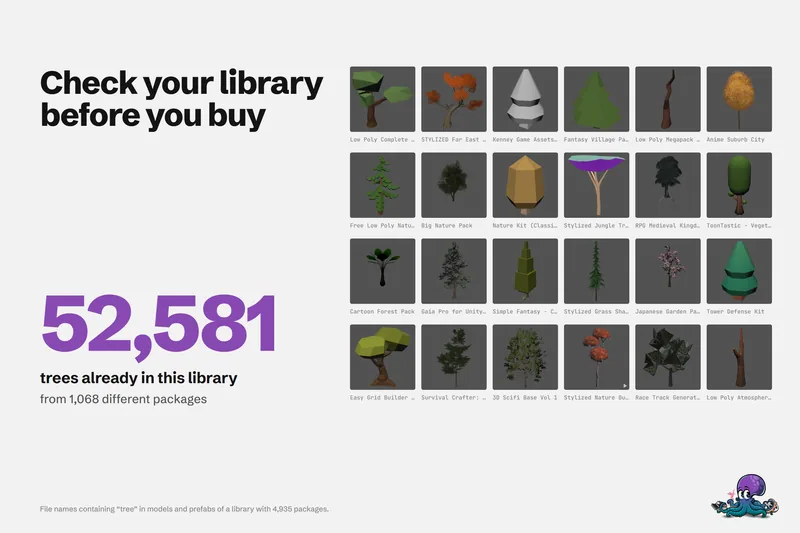 Article
Unity Asset Store sale checklist: buy what you need, not what you own
A checklist for before, during and after an Asset Store sale, so new purchases fill real gaps in your projects instead of duplicating packages you already own. Article