Check if you already own an asset before you buy
Check if you already own a Unity asset before the next sale: search inside your packages, free catalogs and unclaimed freebies in Unity, and see what you have paid.
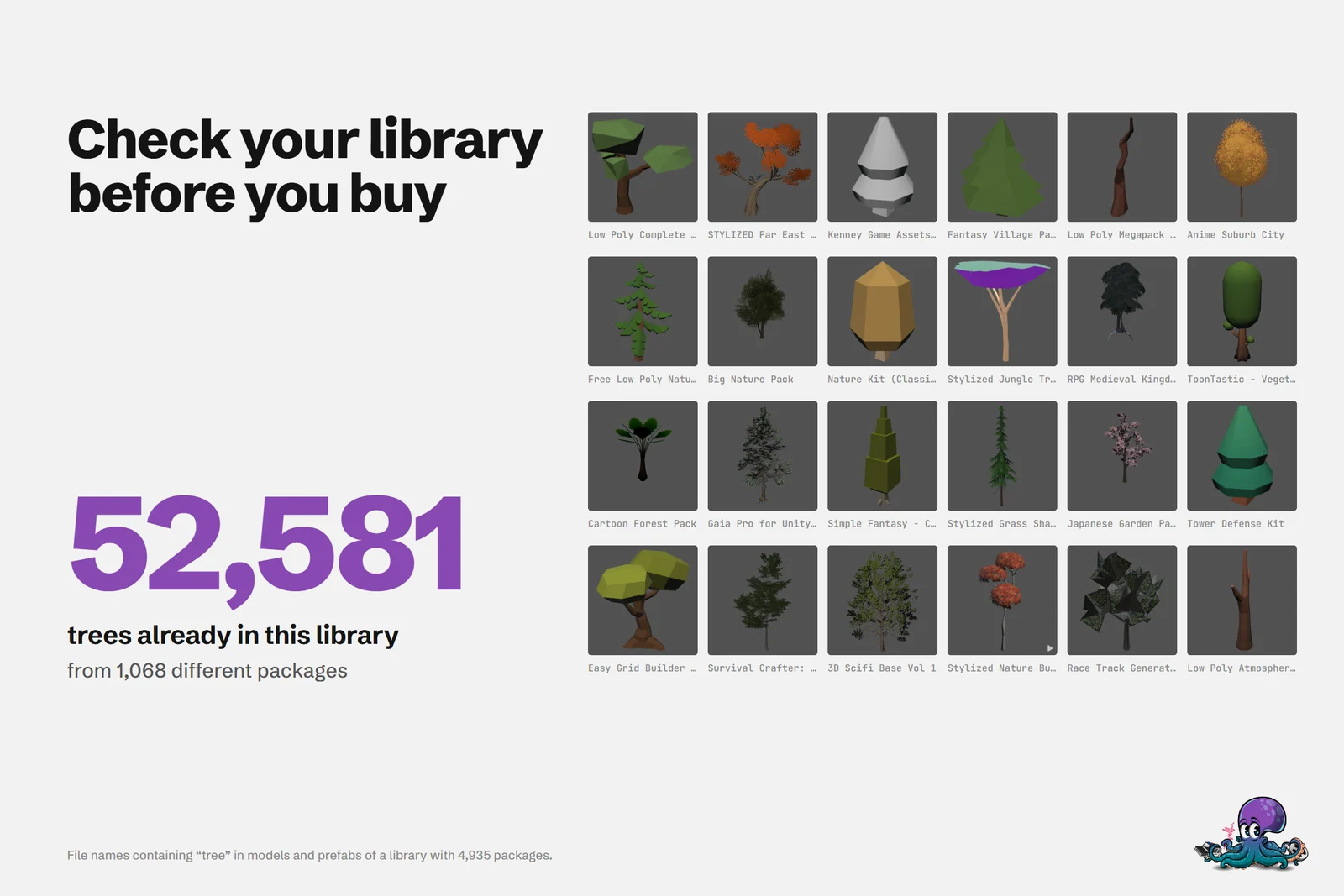
Asset Store sales are where libraries grow fastest, and where duplicates creep in. The library behind the cover holds 52,581 model and prefab files with “tree” in their name, from 1,068 different packages. Another nature pack may still be the right buy, but only once you know what is already there.
There is no browser extension that warns you on the store page. Asset Inventory works inside the Unity Editor, so the check happens there: keep Unity open while you browse the sale, search your own library first, and buy what is actually missing.
Search for what you need, not for a package name
Before a sale, write down what the project needs in concrete terms, such as stylized pine trees, a wooden door or short UI click sounds. Then check each item:
- Pick the type group, for example Models, Prefabs or Audio.
- Type the words, and exclude what you do not want with a minus, as in
pine -dead. - Narrow it down in the Filters tab: Vertices for models, Length for sounds, Width and Height for textures, and Color once Extract Colors has run.
- Look through the previews, play sounds by selecting them and note the package of each hit.
- Save the search, so the next sale starts with one click.
Even before a package’s content is indexed, Fetch Asset Store Purchases lists every purchase by name, so you can at least see whether you own a particular pack. The package search can look into descriptions as well. Searching inside packages is covered in detail in search inside every Unity package.
Find badly named files with AI captions
File names are often no help: Res_26.png, Quest_136.png or Car_11 say nothing about what they show. Optional AI captions describe each file from its preview image, and with caption search turned on in the search settings, you find files by what they show. In the manual’s example, Car_11 is captioned as a small ambulance with a red cross, so a search for ambulance finds it.
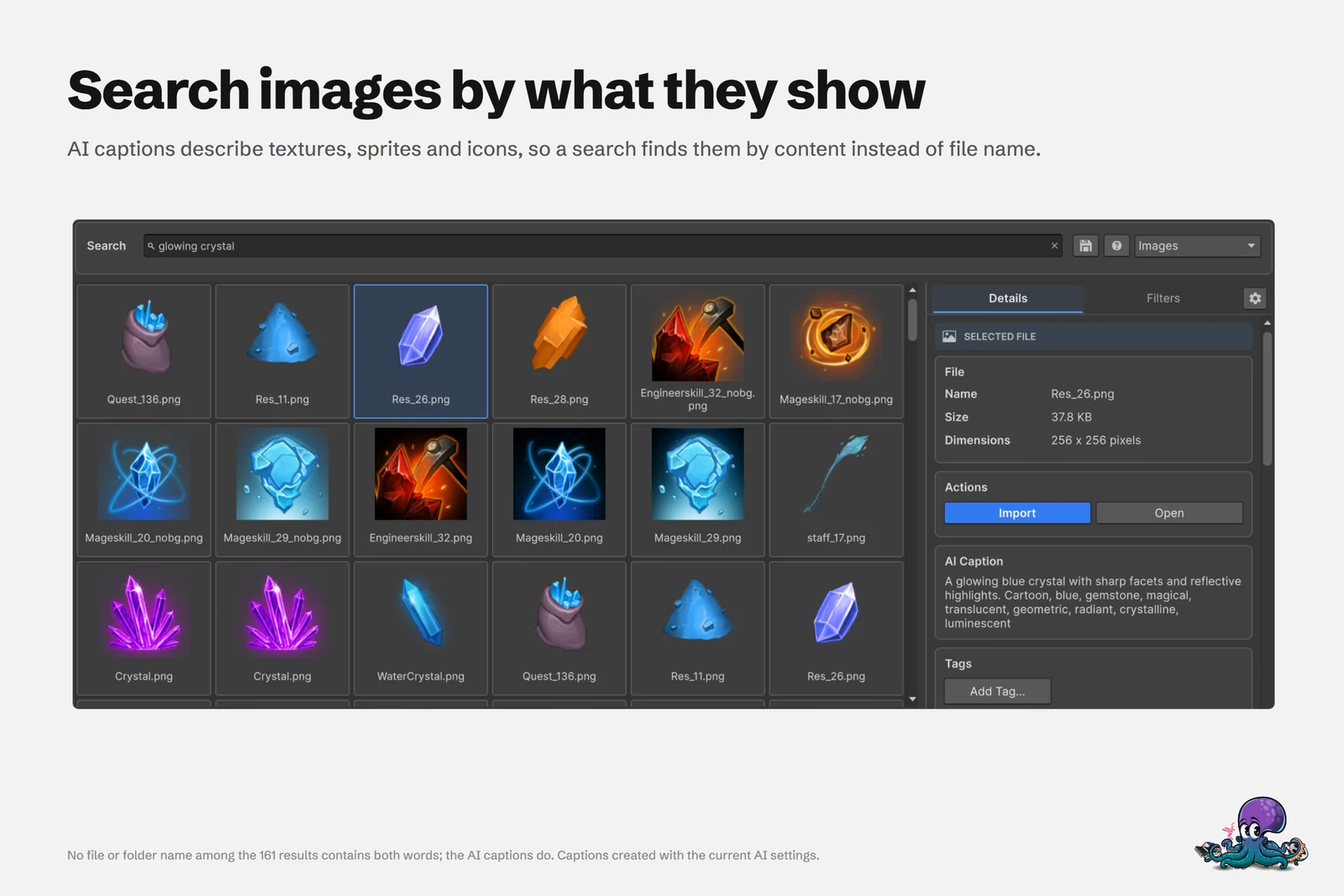 Captions find icons named Res_26.png or Quest_136.png when you search for what they show.
Captions are opt-in per package. Local connections such as Ollama, LM Studio or BLIP run on your own computer with no per-request fees; hosted providers are optional and may charge per request. Captioning a large library takes time, so start with the packages you search most often. More in AI search with local captions.
Check the free catalogs before you pay
Plenty of materials, HDRIs, models and fonts are free. Asset Inventory searches online catalogs next to your own files:
- Open Settings > Remote Catalogs.
- Click Turn on recommended free sources to enable Poly Haven and ambientCG, which need no account.
- Turn on more sources if you like, such as NVIDIA SimReady, Game-icons.net, Google Fonts, NASA 3D Resources, Openverse, Wikimedia Commons or Smithsonian 3D.
- Search as usual, or choose the Remote scope to search only the catalogs.
A catalog download stores metadata and previews, not the asset files. Download keeps a chosen item in your library without importing it, Import brings it into the project, and the source and license stay recorded with the files.
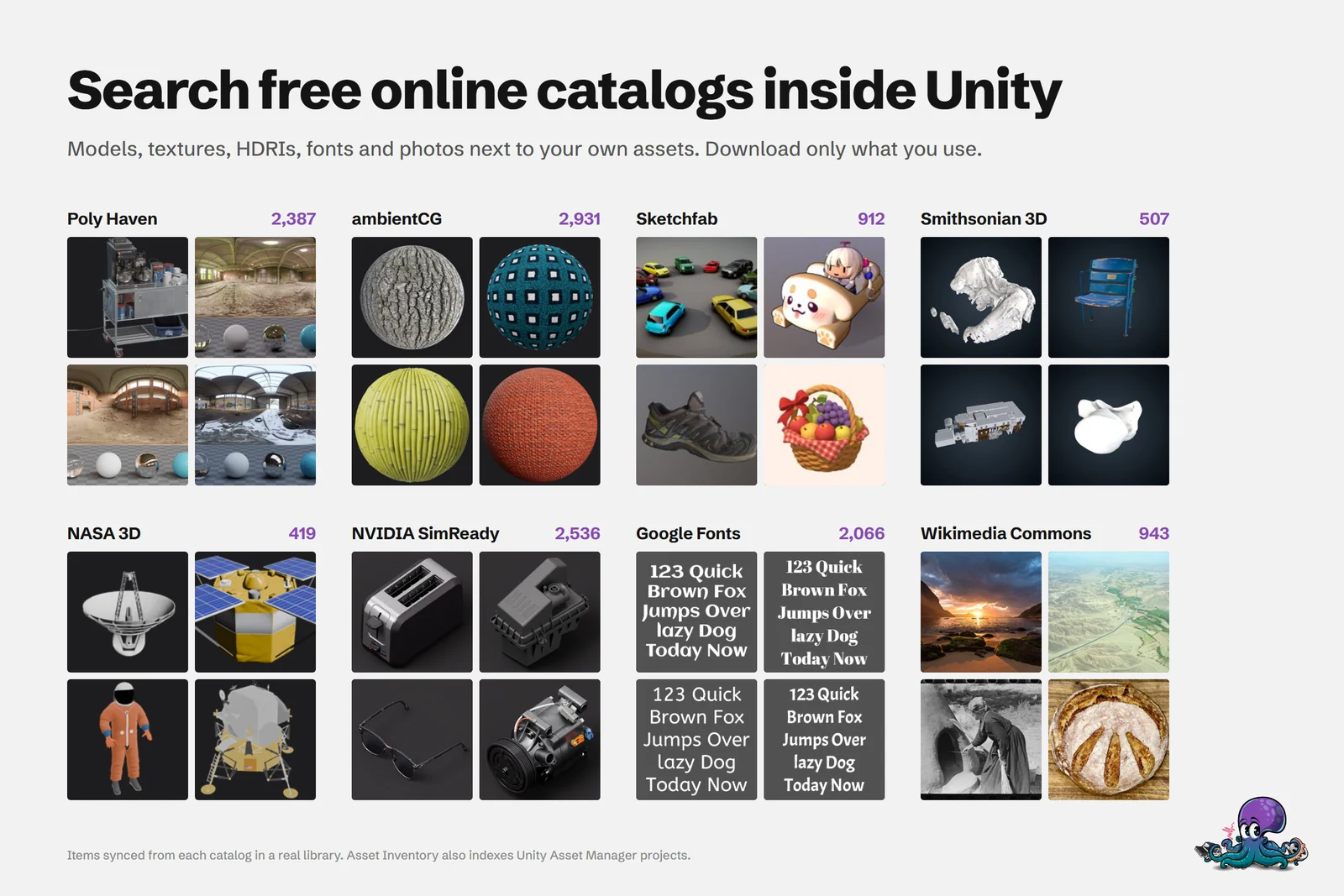 Items synced from eight catalogs in a real library, searchable next to your own assets.
The free asset catalogs guide covers each source.
Claim the freebies you already own
Some publishers grant free or reduced access to other packages when you buy theirs, and bundles often come with a list of linked packages that become free. The Asset Store does not make these easy to see, so many stay unclaimed, and an unclaimed package is not in your library.
The freebie scanner, the action Find Free Bundled Assets from already Purchased Assets, reads the descriptions of your purchases for links to other packages and lists them as candidates. There is no Asset Store API for this, so check each candidate on the store yourself; a forced run opens all of them as browser tabs. Wait until each page has fully loaded, because the store shows the final price only at the very end. The Reporting documentation has the details.
See what you have already spent
Knowing what you paid helps decide what to buy. Tools > Asset Inventory > Orders loads the order history of the Unity account signed into the Editor. Search by invoice number, order ID, package or publisher, filter by status or currency, and read paid totals per currency in the footer; exports go to CSV or JSON.
Once orders are loaded, select a group in Packages, for example everything tagged Nature, and the selection shows Total Paid. It uses the price you actually paid for each package according to your orders, not today’s store price. See Asset Store orders and invoices.
A quick check before every sale
- Press Run Actions so purchases and the index are current.
- Search your library for each item on your list.
- Search the free catalogs with the Remote scope.
- Run the freebie scanner and claim what you already own.
- Look at Total Paid for the category you are about to grow.
- Buy what is still missing.
Two things to plan for. Searching inside a package needs it downloaded and indexed once; the Download & Index New Asset Store Packages action can do that for all purchases, but downloading an item revokes the right to easily return it through the Asset Store. And while searching your index works offline, fetching purchases and orders, updating catalogs, searching online sources and checking freebie candidates on the store need a connection.
For sale season itself, the Asset Store sale checklist goes further.
Frequently asked questions
Can I check what I own while browsing the Asset Store?
Yes. Keep Unity open next to the store and search your library in Asset Inventory for each candidate before you buy. It runs inside the Unity Editor and adds nothing to the Asset Store website itself.
Do I need to download all purchases to check them?
Not to see what you own by name: Fetch Asset Store Purchases lists every purchase without downloading it. To search the files inside a package, it has to be downloaded and indexed once. Downloading an item revokes the right to easily return it through the Asset Store.
Can I see how much I spent on Asset Store assets?
Yes. The Orders window loads the order history of the Unity account signed into the Editor, with paid totals per currency, and selecting packages shows Total Paid from your recorded order prices instead of today's store price.
What licenses do the free catalog assets use?
It depends on the source. Poly Haven and ambientCG use CC0, while NVIDIA SimReady and Game-icons.net use CC BY. Asset Inventory records the source and license with each download, but review the terms before you use an item.
Find any Unity asset you own. Import only what you need.
Keep reading
 Article
Unity Asset Store sale checklist: buy what you need, not what you own
A checklist for before, during and after an Asset Store sale, so new purchases fill real gaps in your projects instead of duplicating packages you already own.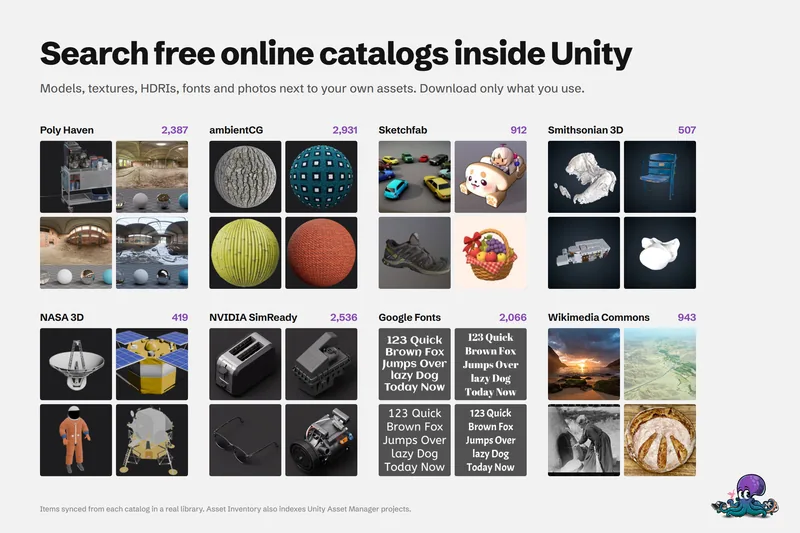 Use case
Search free asset catalogs inside Unity, next to the assets you own
Search free online catalogs such as Poly Haven and ambientCG in the same window as your purchases. Catalogs store metadata and previews only, and you download or import just the items you choose.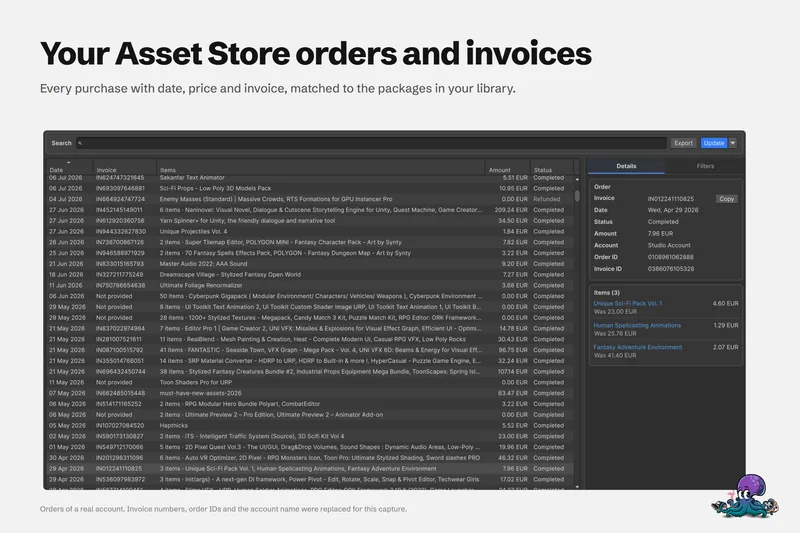 Use case