Search free asset catalogs inside Unity, next to the assets you own
Find free CC0 assets in Unity: search Poly Haven, ambientCG, NASA 3D, Google Fonts and more beside your own library, then download or import only what you pick.
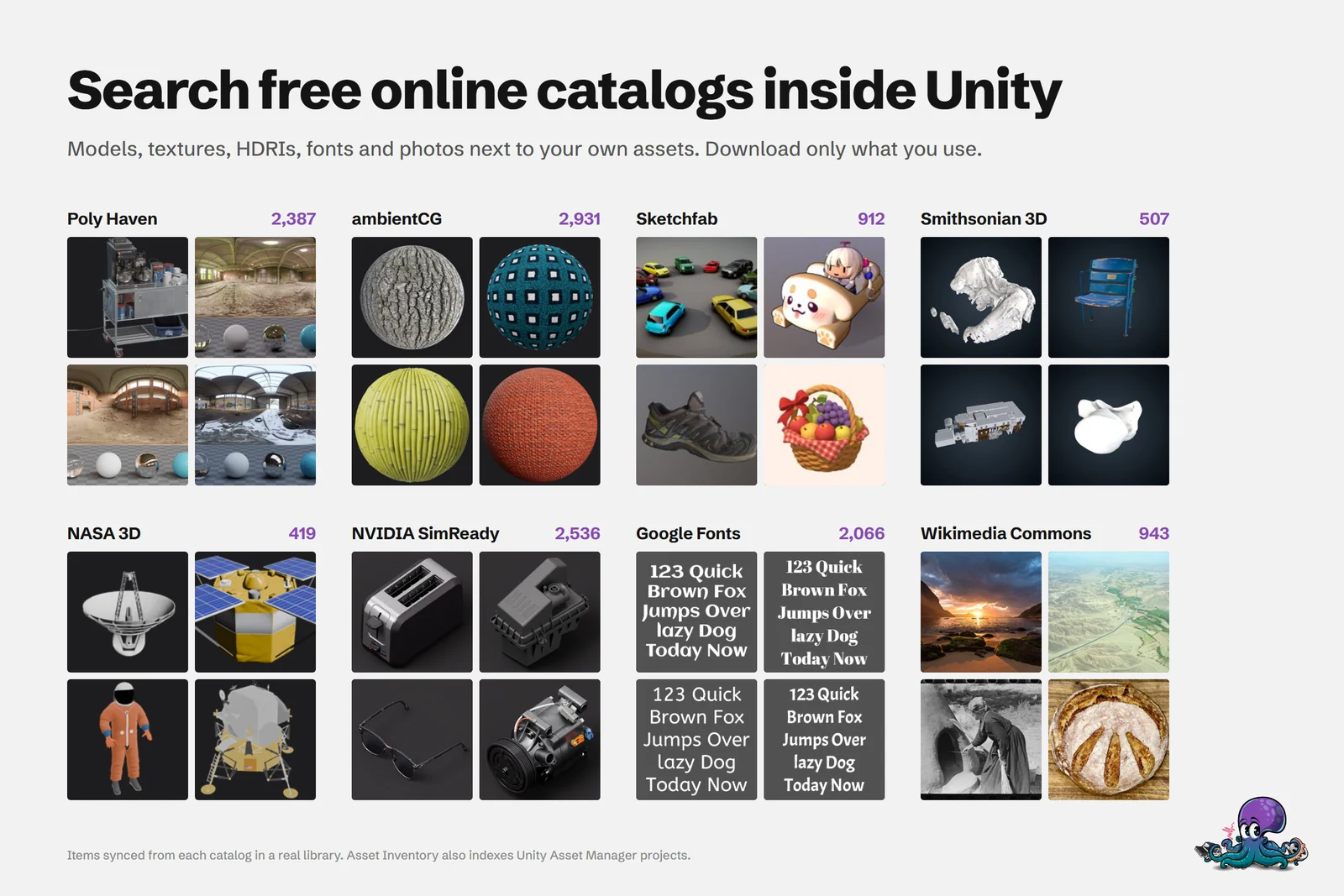
Before you buy a texture set or a stock model, it is worth checking whether a free one would do. The usual routine is a browser tab per site, a downloads folder full of ZIP files, and an import you clean up afterward. Asset Inventory brings that search into Unity: free catalogs appear in the same results as the packages you already own, and only the items you pick are downloaded.
Remote catalogs are optional and stay off until you enable them. Catalog updates, online searches and downloads need an internet connection; your indexed library keeps working offline.
Turn on the recommended free sources
- Open Settings > Remote Catalogs.
- Choose Turn on recommended free sources. This enables Poly Haven and ambientCG, which need no account, and downloads their catalogs.
- Enable more sources on their tiles. The cog on a tile opens its settings, and sources that need credentials offer Add API key with a link to the provider.
- Later, Update catalogs refreshes the enabled local catalogs. Progress shows in the Update section, where Stop Actions cancels the run.
A catalog download stores metadata and previews, not asset files. Nothing large lands on your disk until you ask for a specific item.
Local catalogs and live online sources
Some sources keep their catalog on your computer, so searching them is fast and their previews stay browsable. Others are queried live each time you search.
| Source | Content | License | How it is searched |
|---|---|---|---|
| Poly Haven | Models, materials, HDRIs | CC0 | Local catalog |
| ambientCG | Materials, HDRIs, textures, models | CC0 | Local catalog |
| NVIDIA SimReady | Industrial, medical and everyday objects | CC BY | Local catalog |
| Game-icons.net | SVG and 512 px PNG icons | CC BY | Local catalog |
| Google Fonts | Font families | Open font licenses | Local catalog |
| NASA 3D Resources | Space models and textures | NASA guidelines | Local catalog |
| Openverse | Openly licensed images and audio | Shown per item | Online, no key needed |
| Wikimedia Commons | Reference images, media, sound recordings | Shown per item | Online |
| Smithsonian 3D | Scanned objects | CC0 | Online, browsable without a query |
| Sketchfab | 3D models | Shown per item | Online, API key required |
| Pixabay | Images and video | Shown per item | Online, API key required |
Sounds from Openverse and Wikimedia Commons play on demand with the same audio controls as your own files, without being saved.
Some providers appear only as website links: itch.io, Kenney, Freesound, OpenGameArt, Quaternius, Fab and others. These are not integrations. Selecting one opens the provider’s site; download the files there and add the folder under Additional Folders so they join your index.
Search catalogs and your own library together
Search includes enabled catalogs next to your own assets. Choose Remote in the search scope bar to search only the catalogs, or use Remote Catalogs under Filters to pick specific sources, or None to hide them. The Packages tab has its own Remote scope and lists each source or collection as a package, with its items as files. An item in a catalog is not an asset you have downloaded or installed yet.
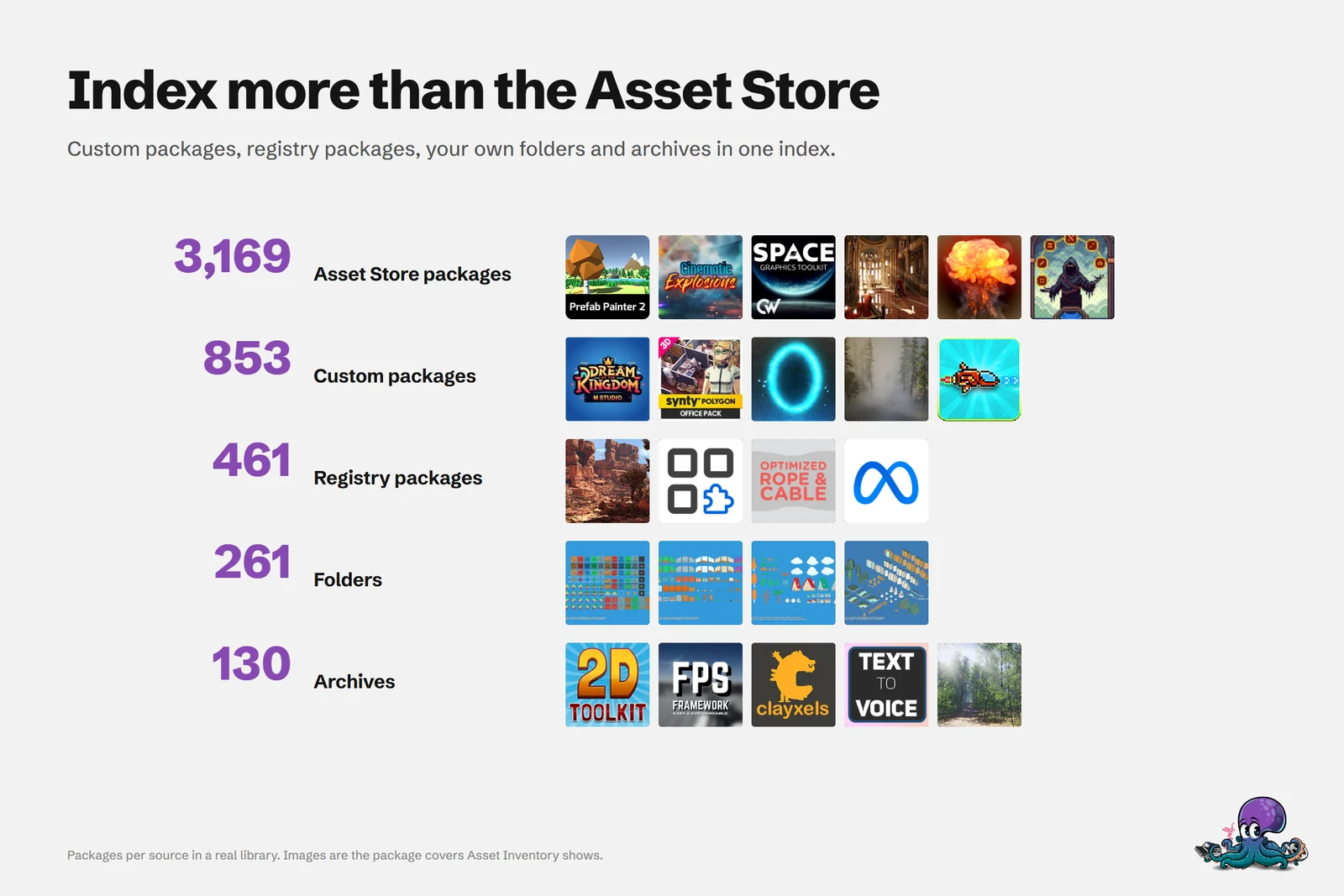 The same search covers everything a library already indexes, from Asset Store packages to folders and archives, plus every catalog you enable.
Download or import only what you pick
Select a catalog item to see its creator, source, license, download state and available formats. Opening Format loads the choices for that item. Then:
- Download keeps the chosen format in your library without importing it.
- Import downloads the item if needed and imports it into the selected Unity destination.
- Opening an item or placing it in the scene also fetches the files it needs.
Choose a format your project can import. Some 3D formats need a compatible importer, and the item explains what is missing. Unity glTFast needs the optional Draco package (com.unity.cloud.draco) for Draco-compressed GLB and glTF files. NVIDIA SimReady offers Optimized for games GLB downloads by default and Original NVIDIA USD as an alternative, and Game-icons.net offers SVG or 512 px PNG.
Source and license stay with every download
Asset Inventory records the source and the license at the moment you acquire an item, and keeps both with the download and with the origin metadata of the imported files. That matters months later, when you need to credit an asset or show where a file came from.
Licenses differ between sources. CC0 places no conditions on use, while CC BY requires attribution. Google Fonts use open font licenses, and NASA 3D Resources follow NASA’s guidelines. Read each source’s own terms before you ship: the license Asset Inventory shows is the one recorded when you downloaded, not legal advice. When a project is ready to ship, a license report lists the packages it uses and their terms.
What to expect before you start
Catalogs are a shortcut, not a replacement for a provider’s website. Online sources depend on the provider being reachable, and Sketchfab and Pixabay need your own API key. Local catalogs only know what their last update fetched, so run Update catalogs now and then. And a free asset still costs project size and review time, so import the one format you need instead of everything a source offers.
Frequently asked questions
How do I use Poly Haven assets in Unity?
Enable Poly Haven under Settings > Remote Catalogs in Asset Inventory. Its models, materials and HDRIs then appear in search, and Import downloads the format you pick and imports it into your project.
Do Poly Haven and ambientCG need an account?
No. Turn on recommended free sources enables both without an account. Openverse also works without a key, while Sketchfab and Pixabay need an API key.
Does Asset Inventory download whole catalogs to my disk?
No. Downloading a catalog stores its metadata and previews, not the asset files. Files are only downloaded when you choose Download or Import for an item.
Do I need to credit assets from free catalogs?
It depends on the source. Poly Haven, ambientCG and Smithsonian 3D items are CC0, while NVIDIA SimReady and Game-icons.net use CC BY, which requires attribution. Asset Inventory records each item's license with the download, but check the source's terms before you ship.
Find any Unity asset you own. Import only what you need.
Keep reading
 Use case
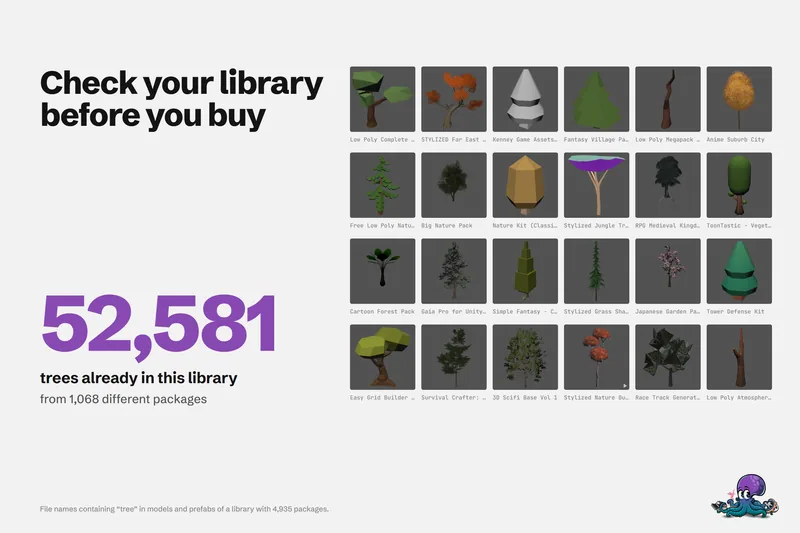
Check if you already own an asset before you buy
One real library holds 52,581 files with tree in their name. How to search what you own, find badly named files, check free catalogs and unclaimed freebies, and see what you paid before you add to the cart.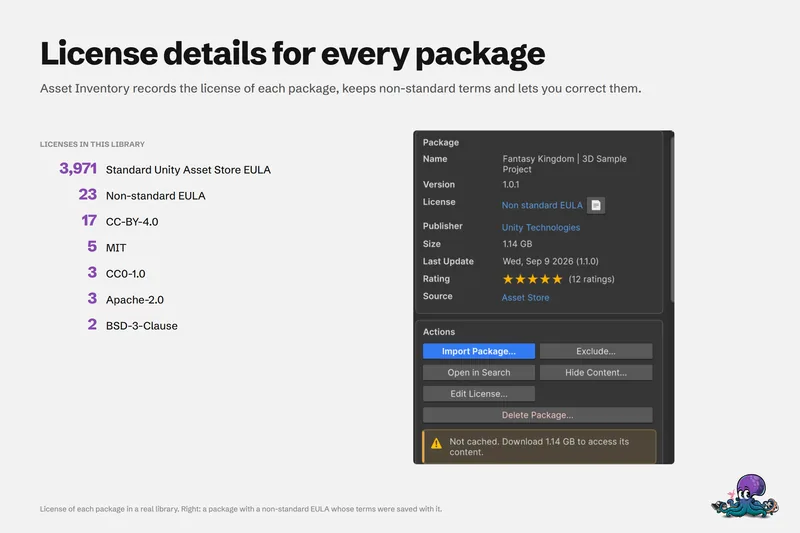 Use case
Create a license report for the assets in your Unity project
Shipping means knowing what you used and under which terms. Asset Inventory identifies the packages behind your project files, shows each license with its agreements, and exports a Third Party Licenses file in Markdown. Use case