Search your whole Unity sound effects library without importing
Search your Unity sound effects library across every package, play sounds without importing, trim them before import and find similar sounds, even in FMOD projects.
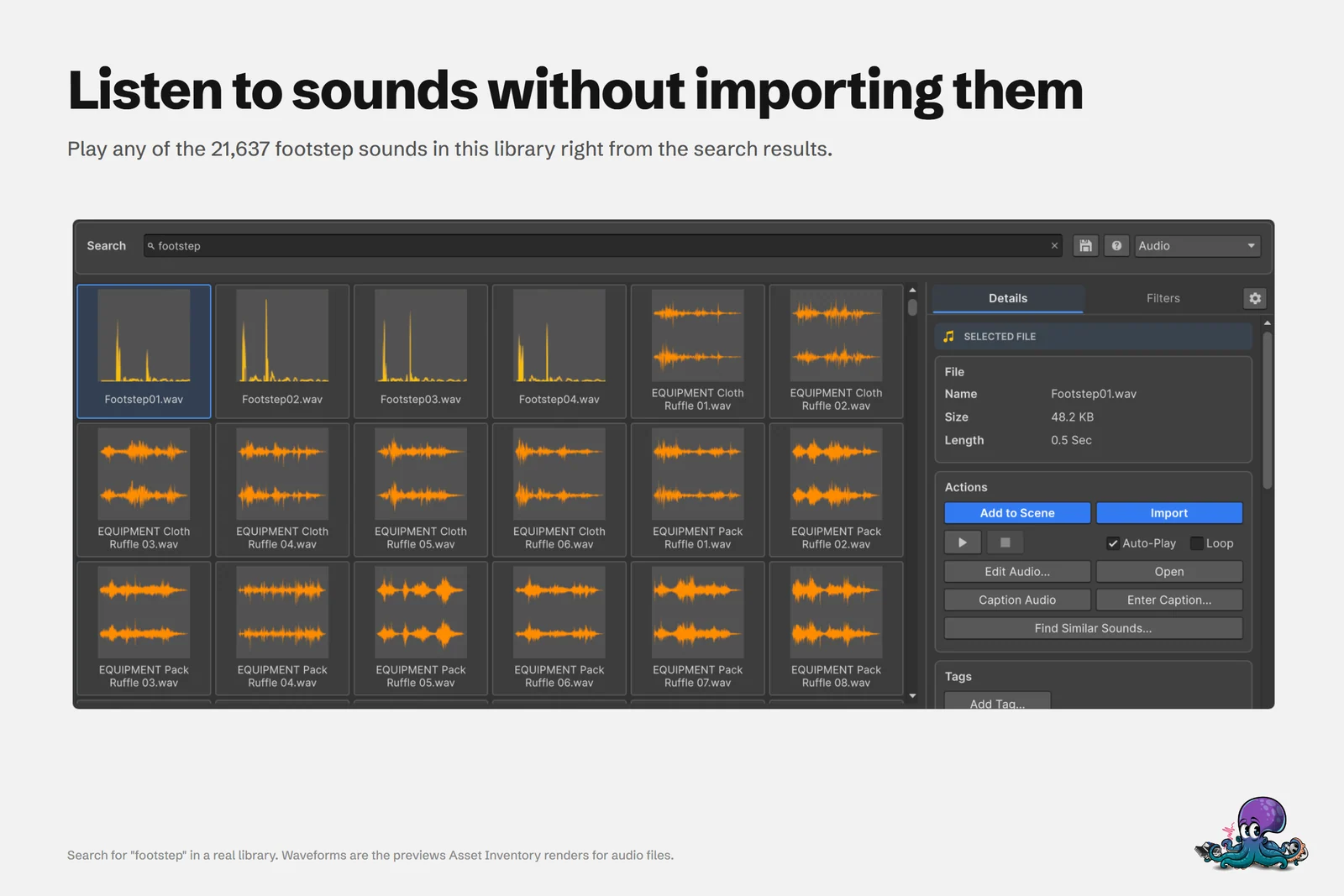
A sound library grows one bundle at a time, and package names stop helping long before it gets big. A package called “Fantasy Ambience” might hold 400 files, and its name says nothing about which one is the distant thunder you need. The real library behind these guides holds 906 hours of audio across 4,935 packages. Opening packages one by one to listen does not scale to that.
Asset Inventory indexes every audio file inside your Asset Store purchases, custom packages, folders and archives. You search sounds like any other file, listen to them right in the results, and import only the clip you picked.
Search every sound by name, folder and length
Once your packages are indexed, one search covers all of them. Set the type to Audio and type what you need. Every word has to match, in any order, and matches in folder paths and captions count too, ranked after file-name matches when you sort by Relevance. Prefix a phrase with ~ for an exact match, and mark required words with + and excluded words with -, as in explosion +distant -ui.
The Filters tab adds a Length filter with a toggle for sounds longer or shorter than the value you enter, so a search for clicks can drop everything over a second. Sort by Length to see the shortest sounds first. Asset Inventory treats wav, mp3, ogg, aiff, flac and the tracker formats mod, it, s3m and xm as audio.
Sound libraries that never came as Unity packages belong in the same index. Add their folder under Additional Folders with Media Files enabled, or Archives for ZIP, RAR and 7z downloads. Website-only sources such as Freesound or Sonniss work the same way: download there, then add the folder. If you enable the free online catalogs, sounds from Openverse and Wikimedia Commons play on demand in the same results without being saved.
When you repeat a search, such as short UI clicks, save it. A saved search keeps the phrase and every filter, and its results come live from the database, so newly indexed sounds appear the next time you open it.
Listen in the results without importing
Select a sound and it plays. Auto-Play and Loop sit next to the play and stop buttons, and you can scrub to any position. Nothing is imported, so you can audition dozens of candidates and leave your project untouched.
The first playback from a package can take a moment while Asset Inventory extracts it temporarily.
Works in FMOD projects. Projects that use FMOD for Unity usually switch Unity’s own audio off, which silences Unity’s built-in audio previews. Asset Inventory then plays, scrubs and measures sounds through the installed FMOD for Unity instead, and runs the local audio analysis behind descriptions and similar sounds through it too. If neither Unity audio nor FMOD is available, it points to the setting that needs attention.
The waveform tiles are audio previews rendered by Unity, like the other previews Asset Inventory creates. Rendering waveforms for thousands of sounds takes a while, so audio starts out on the Excluded Preview Extensions list in the preview settings. Remove {audio} from that list and Asset Inventory creates waveform previews for your sounds too. Until then, you see the previews that ship inside packages, whose colors can differ with the Unity version the publisher used.
“I specifically love it for combing through my large sound effects libraries…” (Omadar79, Asset Store review)
Trim a sound and import only that file
Edit Audio… opens the selected sound in Audio Tools, which comes with Asset Inventory, so you can keep only the part you need and trim silence before import. Sounds imported this way are always saved as WAV. To take the file as it is, use Import, or drag the sound straight into the Project window, the Hierarchy or the Scene view. Imports land in Assets/ThirdParty by default with the original folder structure, so your project root stays clean.
Describe and tag sounds with a local model
File names only go so far, especially for music and ambience. Audio descriptions let an audio-capable model listen to each file and write a short caption that normal search includes. Long recordings contribute excerpts from several positions. The model can run locally in Ollama, for example the recommended gemma4:e4b, or you can choose a hosted provider.
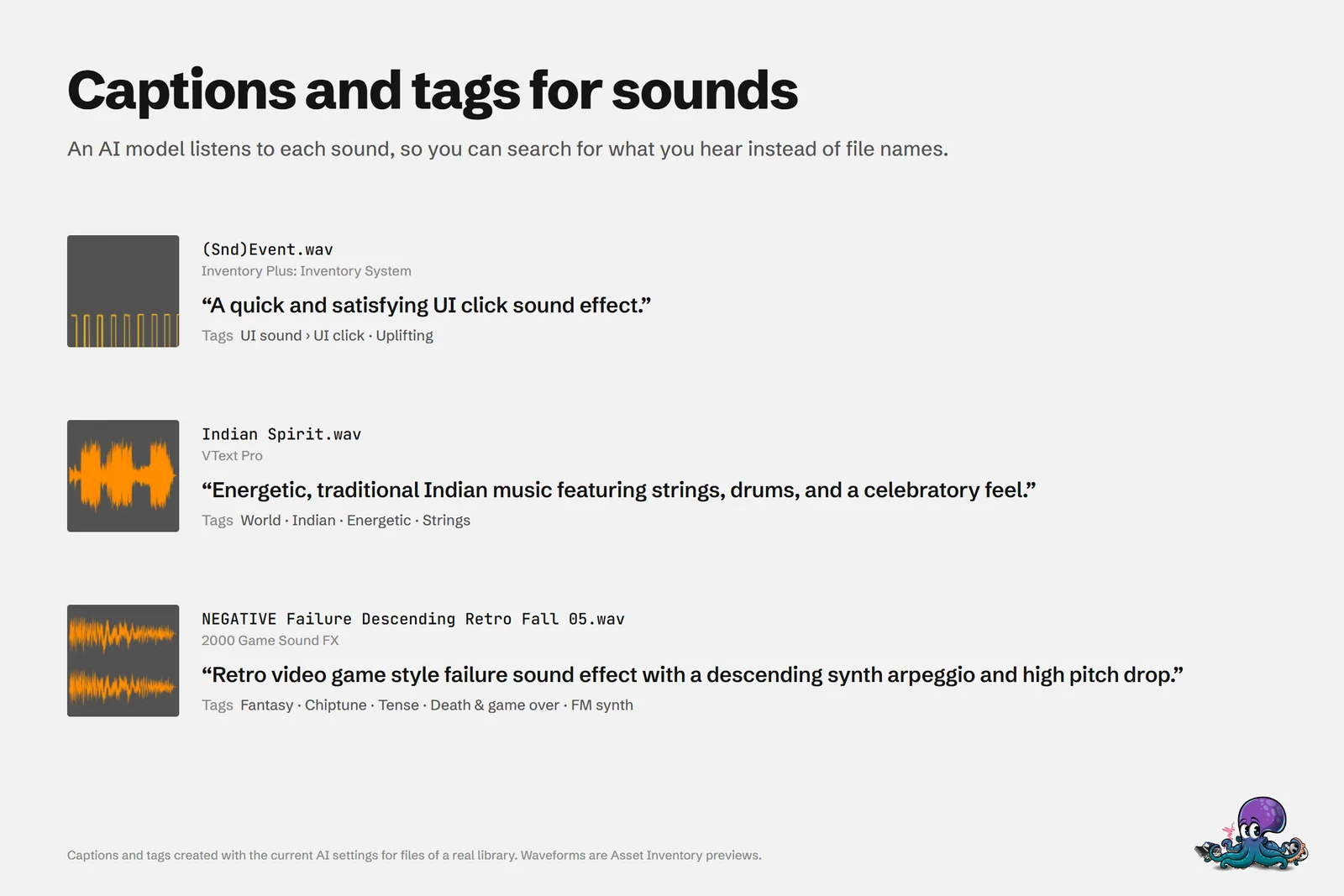 A model listened to each file, so a search for “UI click” now finds a file named
(Snd)Event.wav.
Tags are optional. Choose Off, Existing tags only or Existing and new tags. Advanced options set the structure (hierarchical, flat or category:tag), group tags by sound source, instrument, theme, genre or mood, and add separate tempo, key and loop tags. Key tags come from metadata or file names, not from measuring the audio, and tags you assign yourself survive when descriptions are regenerated.
To set it up:
- Open Settings > AI, enable Audio descriptions, and choose a connection and an audio-capable model.
- Use Test, which sends a short bundled sample and checks that the answer describes the sound.
- Choose the packages to describe in Packages, then include the action in Run Actions.
Find sounds that sound alike
When you have the right footstep and need ten more like it, select it and choose Find Similar Sounds…. Asset Inventory compares how clips sound with EmbeddingGemma 2, an audio embedding model running in Ollama on your own computer. It works per package: index the packages you want to include, then start from any sound in them. Each match shows its package, jumps to the matching timestamp and plays the matching passage, with up to 30 results per search.
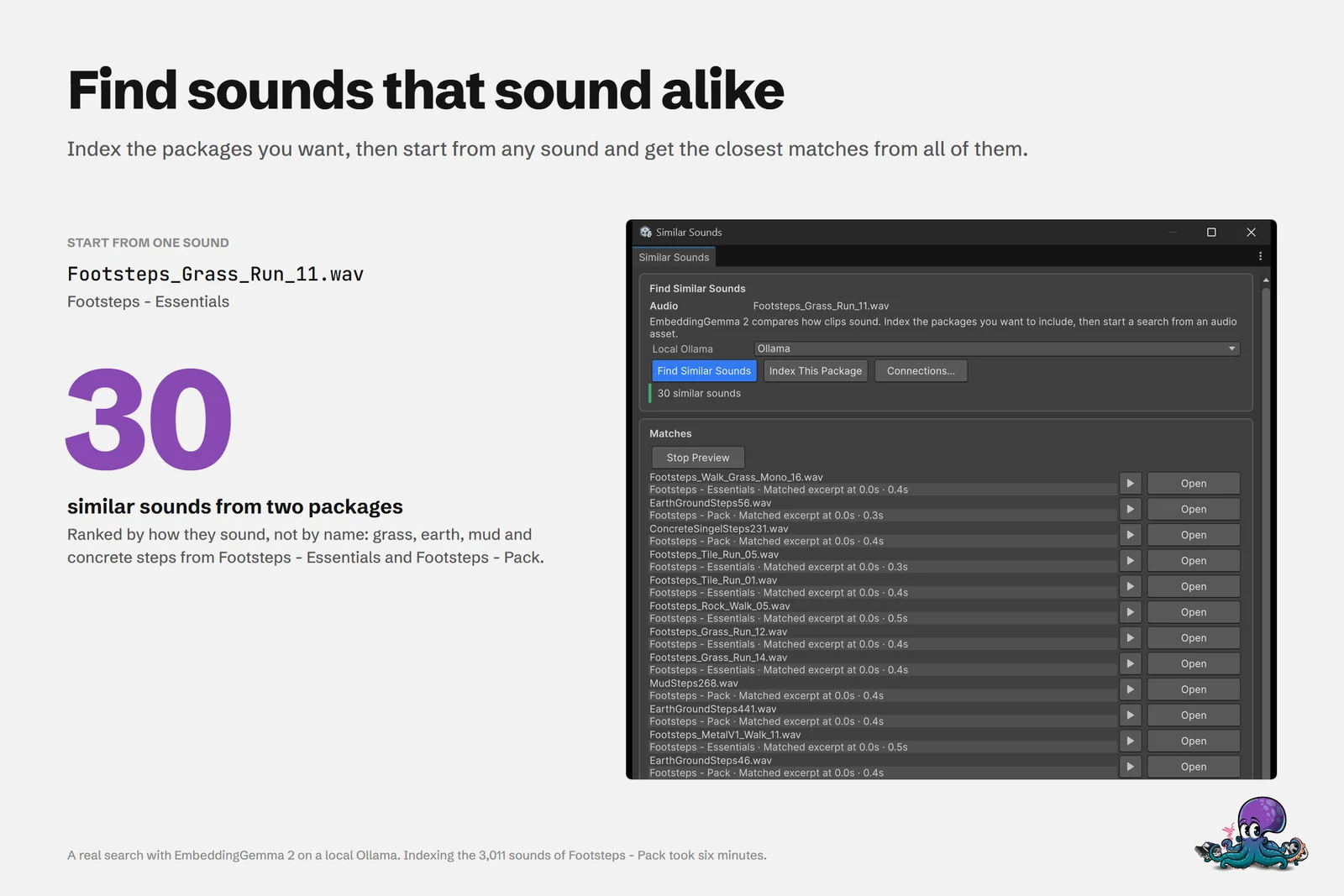 Starting from one grass footstep: 30 similar sounds from two packages, with grass, earth, mud and concrete steps from Footsteps - Essentials and Footsteps - Pack.
Indexing takes time on large packages, so start with the ones you search most.
How this compares with other ways to browse sounds
The Unity Package Manager shows the marketing media a publisher uploaded, which can include audio, but it does not preview the individual files inside a package before import. General media managers such as Eagle play common audio formats and filter by BPM, but they copy every file into their own library, cannot open Unity packages and leave the import to you. Asset Inventory keeps search, playback, trimming and import inside the Editor, across every source you indexed. The comparisons with the Unity Package Manager, Eagle and dedicated sound library managers such as Soundly and Sononym go into more detail.
Frequently asked questions
Can I listen to Asset Store sounds without importing the package?
Yes. Once a package is indexed, selecting a sound in Asset Inventory plays it from the search results. The first playback from a package can take a moment while it is temporarily extracted.
Does Asset Inventory work in Unity projects that use FMOD?
Yes. When FMOD for Unity is installed and Unity audio is disabled, Asset Inventory plays, scrubs and measures sounds through FMOD, and its local audio analysis for descriptions and similar sounds uses FMOD as well.
How do I find short or long sounds across all my packages?
Set the search type to Audio and use the Length filter on the Filters tab, which matches sounds longer or shorter than the value you enter. You can also sort the results by length.
Can I trim a sound before importing it into Unity?
Yes. Edit Audio... lets you keep only part of a sound and trim silence before import. Sounds imported this way are always saved as WAV files.
Does Find Similar Sounds send my audio to a cloud service?
No. It runs on a local Ollama server on your own computer with the EmbeddingGemma 2 audio embedding model. You index the packages you want to compare first, then start from any sound in them.
Find any Unity asset you own. Import only what you need.
Keep reading
 Use case
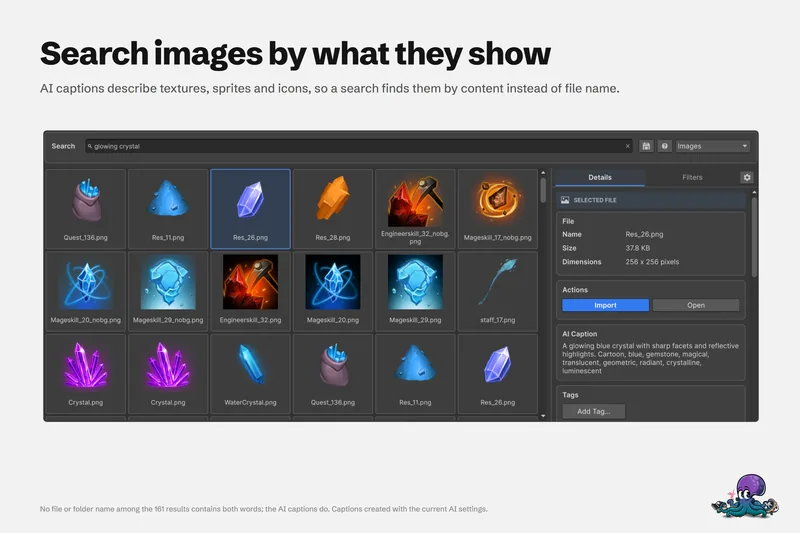
Find Unity assets by what they show or sound like, with local AI
File names lie. A local model captions each preview and sound, and search by meaning ranks results with your filters still applied. Runs on Ollama, LM Studio or BLIP, with hosted providers optional. Use case
Search inside every Unity package you own
The Package Manager searches package names. Asset Inventory indexes every file in every package you own, with filters, saved searches and Unity Search integration, so you search for the asset itself. Use case