Why MP3 loops have a gap in Unity
MP3 encoders add silence at both ends, so loops click or pause. How encoder delay and gapless headers work in Unity and how to get seamless loops.
The posts span a decade: “Unity adds small gap in front, breaks loop” in 2015, “Is gapless audio looping possible in Unity” in 2013, “TIL Unity does NOT loop mp3s correctly. Use WAV!” in 2021. The answers say to switch formats, which works, but rarely why. The cause is in how MP3 itself works.
Where the silence comes from
An MP3 stores audio in frames of 1,152 samples (for the common MPEG-1 Layer III files). Two things add audio that was never in the original:
- At the start, the encoder and decoder both need a run-up. LAME, the most common encoder, typically records an encoder delay of 576 samples, and decoders add 529 samples of their own. Many files also begin with an extra frame that holds metadata and decodes as 1,152 samples of silence.
- At the end, the last frame is padded to a full 1,152 samples.
At 44.1 kHz, the silence at the start of a typical LAME file adds up to roughly 50 milliseconds, and the padding at the end can be another 26. In a song that is inaudible. In a one-bar loop it is a stutter on every repeat.
Gapless headers
Encoders know exactly how much they added, so they write it down. The first frame of a LAME file is an Info or Xing frame with a LAME extension that records the encoder delay and the padding at the end. FFmpeg writes the same structure. Gapless music players read these numbers and cut exactly that much from both ends.
A decoder that ignores the header keeps the silence. That is what the threads above describe: the audio that reaches Unity’s import is longer than the music, and the loop includes the gap.
Four ways to get a seamless loop
- Use the original WAV. If you made the loop or bought it with WAV sources, import the WAV. Nothing to remove, sample-accurate, and Unity compresses it on import with whatever format you choose.
- Use OGG Vorbis. The Ogg container records the exact length of the audio, so decoders do not keep padding the way plain MP3 decoders do, and Unity imports OGG directly.
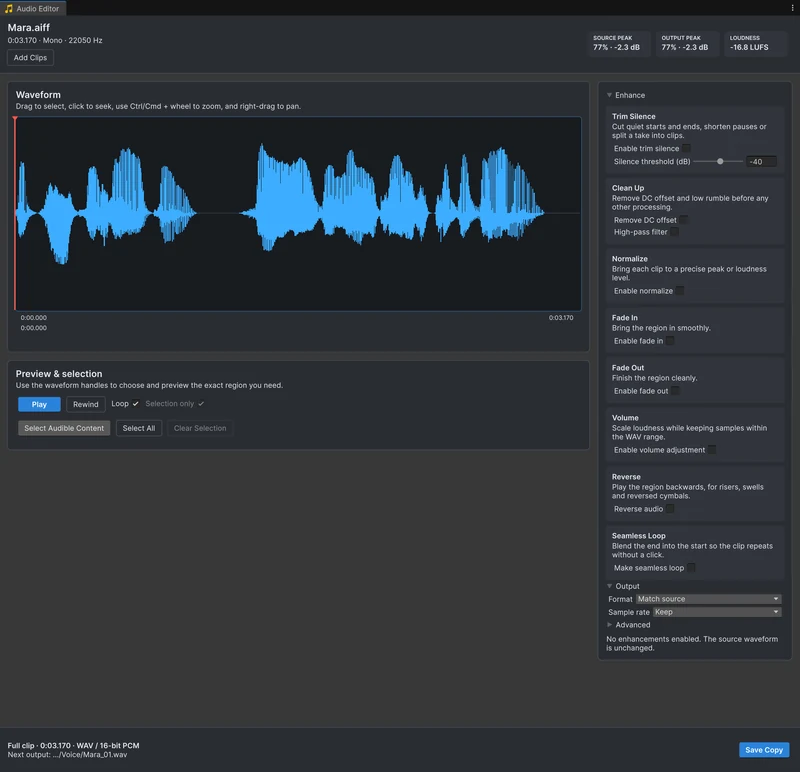
- Convert with Audio Tools. If all you have is the MP3, open it with Edit Audio in Audio Tools. It reads the LAME and FFmpeg gapless headers and removes the encoder delay and padding while decoding, so the waveform, the duration and the copy you save match the encoded music. Press Save Copy to get a WAV. See converting to WAV.
- Schedule the parts in code. For music with an intro and a loop section, play the parts with
AudioSource.PlayScheduledat exact DSP times. This does not remove padding inside a file, so combine it with clean sources.
Check the loop before you use it
In Audio Tools, clear the selection, turn on Loop and press Space. The whole clip repeats, and any gap or click at the loop point is easy to hear. A click without a gap means the end and the start do not meet. Make seamless loop crossfades the end into the start and removes the seam, as the seamless loop guide shows. A silent tail is not encoder padding but part of the file, and trimming the silence removes it.
Frequently asked questions
Why does my MP3 loop have a gap in Unity?
MP3 encoders add silence at the start and pad the end to a full frame. Players that read the gapless header remove it; a decoder that ignores the header plays it, and a loop then includes that silence on every pass.
Which format loops seamlessly in Unity?
WAV and OGG Vorbis sources loop without encoder padding, which is why long-standing Unity Discussions answers recommend them over MP3 for loops.
Can I fix an MP3 loop without the original WAV?
Yes. Audio Tools reads the LAME or FFmpeg gapless header, removes the padding while decoding and saves a WAV copy that starts and ends where the audio does.
Trim, fade and normalize audio without leaving Unity.
Keep reading
 Use case
Convert MP3, OGG and FLAC files to WAV inside Unity
Audio Tools opens WAV, MP3, OGG, AIFF and supported FLAC files and saves WAV in 16-bit, 24-bit or 32-bit float, so a conversion is one save away. When a WAV source helps, and when it only makes the repository bigger.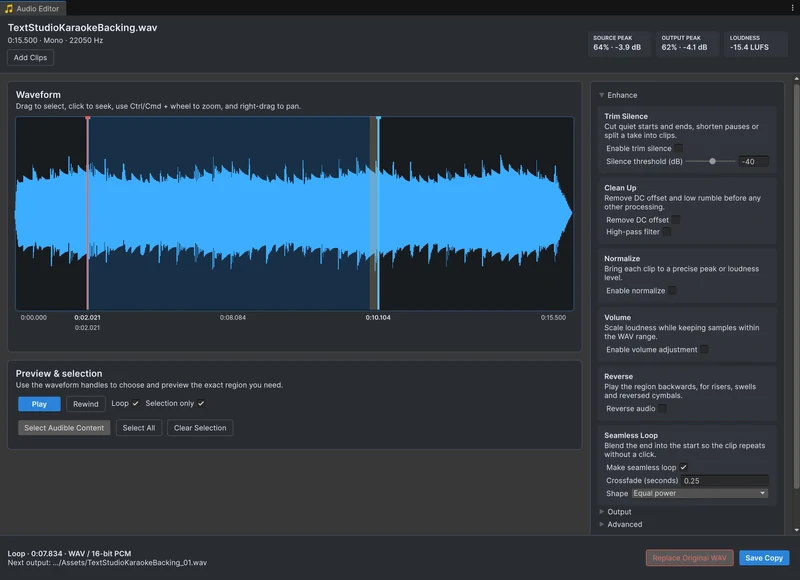 Use case
Make seamless audio loops in Unity
A loop that clicks or pauses at the seam ruins ambience and engine sounds. Trim the silence, crossfade the end of the clip into its start with an equal-power or linear curve, listen to the loop repeat sample-accurately, and save it. Article