Peak or loudness normalization for game sound effects
Peak normalization sets the loudest sample, loudness normalization matches how loud clips feel. Which one game sounds need and the tools for each.
A familiar complaint in Unity communities: you bought several sound packs, and next to each other they are all over the place. One pack’s explosions are quiet, another’s UI clicks are deafening. The usual first fix is to normalize everything, and the usual result is disappointment. That is because “normalize” can mean two different things.
Peak normalization
Peak normalization finds the loudest sample in a clip and scales the whole clip so that this sample hits a target level, measured in dB relative to full scale. Everything is scaled by the same factor, so the dynamics stay as they were.
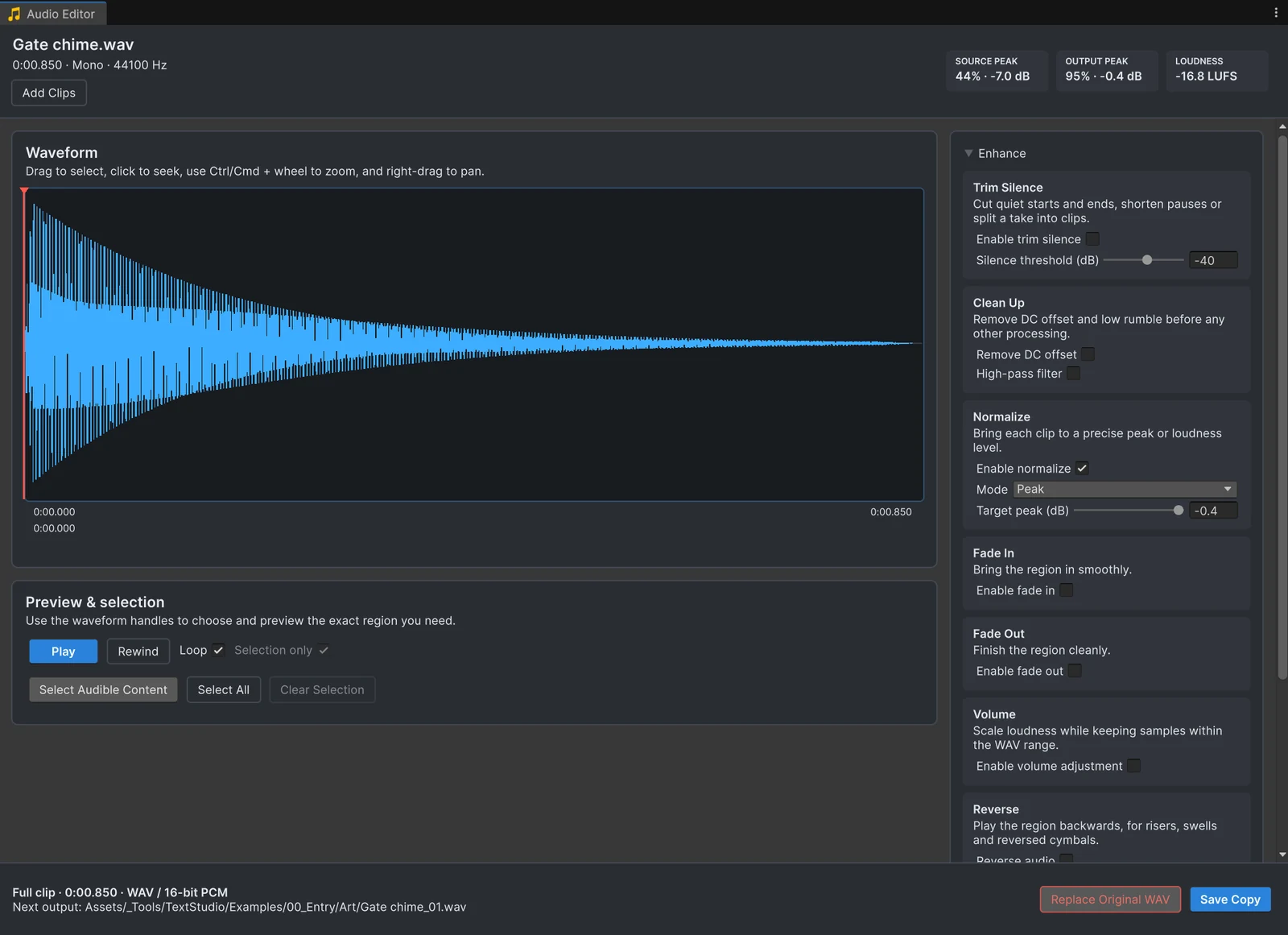
It is the right tool for headroom and for quiet recordings: a chime that peaks at -7 dB can be raised by 6.6 dB to peak at -0.4 dB, and you know it will not clip. In Audio Tools, this is Normalize in Peak mode with a Target peak (dB). See normalizing audio clips.
What peak normalization does not do is make clips sound equally loud. A short, sharp click and a long, dense drone can share the same peak while the drone sounds far louder, because perceived loudness depends on energy over time, not on the single loudest sample.
Loudness normalization
Loudness normalization measures how loud a clip is perceived to be, in LUFS (loudness units relative to full scale, defined by ITU-R BS.1770 and used by EBU R128), and scales it to a target. Clips normalized to the same LUFS value sound roughly equally loud, which is what you want across a set of similar sounds.
Tools that do it:
- Audio Tools: Normalize in Loudness (LUFS) mode measures integrated loudness per ITU-R BS.1770 and scales to a Target loudness, -23 LUFS by default, with a Peak ceiling of -1 dB so nothing clips. It works on a whole folder in one pass inside Unity.
- Audacity: the Loudness Normalization effect, with LUFS or RMS targets. Audacity 3.7 can run it on many files with a Macro.
- FFmpeg: the
loudnormfilter, based on EBU R128, in one or two passes, for exampleffmpeg -i in.wav -af loudnorm=I=-23:TP=-1 out.wav. - Middleware: Wwise can apply loudness normalization to sources at conversion, with -23 LUFS as its default target.
Very short sounds give a loudness meter little to measure. For clicks, blips and other sounds under a fraction of a second, peak level and your ears work better.
What Unity’s Normalize options are
Two things in Unity carry the name, and neither is file loudness normalization:
- The Normalize checkbox in the audio import settings only applies with Force To Mono: after the mixdown, Unity peak-normalizes the clip.
- The Audio Normalize Effect is an Audio Mixer effect that adjusts gain while the game runs. It never changes a file.
Leveling a purchased pack
- Group the sounds by role: footsteps, impacts, UI, ambience, voice. Loudness only needs to match within a group.
- Normalize each group to one loudness. In Audio Tools, open the group’s clips or folder together, set Normalize to Loudness (LUFS) and press Analyze to see the gain every file gets. Outside Unity, Audacity and FFmpeg do the same.
- Fix the outliers. Some sounds still stand out, often very short or very long ones. Switch those to Peak mode or adjust Volume until they sit with their group.
- Save the copies in one pass. They keep their import settings, so nothing else changes in the project.
- Balance groups in the mixer. Route each group to its own Audio Mixer group and set the relative levels there, where you can still change them late in production.
This keeps file edits for what belongs to the sound and leaves the mix to the mixer. The batch guide shows steps 2 to 4 in detail.
Frequently asked questions
What is the difference between peak and loudness normalization?
Peak normalization scales a clip so its loudest sample hits a target level. Loudness normalization scales it so its measured loudness, in LUFS, hits a target. Two clips with the same peak can differ a lot in loudness.
What loudness target should game audio use?
There is no single rule for individual sound effects. Broadcast standards use -23 LUFS (EBU R128) and -24 LKFS (ATSC A/85), and Wwise and Audio Tools default to -23 LUFS. Pick one target per group of sounds and balance groups in the mixer.
Does Unity have loudness normalization?
Not for files. The import settings normalize peaks only together with Force To Mono, and the Audio Normalize Effect adjusts gain in the mixer while the game runs.
Trim, fade and normalize audio without leaving Unity.
Keep reading
 Use case
Normalize audio clips to a peak or loudness level
Unity's Normalize setting only works together with Force To Mono, and the Audio Normalize Effect never touches your files. Audio Tools normalizes clips to a peak or to a loudness in LUFS, for one file or a whole folder, and shows the result before you save.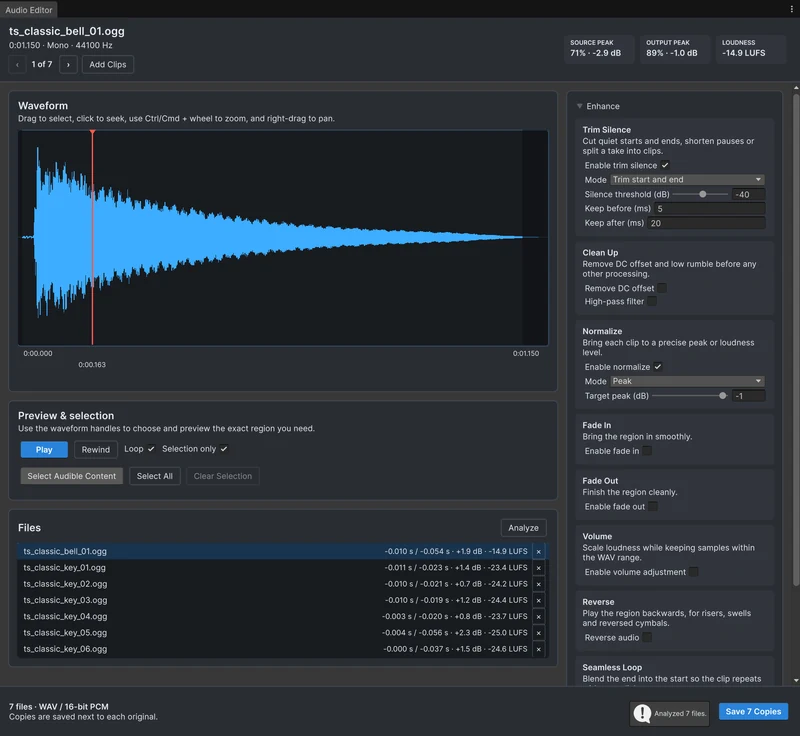 Use case
Process many audio clips at once
A sound pack needs the same fixes on every file: cut the silence, match the level, maybe mono and a new format. Open the clips or folders together in Audio Tools, apply the settings once, check them with Analyze, and save every copy in one pass. Comparison