Audio Tools vs Audacity for Unity audio
Audacity is the far bigger audio editor. When its repair tools, effects and export formats matter, and when editing inside Unity is the faster choice.
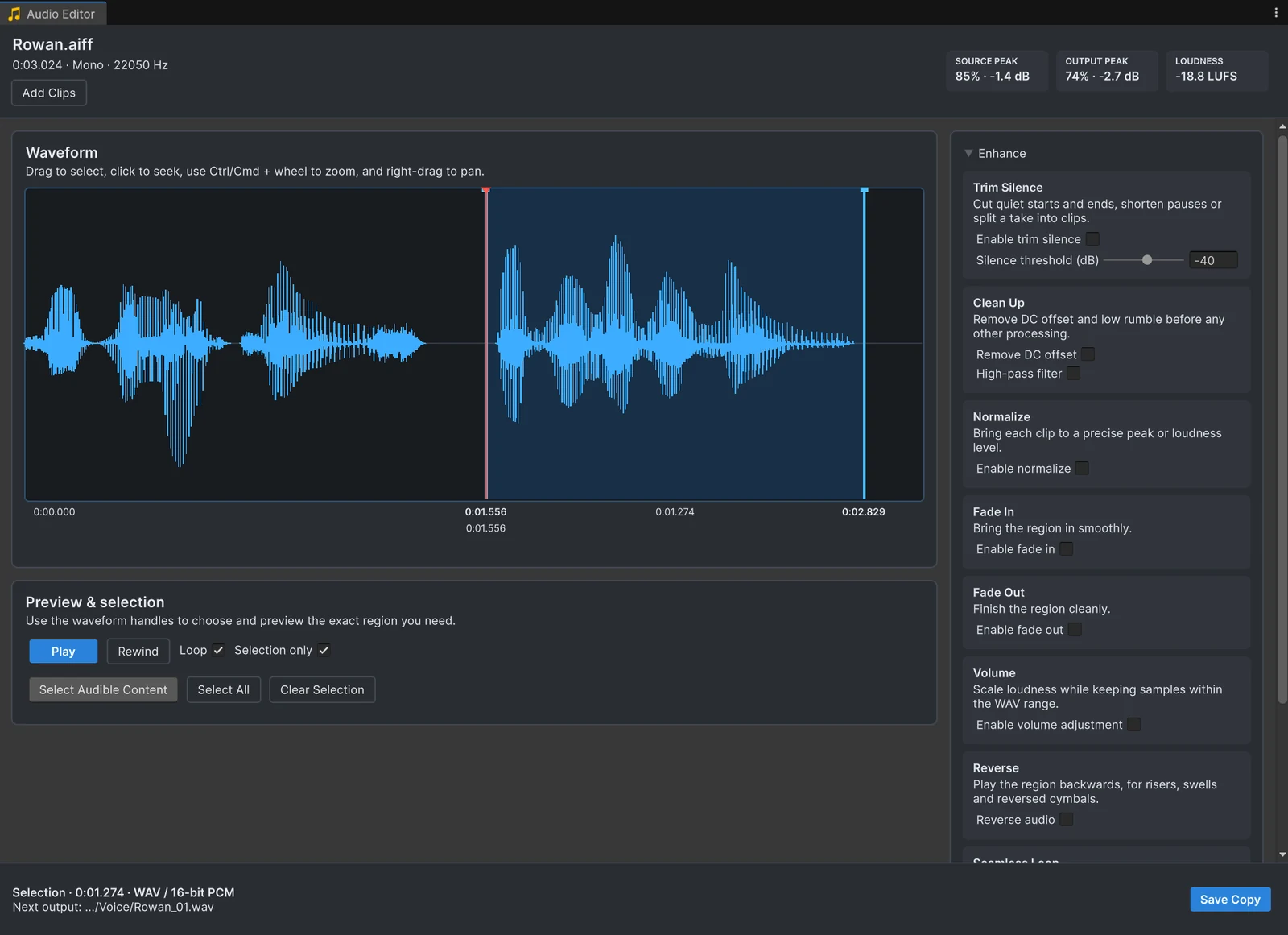
Ask how to edit a sound for Unity and someone will answer “use Audacity”. When two paid in-editor audio editors launched on Reddit in 2025, the replies said the same thing: Audacity is free. That reply is fair. This page is about when Audacity is the right tool and when it is a detour.
The tools
| Tool | Runs | Price | What it is best at |
|---|---|---|---|
| Audacity 4.0.2 | Windows, macOS, Linux | Free, GPLv3 | A full audio editor: repair, effects, multitrack, loudness normalization, many formats; Macros for batch work in 3.7 |
| ocenaudio 3.22.2 | Windows, macOS, Linux | Free | A fast, simpler editor with real-time effect preview, VST support and Trim Silence |
| Online cutters such as mp3cut.net and audiotrimmer.com | Browser | Free, mp3cut.net premium €6 per month | Cutting a file in a hurry, after uploading it |
| Audio Tools | Inside the Unity Editor | Free, source included | Silence, fades, peak or loudness levels, loops, clean-up and WAV output, for one clip or a folder |
Versions and prices as listed by each project on the date above.
Where Audacity is clearly better
- Repair. Noise reduction, click removal and equalization. Audio Tools has a high-pass filter and DC offset removal, nothing more.
- Effects and creative work. Reverb, compression, pitch and time changes, layering and mixing on several tracks belong in a real editor.
- Formats. Audacity exports MP3, OGG, FLAC and WAV, among others. Audio Tools writes WAV only, in 16-bit, 24-bit or 32-bit float.
- Analysis and precision work. Spectrograms, labels and detailed envelope editing.
Where Audio Tools saves time
- No round trip. Select clips in the Project window, fix them, save. There is no export, no file dialog and no reimport, and the new WAVs appear next to the originals with their import settings.
- Game-specific fixes in one place. Trim Silence trims edges, shortens pauses or splits a recording into clips; Seamless Loop crossfades a loop point; Normalize matches a peak or a loudness in LUFS.
- Many files inside Unity. Open several clips or folders, apply the settings once, check them with Analyze and save every copy in one pass. Audacity 3.7 does this with Macros, but outside Unity, and 4.0 does not have the Macro Manager yet.
- Your originals stay safe. Previews are rebuilt from the original samples on every change, copies are numbered, and replaced WAVs are backed up so you can restore them.
- Unity context. Undo and Redo work on your edit settings, sessions survive script recompiles, and projects that disable Unity audio for FMOD keep working.
- It is already there. Audio Tools is free on the Asset Store and included with Asset Inventory, where it trims sounds from packages before import.
Online cutters
Online cutters are fine for a one-off cut of a file you own. They upload the file to a server first: mp3cut.net says uploads are deleted within 12 hours, audiotrimmer.com within 2 hours with a 250 MB limit. Purchased sound effects often come with licenses that do not mention third-party upload services, and every export may be re-encoded. For game assets, a local editor avoids both questions.
A workflow that uses both
- Do the repair and creative work in Audacity: clean up recordings, remove noise, add effects, and export WAV files.
- Import them into Unity.
- During integration, use Audio Tools for the fixes you only notice in the game: a sound that starts a little late, a cut that clicks, a loop with a seam, a pack that needs one loudness, stereo files that should be mono.
The silence guide, the loop guide and the batch guide cover the most common of those fixes.
Frequently asked questions
Is Audio Tools a replacement for Audacity?
Not for everything. Audacity has noise reduction, equalization, many effects, multitrack editing and many export formats. Audio Tools covers the fixes a Unity project needs most often, silence, fades, levels, loops and format, without leaving the Editor.
Can Audacity batch-process sound effects?
Audacity 3.x has Macros that run the same steps on many files. The release notes of Audacity 4.0 say the Macro Manager and the scripting pipe are not in 4.0 yet. Audio Tools processes several clips or folders in one pass inside Unity.
Are online audio cutters safe for game assets?
They upload your files to a server. mp3cut.net says it deletes uploads within 12 hours and audiotrimmer.com within 2 hours. Check the license of purchased sounds before uploading them anywhere.
Can I use Audacity and Audio Tools together?
Yes, and many projects should. Do noise reduction, equalization and creative effects in Audacity, then make the fixes that come up during integration in Audio Tools.
Trim, fade and normalize audio without leaving Unity.
Keep reading
What Unity can do with audio clips on its own
Unity has no audio editor, but it has several ways to change what a clip sounds like in the game. What import settings, Timeline, scripting and the AI Assistant can and cannot do, and when editing the file is simpler.ComparisonFree audio editors for Unity compared
Several free extensions edit audio inside the Unity Editor. What each one lists, where Audio Tools fits, and the paid editors that are worth it for effects, meters and per-channel editing.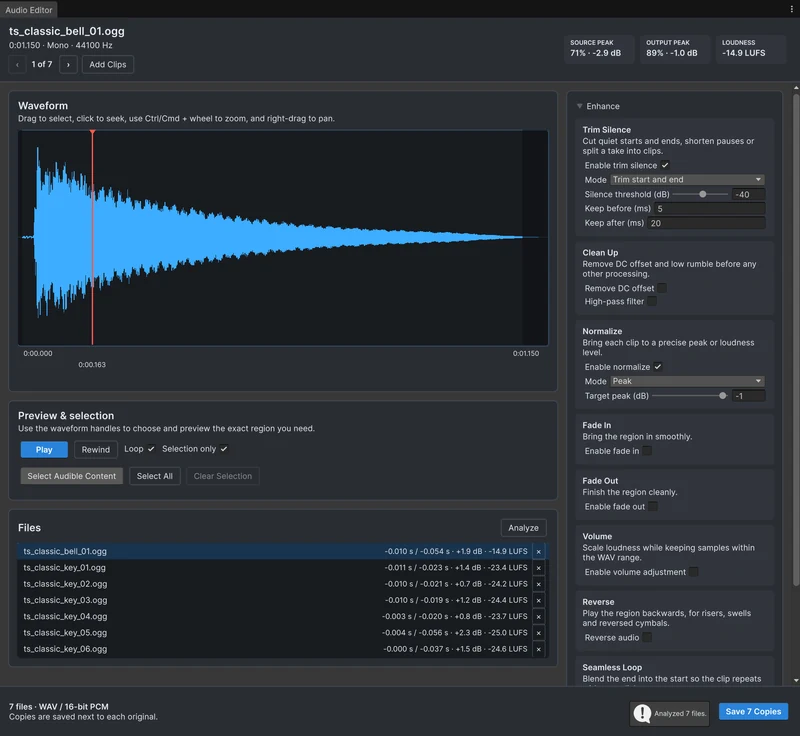 Use case