Bake fades into clips and remove clicks and pops
Bake fade-ins and fade-outs with editable curves into a clip, remove clicks at cut points, and know when a runtime fade in code is the better choice.
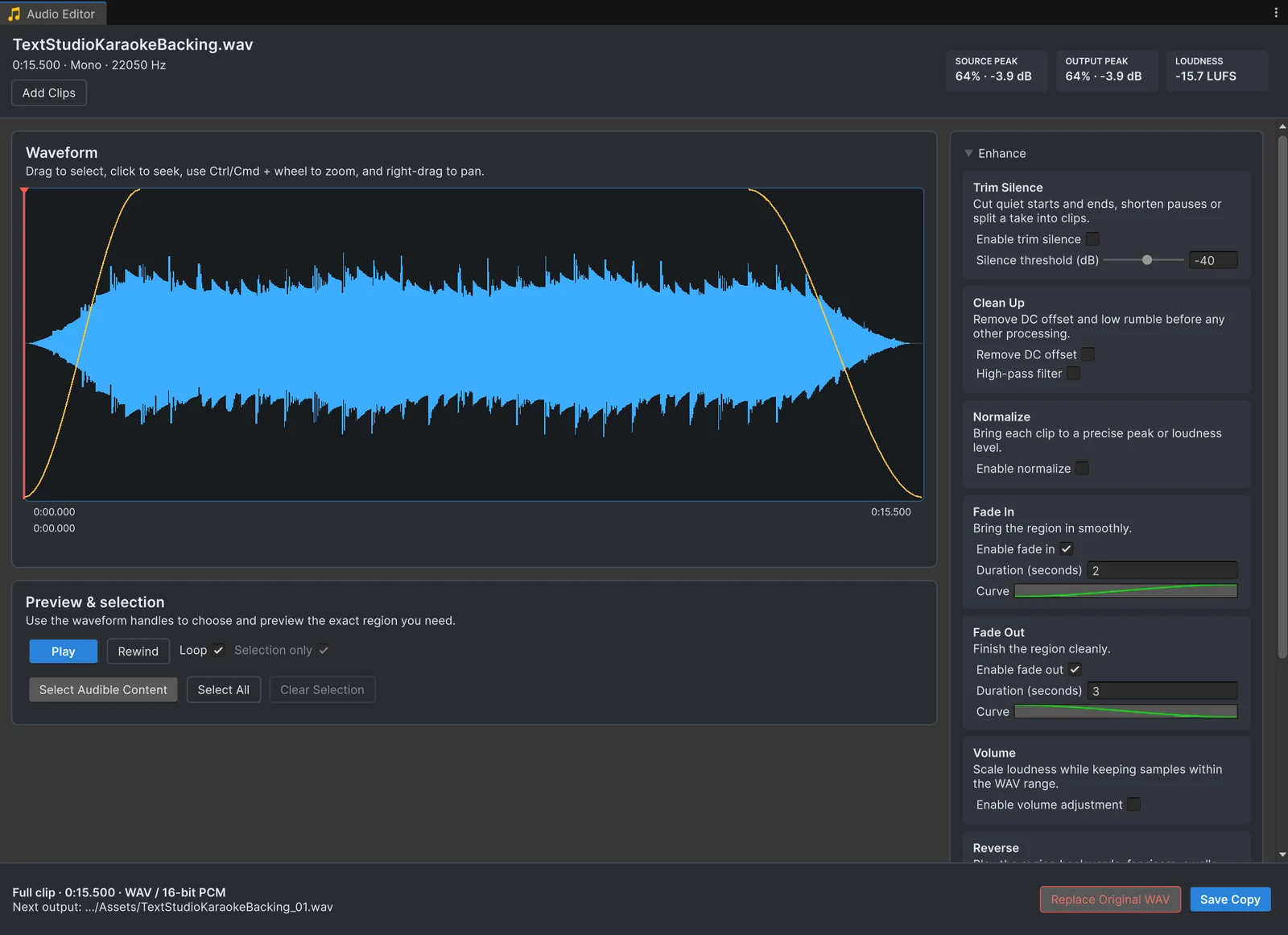
“Fade” means two different things in a Unity project. Most search results are about fading volume in code while the game runs, and one Unity Discussions thread on that question has close to 100,000 views. The other kind of fade is part of the file: a sound that always starts softly, or a cut that ends without a click. This page covers both, starting with the one you cannot do in code.
Why cuts click
A sound wave swings above and below zero many times per second. When a clip starts or stops at a point where the wave is far from zero, the speaker has to jump in a single sample, and you hear that jump as a click or pop. It happens at the edges of clips cut by hand, at loop points and at the end of sounds trimmed tightly to remove silence. Unity Discussions threads about popping at the end of sound files reach the same answer every time: make the wave reach zero at the edges.
A short fade does exactly that. A few milliseconds is enough to remove the click without changing how the sound is heard.
Bake a fade with Audio Tools
- Open the clip with Edit Audio and select the region you want to keep, or leave the selection empty to work on the whole clip.
- In the Enhance panel, enable Fade In, Fade Out or both, and set the duration.
- Edit the curve to change the shape. It starts as an ease-in-out; a straight line gives a linear fade, and a curve that drops late keeps the sound full for longer.
- Press Space to hear the result. Every change previews from the original samples, so you can try different lengths without the file changing.
- Press Save Copy to write a new WAV with the fades included.
Fades always apply to the active region: the selection if there is one, otherwise the whole clip. If a fade is longer than the region, Audio Tools shortens it to fit and says so in the panel. Fades stay off while Make seamless loop is on, because a loop needs the opposite: the end flowing into the start without a dip, as the seamless loop guide explains.
Fades in code, when the game decides
When the moment or the length of a fade depends on gameplay, such as music fading out as a scene ends, change the volume while the game runs. A coroutine is enough for one source:
using System.Collections;using UnityEngine;
public class FadeOutSource : MonoBehaviour{    public AudioSource source;
    public IEnumerator FadeOut(float seconds)    {        float startVolume = source.volume;        for (float t = 0f; t < seconds; t += Time.unscaledDeltaTime)        {            source.volume = Mathf.Lerp(startVolume, 0f, t / seconds);            yield return null;        }        source.Stop();        source.volume = startVolume;    }}
For music and ambience across a whole scene, Audio Mixer snapshots are cleaner: AudioMixerSnapshot.TransitionTo(seconds) blends every mixer setting, including volumes, to another snapshot over the time you pass.
Which one to use
- Bake it when the fade is always the same: the soft start of a swell, the end of a stinger, the edges of a cut, a loop point.
- Do it in code when the game decides: crossfades between tracks, ducking under dialogue, fading out when a scene changes.
Often a clip needs both: a few milliseconds baked into the edges so it never clicks, and a longer fade in code when the game stops it early.
Frequently asked questions
Why does my sound click or pop at the end?
The waveform stops at a point that is not zero, so the speaker jumps to silence in one step. A fade of a few milliseconds at the cut brings the wave down to zero smoothly and the click disappears.
Should I fade music in code or in the file?
Fade in code, or with an Audio Mixer snapshot, when gameplay decides when and how long, such as a scene change. Bake the fade into the file when it is always the same, such as the end of a stinger or the edge of a cut.
How long should a fade be?
To remove a click, a few milliseconds up to about 20 ms is enough and stays inaudible. A musical fade-out usually lasts one to several seconds.
Can I change the shape of a fade?
Yes. Each fade has an editable curve that starts as an ease-in-out. If the selected region is shorter than the fade, Audio Tools shortens the fade to fit.
Trim, fade and normalize audio without leaving Unity.
Keep reading
 Use case
Remove the silence that makes sounds play late
Many sound files start with a few hundred milliseconds of silence, and in a game that reads as lag. The Trim Silence card cuts it at the start and end, shortens long pauses inside a clip, and works on a whole folder in one pass.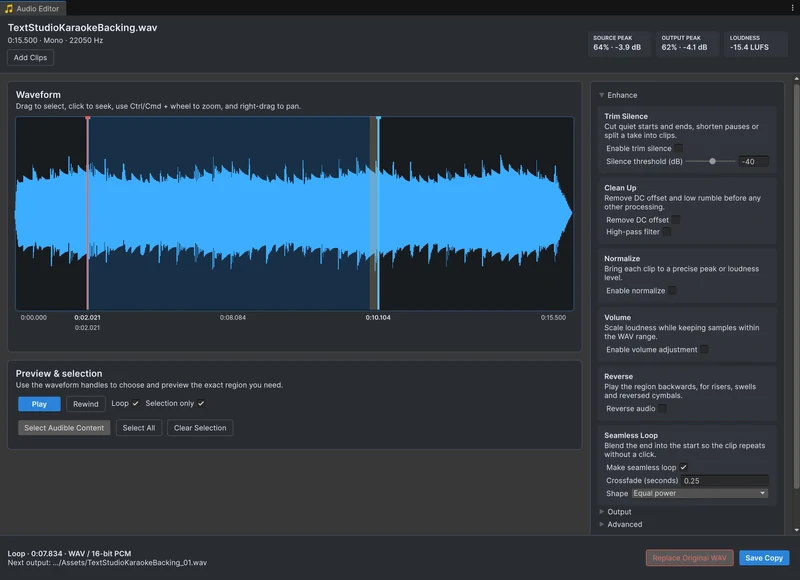 Use case
Make seamless audio loops in Unity
A loop that clicks or pauses at the seam ruins ambience and engine sounds. Trim the silence, crossfade the end of the clip into its start with an equal-power or linear curve, listen to the loop repeat sample-accurately, and save it. Use case