Data-driven tests with generated inputs in Unity
Use TestCaseSource and seeded generators to run Unity tests over many realistic inputs without flaky results, with NUnit's built-in random helpers for comparison.
A test that checks one hand-picked input proves that this one input works. Run the same test over fifty realistic inputs and it finds the customer whose surname has an apostrophe. NUnit, which the Unity Test Framework is built on, has attributes for exactly this. The catch is randomness: inputs that change on every run turn a failure into a rumor. This article shows how to feed tests with generated data that is realistic and identical on every run.
The NUnit inside the Unity Test Framework
The Unity Test Framework uses com.unity.ext.nunit, a custom build based on NUnit 3.5, in Unity 2022.3 as well as Unity 6. NUnit’s online documentation describes newer versions, so some features are missing: there is no Randomizer.NextGuid and no Distinct option on [Random], for example. Test sources must be static, as in every NUnit 3 release.
The examples below are Edit Mode tests with plain [Test] methods. To use Mock Magic in them, add its runtime assembly, com.wetzold.mock-magic, to the references of your test assembly definition.
Literal cases with TestCase and Values
The class under test in this article builds the initials for an avatar badge:
public static class NameBadge{ public static string Initials(string fullName) { string[] parts = (fullName ?? "").Split(new[] { ' ' }, System.StringSplitOptions.RemoveEmptyEntries); if (parts.Length == 0) return "?"; string first = parts[0].Substring(0, 1); string last = parts.Length > 1 ? parts[parts.Length - 1].Substring(0, 1) : ""; return (first + last).ToUpperInvariant(); }}[TestCase] runs a test once per attribute, with literal arguments:
using NUnit.Framework;
public class NameBadgeCases{    [TestCase("Mia Chen", "MC")]    [TestCase("Cher", "C")]    [TestCase("  ", "?")]    [TestCase("mary o'brien", "MO")]    public void BuildsInitials(string name, string expected)    {        Assert.AreEqual(expected, NameBadge.Initials(name));    }}
[Values] lists literal values per parameter, and NUnit runs every combination by default: [Values(1, 2, 64)] int maxLength next to [Values("Ana", "Bartholomew")] string name gives six tests. Literal cases are the right home for edge cases you know about. They cannot find the ones you have not thought of.
Generated cases with TestCaseSource
[TestCaseSource] takes its cases from a static method, property or field, so a generator can produce them:
using System.Collections.Generic;using MockMagic;using NUnit.Framework;
public class NameBadgeGenerated{    // NUnit calls this while it builds the test list, before any setup method runs    static IEnumerable<TestCaseData> GeneratedNames()    {        Mock.Seed(2026);        string[] names = Mock.Names(25);        Mock.ResetSeed(); // also frees UnityEngine.Random, which Mock.Seed seeds too
        foreach (string name in names)            yield return new TestCaseData(name);    }
    [TestCaseSource(nameof(GeneratedNames))]    public void InitialsAreOneOrTwoUppercaseLetters(string name)    {        string initials = NameBadge.Initials(name);        Assert.That(initials.Length, Is.InRange(1, 2));        Assert.AreEqual(initials.ToUpperInvariant(), initials);    }}
Two details make this reliable:
- Seed inside the source. NUnit evaluates sources when it builds the test tree, before
[OneTimeSetUp]and[SetUp]run, so a seed set in a setup method comes too late. Seeded inside the source, the 25 names are the same on every discovery. - Stable test names. Each argument becomes part of the test’s name in the Test Runner. With a fixed seed the names stay the same between discoveries and runs, so you can select, rerun and compare them. An unseeded source renames its tests every time the tree is rebuilt, and a runner that selects tests by name may not find them again.
Changing the seed on purpose is how you explore new inputs. When seed 2027 finds a failure, copy the failing name into a [TestCase] and keep the seed where it was.
Typed records work the same way. MockOf<T>.UseSeed seeds only the builder’s own pass and restores the previous state afterwards, so no cleanup is needed, and SetName gives each case a readable name:
using System.Collections.Generic;using MockMagic;using NUnit.Framework;
public class Order{    public int Id;    public string Customer;    public decimal Total;}
public class OrderTests{    static IEnumerable<TestCaseData> Orders()    {        Order[] orders = MockOf<Order>.New(() => new Order())            .UseSeed(7)            .Set((o, i) => o.Id = 5000 + i)            .Set(o => o.Customer = Mock.Name())            .Set(o => o.Total = Mock.Currency(0m, 500m))            .Generate(40);
        foreach (Order order in orders)            yield return new TestCaseData(order).SetName($"Order {order.Id}");    }
    [TestCaseSource(nameof(Orders))]    public void TotalsHaveAtMostTwoDecimals(Order order)    {        Assert.AreEqual(decimal.Round(order.Total, 2), order.Total);    }}
NUnit’s built-in random helpers
NUnit 3.5 can also generate inputs by itself:
using NUnit.Framework;
public class NameBadgeRandom{    [Test]    public void SingleWordsGiveOneInitial([Random(1, 40, 5)] int length)    {        string word = TestContext.CurrentContext.Random.GetString(length, "abcdefghijklmnopqrstuvwxyz");        Assert.AreEqual(1, NameBadge.Initials(word).Length);    }}
[Random(min, max, count)] adds count cases with random values for one parameter, and TestContext.CurrentContext.Random is a Randomizer with helpers such as NextFloat, NextBool, NextEnum<T>() and GetString. Both are built in, and over many runs they explore many values. They have two drawbacks. NUnit draws the values from a run-wide seed that it picks at random unless the runner passes one in, so a failure often does not come back on the next run. And the values are numbers and random characters, not names, prices or dates that look like your data. When such a test fails, copy the value from the test name or the failure message into a [TestCase] before it is gone.
Fix the date reference
A seed fixes the random draws, not the clock. Mock.Date(), Mock.DateTime() and Mock.Timestamp() count from the current time, so a seeded source produces other dates next month, and a test that checks “orders from the last 30 days” starts failing for no visible reason. Set a reference inside the source and clear it afterwards:
using System;using MockMagic;
public static class OrderDates{    public static string[] LastYear(int count)    {        Mock.UseDateReference(new DateTime(2026, 1, 1));        Mock.Seed(11);        string[] dates = Mock.Dates(count, yearsBack: 1, yearsForward: 0);        Mock.ResetSeed();        Mock.UseDateReference(null); // back to the real clock        return dates;    }}
Code under test that reads DateTime.Now itself has the same problem, so pass it a date or a clock from the test. Cultures need the same care. Mock Magic formats generated numbers, dates and tokens the same way on every machine, but code under test that calls ToString() without a culture does not, so compare numbers rather than formatted text, or run such tests under a fixed culture.
Freeze fixtures as C# arrays
A seed reproduces data as long as the generator and the order of calls stay the same. A later Mock Magic version may change its word lists, and one extra call shifts every value after it. For inputs that must never change, freeze them:
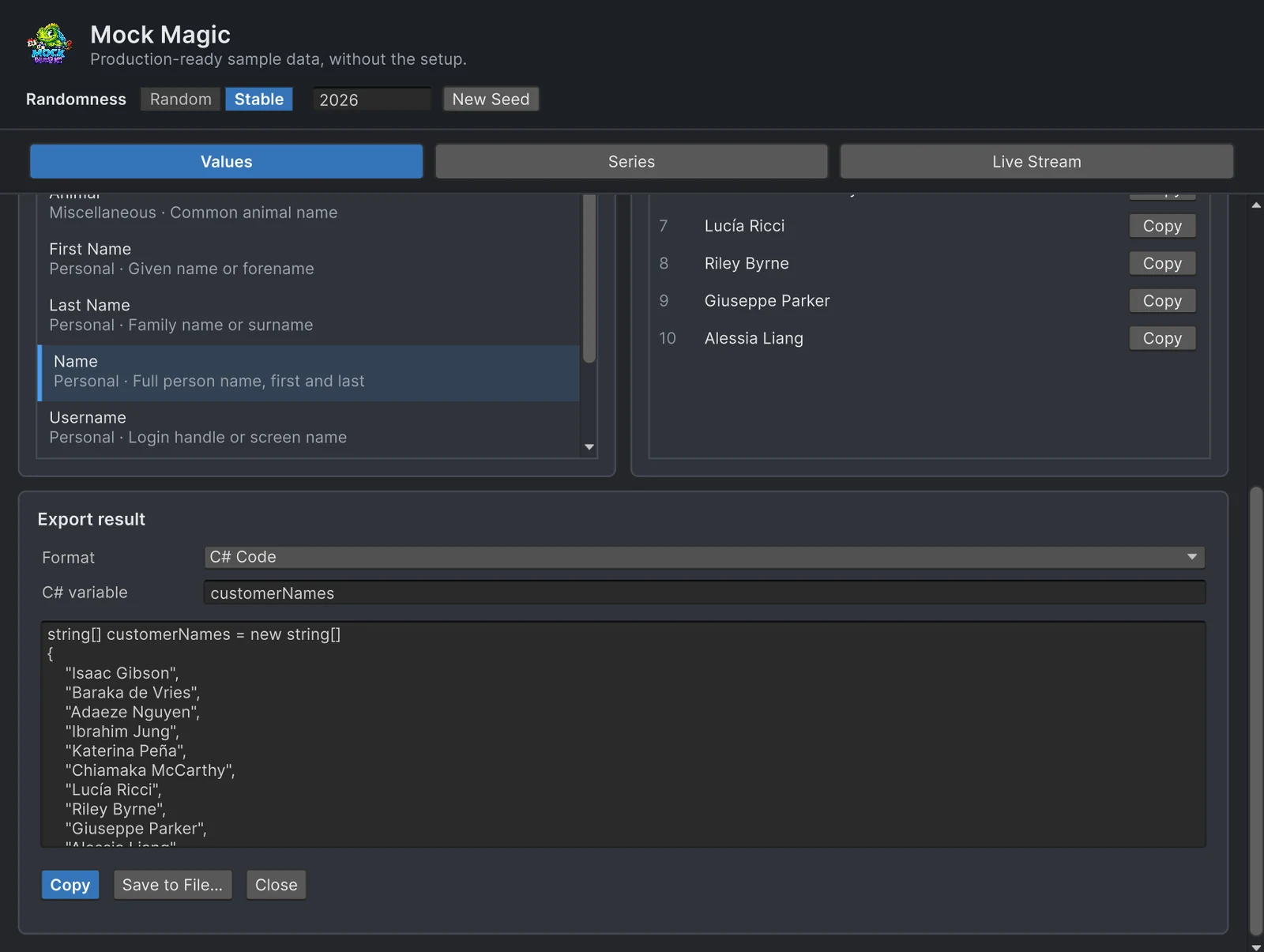
- Open Tools > Mock Magic > Generator, pick a data type under Values and switch Randomness to Stable.
- Set Count, click Regenerate, then Export….
- Choose C# Code as the Format, enter a C# variable name and click Copy. Save to File… writes a compilable
.csfile instead, with the array in a static class named after the file. - Paste the array into the test class and point
[TestCaseSource]at it, or reference the saved class with[TestCaseSource(typeof(ClassName), "variableName")].
using NUnit.Framework;
public class NameBadgeFrozen{    // Exported once from the Generator, then committed    static readonly string[] customerNames =    {        "Mia Chen", "Liam O'Brien", "Sofia Müller", "Kwame Nakamura", "Hiroshi de la Cruz"    };
    [TestCaseSource(nameof(customerNames))]    public void InitialsAreNeverEmpty(string name) => Assert.IsNotEmpty(NameBadge.Initials(name));}
In code, MockExport.ToCSharpCode(Mock.Names(25), "customerNames") returns the same kind of text, MockExport.ToCSharpClass wraps it in a static class, and series export as a string[] of labels plus a float[] of values per series. The export guide covers CSV and JSON as well. Inputs that once failed belong next to the frozen ones as [TestCase] lines, together with the deliberate edge cases from uncomfortable test data.
A checklist against flaky tests
- Seed inside each source or test. Never rely on a seed from another test: NUnit does not promise an order unless you set one, and a shared generator turns order into a dependency.
- Clean up. After
Mock.Seed, callMock.ResetSeed(), which also freesUnityEngine.Randomagain, andMock.UseDateReference(null).MockOf<T>.UseSeedrestores the previous state by itself. - One seed per dataset. A new call in one source then cannot shift another.
- Assert properties, not values. Length, range and format must hold for any input. Exact values belong to frozen fixtures.
- Fix dates and cultures. Compare numbers, not formatted text.
- Test streams without waiting.
MockStreaming.EmitOnce()delivers one emission to every registered listener immediately, so a test needs no timers:
using System.Collections.Generic;using MockMagic;using NUnit.Framework;
public class RollingWindow{    readonly int capacity;    readonly Queue<MockDataPoint> points = new Queue<MockDataPoint>();
    public RollingWindow(int capacity) => this.capacity = capacity;    public int Count => points.Count;
    public void Add(MockDataPoint[] batch)    {        foreach (MockDataPoint point in batch)        {            points.Enqueue(point);            if (points.Count > capacity) points.Dequeue();        }    }}
public class RollingWindowTests{    [Test]    public void KeepsOnlyTheLatestPoints()    {        var window = new RollingWindow(50);        MockStreaming.Configure(SeriesPattern.RandomWalk, pointsPerEmission: 10);        MockStreaming.Stream.Rhythm = StreamRhythm.Constant; // Drip would send one point per emission        MockStreaming.Register(window.Add);        try        {            for (int i = 0; i < 8; i++) MockStreaming.EmitOnce(); // 80 points, no waiting            Assert.AreEqual(50, window.Count);        }        finally        {            MockStreaming.Unregister(window.Add);        }    }}
For the full seeding sequence with SetUp and TearDown, see reproducible test data, and for how Unity’s own generators take seeds, random seeds in Unity.
Frequently asked questions
Which NUnit version does the Unity Test Framework use?
A custom build based on NUnit 3.5, shipped as the com.unity.ext.nunit package. Features from later NUnit releases are missing, so check examples against the NUnit 3.5 API.
Can I use TestCaseSource in the Unity Test Framework?
Yes. The source must be static, and NUnit evaluates it while it builds the list of tests, before any OneTimeSetUp or SetUp method runs. Seed generators inside the source itself.
Why are my randomized Unity tests flaky?
Because the inputs change between runs. Seed every generator explicitly, fix the date reference, and keep inputs that once failed as fixed test cases.
How does NUnit's Random attribute work?
Put it on a test parameter, for example [Random(1, 100, 5)] int quantity, and NUnit runs the test five times with random values from that range. The values come from a run-wide seed that NUnit picks at random unless the runner passes one, so expect different values on different runs.
Realistic fake data for Unity, from one value to a live stream.
Keep reading
 Use case
Reproducible fake data for Unity tests
Random test data only helps when a failure can be repeated. Seed Mock Magic, pin the date it counts from, keep IDs predictable, and return to fresh random output when the test ends.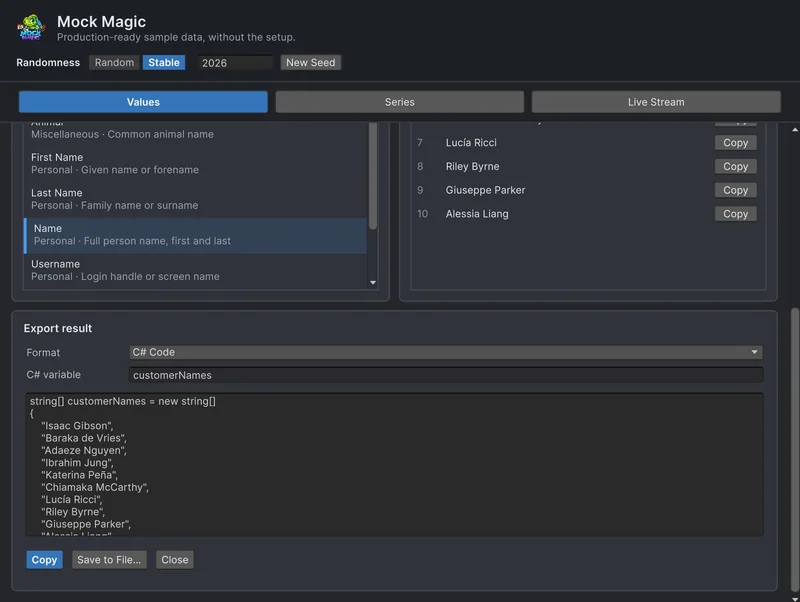 Use case
Export fake data as CSV, JSON or C# arrays
Mock Magic's Export panel and the MockExport class write generated values and series as text, CSV, JSON or C# arrays. Exact samples of each format, how numbers are written and where each format fits.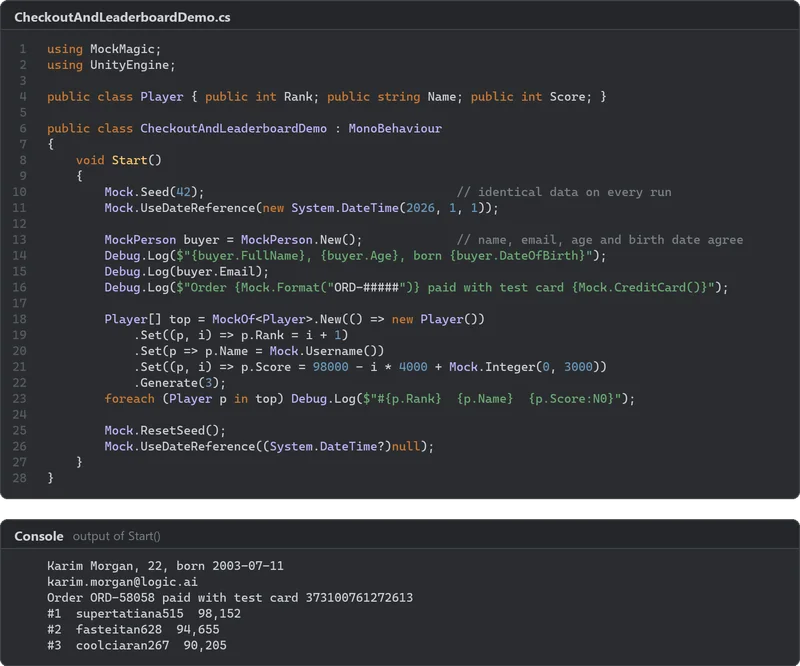 Article
Random seeds in Unity: repeat any result
A seed fixes a sequence of numbers, not who consumes them. How UnityEngine.Random, System.Random and Unity.Mathematics.Random take seeds, how to save and restore state, why seeded runs still drift, and how Mock Magic keeps test data identical.Article