Pseudo-localization and real locale data in Unity
Unity's pseudo-localization stretches and accents your own strings. Real locale data adds native names, scripts, addresses and dates. How to use both before translation.
Localizing a game changes two kinds of text. Your own strings, such as button labels and menu titles, go to translators. The data around them, such as player names, addresses, phone numbers and the month labels on a chart, comes from players, servers and calendars, and it follows different rules in every country. Both can break a layout, and both can be tested before a single string is translated.
Pseudo-localization tests your strings. Real locale data tests the rest. This article shows where each one stops, and a short workflow that combines Unity’s pseudo-locales with Mock Magic’s 76 locale profiles.
What pseudo-localization does in Unity
Pseudo-localization generates fake translations that take about as much room as real ones and use similar characters. If the fake text does not fit, some real translations probably will not fit either. In Unity’s Localization package, create a Pseudo-Locale with Assets > Create > Localization > Pseudo-Locale and set its Source Locale, for example English. It pulls the English values from your String Tables and transforms them on demand with the methods in its Methods list, in list order. The defaults are:
- Preserve Tags keeps rich text and XML tags out of reach of the later methods.
- Expander pads strings to simulate longer languages. With the default table, a seven-character label such as Options gains 14 characters.
- Accenter swaps letters for accented versions, exposing missing glyphs and accents that do not fit a line.
- Encapsulator wraps every string in square brackets, so clipped ends and glued strings show.
Two methods are optional: Character Substitutor changes case, uses a replacement list that can hold a language’s typical character set, or applies a map, and Mirror reverses each string to simulate right-to-left text. IPseudoLocalizationMethod lets you write your own. Enter Play Mode and pick the Pseudo-Locale in the locale menu at the top right of the Game view, or set LocalizationSettings.SelectedLocale in a script. The manual’s Pseudo-Localization and Methods pages describe every option.
What it reliably catches
- Text without brackets and accents never went through a String Table, so it is hard-coded. A Character Substitutor that turns every letter into an underscore makes it impossible to miss.
- Expanded labels show which buttons, tabs and column headers cannot grow.
- Boxes in place of accented letters point to a font asset that lacks them.
- Brackets inside a sentence, as in
[Level] 5 [complete], reveal text stitched from pieces that many languages cannot keep in that order. The manual recommends Smart Strings instead. - Words baked into textures stay plain English while everything around them changes.
What it cannot catch
A Pseudo-Locale only transforms your strings. Player names, addresses and cities from your backend appear exactly as your test fixtures provide them, usually in English, and no transform can show what your source never contained:
- Names in native scripts and order. Japanese 黒木太一 puts the family name first without a space, Hungarian Balla Hanna puts it first with one, and code that greets players by the part before the first space gets both wrong.
- Real right-to-left text. Mirror reverses Latin letters, while Arabic joins its letters into connected forms and mixes in left-to-right numbers. Only real Arabic or Hebrew text shows whether your text setup shapes and orders it correctly.
- CJK line breaking and fonts. Pseudo-localized English keeps its spaces, Japanese and Chinese have none, and their characters need glyphs in your font asset or its fallbacks. A Character Substitutor with another language’s character set probes glyphs but keeps your English word lengths and spaces.
- Address formats. German addresses put the postcode before the city, as in 22081 Hamburg, Hungarian ones start with the city, and forms validated for US addresses fail on both.
- Phone numbers with other country codes and lengths, such as +81 or +20, which break input masks built for ten US digits.
- Month and weekday labels: 1月 in Japanese, Tháng 1 in Vietnamese, segunda-feira as the Brazilian Portuguese Monday.
Fill the data gap with Mock Magic
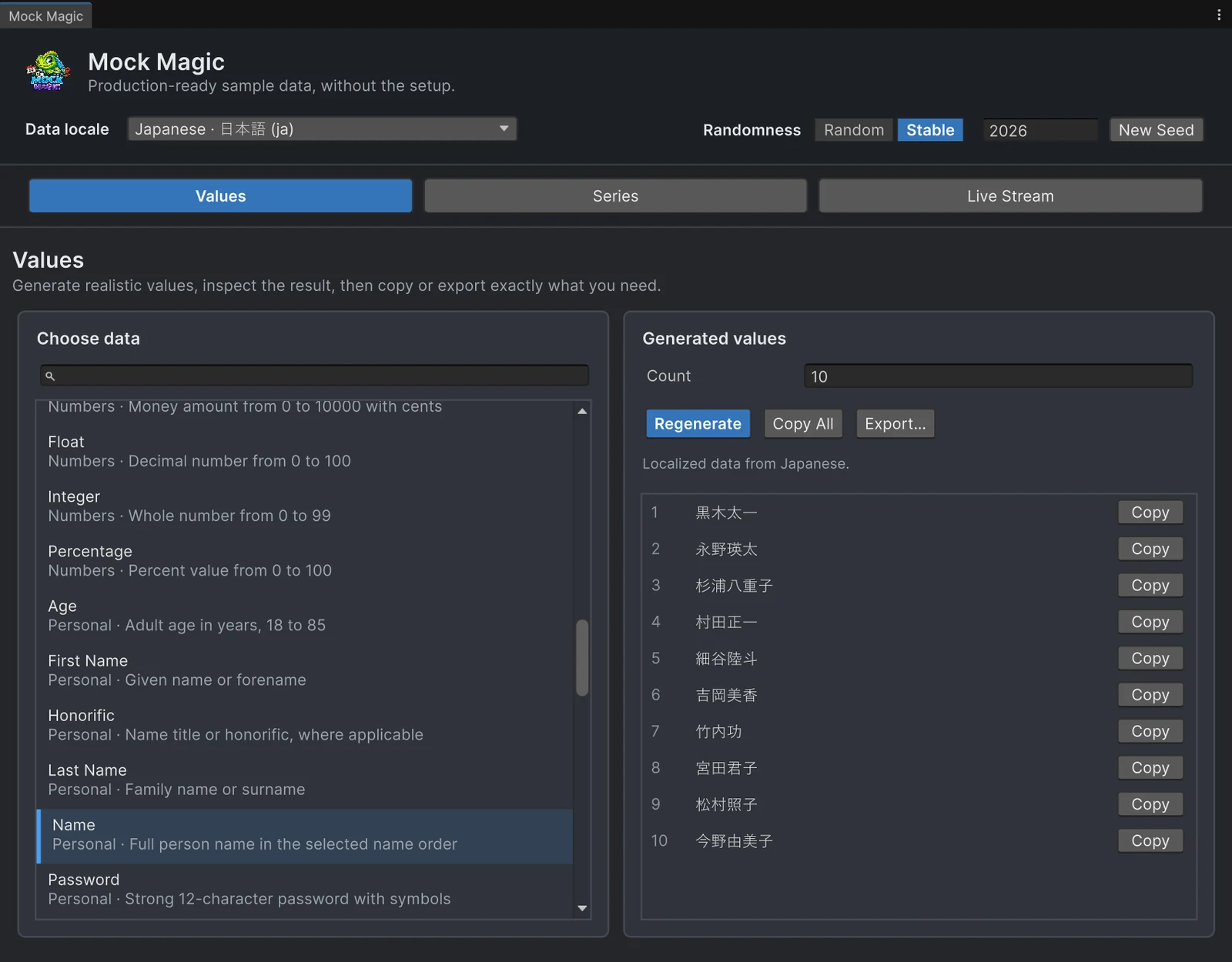
Mock Magic generates test data in the Editor and at runtime. Beside its Default data, Latin-script names from many regions with US addresses, it has 76 locale profiles built from Faker’s word lists, Unicode CLDR calendar names, Google’s phone and address metadata and GeoNames place records. Names keep their script and order, people and full addresses use matching city, region and postcode records where a profile has them, and calendar labels come in the profile’s language.
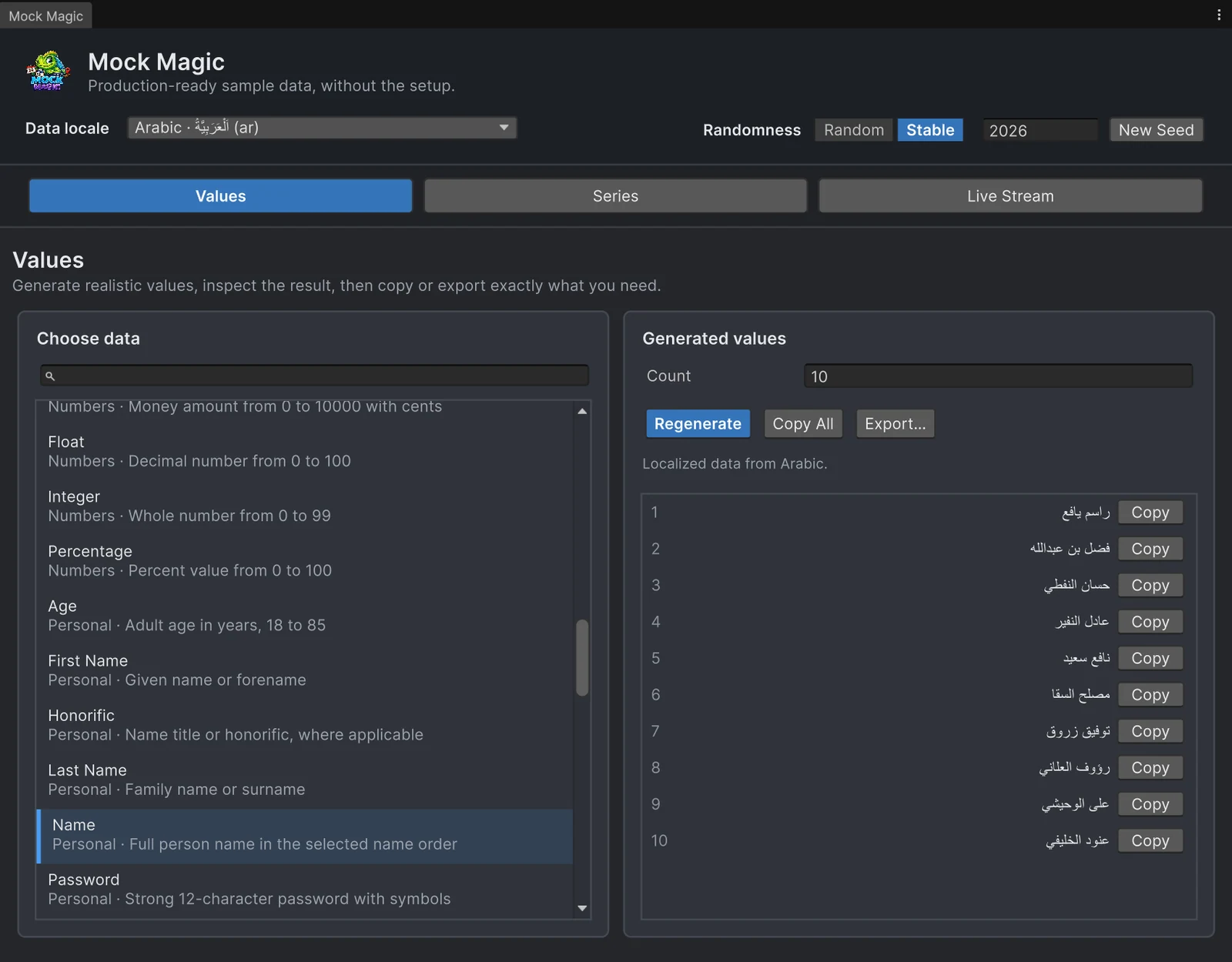
In the Generator (Tools > Mock Magic > Generator), pick a profile in the searchable Data locale field. The choice is remembered and applies to the Values, Series and Live Stream workspaces. A line under the buttons reports coverage, such as “Localized data from Arabic”, and Regenerate stays disabled when a profile has no data for the type. The Generator shapes right-to-left previews natively in Unity 6.3 and later; in 2022.3 and 6.0 they can appear unshaped or misordered, while copy and export keep the original Unicode.
In code, Mock.LocaleScope selects a profile for a synchronous block and restores the previous one on dispose. It draws no random values, so seeds and IDs stay untouched; never let it span an await or a coroutine or iterator yield. MockOf<T>.UseLocale("ko") gives one builder its own profile, and GetCoverage(SimpleDataType) and GetLabelCoverage(LabelPreset) report support, fallbacks and the reason:
using MockMagic;using UnityEngine;
// Logs the same fake data in several locale profiles for a screenshot pass.public class LocaleDataPass : MonoBehaviour{    [SerializeField] string[] profiles = { "de-DE", "ja", "ar", "vi" };
    void Start()    {        foreach (string id in profiles)        {            MockLocale locale = MockLocales.Get(id);            Mock.Seed(2026); // same values for this profile on every run            using (Mock.LocaleScope(locale))            {                string[] players = Mock.Names(8);                string[] months = MockSeries.GenerateLabels(LabelPreset.MonthsShort, 12);                MockLocaleCoverage coverage = locale.GetCoverage(SimpleDataType.FullAddress);                string address = coverage.IsSupported ? Mock.FullAddress() : coverage.Description;                Debug.Log($"{locale.DisplayName}: {players[0]} | {months[0]} | {Mock.Phone()} | {address}");            }        }    }}
With seed 2026 the Japanese line starts with 黒木太一 and 1月, the name that tops the screenshot above. The Arabic line prints the coverage description, because the Arabic profile has no full addresses; Mock.FullAddress() would throw a NotSupportedException there. Localized test data shows more per profile.
A workflow before translation
- Run a pseudo-locale pass. Create a Pseudo-Locale for your source language with the default methods, select it in the Game view in Play Mode and visit every screen. Fix unbracketed text, clipped labels and sentences split into bracketed pieces.
- Pick a few profiles, not all 76:
defor umlauts and postcodes before the city,jafor kanji and family-name-first order,arorhefor right-to-left text,vifor stacked diacritics and two-word month labels, plus every locale you plan to ship.MockLocale.IsRightToLefttells you which profiles write right to left. - Fix a seed. Stable mode in the Generator or
Mock.Seed(2026)in code repeats the same values, so before-and-after screenshots compare.Mock.Seedalso seedsUnityEngine.Random, so call it from test setup. Reproducible test data has more. - Run both at once. Mock Magic does not read the Localization package’s selected locale, so a Pseudo-Locale can stretch your labels while a Japanese profile fills the same screen with names.
- Check each screen per profile:
- Names: clipping, initials and avatars, greetings, sorting.
- Addresses and phone numbers: field order, required fields, input masks, length limits.
- Labels: chart axes and calendars with long or non-Latin month names.
- Right-to-left: alignment, mirrored layouts, numbers inside the text.
- Glyphs: boxes for missing characters in any font asset or fallback.
For empty fields, extreme numbers and bursts of updates, see uncomfortable test data.
Honest limits
- Mock Magic generates data. It does not translate or pseudo-localize your interface.
- Coverage varies by profile and type and is reported, not guessed. English (Great Britain), Arabic, Hebrew and both Chinese profiles have no full addresses, Japanese addresses note that some place names use Latin spelling, and reviews, hashtags and file names use English data everywhere. Calls that need missing data, such as
Mock.FullAddress()in those profiles, throw aNotSupportedException, whileMockPerson.New()still builds people and leaves the postcode and full address empty. - E-mail addresses and usernames stay ASCII: accents are folded, and names in other scripts become stable handles such as
u2f569c3d, not transliterations. - Numbers, dates and CSV, JSON and C# exports stay invariant. Only
Priceis regional text, such as 67,30 €, so test your own number and date formatting separately. - Fonts and text rendering are your project’s job. Mock Magic supplies the Unicode; your font assets and text components draw it.
- Regional phone numbers are synthetic but not from reserved ranges, so never call or text them.
Ssnstays a US-format value in every profile.
Frequently asked questions
What is pseudo-localization in Unity?
A test locale that rewrites your source strings with accented letters, extra padding characters and brackets, so clipped labels and hard-coded text show up before anything is translated. In Unity's Localization package you create one with Assets > Create > Localization > Pseudo-Locale and select it in the Game view's locale menu in Play Mode.
Can pseudo-localization test right-to-left languages?
Only the layout direction. The Mirror method reverses each string, but the letters stay Latin, so Arabic letter joining and numbers inside right-to-left text are never exercised. For that you need real right-to-left data, such as Mock Magic's Arabic or Hebrew profiles.
Does Mock Magic translate my game's text?
No. It generates data such as names, addresses, phone numbers and month and weekday labels in 76 locale profiles, while your interface strings still go through String Tables and translators. Coverage differs by profile and data type, and GetCoverage reports it.
Realistic fake data for Unity, from one value to a live stream.
Keep reading
 Use case
Generate names and text at runtime
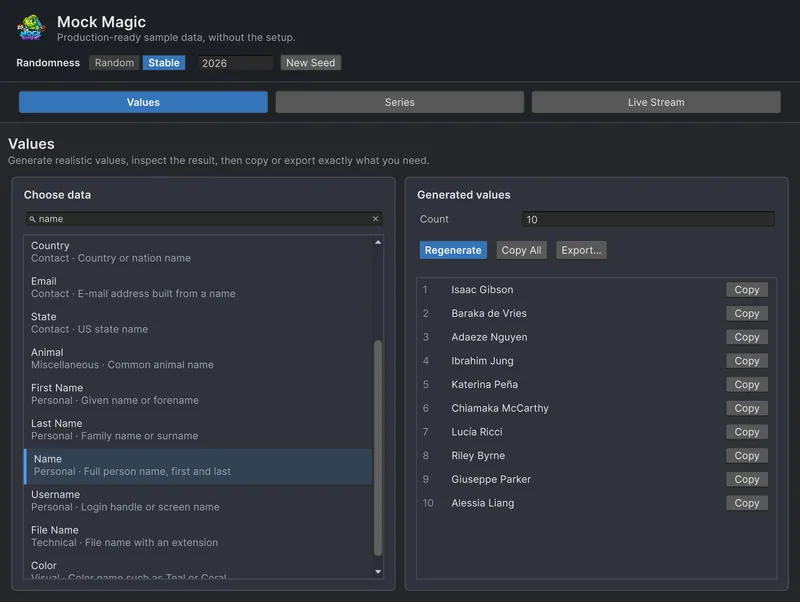
What Mock Magic's name, username, e-mail, place and filler text generators return in the Default profile and in 76 regional locale profiles, how large the pools are, and when a dedicated name generator fits better. Article
Good test data is uncomfortable
Mock Magic started as Chart Guru's test data generator, because tidy demo rows hide layout bugs. A catalog of uncomfortable data, from long labels and missing fields to bursts, duplicates and ties, and how to generate each kind on purpose.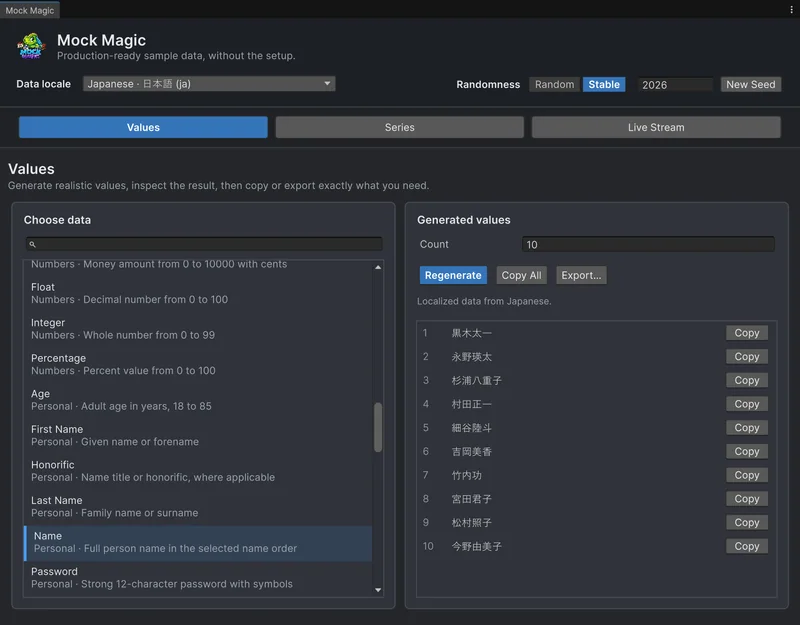 Use case