Random seeds in Unity: repeat any result
How Unity's Random.InitState and Random.state, System.Random and Unity.Mathematics.Random handle seeds, and how to keep generated test data identical across runs.
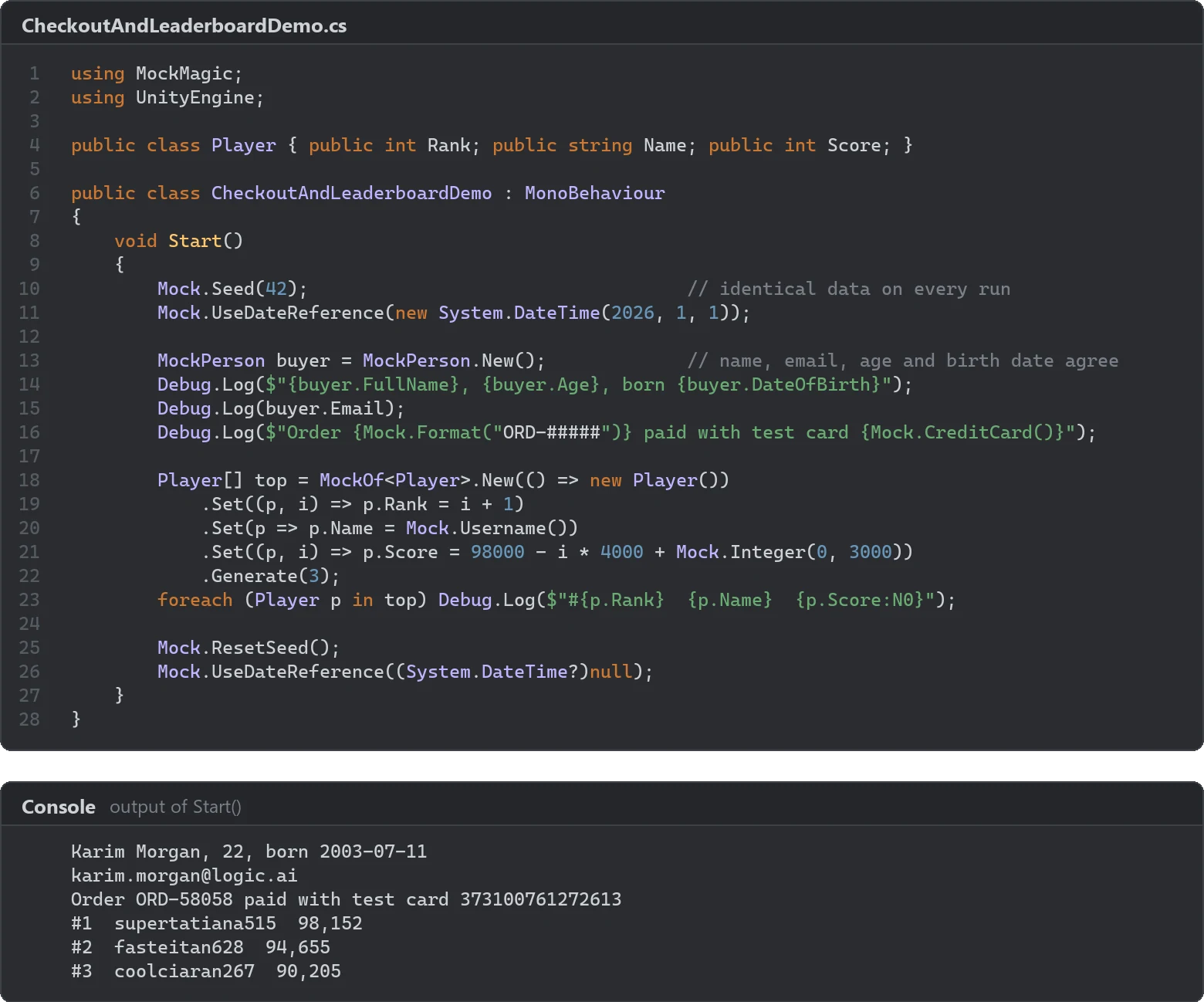
A seed is the number a pseudo-random generator starts from. Give it the same seed and it returns the same sequence, which is how a procedural level comes back for a bug report, how a replay stays in sync and how a chart screenshot looks the same in every release. Unity projects usually meet three generators, UnityEngine.Random, System.Random and Unity.Mathematics.Random, and each one handles seeds differently. This article covers all three, the reasons a seeded run still drifts, and how Mock Magic keeps generated test data identical.
UnityEngine.Random and InitState
UnityEngine.Random is a static class with one shared state. Unity’s documentation describes it as an Xorshift 128 generator that is seeded once, from operating system entropy, when the process starts. The state lives in native memory and survives domain reloads, so entering Play Mode does not restart the sequence.
Random.InitState sets the seed:
using UnityEngine;
public class SeededLevel : MonoBehaviour{    [SerializeField] int seed = 1234;
    void Start()    {        Random.InitState(seed);        for (int i = 0; i < 5; i++)            Debug.Log(Random.Range(0, 100)); // the same five numbers for the same seed    }}
Four details trip people up:
Random.seedis obsolete. It was deprecated in Unity 5.4 in favor ofInitStateandstate, and it only compiles with an obsolete warning. Unity cannot hand you a seed back once it is set;Random.stateis the way to capture where the generator is.- Integer and float bounds differ.
Random.Range(0, 10)returns 0 to 9, because the integer overload excludes the maximum.Random.Range(0f, 10f)can return 10, because the float methods include it. - Name clashes. With both
using System;andusing UnityEngine;, the nameRandomis ambiguous and the compiler reports CS0104. Addusing Random = UnityEngine.Random;or write the full name. - Main thread only. Unity’s documentation says the generator errors when it is used outside the main thread, which matters for jobs and background tasks.
Save and restore Random.state
Seeding the shared generator affects everyone who draws from it afterwards. To make one block of code deterministic without changing the rest of the game, save the state first and put it back:
using UnityEngine;
public static class LevelBuilder{    public static void Build(int levelIndex)    {        Random.State previous = Random.state;        Random.InitState(levelIndex); // the same layout for the same level
        for (int i = 0; i < 20; i++)            Debug.Log($"Rock at {Random.Range(-50f, 50f):F1}, {Random.Range(-50f, 50f):F1}");
        Random.state = previous; // everything else continues where it was    }}
Random.State is serializable, so it can also go into a save file. A game that stores it continues the exact sequence after loading, which takes the point out of reloading until a better item drops.
System.Random: one instance per system
System.Random is an object, so every system can own one:
public class LootTable{    readonly System.Random rng;
    public LootTable(int seed) => rng = new System.Random(seed);
    public int Roll(int minInclusive, int maxExclusive) => rng.Next(minInclusive, maxExclusive);}
Separate instances solve the biggest seeding problem in games. With one shared generator, a new draw in the weather system shifts every loot roll after it. With a LootTable seeded per run, per level or per chest, loot depends only on loot.
Two cautions come from Microsoft’s documentation: instances are not thread safe, so use one per thread, and the same seed can produce a different sequence on a different version of .NET. For fixtures that must survive engine and runtime upgrades, store the generated values, not only the seed. Also note that NextDouble stays below 1.0, unlike Unity’s float methods.
Unity.Mathematics.Random: never zero, and watch the copies
The Mathematics package brings a third generator: a struct with a 32-bit xorshift state that works inside jobs and Burst-compiled code.
using Unity.Mathematics;
public static class SpawnRolls{    public static float Roll(ref Random rng) => rng.NextFloat(0f, 10f);  // advances the caller's state
    public static float RollCopy(Random rng) => rng.NextFloat(0f, 10f);  // bug: draws from a copy
public static Random ForEntity(int entityIndex) => Random.CreateFromIndex((uint)entityIndex);}- The seed must not be 0. When Unity’s collection safety checks are compiled in,
new Random(0)throws anArgumentExceptionwith the message “Seed must be non-zero”. Where they are not, a zero state never changes and the generator returns the same number forever. - It is a struct. Passing it by value copies the state, so
RollCopyreturns the same number every time it gets the same variable. Pass it byref, or store the struct back after using it. In a job, write it back to the job’s field if later work should continue the sequence. - Many generators at once.
Random.CreateFromIndexhashes an index, any value exceptuint.MaxValue, into a well-spread seed. That is the usual way to give every entity or job batch its own generator.
Why the same seed still gives different results
A seed fixes the sequence of numbers. It does not fix who consumes them, or when. Most reports of a seeded game that is not deterministic come down to one of these:
- Another consumer. A package, a debug script or an imported asset calls
UnityEngine.Randomin between, and every value after it shifts. - Call order. Unity does not guarantee the order of
Awake,StartorUpdatebetween scripts unless you set the script execution order. Two systems that draw inStartcan swap places between runs, or between the Editor and a build. - Frame timing. Code that draws once per frame draws a different number of times before an event when the frame rate changes. Coroutines that wait in seconds, asynchronous loading and physics callbacks move draws around in the same way.
- State that survives Play Mode. With domain reload disabled in the Enter Play Mode options, static fields such as a cached
System.Randomkeep their state from the previous session. Re-create them in a static method marked with theRuntimeInitializeOnLoadMethodattribute and theSubsystemRegistrationload type.
The fixes follow from the causes: one generator per system, draws at fixed points such as level load instead of spread over frames, and seeds derived from stable inputs such as the level index or an entity ID.
Seeds in Mock Magic
Mock Magic generates test and demo data from one shared, seedable System.Random. Its rules:
Mock.Seed(int)makes every Mock Magic generator repeatable: values, IDs, GUIDs, series and stream values. It also callsUnityEngine.Random.InitStatewith the same seed, so Unity’s generator follows the seed too until you reset it.Mock.ResetSeed()returns to unseeded output and, whenMock.Seedhad seededUnityEngine.Random, gives Unity’s generator fresh randomness as well. It cannot bring back a sequence your game had seeded itself, so save and restoreRandom.statearoundMock.Seedin that case. It does not clear the date reference.Mock.UseDateReference(new DateTime(2026, 1, 1))fixes “today” for dates, timestamps andMockPersonbirth dates, andMock.UseDateReference(null)returns to the real clock.Mock.UseDateReferenceProvidertakes a function instead, such as your game’s own calendar.MockOf<T>.UseSeed(7)seeds only that builder’sGenerateorGenerateLazypass. Afterwards it restores the previous random state, seed and ID counter,UnityEngine.Randomincluded, so code outside the builder keeps its own sequence.- Stable mode in the Generator window re-seeds before every Regenerate and Generate Series and counts dates from 1 January 2026, so the same settings return the same result on any day. The window remembers the mode and the seed between sessions.
- IDs.
Mock.SeedrestartsMock.Id()at 1.Mock.ResetIdCounter(1000)sets the next ID and keeps an active seed, so call it afterMock.Seedwhen IDs should start elsewhere. - Play Mode. Entering Play Mode resets Mock Magic’s seed and date reference, also with domain reload disabled, so seed inside your scene or test rather than from an Editor script beforehand.
The pattern below keeps two datasets independent and leaves the game’s own randomness untouched:
using System;using MockMagic;using UnityEngine;
public class Customer { public string Name; public string City; }public class Order { public int Id; public string Date; }
public class SeededDemoData : MonoBehaviour{    void Start()    {        Mock.UseDateReference(new DateTime(2026, 1, 1)); // dates relative to a fixed day
        // Each builder seeds only its own pass, then restores the previous state, UnityEngine.Random included        Customer[] customers = MockOf<Customer>.New(() => new Customer())            .UseSeed(1)            .Set(c => { MockPerson person = MockPerson.New(); c.Name = person.FullName; c.City = person.City; })            .Generate(20);
        Order[] orders = MockOf<Order>.New(() => new Order())            .UseSeed(2) // own seed: a new customer field does not shift these            .Set((o, i) => o.Id = 1000 + i)            .Set(o => o.Date = Mock.Date(yearsBack: 1, yearsForward: 0))            .Generate(20);
        Mock.UseDateReference(null);        Debug.Log($"{customers[0].Name} from {customers[0].City} ordered on {orders[0].Date}");    }}
Seeding each dataset separately is the same idea as one System.Random per system: a new field on the customers no longer changes the orders. The reproducible test data guide walks through the full sequence for tests, and data-driven tests shows seeds inside the Unity Test Framework.
Frequently asked questions
How do I set a random seed in Unity?
Call UnityEngine.Random.InitState(seed) before the code that draws the numbers. The same seed gives the same sequence, as long as the same calls happen in the same order.
Is Random.seed deprecated in Unity?
Yes. Random.seed has been obsolete since Unity 5.4 and only compiles with a warning. Use Random.InitState to seed the generator and Random.state to save and restore it.
How do I reset the random seed in Unity?
Save Random.state before you seed and assign it back afterwards, and the rest of the game continues as if nothing happened. To start an unpredictable sequence instead, seed from a changing value such as the current time.
Why does my seeded game still produce different results?
Something else draws from the same generator, or the draws happen in a different order: another script, a coroutine that runs a frame later, or code whose number of calls depends on the frame rate. Give each system its own generator and draw at fixed points.
Realistic fake data for Unity, from one value to a live stream.
Keep reading
 Use case
Reproducible fake data for Unity tests
Random test data only helps when a failure can be repeated. Seed Mock Magic, pin the date it counts from, keep IDs predictable, and return to fresh random output when the test ends.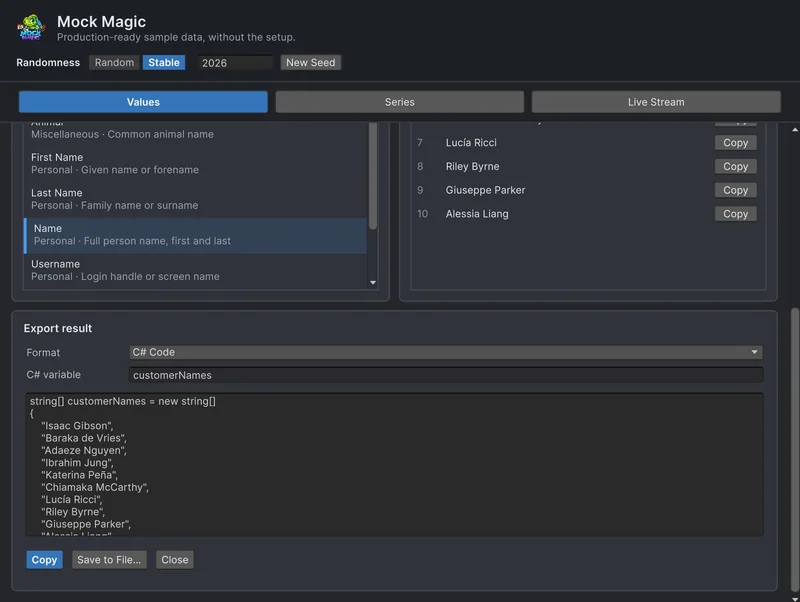 Article
Data-driven tests with generated inputs in Unity
TestCase and TestCaseSource turn one test into many. Seeded Mock Magic data gives those cases realistic inputs that stay identical on every run, unlike NUnit's random helpers. Patterns, pitfalls and fixtures frozen as C# arrays.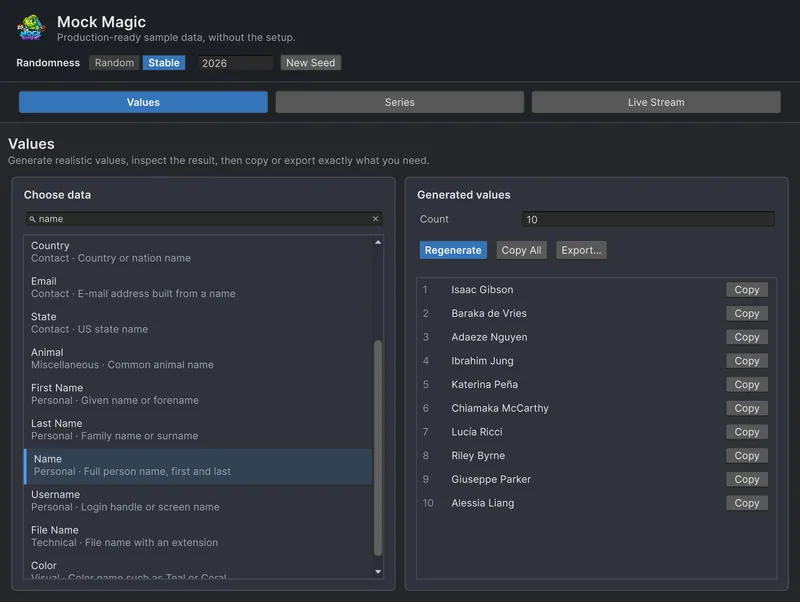 Article