Random strings, IDs, colors and enum values in Unity
Short C# recipes for random strings, unique IDs, GUIDs, colors and enum values in Unity, plus the one-line Mock Magic calls that replace them.
Lobby codes, test order numbers, IDs for spawned items, debug colors, a random enemy type: small random values turn up in every project. The recipes below are plain C# that compiles in Unity 2022.3 and Unity 6. The last section shows the Mock Magic calls that replace them when the values are test or demo data.
A random string from a character set
using UnityEngine;
public static class RandomCode{    // No 0, O, 1, I or L, so codes survive being read aloud or typed from a screenshot    const string Alphabet = "ABCDEFGHJKMNPQRSTUVWXYZ23456789";
    public static string Next(int length)    {        var chars = new char[length];        for (int i = 0; i < chars.Length; i++)            chars[i] = Alphabet[Random.Range(0, Alphabet.Length)];        return new string(chars);    }}
Random.Range(0, Alphabet.Length) excludes the maximum, so every character can appear and the index never runs past the end. Filling a char array avoids creating a new string on every loop iteration.
Neither UnityEngine.Random nor System.Random is meant for secrets, because their output can be predicted from the seed or from earlier values. Room codes and test data are fine. Passwords, session tokens and anything that protects a real account need RandomNumberGenerator from System.Security.Cryptography.
GUIDs and their formats
using System;using UnityEngine;
public static class GuidFormats{    public static void Show()    {        Guid id = Guid.NewGuid();        Debug.Log(id.ToString());     // 36 characters: 8-4-4-4-12 hex digits with hyphens        Debug.Log(id.ToString("N"));  // 32 hex digits without hyphens        Debug.Log(id.ToString("B"));  // the 36-character form in braces    }}
GUIDs are unique across devices and sessions, which makes them right for save data, cloud sync and anything merged from several sources. Unity’s serializer does not store System.Guid fields, so keep the string form in serialized data and turn it back into a Guid with Guid.Parse when you need one.
Unique counters or GUIDs
A counter is the simpler unique ID:
public static class OrderNumbers{    static int next = 1000;
    public static string Next() => $"ORD-{next++}";}
Counters are short, ordered and easy to read in a log or a screenshot, which makes them the better choice for test data and UI. They are unique only within one session unless you save the counter, and two devices produce the same numbers. If several threads create IDs, use Interlocked.Increment from System.Threading instead of ++. With domain reload disabled in the Enter Play Mode options, static counters also keep counting from the previous session, so reset them in a static method marked with the RuntimeInitializeOnLoadMethod attribute and the SubsystemRegistration load type.
The rule of thumb: counters for anything a person reads, GUIDs for anything that is stored, synced or merged.
Random colors with Random.ColorHSV
Random.ColorHSV picks a color within ranges for hue, saturation and value, plus optional alpha ranges. Narrow ranges give colors that belong together:
using UnityEngine;
public static class DebugColors{    // Saturated, bright colors with full alpha    public static Color Bright() => Random.ColorHSV(0f, 1f, 0.6f, 0.9f, 0.8f, 1f);
    // Spread hues for categories: the same color for the same index every time    public static Color ForCategory(int index) => Color.HSVToRGB((index * 0.618034f) % 1f, 0.7f, 0.9f);
    public static string Hex(Color color) => "#" + ColorUtility.ToHtmlStringRGB(color);}
ToHtmlStringRGB returns the hex digits without the leading #. For chart series or team colors, the golden-ratio step in ForCategory usually beats pure randomness: consecutive indexes land far apart on the color wheel, and the colors stay the same between runs.
A random enum value
using System;
public static class RandomEnum<T> where T : struct, Enum{    static readonly T[] Values = (T[])Enum.GetValues(typeof(T)); // cached, because GetValues allocates
    public static T Next() => Values[UnityEngine.Random.Range(0, Values.Length)];}
// EnemyType type = RandomEnum<EnemyType>.Next();
Three details to watch:
- Aliases. If two names share a value, such as
Default = 0andNormal = 0, the value appears twice in the array and comes up twice as often. - Sentinels. Members such as
NoneorCountare values too. Skip them, or keep a hand-written array of the valid choices. - Flags. For a
[Flags]enum you get single named values, never combinations.
Weighted picks
Uniform picks are rare in games: common loot should drop more often than epic loot.
using UnityEngine;
public static class Weighted{    public static T Pick<T>(T[] items, float[] weights)    {        float total = 0f;        foreach (float weight in weights) total += weight;
        float roll = Random.value * total;        for (int i = 0; i < items.Length; i++)        {            roll -= weights[i];            if (roll < 0f) return items[i];        }        return items[items.Length - 1]; // Random.value can be exactly 1    }}
// string drop = Weighted.Pick(new[] { "Common", "Rare", "Epic" }, new[] { 70f, 25f, 5f });
Weights do not have to add up to 100. The last line is not decoration: Random.value includes 1.0, so the roll can land exactly on the total and skip every item.
A plain chance works the same way: Random.value < 0.25f is true about one time in four.
Picks without repeats
Independent picks can return the same item twice in a row, which players notice quickly in a music playlist or a set of voice lines. Shuffle once and walk through the list instead:
using System.Collections.Generic;using UnityEngine;
public static class ListShuffle{    // Fisher-Yates: every order is equally likely    public static void ShuffleInPlace<T>(this IList<T> list)    {        for (int i = list.Count - 1; i > 0; i--)        {            int j = Random.Range(0, i + 1);            (list[i], list[j]) = (list[j], list[i]);        }    }}
The i + 1 matters, because an element must be allowed to stay where it is. A common bug draws Random.Range(0, list.Count) for every position, which makes some orders more likely than others. When the list runs out, shuffle again, and swap the first item if it equals the last one played.
The same jobs in Mock Magic
When these values are test or demo data, Mock Magic has a call for each. All of them follow Mock.Seed, so a test or a screenshot gets the same values on every run:
using MockMagic;using UnityEngine;
public enum Weather { Sunny, Rain, Snow, Fog }
public class MockOneLiners : MonoBehaviour{    void Start()    {        string guid = Mock.Guid();                        // GUID string        int id = Mock.Id();                               // 1, 2, 3, ...        string order = Mock.Format("ORD-#####");          // # digit, ? lowercase letter, * letter or digit        string code = Mock.Letters(4, upperCase: true);   // four uppercase letters        string password = Mock.Password(16);              // upper, lower, digit and symbol guaranteed        string hex = Mock.HexColor();                     // #RRGGBB        Color color = Mock.Color();                       // random RGB, alpha 1        Weather sky = Mock.Enum<Weather>();        string medal = Mock.Pick("Bronze", "Silver", "Gold");        string drop = Mock.PickWeighted((70f, "Common"), (25f, "Rare"), (5f, "Epic"));
        Debug.Log($"{guid} {id} {order} {code} {password} {hex} {color} {sky} {medal} {drop}");    }}
What each call does:
Mock.Guid()usesSystem.Guid.NewGuid()when no seed is active. With a seed, it builds valid version 4 GUIDs from the seeded generator, so the GUIDs repeat on every run. That is right for tests and wrong for real records, so never store seeded GUIDs as unique keys.Mock.Id()counts up from 1 and shares its counter with the{{id}}and{{unique}}template tokens.Mock.Seedrestarts it at 1.Mock.ResetIdCounter(1000)makes the next ID 1000, any start value works, including 0 and negative numbers, and an active seed stays active, so call it afterMock.Seed.Mock.Formatreplaces#with a digit,?with a lowercase letter and*with a lowercase letter or digit, and a backslash makes the next character literal. For uppercase codes useMock.Letters(4, upperCase: true);Mock.AlphaNumeric(8)andMock.Hexadecimal(6)cover other alphabets.Mock.Password(length)guarantees at least one uppercase letter, lowercase letter, digit and symbol, with a minimum length of 4. It uses the same non-cryptographic generator as everything else, so it is for test accounts only.Mock.HexColor()returns#RRGGBBin uppercase,Mock.Color()aUnityEngine.Colorwith random red, green and blue, andMock.ColorName()names such as Teal or Coral.Mock.Enum<T>()readsEnum.GetValues, so the alias, sentinel and flags caveats above apply.Mock.Enums<T>(10)returns ten at once.Mock.PickWeightedtakes(weight, value)pairs. The weights do not need to add up to anything, and zero or negative weights are skipped. For your own lists, thePickRandom()andShuffle()extension methods use the same seeded generator, andMock.Subset(array, 3)returns three distinct items.
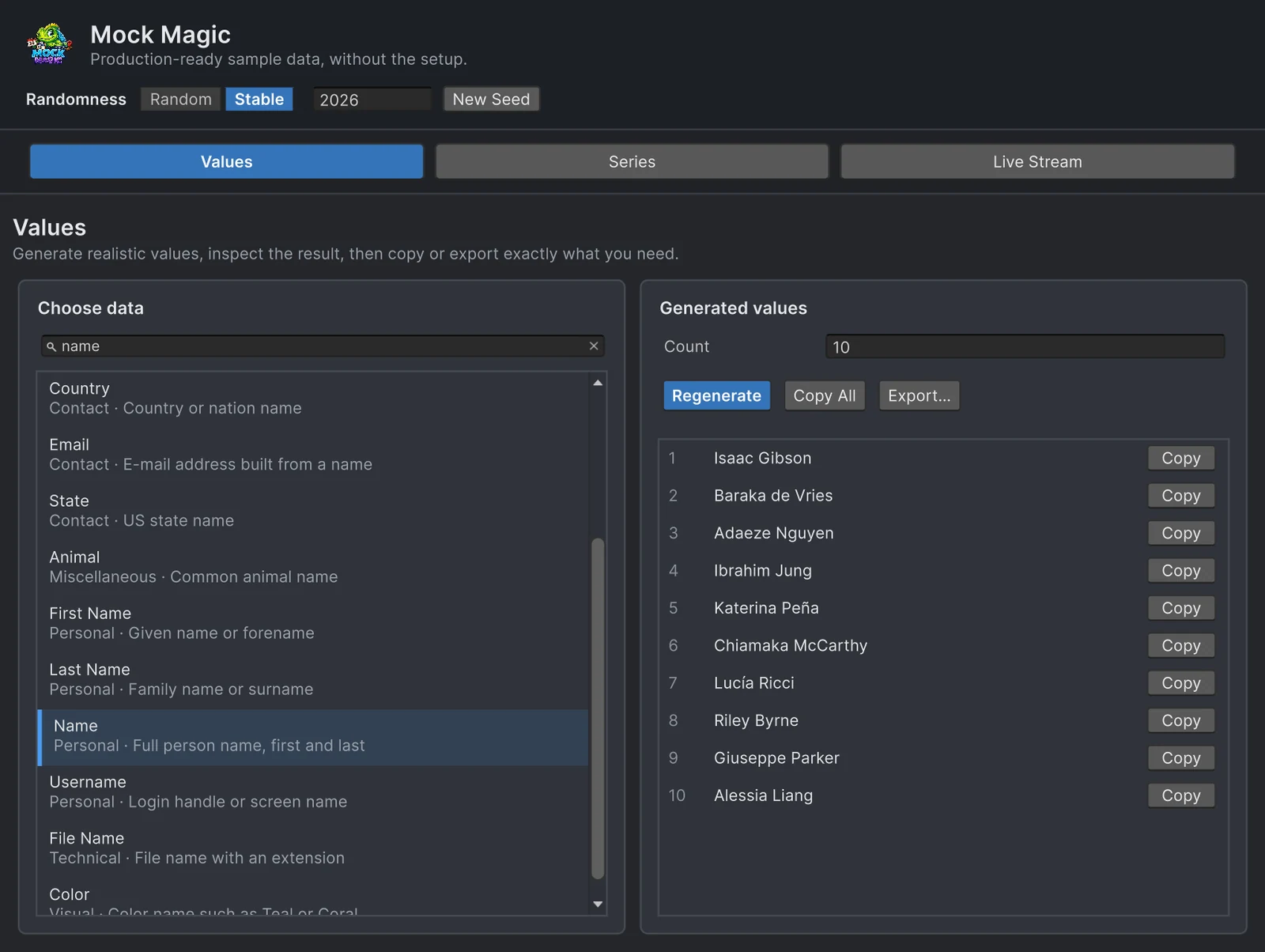
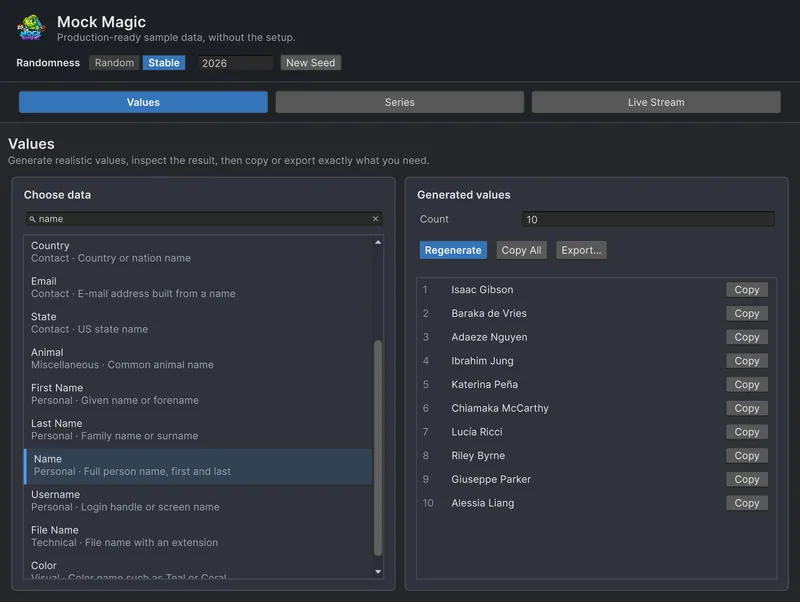
Without code, the Generator’s Values workspace offers GUIDs, IDs, passwords, hex colors and more among its 57 data types, and its search field also finds them by everyday terms such as uuid, hex or semver. Set Count to up to 1,000, then Copy All or Export… the result as a C# array.
Seeds for these helpers, and for Unity’s own generators, are covered in Random seeds in Unity. For names, sentences and reviews generated while a build runs, see names and text at runtime.
Frequently asked questions
How do I get a random enum value in Unity?
Cache the array from System.Enum.GetValues(typeof(T)) and index it with Random.Range(0, values.Length). Mock Magic does the same in one call with Mock.Enum<T>().
How do I generate a GUID in Unity?
Call System.Guid.NewGuid(). ToString() returns the 36-character form with hyphens and ToString("N") the 32 hex digits without them. Store the string, because Unity's serializer does not save System.Guid fields.
How do I make a random string in Unity?
Pick characters from a string of allowed characters with Random.Range and build the result in a char array. For passwords or tokens that protect real accounts, use System.Security.Cryptography.RandomNumberGenerator instead.
Why does Random.Range(0, 10) never return 10?
The integer overload excludes the maximum, so it returns 0 to 9, which fits array indexes. The float overload, Random.Range(0f, 10f), includes the maximum and can return 10.
Realistic fake data for Unity, from one value to a live stream.
Keep reading
 Use case
Generate names and text at runtime
What Mock Magic's name, username, e-mail, place, lorem ipsum, review and hacker phrase generators return, how large their pools are, and when a dedicated name generator is the better choice.Use caseTemplates and custom data types
Mock.Format fills masks such as ORD-#####, Mock.Parse fills {{token}} templates from 58 built-in tokens, and RegisterToken and RegisterGenerator add your own, from loot names to typed values or other locales through Bogus.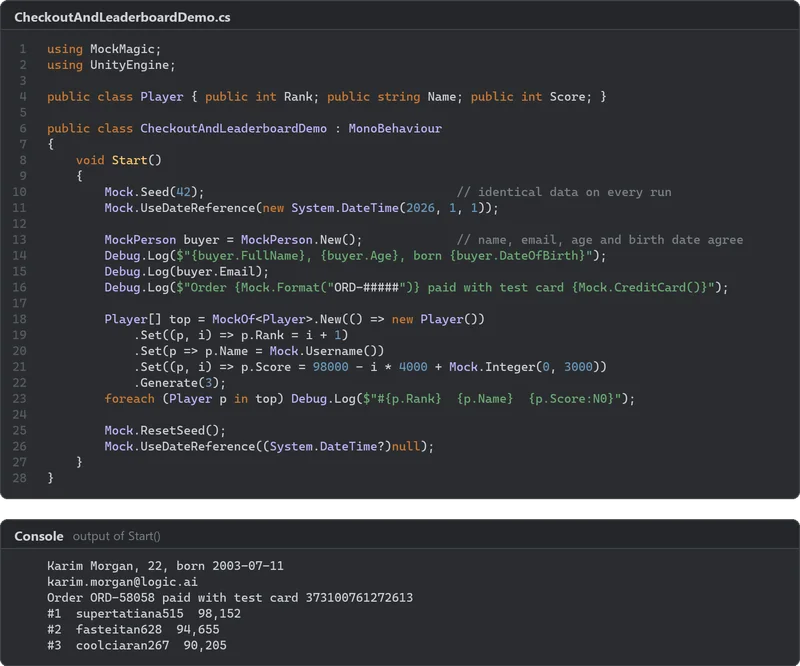 Article
Random seeds in Unity: repeat any result
A seed fixes a sequence of numbers, not who consumes them. How UnityEngine.Random, System.Random and Unity.Mathematics.Random take seeds, how to save and restore state, why seeded runs still drift, and how Mock Magic keeps test data identical. Comparison