Generate test data with a coding assistant
Mock Magic includes six skills that teach coding assistants to generate values, typed objects, series, streams and exports with its API instead of typing fake data by hand.
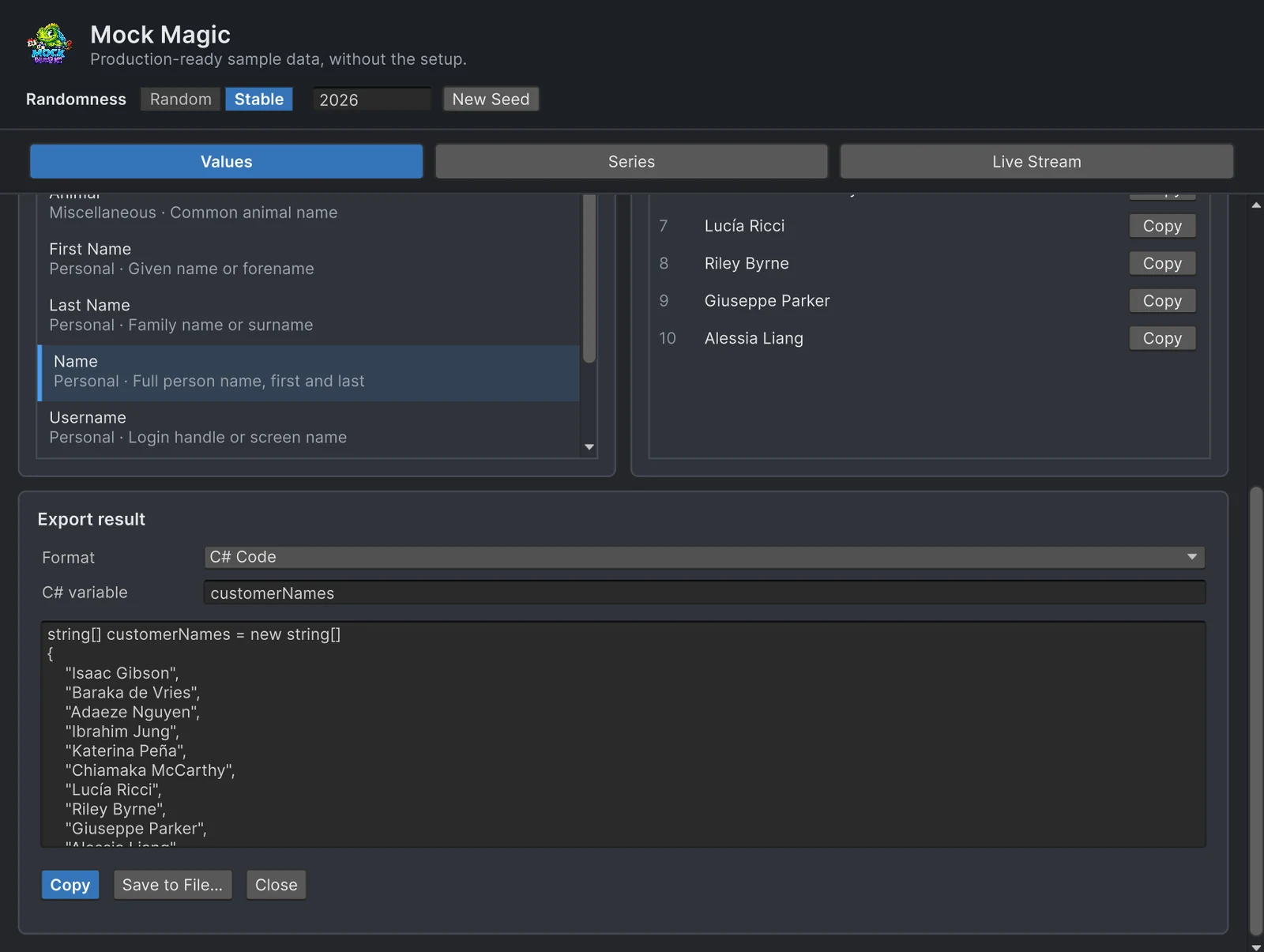
Ask a coding assistant for 50 test players and it may well type 50 players into a C# array. The list costs output tokens, needs another prompt to grow, and comes out different every time you ask again. Mock Magic includes six skills, plain Markdown files written against its scripting API, that steer the assistant toward a few lines of generator code instead. The skills add no AI service, subscription or runtime dependency; you keep the assistant you already use.
What the six skills cover
| Skill | What it teaches the assistant |
|---|---|
mock-magic-setup-and-overview | Confirm the package is installed, open Tools > Mock Magic > Generator, choose between Values, Series, Live Stream and code, then route to a narrower skill |
mock-magic-generate-mock-values | Single and bulk values through Mock methods and Mock.Generate(SimpleDataType, count), seeds and date references, Format masks, Parse templates and custom tokens |
mock-magic-build-typed-mock-objects | MockOf<T> with explicit setters, the index overload for IDs, Finish for dependent fields, UseSeed, Generate and GenerateLazy |
mock-magic-generate-data-series | MockSeries.Generate and GenerateMultiSeries with deliberate patterns, ranges, noise, label presets and series names |
mock-magic-stream-live-data | MockStreaming or a MockStream component, registering a listener once, clock source and rhythm, and releasing everything in teardown |
mock-magic-export-generated-data | MockExport to text, CSV, JSON or C# code, valid variable names, and checking the output shape before it is copied or saved |
Each SKILL.md starts with a name and a description, followed by when to use it, prerequisites, a quick start, workflows, verification steps, an API quick reference, common issues and boundaries. Its metadata names the asset version it was checked against. The common issues read like a list of mistakes an assistant would otherwise make: seeded runs that still differ because dates follow the wall clock, a stream callback that fires twice because the listener was registered twice, a template token that stays unchanged because it was registered after Parse, an address whose city and state disagree because Mock.City() and Mock.State() were drawn separately.
Point your assistant at the skills
The skills live in the AI/Skills folder inside the imported Mock Magic folder, one subfolder per skill, next to an AI/README.md that lists them. The README describes the workflow in four steps:
- Point a compatible coding assistant at the
AI/Skillsfolder. - Have it read the skill descriptions, and load
mock-magic-setup-and-overviewfirst when the setup or the right workflow is unclear. - Let it load only the narrowest skill that matches the job.
- Review every proposed project change before you allow it.
Claude Code picks up project skills from .claude/skills/<name>/SKILL.md, so copy the six skill folders there:
.claude/ skills/ mock-magic-setup-and-overview/SKILL.md mock-magic-generate-mock-values/SKILL.md mock-magic-build-typed-mock-objects/SKILL.md mock-magic-generate-data-series/SKILL.md mock-magic-stream-live-data/SKILL.md mock-magic-export-generated-data/SKILL.mdClaude Code compares your request with each description. The typed-objects skill, for example, describes itself for requests to fill a list of test users, so a prompt about filling a friends list can match it without naming it. Copy the folders again after you update Mock Magic, so the instructions match the installed API.
Codex and other assistants: point them at the folder as the README describes, either in the request itself or once in the project instructions the assistant reads. If your assistant does not choose skills by their descriptions, name the skill file in the request.
Three example prompts
“Fill the friends list with 100 test players: display name, username, online status and level. Same players on every run.” The typed-objects skill leads to a builder with a seed:
using MockMagic;using UnityEngine;
public class Friend{    public string DisplayName;    public string Username;    public bool Online;    public int Level;}
public class FriendsListMock : MonoBehaviour{    void Start()    {        Friend[] friends = MockOf<Friend>.New(() => new Friend())            .UseSeed(42) // the same 100 friends on every run            .Set(f =>            {                MockPerson person = MockPerson.New();                f.DisplayName = person.FullName;                f.Username = person.Username;            })            .Set(f => f.Online = Mock.Boolean())            .Set(f => f.Level = Mock.Integer(1, 61))            .Generate(100);
        // hand friends to the list view here    }}
MockPerson derives each username from the display name, and Mock.Integer(1, 61) returns levels from 1 to 60 because the upper bound is exclusive. UseSeed seeds only this builder’s Generate pass and then restores the previous random state, seed and ID counter, as the typed-objects skill spells out, so no cleanup call is needed and the rest of the game keeps its random sequence.
“Write twelve months of sales for three regions to a CSV I can open in a spreadsheet.” The series and export skills work together:
using System.IO;using MockMagic;
public static class SalesCsv{    public static void Write(string path)    {        Mock.Seed(7);        MockDataPoint[][] sales = MockSeries.GenerateMultiSeries(            SeriesPattern.Seasonal, seriesCount: 3, pointCount: 12, min: 20f, max: 120f,            labelPreset: LabelPreset.MonthsShort, seriesNames: new[] { "North", "South", "West" });        Mock.ResetSeed();
        File.WriteAllText(path, MockExport.ToCsv(sales));    }}
The file has one header and 36 rows, each tagged with its region in the SeriesName column, and the seed keeps the numbers identical between runs. The export guide shows the exact layout of every format.
“Feed a fake temperature reading into my HUD twice a second in Play Mode, and clean up when the HUD is disabled.” The streaming skill registers the listener once and releases it in teardown:
using MockMagic;using UnityEngine;
public class TemperatureFeed : MonoBehaviour{    void OnEnable()    {        MockStreaming.Configure(SeriesPattern.GaussianNoise, min: 18f, max: 26f, noise: 0.05f);        MockStreaming.Register(OnReading);        MockStreaming.Start(0.5f, StreamRhythm.Constant);    }
    void OnDisable()    {        MockStreaming.Unregister(OnReading);        MockStreaming.Stop();    }
    void OnReading(MockDataPoint[] points)    {        Debug.Log($"{points[0].Value:F1} °C"); // replace with your HUD label    }}
GaussianNoise with a range of 18 to 26 and a noise of 0.05 keeps the readings close to 22 degrees, and the stream runs on game time unless you choose another clock. More patterns and rhythms are in simulating live data streams.
Why generator code beats pasted data
- Volume is free.
Generate(100)andGenerate(100000)are the same line. A typed list grows with every row, and long answers cost tokens and review time. - Repeatable, and still flexible. A pasted list never changes, which is fine until you need 500 rows instead of 50. A seeded generator returns the same rows on every run and new ones when you change the seed or the count.
- Variety you did not have to think of. Hand-typed fake data tends toward a few familiar names and round numbers. Generated data brings apostrophes like O’Brien, missing fields through
OrNulland the occasional outlier. - Smaller diffs. Ten lines of generator code are easier to review than 300 lines of literals, and they do not bury real changes in a pull request.
A pasted list still has its place for a handful of hand-picked cases that a test must always cover. For everything else, the assistant’s job is to write the generator, not the data. AI-generated test data compared looks at both approaches side by side, and the Getting Started page of the manual summarizes the skills.
Frequently asked questions
Do the Mock Magic skills need an AI service or subscription?
No. They are Markdown files that describe Mock Magic's workflows and API. They add no AI service, subscription, runtime dependency or generated content; you use them with the coding assistant you already have.
How do I make Claude Code use the Mock Magic skills?
Copy the six skill folders from Mock Magic's AI/Skills folder into .claude/skills in your project, so that each file sits at .claude/skills/<name>/SKILL.md. Claude Code reads each skill's description and loads the one that fits your request.
Will the assistant still invent methods that do not exist?
The skills list the real API and tell the assistant not to invent data types or APIs that the installed version lacks, but no instruction file guarantees correct code. Review every change and let the compiler have the last word.
Realistic fake data for Unity, from one value to a live stream.
Keep reading
 Comparison
Mock Magic vs asking an AI for test data
A chat assistant writes any sample data you can describe, in any language and shape. It cannot promise the same rows tomorrow or ten thousand rows for free. When to use which, and why the best combination is an assistant that writes Mock Magic code. Use case
Reproducible fake data for Unity tests
Random test data only helps when a failure can be repeated. Seed Mock Magic, pin the date it counts from, keep IDs predictable, and return to fresh random output when the test ends. Use case