Fake credit card numbers for testing checkout forms
Fill Unity checkout forms with fake, Luhn-valid card numbers and names to test validation and layout, and know when to use your payment provider's test cards.
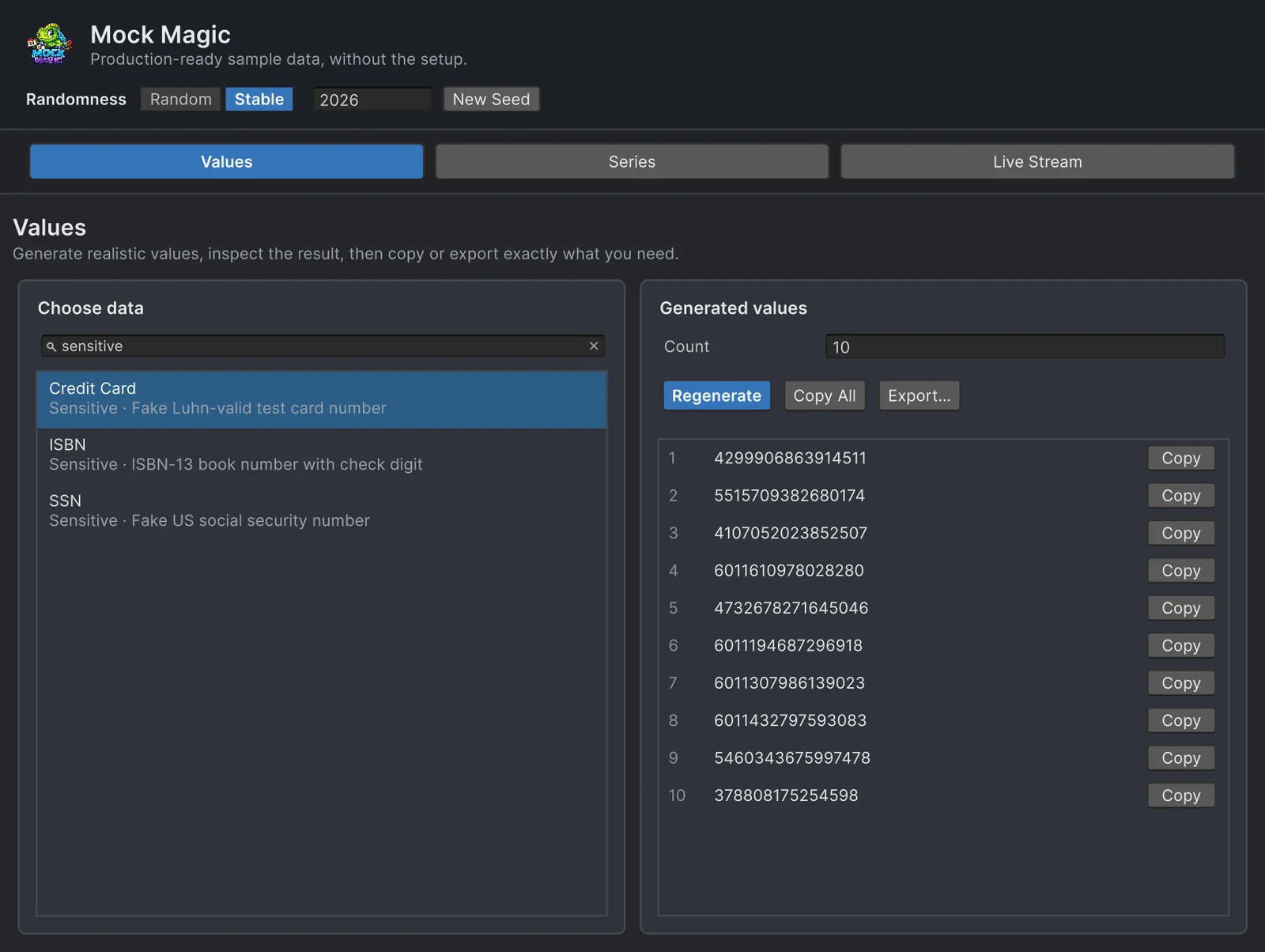
A card form looks simple until you test it properly. The field should group digits while the user types, switch the brand icon after the first digits, accept a 15-digit number as readily as a 16-digit one, reject a typo with a clear message, and still fit on a narrow phone screen. Typing the same well-known test number again and again checks exactly one of those cases.
Mock Magic generates card numbers in four common shapes, each with a correct check digit, so a checkout form in a WebGL shop, a kiosk app or a store prototype can be tested against many inputs in a few seconds. This page is about the form and its layout. Payments themselves are tested differently, as the last section explains.
What Mock Magic generates
Mock.CreditCard() returns a string of digits without spaces, in one of four styles that are picked about equally often:
- 16 digits starting with 4: Visa-style.
- 16 digits starting with 51 to 55: Mastercard-style.
- 15 digits starting with 37: American Express-style.
- 16 digits starting with 6011: Discover-style.
The digits after the prefix are random, and the last one is a check digit that makes the number pass the Luhn check. No bank issued these numbers. They exist to test input fields, validation and layout.
Two more test values share the Sensitive category in the Generator. Mock.Isbn() returns a hyphenated ISBN-13 that starts with 978 and ends in a valid check digit, and Mock.Ssn() returns the US social security number shape ###-##-#### filled with random digits.
How the Luhn check works
The Luhn algorithm is a simple checksum. Starting from the right, every second digit is doubled, 9 is subtracted from any result above 9, and all digits are added up. The number passes when the sum ends in 0, and the last digit is chosen to make that happen. That is enough to catch a mistyped digit and most swaps of two neighboring digits, which is exactly what a form needs to report.
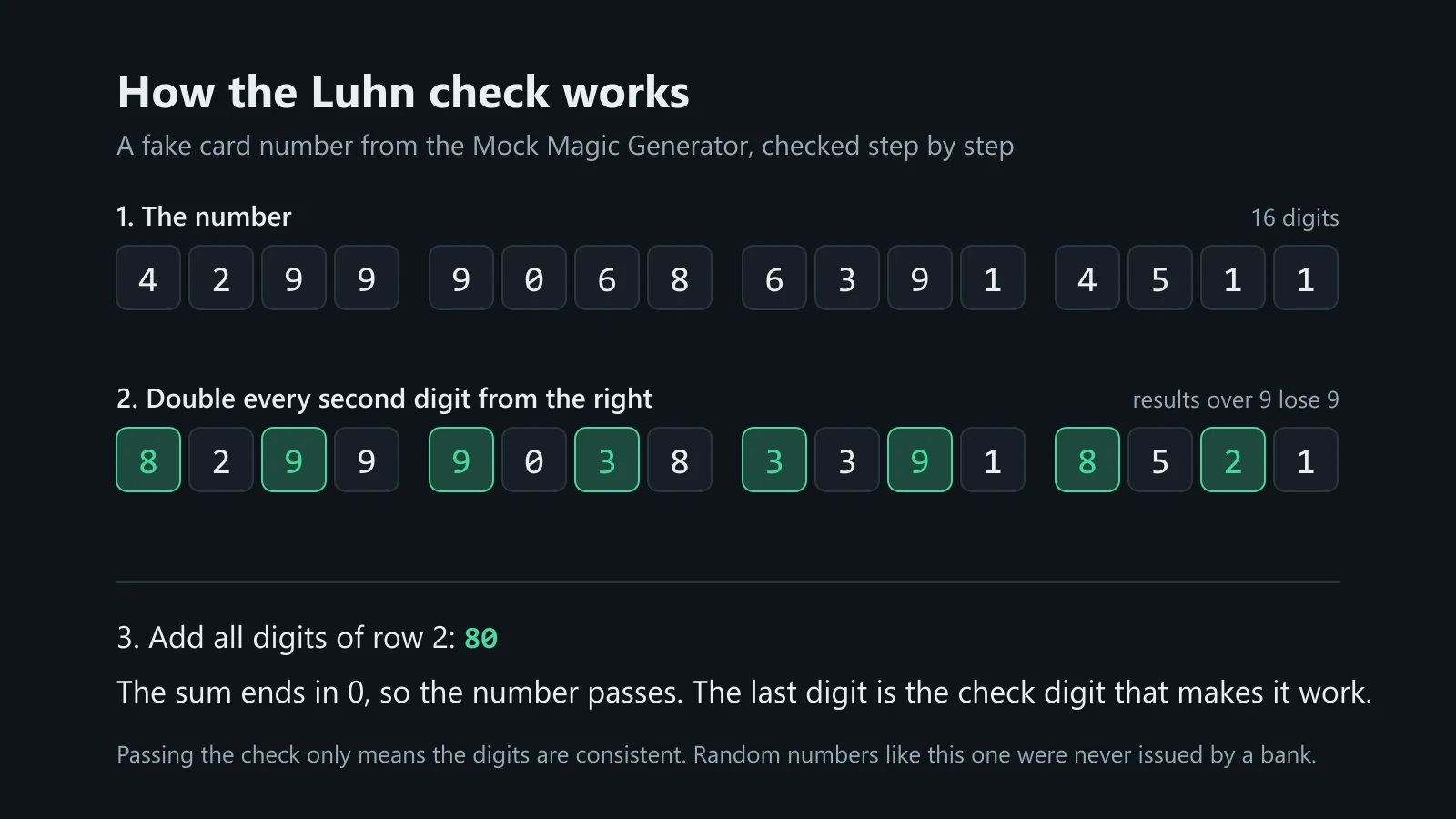 The Luhn check on a number from the Generator. The sum is 80, so the number passes.
A validator for your form fits in a few lines. This one skips spaces and hyphens, so it also works on formatted input, and the brand check covers the prefixes Mock Magic produces:
public static class CardInput{    public static bool PassesLuhn(string input)    {        int sum = 0;        int count = 0;        bool doubleIt = false;        for (int i = input.Length - 1; i >= 0; i--)        {            char c = input[i];            if (c == ' ' || c == '-') continue;            if (c < '0' || c > '9') return false;
            int digit = c - '0';            if (doubleIt)            {                digit *= 2;                if (digit > 9) digit -= 9;            }            sum += digit;            count++;            doubleIt = !doubleIt;        }        return count > 0 && sum % 10 == 0;    }
    // Simplified: real brands use more ranges, for example Mastercard also 2221 to 2720.    public static string Brand(string digits)    {        if (digits.StartsWith("4")) return "Visa";        if (digits.StartsWith("34") || digits.StartsWith("37")) return "American Express";        if (digits.StartsWith("6011")) return "Discover";        if (digits.Length > 1 && digits[0] == '5' && digits[1] >= '1' && digits[1] <= '5') return "Mastercard";        return "Unknown";    }}
Generate numbers in the Editor
- Open Tools > Mock Magic > Generator and select the Values workspace.
- Type “sensitive” in the search field to list Credit Card, ISBN and SSN, or a word such as “card”, “Luhn” or “Visa” for Credit Card alone.
- Select Credit Card, set Count and click Regenerate.
- Click Copy on a row to paste one number into the field under test, or Copy All for a list of inputs.
Switch Randomness to Stable when you need the same numbers again, for example in a documented test case or a bug report. Without Unity at hand, the free fake data generator produces the same four card styles in your browser.
Generate numbers in code
This component logs a complete set of test values from its context menu in the Inspector:
using System;using MockMagic;using UnityEngine;
public class TestCardValues : MonoBehaviour{    [ContextMenu("Log Test Card")]    void LogTestCard()    {        string number = Mock.CreditCard();        string holder = Mock.Name().ToUpperInvariant();        int month = Mock.Integer(1, 13);                         // 1 to 12: the upper bound is exclusive        int year = DateTime.Now.Year % 100 + Mock.Integer(1, 6); // one to five years ahead        string cvc = Mock.Format(number.Length == 15 ? "####" : "###");
        Debug.Log($"{number}  {holder}  {month:00}/{year:00}  {cvc}  {CardInput.Brand(number)}");    }}
Mock.CreditCards(25) returns 25 numbers at once, and Mock.Generate(SimpleDataType.CreditCard, 25) does the same through the type enum. In templates, {{creditCard}}, {{isbn}} and {{ssn}} work like any other token, for example Mock.Parse("{{name}},{{creditCard}}") for a CSV line. Mock.Isbns and Mock.Ssns are the plural forms of the other two types.
Expiry dates and security codes
Mock.Format replaces each # with a random digit. That suits a security code: any three digits are a plausible CVC, and American Express-style cards use four. Months are different. Mock.Format("##") would produce 00 or 47 as often as 07, so the example draws them with Mock.Integer(1, 13) and builds the year as an offset from the current one. To test the “card expired” message, subtract the offset instead of adding it.
What to test
- Input mask and grouping. 4-4-4-4 for 16 digits and 4-6-5 for 15-digit American Express-style numbers, typed, pasted with spaces and pasted without.
- Brand icon by prefix. The icon should follow the first digits: 4, 37, 6011 and 51 to 55. Every generated number has one of these prefixes, so type a number starting with 9 by hand to check the unknown-brand fallback.
- Length rules. 15 versus 16 digits, and what the field does with a 17th.
- Error messages. Change one digit of a generated number and the Luhn check must fail. Swap two neighboring digits and it usually fails too.
- Cardholder names. Generated names reach 24 characters and include accents, hyphens and apostrophes, as in Seo-yeon O’Brien or Lucía Peña, so they show what the name field accepts and how it uppercases. Add a longer name by hand, and check the 15-digit layout on the narrowest screen you support.
What not to do
- Never put real card numbers into test data, fixtures, bug reports or screenshots, your own card included. Generated numbers make that unnecessary.
- Do not send these numbers to a payment gateway. Gateways test with their own published numbers: Stripe lists them in its testing documentation, and Stripe test mode rejects other numbers. Mock Magic’s numbers are for everything in front of the gateway, meaning the form, the mask, validation and layout.
- Mobile in-app purchases need no card field at all. On iOS and Android the store shows its own purchase sheet, and you test with the App Store sandbox and Google Play’s license testing rather than with card numbers.
The other forms around a checkout, such as addresses, profiles and order lists, are covered in realistic test data for Unity UI, and a shop page with products, prices and ratings in the guide to leaderboards, chats and shop mockups.
Frequently asked questions
Are the generated card numbers real?
No bank issued them. They are random digits behind a brand-style prefix, completed with a correct Luhn check digit, and they are meant for testing input fields, validation and layout.
Can I use these numbers in Stripe test mode?
No. Stripe test mode accepts the test card numbers from Stripe's testing documentation and rejects other numbers. Use those for anything that reaches the payment gateway.
What does Luhn-valid mean?
The number passes the Luhn checksum: double every second digit from the right, subtract 9 from results above 9, and the sum of all digits ends in 0. It catches mistyped digits; it says nothing about whether an account exists.
Which card formats does Mock Magic generate?
Four styles, picked about equally often: 16 digits starting with 4 (Visa-style), 16 digits starting with 51 to 55 (Mastercard-style), 15 digits starting with 37 (American Express-style) and 16 digits starting with 6011 (Discover-style).
Realistic fake data for Unity, from one value to a live stream.
Keep reading
 Use case
Fill Unity UI with realistic test data
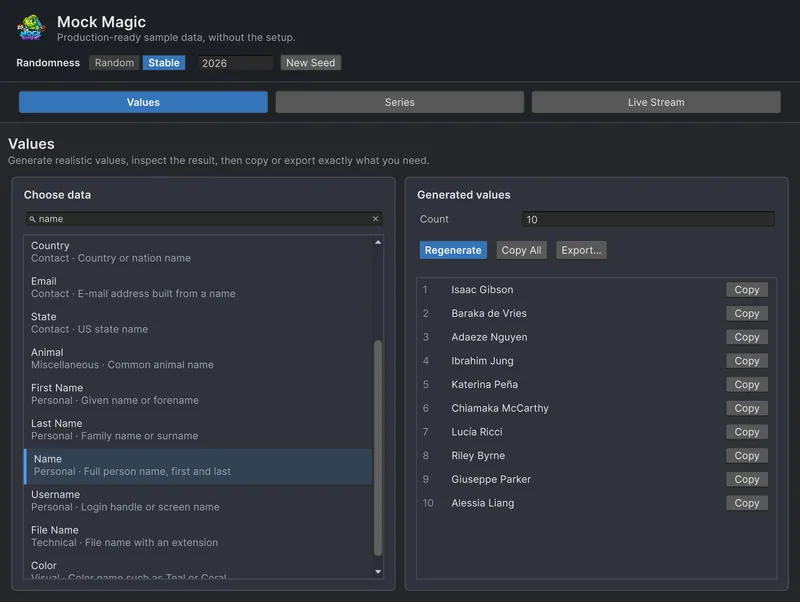
Rows named Test 1 and Test 2 hide the layout bugs that real data exposes. Generate believable names, e-mail addresses, prices and dates in the Editor or at runtime, including records with missing fields. Use case
Reproducible fake data for Unity tests
Random test data only helps when a failure can be repeated. Seed Mock Magic, pin the date it counts from, keep IDs predictable, and return to fresh random output when the test ends.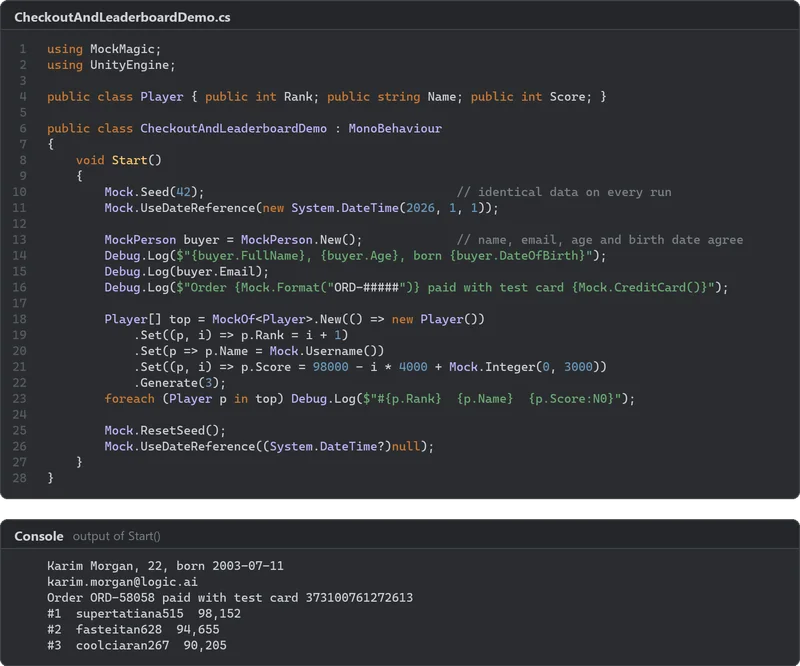 Use case