Mock leaderboards, chat logs and shop reviews
Lay out leaderboards, chat panels, social feeds and shop pages with usernames, scores, emoji, hashtags and short reviews before players or servers provide them.
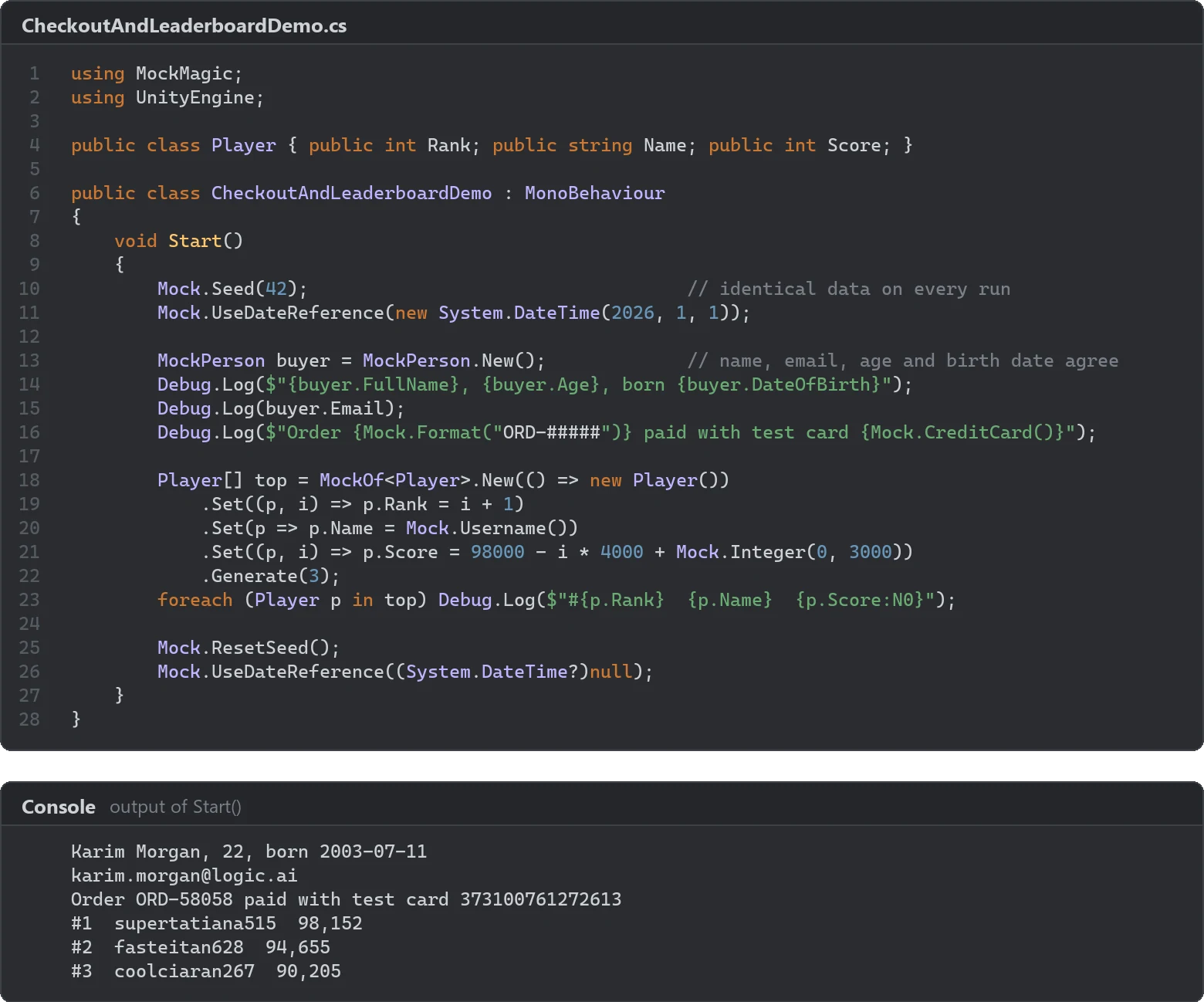
Leaderboards, chat panels and shop pages get designed long before there are players, a chat server or a product catalog. Filled with Player1 to Player10 and a score of 1000, they look finished and hide the problems that arrive later: a name that does not fit its column, a score with an extra digit, an emoji the font cannot draw, a product nobody has reviewed yet. Mock Magic generates usernames, scores, sentences, emoji, hashtags, product names, prices, star ratings and short reviews at runtime, so these screens fill themselves with data that looks like it belongs there. One Asset Store reviewer used it for exactly this, to lay out leaderboards.
A leaderboard
MockOf<T> builds typed rows through explicit setters. The Set overload with an index gives each row its position, which makes ranks and strictly descending scores easy:
using MockMagic;using UnityEngine;
public class LeaderboardRow{    public int Rank;    public string Player;    public int Score;    public string Country;}
public class LeaderboardMock : MonoBehaviour{    void Start()    {        LeaderboardRow[] rows = MockOf<LeaderboardRow>.New(() => new LeaderboardRow())            .Set((row, i) => row.Rank = i + 1)            .Set(row => row.Player = Mock.Username())            .Set((row, i) => row.Score = 250000 - i * 4000 + Mock.Integer(0, 3000))            .Set(row => row.Country = Mock.Country().OrNull(0.1f)) // about one in ten without a flag            .Generate(50);
        rows[7].Score = rows[6].Score;                              // a tie        rows[2].Player = Mock.ClampString(Mock.Username(), 32, 32); // a 32-character name
        foreach (LeaderboardRow row in rows)            Debug.Log($"#{row.Rank} {row.Player} {row.Score:N0} {row.Country ?? "-"}");    }}
Each rank costs 4,000 points and the jitter stays below 3,000, so the order holds. Mock.Username() puts one of 24 prefixes such as swift, lucky or clever in front of a first name folded to lowercase ASCII and a number from 1 to 998, which gives handles like luckymateo417 between 6 and 20 characters long.
Edge cases worth generating
Real leaderboards are less tidy than 50 neat rows. The snippet already covers the first three of these cases, which break layouts most often:
- Ties. Two equal scores force a decision: do both rows show rank 7, or 7 and 8?
- Long names.
Mock.ClampString(value, min, max)pads a string with random lowercase letters up tominand cuts it atmax, so a 32-character name tests truncation and ellipsis handling. - Missing values.
OrNull(probability)turns a reference value intonullat the given rate, andOrNullabledoes the same for value types such asint?. A row without a country shows whether your flag slot has a fallback. - Empty states.
Generate(0)returns an empty array, the state a new season starts with. - Many rows.
Generate(10000)shows whether scrolling and pooling hold up, andGenerateLazy(count)yields rows one at a time instead of building one array.
The article on uncomfortable test data collects more of these cases.
A chat log
A believable chat channel has a small cast, short messages, the occasional emoji and timestamps that move forward:
using System;using MockMagic;using UnityEngine;
public class ChatMessage{    public string Author;    public string Text;    public DateTime SentAt;}
public class ChatMock : MonoBehaviour{    void Start()    {        string[] cast = Mock.Usernames(5); // a small cast reads like a real channel        DateTime clock = new DateTime(2026, 11, 11, 20, 0, 0);
        ChatMessage[] log = MockOf<ChatMessage>.New(() => new ChatMessage())            .Set(m => m.Author = cast.PickRandom())            .Set(m => m.Text = Mock.Sentence(1, 12))            .Set(m => { if (MockRandom.Chance(0.25f)) m.Text += " " + Mock.Emoji(); })            .Set(m => { if (MockRandom.Chance(0.1f)) m.Text += " " + Mock.Hashtag(); })            .Set(m => { clock = clock.AddSeconds(Mock.Integer(3, 90)); m.SentAt = clock; })            .Generate(40);
        foreach (ChatMessage m in log)            Debug.Log($"[{m.SentAt:HH:mm}] {m.Author}: {m.Text}");    }}
Mock.Sentence(1, 12) returns 1 to 12 words of lorem ipsum with a capital letter and a period. That is right for testing wrapping and bubble heights, but nobody can read it, so use Mock.Review() or your own lines with Mock.Pick when a screenshot needs real words. Mock.Time() and Mock.Timestamp() exist, but they draw independent random times, so a log in chronological order is easier to build by advancing a clock as above. Mock.Hashtag() picks from 36 tags such as #gamedev and #indiedev.
Mock.Emoji() returns one of 40 real Unicode emoji, and two of them, ❤️ and ☀️, include an invisible variation selector. Check that your font renders them before you trust a screenshot: a font without emoji glyphs shows empty boxes or nothing at all, and in TextMeshPro a sprite asset or a fallback font that covers them solves this. Message limits deserve a test too, because 35 of the 40 emoji count as two characters in string.Length.
A shop page
Product tiles need a title, a price, a rating and a review, and some products have no reviews yet:
ShopItem[] items = MockOf<ShopItem>.New(() => new ShopItem())    .Set(s => s.Title = Mock.ProductName())    .Set(s => s.Price = Mock.Price(4.99f, 249.99f))    .Set(s => s.Rating = Mock.StarRating())    .Set(s => s.TopReview = Mock.Review().OrNull(0.2f)) // some products have no reviews yet    .Generate(24);
string euros = Mock.Currency(5m, 80m).ToString("C", CultureInfo.GetCultureInfo("de-DE")); // 42,17 €
ShopItem is a plain class with those four fields, and the euro line needs using System.Globalization;. Mock.ProductName() draws from 40 consumer products, with one of 20 words such as Ultra or Pro in front 60 percent of the time, for names like Ultra Wireless Headphones. For an in-game store, register your own item names as described in templates and custom data types. Mock.Price(min, max) returns a string with a dollar sign and two decimals, written with a period on every system. For other currencies, Mock.Currency(min, max) returns a decimal rounded to cents that you format with any culture, as the last line shows.
Mock.StarRating() returns 1.0 to 5.0 in steps of 0.1, skewed toward the top the way store ratings are: about three in four ratings are 3.5 or higher, and the average sits near 4.0. Mock.Review() builds short English reviews from 16 openers, 11 reasons and 10 closing remarks, usually two or three sentences such as “Great value for the price. Shipping was fast. Highly recommend.” Rating and review are drawn independently, so a 1.6-star product can still read “Absolutely love it”. If your page colors reviews by sentiment, keep your own positive and negative lines and pick by rating.
A social feed
Feeds add display names, handles and engagement numbers with a long tail:
FeedPost[] feed = MockOf<FeedPost>.New(() => new FeedPost()) .Set(p => { MockPerson person = MockPerson.New(); p.Author = person.FullName; p.Handle = "@" + person.Username; }) .Set(p => p.Text = $"{Mock.Sentence(4, 14)} {Mock.Hashtag()}") .Set(p => p.Likes = Mock.PickWeighted( (70f, Mock.Integer(0, 50)), (25f, Mock.Integer(50, 5000)), (5f, Mock.Integer(5000, 900000)))) .Generate(30);FeedPost is a plain class with Author, Handle, Text and Likes fields. MockPerson builds the handle from the same name as the display name, folded to plain ASCII, so José Núñez posts as @jose_nunez118 while the display name keeps its accents, a useful check for fonts and sorting. PickWeighted takes weight and value pairs whose weights do not need to add up to 1, so most posts get a few likes and one in twenty gets 5,000 or more, enough to test a compact format such as 12.4K next to a plain 7.
Stable data for screenshots
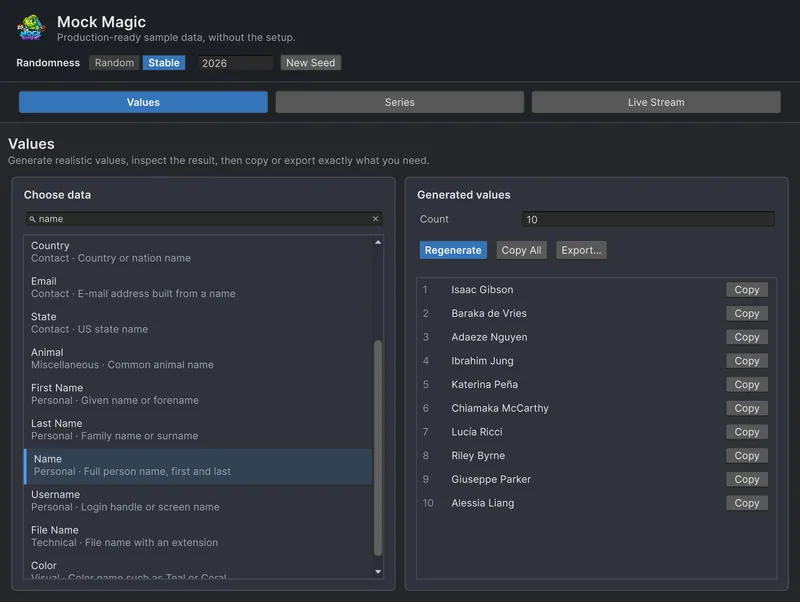
Random data is good at finding problems and bad for screenshots that must match, such as store images, documentation and visual regression tests. In the Generator, select Stable in the Randomness row and keep the seed; Stable mode also fixes dates to 1 January 2026. In code, call Mock.Seed(int) before generating, or UseSeed(int) on a MockOf<T> builder; the same calls in the same order then return the same rows:
Mock.Seed(42); // identical rows on every run, also re-seeds UnityEngine.Random// ... build the leaderboard, chat and shop data ...Mock.ResetSeed();Mock.Seed also calls UnityEngine.Random.InitState with the same seed, and Mock.ResetSeed() gives both fresh randomness again. UseSeed affects only its own builder: it seeds that Generate pass and then restores the previous state, so the rest of your game keeps its random sequence. For dates, Mock.UseDateReference fixes the day that generated dates are relative to; the guide to reproducible test data covers both. For the stats screens around a leaderboard, see Chart Guru’s game stats screens.
Frequently asked questions
How do I create fake leaderboard data in Unity?
Build the rows with MockOf<T>: the index overload of Set gives the rank, Mock.Username() the player name, and a score that drops with the index plus some random jitter keeps the order. Generate(50) returns 50 rows in rank order.
Why do emoji show up as empty boxes in my chat UI?
The font has no glyphs for them. Mock.Emoji() returns real Unicode emoji, so the text component needs a font or fallback font that covers them, or in TextMeshPro a sprite asset that maps them to images.
Can Mock Magic write readable chat messages?
Mock.Sentence() returns lorem ipsum, which is right for testing line wrapping and bubble sizes. For readable lines, use Mock.Review() for short opinions or pick from your own list of lines with Mock.Pick.
Will the same seed give the same leaderboard every time?
Yes, as long as the same calls run in the same order after Mock.Seed or a builder's UseSeed. That keeps screenshots and visual regression tests repeatable.
Realistic fake data for Unity, from one value to a live stream.
Keep reading
 Use case
Fill Unity UI with realistic test data
Rows named Test 1 and Test 2 hide the layout bugs that real data exposes. Generate believable names, e-mail addresses, prices and dates in the Editor or at runtime, including records with missing fields.Use caseGenerate names and text at runtime
What Mock Magic's name, username, e-mail, place, lorem ipsum, review and hacker phrase generators return, how large their pools are, and when a dedicated name generator is the better choice. Use case
Reproducible fake data for Unity tests
Random test data only helps when a failure can be repeated. Seed Mock Magic, pin the date it counts from, keep IDs predictable, and return to fresh random output when the test ends.Article