Test localized UI with fake data in 76 locales
Fill Unity UI with names, addresses, phone numbers and calendar labels from 76 locale profiles, including native scripts and right-to-left text, to test localized layouts.
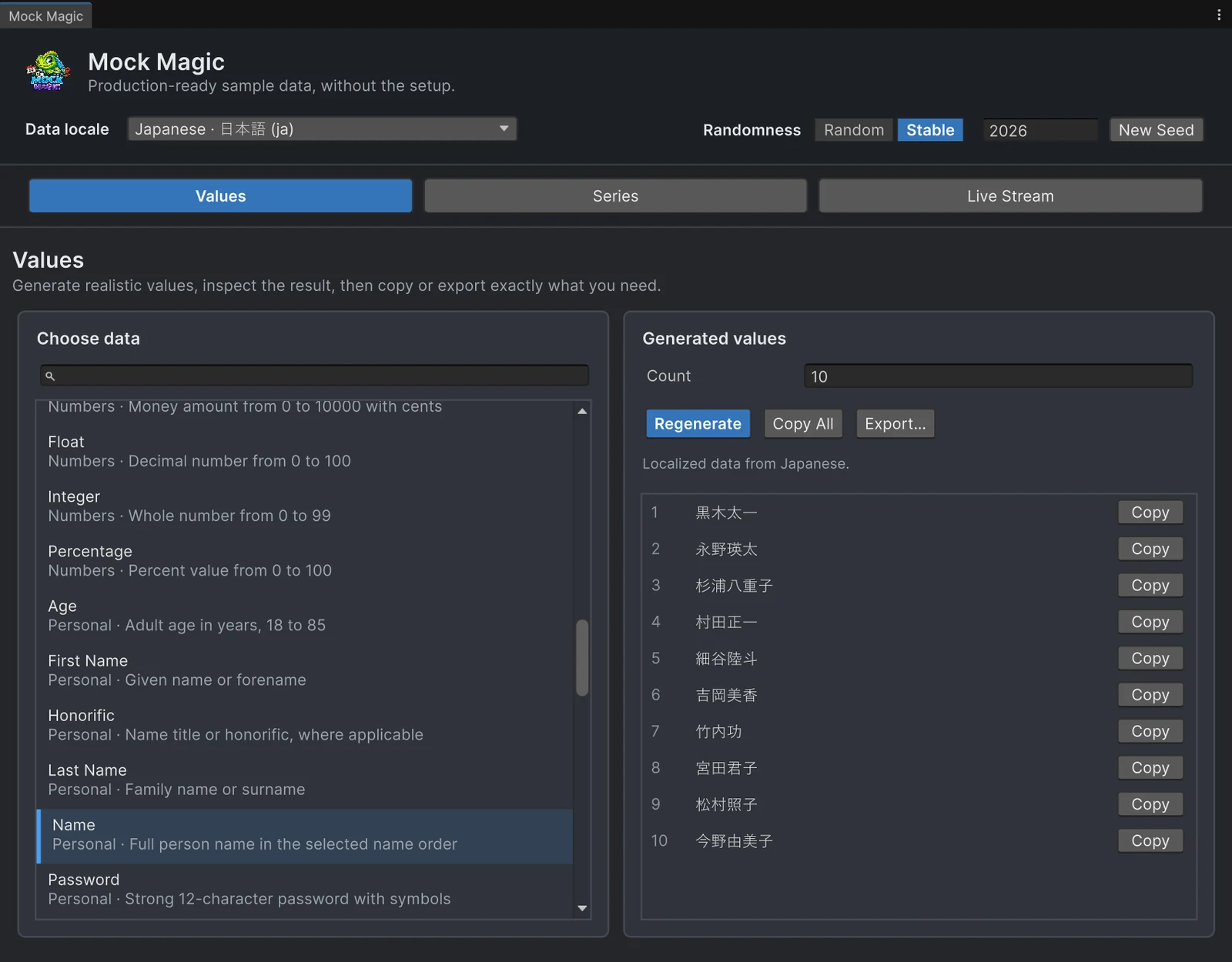
A UI that works in English has passed one test. Translate it and the same screens meet new input: place names three times longer than any English test value, family names that come first, text that runs from right to left, postcodes in front of the city, phone numbers with another country code. Translated strings show some of this, but the data that fills lists, profiles and checkout forms usually stays English until real users arrive.
Mock Magic generates that data in 76 locale profiles, from German and Japanese to Arabic, Hungarian and Brazilian Portuguese, next to its Default data. Names keep their native script and order, addresses follow the country’s format, and month and weekday labels come in the local language.
What localized data breaks
- Text expansion. Place and street names grow long in many languages: Hungarian and Finnish profiles produce towns such as Pilisszentkereszt and Kristiinankaupunki. Fixed-width labels and table columns clip them first.
- Name order. The Japanese, Korean, Chinese, Vietnamese and Hungarian profiles write the family name first, the East Asian ones without a space. Code that splits a full name at the first space finds the wrong first name or none at all.
- Right-to-left text. Arabic, Hebrew, Farsi and Urdu run from right to left, and digits inside them still run left to right. Alignment, icons placed “after” a name and truncation with an ellipsis all change sides.
- Scripts without spaces. Chinese and Japanese text has no spaces between words, so word wrapping that relies on spaces fails, and every font asset needs the glyphs for each script you ship.
- Address and phone formats. German addresses put the postcode before the city, Swiss ones add a CH- prefix, and phone numbers carry the country code and national number shapes.
- Calendar labels. Months and weekdays come from Unicode CLDR: Januar to Dezember in German, 1月 to 12月 in Japanese, Arabic month names in Arabic.
Pick a locale in the Generator
Open Tools > Mock Magic > Generator and choose a profile in the Data locale field in the header. The field is searchable by language name or ID, and the Generator remembers the choice. It applies to the Values workspace, to series labels in Series and to labels in Live Stream. In the Generated values panel, a line above the results describes what the profile covers for the selected type, and the actions stay disabled for combinations the profile does not support.
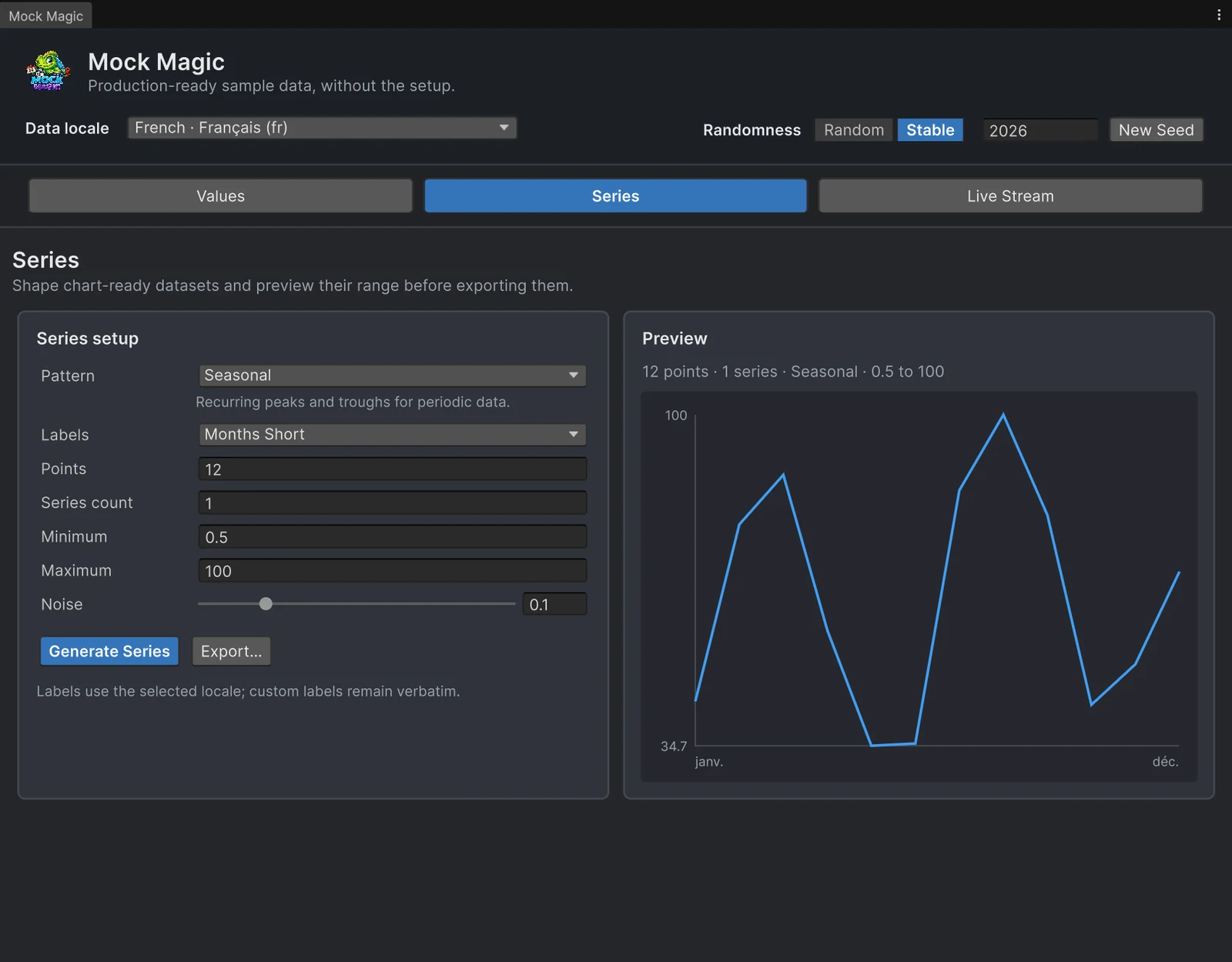 French month labels in the Series workspace.
On Unity 6.3 and later, the Generator shapes right-to-left previews natively. Unity 2022.3 and 6.0 can show them unshaped or in the wrong order, and the window says so; Copy and Export… keep the original Unicode on every version.
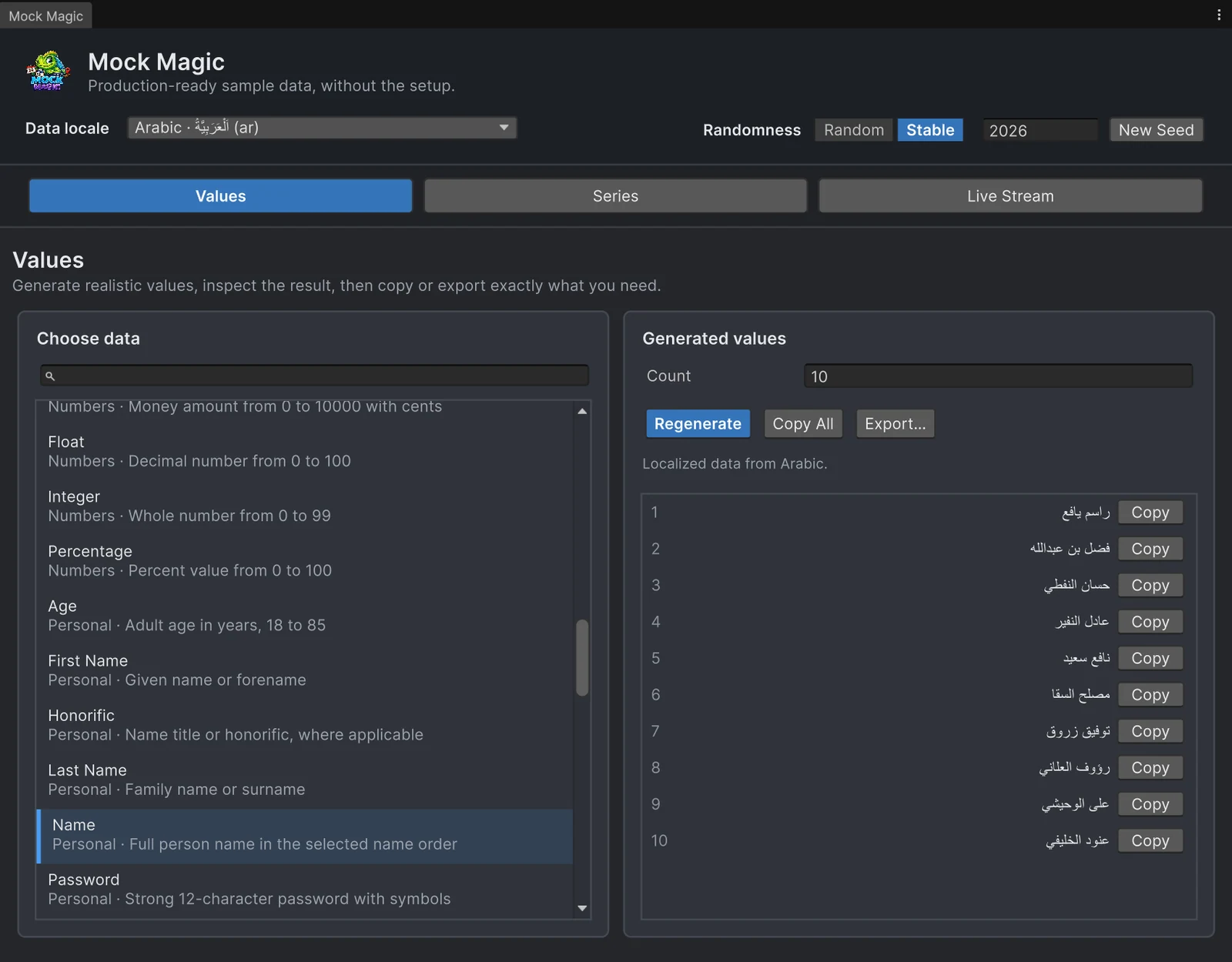 Arabic names in the Values workspace, shaped and aligned right to left as Unity 6.3 renders them.
Generate localized data in code
Mock.LocaleScope switches the data for a block of code and restores the previous profile when the block ends. IDs are case insensitive, and aliases such as de-DE or ja-JP resolve to their profiles. MockOf<T>.UseLocale does the same for one builder, and GetCoverage tells you in advance whether a profile can deliver a type:
using System.Collections.Generic;using MockMagic;using UnityEngine;
public class Contact{    public string Name;    public string City;    public string Phone;}
public static class LocalizedSamples{    public static void LogNames()    {        foreach (string id in new[] { "de", "ja", "ar", "hu" })        {            using (Mock.LocaleScope(id))                Debug.Log($"{id}: {Mock.Name()}, {Mock.Phone()}, {Mock.Price(5f, 500f)}");        }    }
    public static Contact[] JapaneseContacts(int count)    {        return MockOf<Contact>.New(() => new Contact())            .Set(c => c.Name = Mock.Name())            .Set(c => c.City = Mock.City())            .Set(c => c.Phone = Mock.Phone())            .UseLocale("ja")            .Generate(count);    }
    // Profiles that can fill an address card, for a test that loops over locales.    public static List<MockLocale> WithFullAddresses()    {        List<MockLocale> usable = new List<MockLocale>();        foreach (MockLocale locale in MockLocales.All)        {            MockLocaleCoverage address = locale.GetCoverage(SimpleDataType.FullAddress);            if (address.IsSupported) usable.Add(locale);            else Debug.Log($"{locale.Id}: {address.Description}");        }        return usable;    }}
Inside a scope, MockPerson.New() builds a whole person from the profile: name in local order, a full address whose city, region and postcode belong together, and a phone number in the national format. Series and stream labels follow the profile as well. Numbers, dates and the CSV, JSON and C# exports stay culture-invariant, so data files read back the same everywhere; Mock.Price is the exception, because it is display text in the local currency format.
Scopes belong to synchronous code. Do not keep one open across await, a coroutine’s yield return or an iterator, because the code that runs in between would see the wrong profile. MockOf<T>.UseLocale handles this for its own GenerateLazy enumeration.
Fonts and text rendering
A locale profile delivers the text; displaying it is up to your UI. Check that your font assets contain the glyphs for every script you generate, since missing ones usually show as empty boxes, that right-to-left text is shaped and ordered as your text setup and Unity version support, and that line breaking holds up in Chinese and Japanese. Generated data makes these checks fast: switch the profile, regenerate, and look.
Coverage and limits
A registered profile is not a complete translation. Coverage varies by profile and type, and each profile reports it: GetCoverage(SimpleDataType) and GetLabelCoverage(LabelPreset) return IsSupported, UsesFallback and a Description saying whether the data is native, inherited from another profile or unavailable. Some examples:
- Several profiles have no full addresses, among them Arabic, Hebrew, Chinese (China) and English (Great Britain). There,
Mock.FullAddress()throws aNotSupportedExceptionwhose message names the missing data, so check coverage first.MockPerson.New()works in every profile and leaves the postcode and full address empty where the data is missing. - In profiles with non-Latin scripts, many place names come from records in Latin spelling, and the coverage description says so.
- E-mail addresses and usernames stay plain ASCII: accents are folded, and names in other scripts become stable ASCII handles.
- Hashtags, reviews and file names use English data in every profile.
- SSN-style values keep the US format and are never turned into another country’s ID, and
Mock.Phone(true), the reserved 555 range, works only in US profiles.
The data comes from Faker’s locale lists, Unicode CLDR calendar names, Google’s libphonenumber and libaddressinput metadata and GeoNames place records, with their license notices shipped in the package. Phone numbers follow real national shapes, but the numbers themselves are generated. For a region or a fictional world the built-in profiles do not cover, MockLocales.Register takes a MockLocaleDefinition based on an existing profile, with your own names, places and name order.
The guide to realistic test data for Unity UI covers the layout checks that apply in every language, and the comparison with Bogus puts the locale support next to the best-known .NET fake data library.
Frequently asked questions
Can Mock Magic generate localized fake data?
Yes. It has 76 locale profiles next to its Default data. Inside Mock.LocaleScope("de"), or with the Generator's Data locale field, names, addresses, phone numbers, prices and calendar labels follow that profile, in its own script.
How many locales does Mock Magic have compared with Bogus?
Mock Magic has 76 locale profiles; Bogus lists 50 locales. Coverage differs by profile and data type in both, and Mock Magic reports it per type through GetCoverage.
Does it produce right-to-left text?
Yes. The Arabic, Hebrew, Farsi, Urdu, Kurdish (Sorani) and Maldivian profiles produce right-to-left text, and MockLocale.IsRightToLeft tells you which profiles do. Copy and export keep the original Unicode; how your UI renders it depends on your text setup.
Is every data type translated in every locale?
No. Coverage varies: GetCoverage tells you whether a type is native, inherited from another profile or unsupported, and the Generator disables unsupported combinations. SSN-style values always keep the US format.
Realistic fake data for Unity, from one value to a live stream.
Keep reading
 Use case
Fill Unity UI with realistic test data
Rows named Test 1 and Test 2 hide the layout bugs that real data exposes. Generate believable names, e-mail addresses, prices and dates in the Editor or at runtime, including records with missing fields.Use caseGenerate names and text at runtime
What Mock Magic's name, username, e-mail, place and filler text generators return in the Default profile and in 76 regional locale profiles, how large the pools are, and when a dedicated name generator fits better.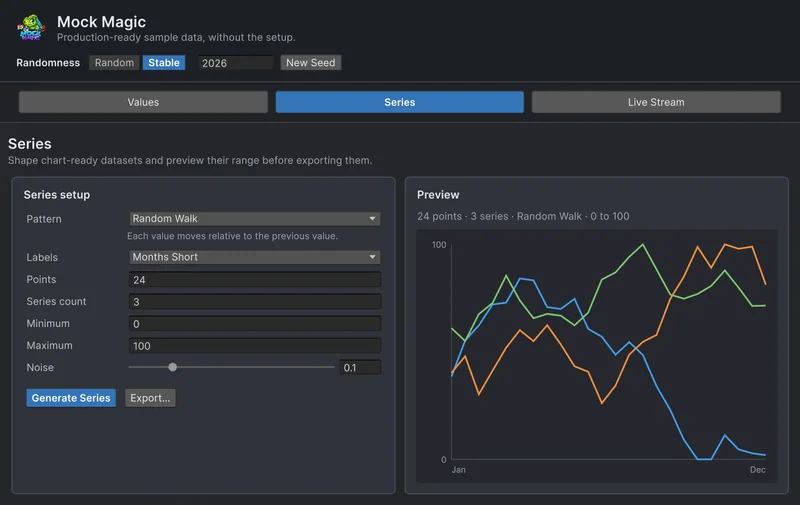 Comparison