Fill Unity UI with realistic test data
Fill Unity lists, tables and profile screens with believable names, emails, prices and dates from Mock Magic's Generator or one line of code, including incomplete records.
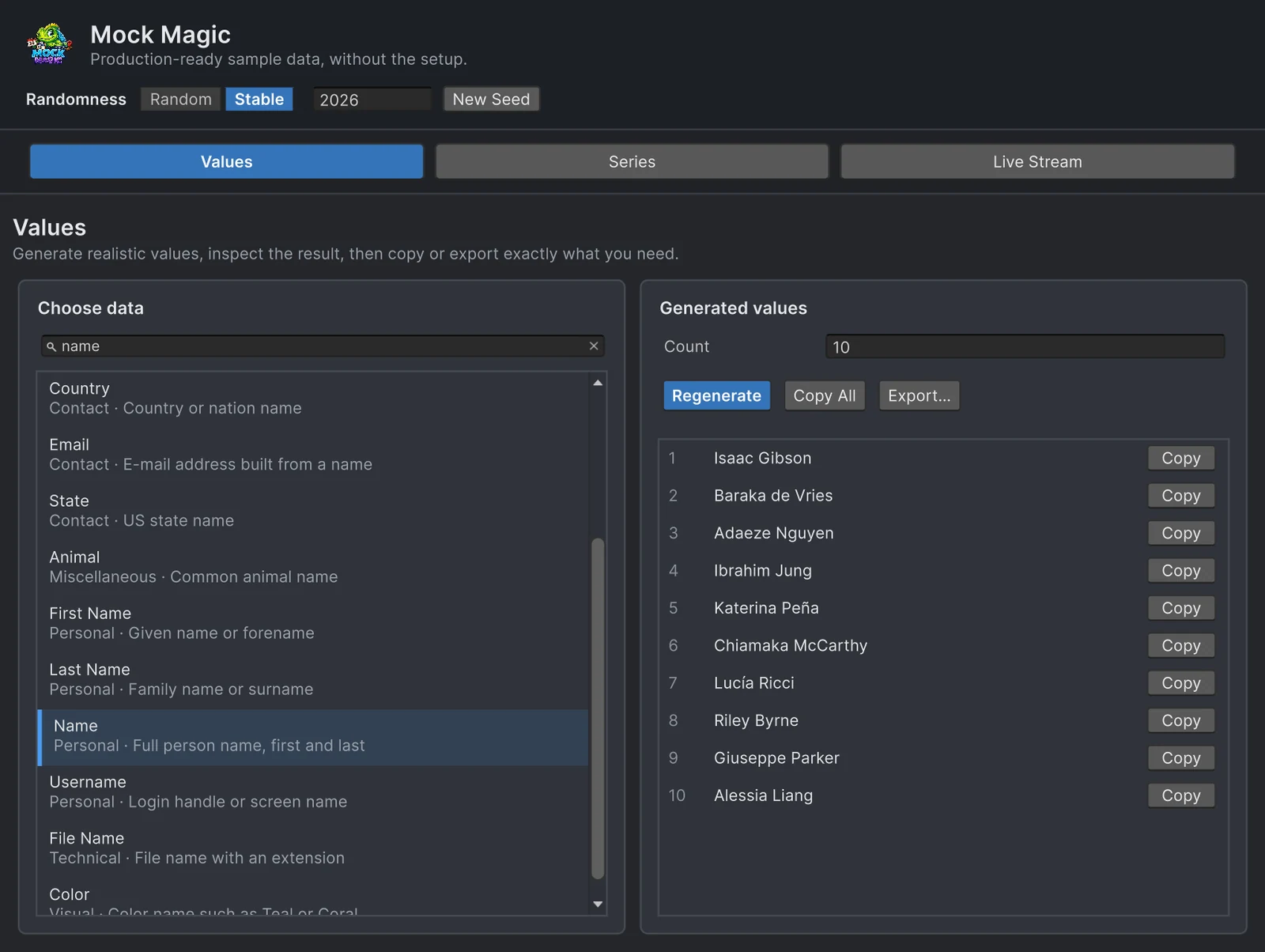
A list that has only ever shown “Test 1”, “Test 2” and “Test 3” looks finished until real records arrive. Then a long name wraps onto a second line, a customer without a company leaves a hole in the card, a four-digit price pushes the buy button out of its row, and an order dated next month sorts above today. Uniform placeholder rows cannot reveal any of this, because every value has the same length and every field is filled.
Mock Magic is a free Unity tool that generates 57 types of believable values, from names and e-mail addresses to prices, dates and product reviews. This page fills lists, tables and profile cards with them, first in the Editor without code, then from a script, including records with gaps on purpose.
What placeholder rows hide
- Length.
Mock.Name()combines a first and a last name from lists of 431 and 489 names from many regions, so one list mixes six-character names such as Leo Li with 24-character ones such as Christopher Papadopoulos. Job titles run from CEO to Machine Learning Engineer. - Characters. Names include accents, hyphens, apostrophes and lowercase particles, as in Lucía, Min-jun, O’Brien and van den Berg. They find fonts without accented glyphs and code that expects every name to be two capitalized words.
- Missing fields. Real customers sometimes have no company, no phone number or no profile picture. A card that was only ever filled completely has never shown its empty state.
- Number width.
Mock.Price()returns anything from $0.99 to $999.99 by default, and a wider range tests four-digit amounts. A column of prices that all read $10.00 never will. - Dates.
Mock.Date()picks a day between five years ago and one year ahead, so sorting, relative labels such as “3 days ago” and dates in the future all get exercised.
Generate values in the Editor
- Open Tools > Mock Magic > Generator and select the Values workspace.
- Type into the search field above the type list. Every word has to match a type’s name, category, description or search keywords, so “surname” finds Last Name, “postal” finds ZIP Code and Full Address, and “test card” finds Credit Card.
- Click a type. The Generated values panel fills immediately. Set Count to anything from 1 to 1,000 and click Regenerate for a new batch.
- Click Copy All for one value per line, Copy on a row for a single value, or Export… for C# Code, CSV, JSON or Text.
One value per line pastes straight into a spreadsheet column, or into a text file that a script splits line by line at runtime. Numbers and dates come out in the same format on every machine, 12.50 rather than 12,50 on a German system, so pasted data reads back the same everywhere. The C# Code format writes a string[] declaration named after the C# variable field, ready to paste into a MonoBehaviour or ScriptableObject, and Save to File… wraps it in a static class named after the file so it compiles on its own. The export guide covers each format in detail.
To try the types before you install anything, the free fake data generator runs the same generators, search and export formats in your browser.
Generate records in code
Everything in the Generator is also a call in the MockMagic namespace. For a profile card, MockPerson.New() draws one person whose e-mail address and username are built from that person’s name, folded to plain ASCII, and whose city, state and ZIP code belong together:
using MockMagic;using UnityEngine.UIElements;
public static class ProfileCardFiller{    // Expects Labels named full-name, job, email and location inside the card.    public static void Fill(VisualElement card)    {        MockPerson person = MockPerson.New();        card.Q<Label>("full-name").text = person.FullName;        card.Q<Label>("job").text = $"{person.JobTitle} at {person.Company}";        card.Q<Label>("email").text = person.Email;        card.Q<Label>("location").text = $"{person.City}, {person.State}";    }}
For rows of your own type, MockOf<T> takes a factory and a list of setters. Each setter is an explicit assignment, so nothing depends on reflection. The overload with an index is the place for ranks, positions and IDs, OrNull leaves an optional field empty about a quarter of the time, and Mock.PickWeighted gives status values realistic proportions instead of an even split:
using MockMagic;
public class Customer{    public int Id;    public string Name;    public string Email;    public string Company; // optional    public string Status;    public decimal Balance;    public string LastOrder;}
public static class CustomerData{    public static Customer[] Create(int count)    {        return MockOf<Customer>.New(() => new Customer())            .Set((c, i) => c.Id = 1001 + i)            .Set(c =>            {                MockPerson person = MockPerson.New();                c.Name = person.FullName;                c.Email = person.Email;                c.Company = person.Company.OrNull(0.25f);            })            .Set(c => c.Status = Mock.PickWeighted((0.7f, "Active"), (0.2f, "Trial"), (0.1f, "Suspended")))            .Set(c => c.Balance = Mock.Currency(0m, 2500m))            .Set(c => c.LastOrder = Mock.Date(yearsBack: 2, yearsForward: 0))            .Generate(count);    }}
Mock.Currency returns a decimal that you format yourself, which is what you want when the UI formats money in the player’s culture. Mock.Price returns a finished string such as $49.99 for when you only need the text. The yearsForward: 0 argument keeps “last order” dates in the past.
Fill a runtime ListView
A UI Toolkit ListView creates a few row elements and rebinds them while you scroll. This component fills one with the generated customers:
using UnityEngine;using UnityEngine.UIElements;
[RequireComponent(typeof(UIDocument))]public class CustomerListPreview : MonoBehaviour{    [SerializeField] int rowCount = 200;
    void OnEnable()    {        Customer[] customers = CustomerData.Create(rowCount);
        ListView list = new ListView        {            itemsSource = customers,            fixedItemHeight = 40f,            makeItem = () => new Label(),            bindItem = (element, index) =>            {                Customer c = customers[index];                string company = c.Company ?? "No company";                ((Label)element).text = $"#{c.Id}  {c.Name}  {company}  {c.Status}  {c.Balance:C}";            }        };        list.style.flexGrow = 1;        GetComponent<UIDocument>().rootVisualElement.Add(list);    }}
The members used here, makeItem, bindItem, itemsSource and fixedItemHeight, all exist in Unity 2022.3, the oldest version Mock Magic supports. Because rows are recycled, 200 or 2,000 customers scroll the same way, and a long generated list is a quick test for binding bugs such as a value from one record lingering on a reused row.
Keep screenshots repeatable
Random values find problems; stable values make screenshots and visual comparisons possible. In the Generator header, switch Randomness from Random to Stable. The window then seeds the generator with the number in the seed field and counts dates from 1 January 2026 before every Regenerate, so the same type, count and seed give the same list on any day, and New Seed picks a different number. In code, call Mock.Seed(2026) and Mock.UseDateReference before building the data and Mock.ResetSeed() when you are done; the guide to reproducible test data covers dates, IDs and the effect on UnityEngine.Random.
Mock.Email() uses common mail provider domains such as gmail.com, and Mock.Phone() returns realistic numbers. For a prominent screenshot, keep the generated name part with a domain reserved for examples, and ask for a phone number in the 555-0100 to 555-0199 range reserved for fiction:
string email = Mock.Email().Split('@')[0] + "@example.com";string phone = Mock.Phone(true);A checklist of states to test
- No rows at all, a single row, and a long list. Count stops at 1,000 in the Generator; code has no such limit.
- The longest values from the built-in lists, plus one hand-written value that is longer still, since generated full names stop at 24 characters.
- Optional fields left empty with
OrNull,OrNullableorOrDefault. - Amounts from under a dollar to four digits, formatted in every culture you ship.
- Past and future dates if the UI shows relative times.
- Status values in realistic proportions with
Mock.PickWeighted. - Non-Latin scripts such as Cyrillic, Arabic or Chinese, which you add by hand, because the built-in names use Latin letters.
Leaderboards, chat logs and shop pages add their own patterns: ranks, timestamps, prices and ratings. The guide to leaderboards, chats and shop mockups builds each of them.
Limits worth knowing
Addresses, phone numbers, ZIP codes and SSN-style values follow US formats. Phone numbers use North American numbering, and Mock.FullAddress() and MockPerson keep city, state and ZIP code together. Separate calls are drawn independently, though, and Mock.City() also returns cities outside the US, so build addresses with Mock.FullAddress() or MockPerson rather than from parts. When a field needs another country’s format, let Mock Magic build the rest of the record and fill that field from your own list with Mock.Pick.
Frequently asked questions
How do I fill a Unity UI with placeholder data?
Generate values in Tools > Mock Magic > Generator and paste them, or call the runtime API from a script, for example Mock.Names(50) for a list or MockOf<T> for whole records. The runtime API has no Editor dependency, so the same calls also run in your game code.
Is Mock Magic free?
Yes. It is free on the Unity Asset Store with full source code and supports Unity 2022.3 to 6.7 with the Built-in, URP, HDRP and custom render pipelines. Chart Guru includes it as well.
How do I test records with missing fields?
Wrap optional values with OrNull, for example Mock.Company().OrNull(0.25f), which returns null about a quarter of the time. OrNullable does the same for value types such as int, and OrDefault returns the type's default value instead.
How do I get the same values every time?
Switch the Generator from Random to Stable, which also fixes dates, or call Mock.Seed and Mock.UseDateReference before generating in code. The same calls in the same order then return the same values on any day.
Realistic fake data for Unity, from one value to a live stream.
Keep reading
 Use case
Reproducible fake data for Unity tests
Random test data only helps when a failure can be repeated. Seed Mock Magic, pin the date it counts from, keep IDs predictable, and return to fresh random output when the test ends.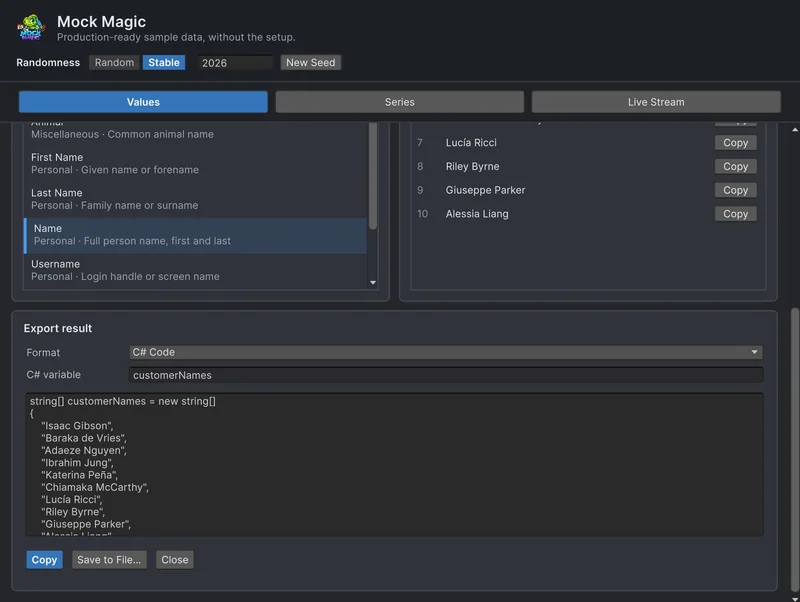 Use case
Export fake data as CSV, JSON or C# arrays
Mock Magic's Export panel and the MockExport class write generated values and series as text, CSV, JSON or C# arrays. Exact samples of each format, how numbers are written and where each format fits.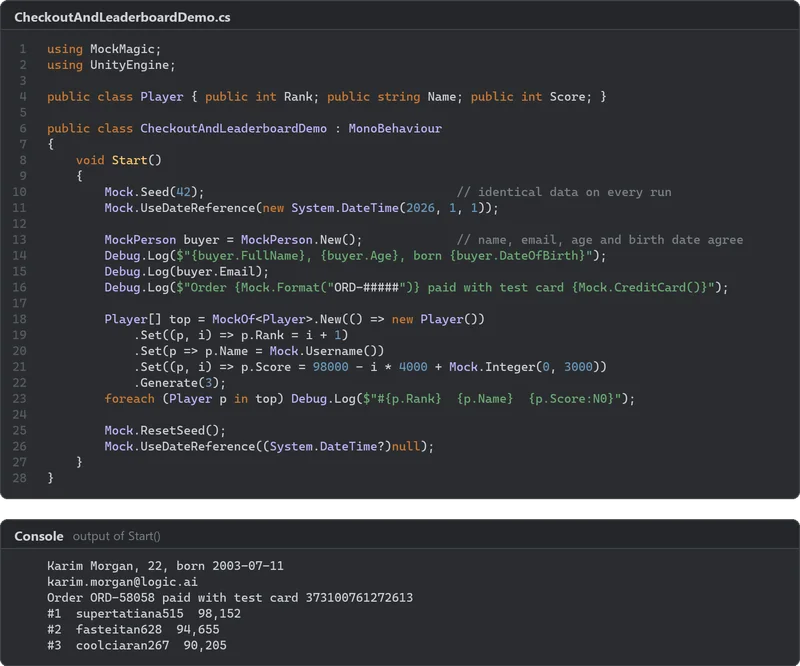 Use case