Lighting 3D text for a store film
A making-of of the Text Studio 3D store film Light Every Word: spot lights with real shadows, what chrome needs to reflect, offline capture and averaged motion blur.

Light Every Word is the store film for Text Studio 3D: a dark stage where real 3D lettering appears set by set, each set waking when a breaker throws its lights. Every word in it is live Text Studio 3D geometry at Hero detail, lit by spot lights that cast real shadows, and no reflection or glow is painted onto the letters afterward.
This is how the film was lit and rendered, what went wrong on the way, and which rules for lighting 3D text and moving the camera survived review. I built Text Studio 3D, so this is a making-of from the inside; the lighting lessons apply to any 3D title in Unity.
A dark stage with colored gels only as backdrops
The film plays on a dark stage, cut to music at 90 BPM and edited on its bars. Color comes from gels, soft colored shapes drawn behind the words. They are backdrops, not lights, so they color the background without changing how a letter is lit.
One rendering detail made the gels work. A gel drawn behind an opaque floor leaves a hard horizon line where the two meet. The film’s floor writes no depth and draws first, so a gel glows through the air behind the words with no horizon at all.
How to light 3D text with real spot lights
The letters are lit the way a game would light them: spot lights with shadows, a cube map for reflections and ambient light. The only drawn effects are the backdrop gels and floating dust.
Shadows needed one fix. In URP, spot lights are additional lights, and they cast shadows only when the URP asset turns on Cast Shadows for Additional Lights and the light itself has a shadow type set. The project’s default URP asset had additional-light shadows off, so the spot lights cast nothing until the film switched to its own copy of the URP asset with them on. If a spot-lit title casts no shadow in URP, check that setting first.
What chrome needs to reflect
Metal is the hardest material to light, because a mirror shows its surroundings instead of its own color. A flat chrome face turned toward the camera reflects whatever is behind the camera, and in a dark reflection room that is black, so the chrome reads black. The film’s reflection room needed a soft wall behind the camera before the metal letters read as metal.
The style matters too. Under these lights, Brushed Chrome looked like satin, so the CHROME word uses Mercury Mirror instead. The materials chapter states the general rule: metallic and very glossy styles need something to reflect, such as a skybox, a reflection cubemap or a reflection probe. Since 1.4.0, Setup Status explains this when a metallic style looks dark.
Every word is a real render
The film uses the same styles and effect tags a customer gets, always at Hero mesh detail. When a look did not hold up on camera, it was fixed in the product rather than tuned in the film: Electric Arc, Neon Chase and Carbon Fiber got new defaults in 1.4.0 that way.
The same honesty applies to the picture. There is no reflective floor, no filter and no painted glow on the words, because a reflection the renderer did not produce would suggest that it can. Bloom, Unity’s own post effect, stays off except on the marquee bulbs: on thin moving highlights it turns into blinking stars.
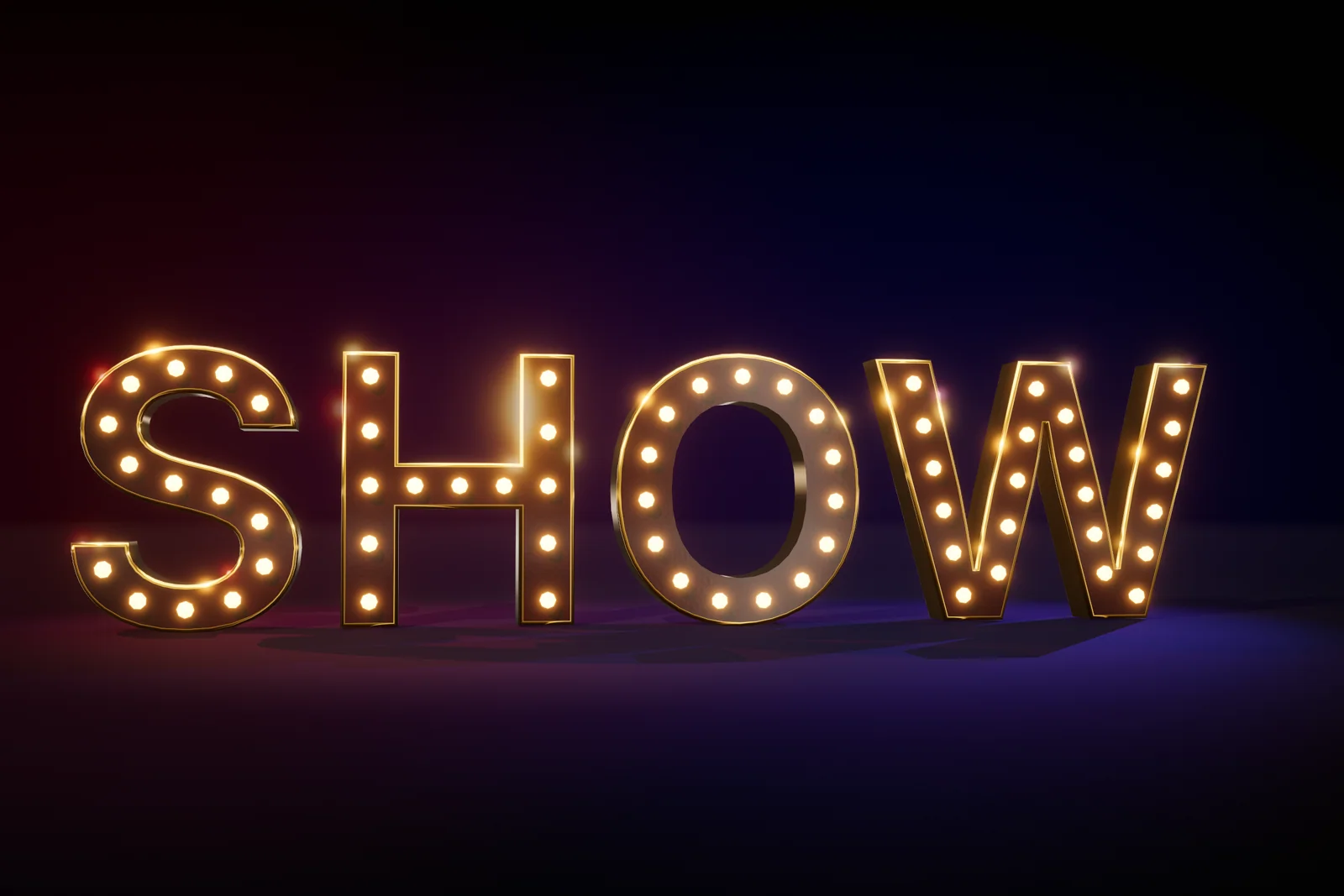 SHOW in the Marquee Bulbs style. Bulbs like these are the only place the film allows bloom.
Offline capture without the Game view
A store film needs every frame at full quality and in order, whatever a frame costs to render, so the film renders offline. Its capture calls Camera.Render itself from a step at the end of Unity’s player loop, reads the image back and hands the frame to the encoder. It needs no visible Game view and no window focus, so the Editor can stay in the background. Play Mode starts in the film’s own scene and returns afterward, which leaves open scenes untouched, and one render before the film rolls compiles the shaders.
One clock drives everything. Every word, number and bar comes from one script on the music’s grid, so picture and sound cannot drift apart. Seeking runs the clock without rendering, which reaches any moment of the film with its state intact. That is also how the store stills are made: the same sets render any moment as a still, at another size and with a camera of its own.
The masters render in sections that can be redone on their own and then joined. Sets whose geometry changes with every sample, such as a growing word or a deformer, render far slower than the rest, because each sample rebuilds Hero-detail meshes.
Motion blur by averaging renders
Each output frame is the average of several renders spread across the frame’s exposure, each with a sub-pixel offset. That gives real motion blur and clean edges on everything in frame. Lens samples move the camera within a virtual lens opening while keeping the focus plane fixed, which defocuses everything else the way a real lens does.
Averaging also solves a problem URP’s camera motion blur cannot. That effect works from the depth buffer, and transparent surfaces such as glass letters write no depth, so they would stay sharp while everything else blurred. The masters render at 4K with 16 samples per frame, and captions are drawn once per frame on top, without lens or motion blur, so they stay exactly as sharp as the product draws them.
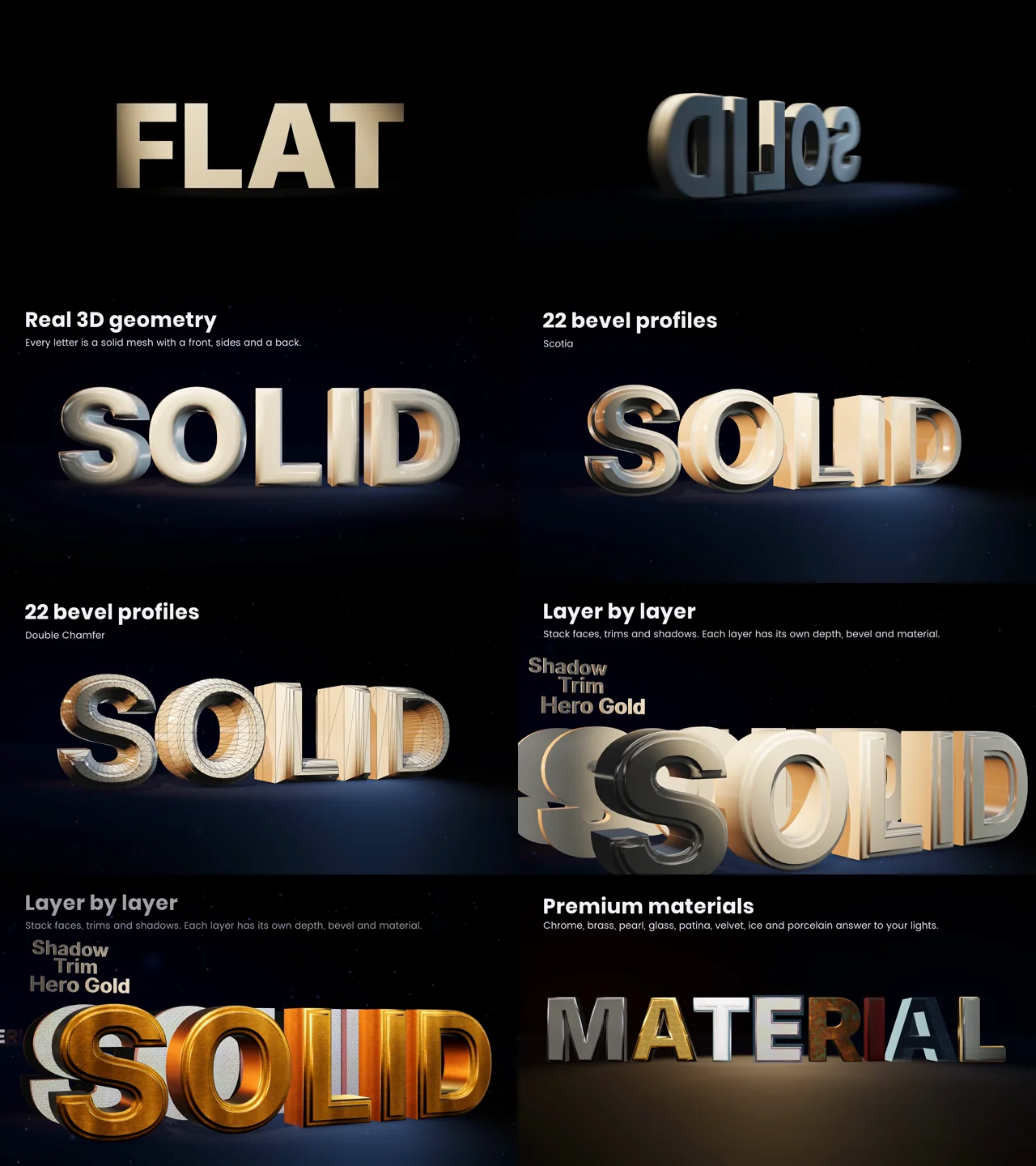 Frames from the first sets of Light Every Word, from a plain word to bevels, layers and materials.
Cuts, slow pushes and other presentation rules
An early cut moved the camera sideways often, and the review was clear: lateral moves make text and effects hard to read. The film now changes sets on cuts at the downbeat, words replace each other in the same spot, and between cuts the camera only pushes in slowly. The only fast moves are flights through a letter’s counter into the next set, and a drive down an avenue of hero designs stayed in as well.
Other rules from the same review:
- No vignette or darkened corners; they look like an old camera.
- No fast whip moves and no slow opening turn.
- No long dark build before the first word: the film opens with a plain typed word and goes straight into the styles.
- No wall of small effects and no overlapping text.
- A phrase instead of a short word when a deformer needs room to show.
- No overly deep extrusion on plain letters.
- Performance shots look like measurements: one axis, grid lines, a legend and printed values, with several tools from one lab run, as in the benchmark article.
Flights through a counter need short spline tangents: Hermite tangents longer than about three times their segment make the camera back away before it dives.
Rings around the camera, not a tunnel
Text Studio 3D can place letters on helixes, cylinders, sphere bands, tunnels, staircases and grids. On camera, a Tunnel placement disappointed: seen from the tunnel’s axis, the letters on its wall read edge-on. Rings around the camera work instead. A Cylinder placement with a full 360-degree span and Face Inward turns every letter toward the center, where the camera sits. A partial arc reads best centered on the camera with a span of about 90 degrees, and Follow Path makes a helix legible.
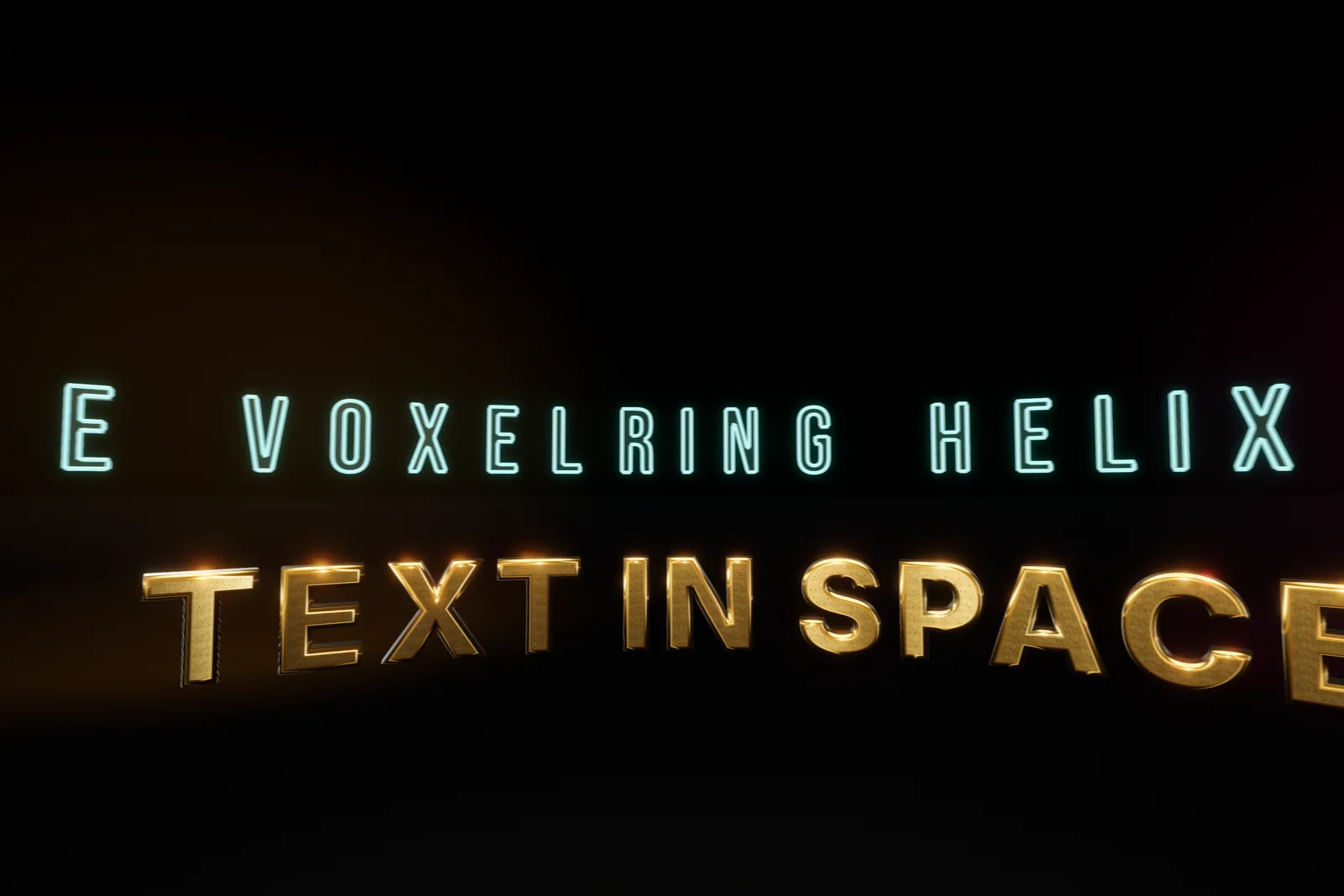 Lettering on rings and a helix in space: VOXELRING HELIX above TEXT IN SPACE.
One ball through one word
Physics needed the same simplification. A stack of domino letters reads badly on camera, and overlapping text was one of the things the review ruled out. One ball through one word reads at once: the word is whole until the impact, and Physical Letters, which gives every glyph a rigid body and a collider, lets the impact explain itself. The full domino run still ships as the playable Letter Domino Workshop demo.
Doing the same in your own project
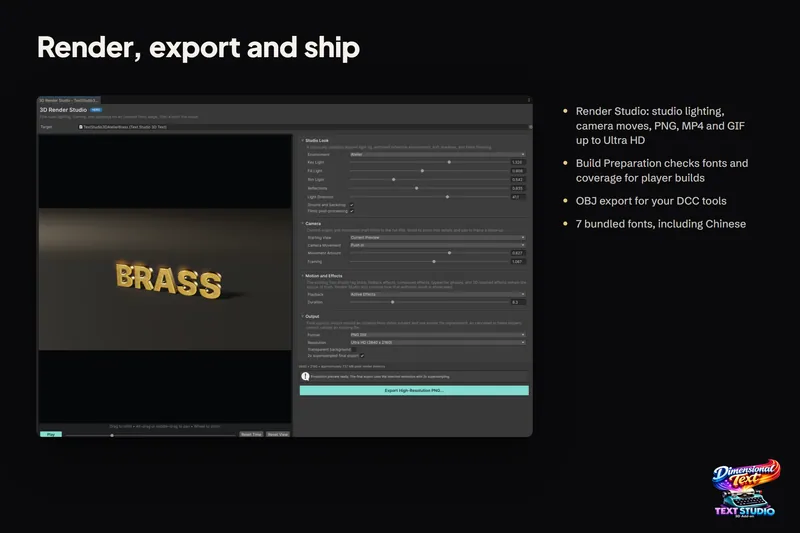
You do not need a film pipeline to use these lessons; the film’s director and capture code are internal tools, not part of the package. For stills and animations of your own text, Render Studio renders the exact source text with studio lighting to PNG, MP4 or GIF, transparent or on a solid background, with panning, camera travel and constant-speed orbits, up to Ultra HD; see rendering 3D text to PNG and video.
For a title in a game, the lighting lessons carry over directly: give metal something to reflect, turn on shadows for additional lights in URP, and judge every look from the camera that will show it. For motion and hero titles, see animated 3D text and 3D titles and logos.
Frequently asked questions
Why does chrome 3D text look black in Unity?
A mirror-like surface shows its surroundings. With nothing bright to reflect, especially behind the camera, chrome reads black. Give the scene a skybox, a reflection cubemap or a reflection probe; since 1.4.0, Setup Status explains when a metallic style looks dark for this reason.
Why do my spot lights cast no shadows on 3D text in URP?
In URP, spot lights are additional lights. They cast shadows only when the URP asset turns on Cast Shadows for Additional Lights and the light's own shadow type is set. The film's project had additional-light shadows off until it used its own URP asset.
Can I render 3D text to video myself?
Yes, with Render Studio. It renders the exact source text with studio lighting to PNG, MP4 or GIF, transparent or on a solid background, with panning, camera travel and orbits. The film's own director and capture code are internal tools and not part of the package.
Real 3D text for Unity, built from your TextMeshPro text.
Keep reading
 Use case
Render 3D text to transparent PNG, GIF and MP4
Store art, trailers and thumbnails need the title as an image or a video. Render Studio renders the exact 3D text on a studio stage and exports a transparent PNG, a GIF up to 50 fps or an MP4 up to 60 fps. Use case
Animate 3D text: reveals, weather and energy effects
Every compatible Text Studio effect animates the 3D mesh, and 29 native effects use what flat text lacks: depth, bevels and surfaces. Weather grows over the letters, energy runs along them, and scripts can drive the growth. Use case