Text Studio 3D vs 3D text made in Blender
Modeling 3D text in Blender and exporting it to Unity suits one-off logos. For text that changes, gets translated or animates per letter, live 3D text in Unity wins.
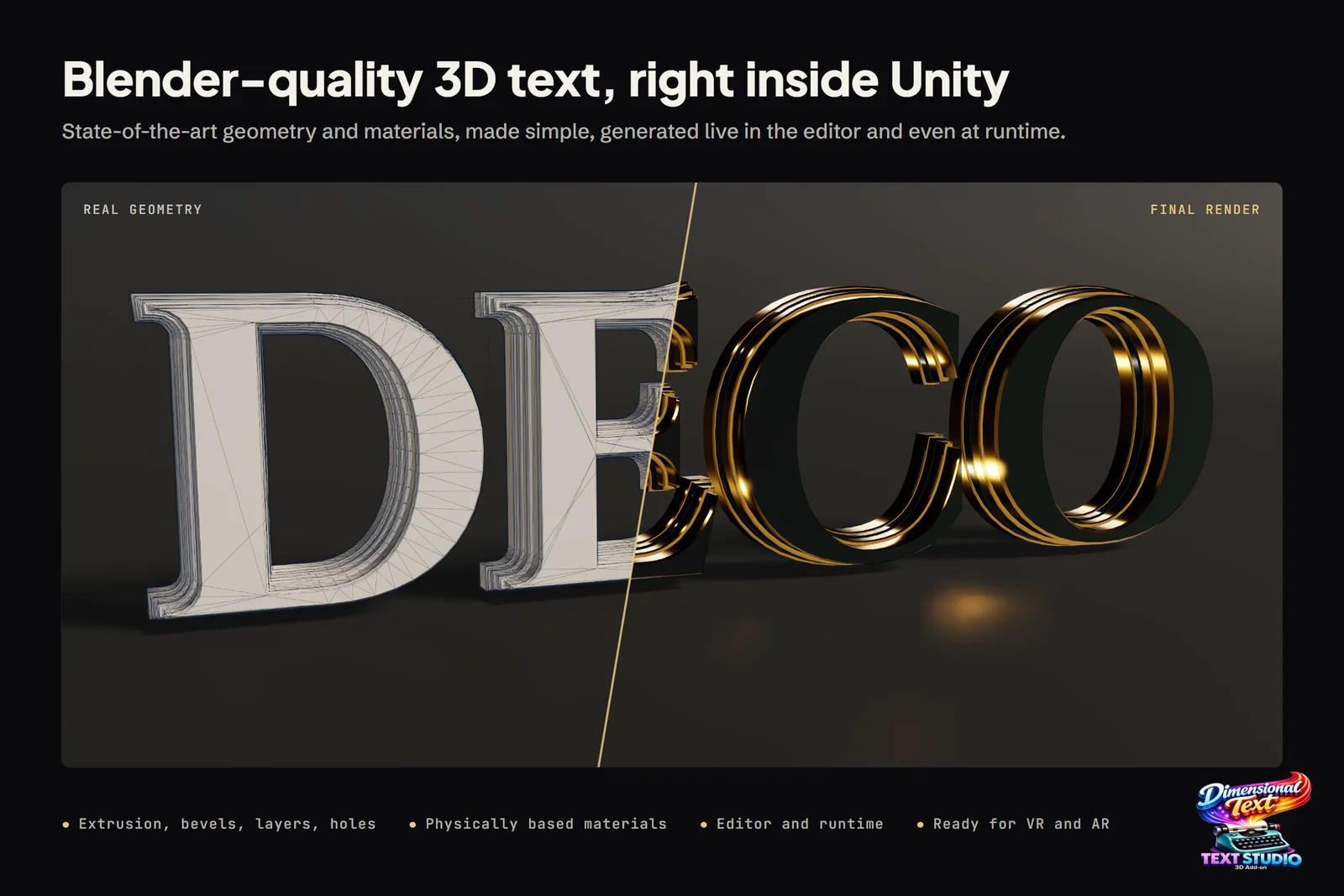
The classic way to get Blender 3D text into Unity is a short round trip: type the words into a Text object, extrude and bevel them, convert to a mesh, export FBX and import it. That works, and for a single hero logo it is often the best route. What arrives in Unity is a static mesh, though, so every new string, every language and every copy change means another trip through Blender.
Text Studio 3D builds the geometry inside Unity instead, from the TextMeshPro text you already use. Our store art calls it Blender-quality 3D text, right inside Unity; here is where that holds, where Blender is still better and how to combine them. Blender facts come from the Blender 5.3 manual, checked on 2026-11-11.
At a glance
| Blender, exported to Unity | Text Studio 3D | |
|---|---|---|
| Price | Free (GPL), for any purpose | US$24 plus Text Studio (US$38) |
| Where the text is made | In Blender, exported as FBX or glTF | Inside Unity, from TextMeshPro text |
| Changing the words | Edit in Blender, re-export, reimport | Type in the Inspector or set it from code, at runtime too |
| Languages | One export per language | One text object for every language its fonts cover |
| Modeling freedom | Unlimited: sculpting, booleans, hand-edited topology | Parametric: bevel profiles, layers, relief, deformers, SVG contours |
| Looks | Built by hand for each title | 111 styles and 25 hero designs |
| Materials and UVs | Material slots, UVs and lightmap UVs by hand | Region materials and generated UVs; for lightmaps, export a static OBJ copy and let Unity generate lightmap UVs |
| Per-letter animation | Baked in Blender or scripted in Unity | Text Studio effects plus 29 native 3D effects, live |
| Physics | Colliders you add in Unity | Physical Letters: a rigid body and collider per glyph |
| Export | FBX, glTF and more | OBJ of the current mesh; Render Studio to PNG, MP4 and GIF |
Where Blender is stronger
- Modeling freedom. Anything a modeler can do is available: sculpting, booleans, hand-tuned topology, letters merged into an emblem or carved into rock. Text Studio 3D is parametric; it shapes font outlines and SVG contours, not arbitrary sculpts.
- Price. Blender is free under the GPL for any purpose, including commercial work.
- Single hero renders. For a title that only appears in a trailer or key art, Blender’s renderer gives you more control over the final frame than a real-time engine.
- Any destination. FBX and glTF exports go to any engine or tool, not just Unity.
If the text is really a logo, an object shaped like letters that will never change, Blender is the right tool.
Where Text Studio 3D is stronger
- Text that changes. Edit the words in the Inspector or set them from code at runtime: player names, scores, quest titles, shop signs. Since 1.4.0, compatible counters rebuild only the digits that change.
- Languages. One text object shows every language its fonts cover; Arabic and Hebrew come through the optional UniText integration, and Runtime Preparation prepares the glyphs a build needs. In Blender, each language is a separate export.
- Animation per letter. Text Studio effects and 29 native 3D effects animate each glyph live, from reveals such as spiral assemble and card flip to Snow Accumulation and Molten Flow. A Blender export carries only what you baked into it.
- One look across many strings. A style is an asset: apply it to every sign, button and title, change it once and every string follows. 3D Themes coordinate fonts and named styles across a whole experience.
- No re-export loop. No unwrapping and no material slots to rebuild: region materials and UVs come with every rebuild. Reviewer Alexandru_Gheorghe summed it up: “Makes creating lively 3D text a breeze, no external software needed.”
- Interaction. Physical Letters, glyph sockets and spatial UI work on the same text.
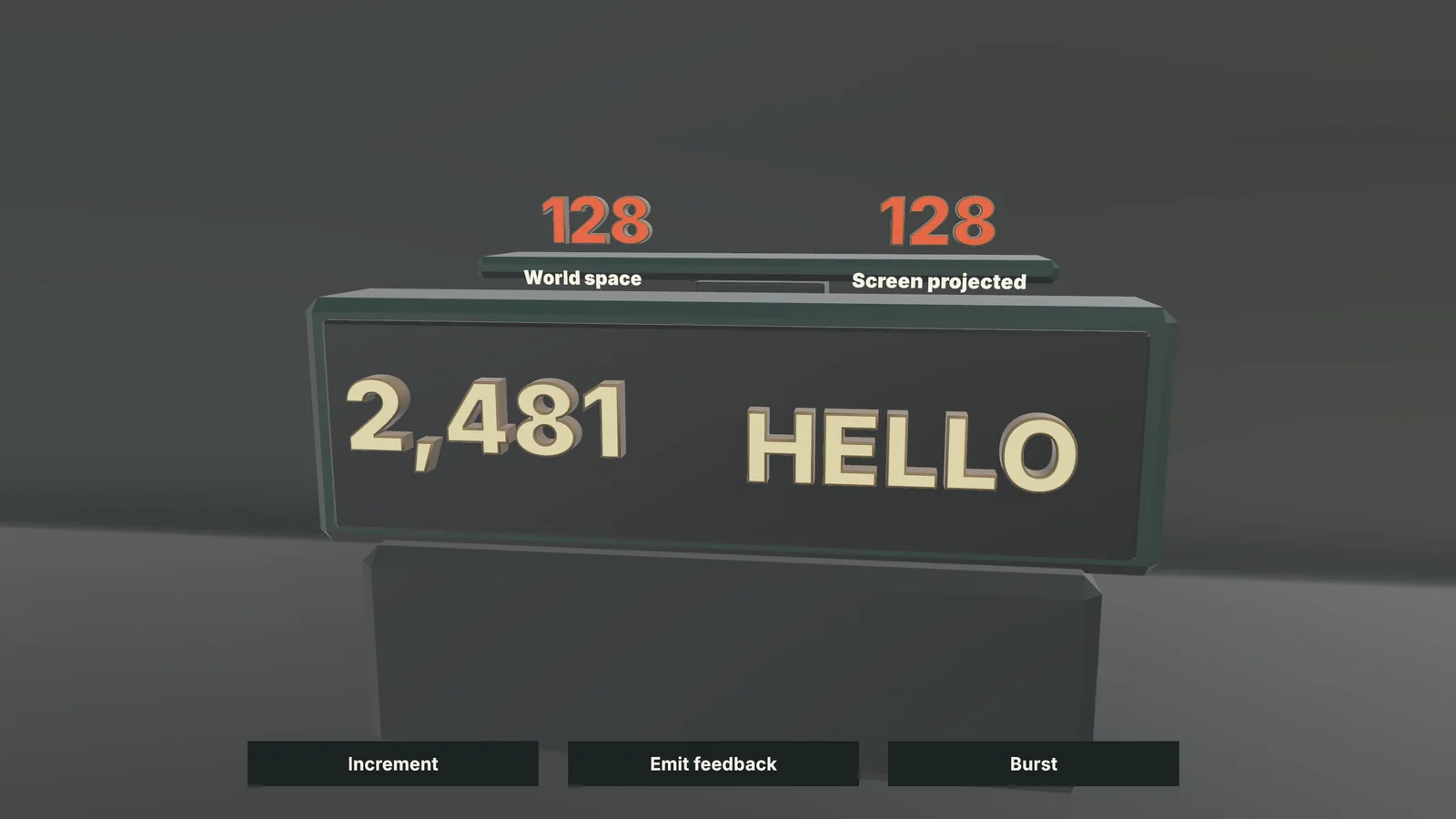 The Live Feedback sample: a 3D counter and two emitted feedback values, generated live in Unity.
Blender 3D text to Unity, step by step
The Blender route, for one string:
- In Blender, choose Add > Text, press Tab to edit the text and type the words.
- In Properties > Data > Font, load your font. Each style (Normal, Bold, Italic, Bold & Italic) needs its own font file.
- In Properties > Data > Geometry, set Extrude for depth and give the Bevel a Depth and Resolution. Blender bevels the curves that outline each letter, and a higher Resolution means more polygons.
- In Object Mode, choose Object > Convert > Mesh. Clean up the caps if needed, unwrap UVs, add a second UV set for lightmaps and assign materials to faces, sides and bevels.
- Export with File > Export > FBX, or glTF 2.0 if your project has a glTF importer such as glTFast, and import the file into Unity.
- Set up the materials and colliders in Unity.
Repeat this for every string, every language and every copy change. For a logo, that happens once. For fifty signs in eight languages, it is four hundred exports.
The same title in Text Studio 3D, step by step
- Choose GameObject > Text Studio > 3D > Text for a centered 3D text (since 1.4.0), or add Text Studio 3D to an existing TextMeshPro text through its setup card.
- Type the words and choose the font in TextMeshPro, as for flat text.
- Open Tools > Text Studio > 3D Gallery or the Style Browser, pick a look, then adjust its bevel, depth and materials in the 3D Style inspector.
- Choose a Mesh Detail preset: Draft while shaping, Balanced for real-time content, High for close text, Hero for final captures.
- Before a build, open Tools > Text Studio > Runtime Preparation so the player has outline data for the glyphs it will show.
Changing the words later is step 2 again, in the Editor or from code at runtime. Create Your First 3D Title covers the setup in detail.
Using Blender and Text Studio 3D together
- Hero logo in Blender, everything else live. Model the emblem with its sculpted details in Blender, and keep subtitles, menus, signs, names and numbers live in Text Studio 3D. Use the same Unity materials on both so they match.
- Simple logo shapes without Blender. Text Studio 3D extrudes custom SVG outlines and generated contours such as shields and badges with the same bevels and materials as the letters. See Create Logos, Backings, and Custom Contours.
- From Unity to Blender. Choose Export Current Mesh as OBJ in the Text Studio 3D component’s context menu, then sculpt, merge or damage the mesh in Blender and bring it back as a static model. For stills and clips of the live text, Render Studio exports PNG, MP4 and GIF straight from Unity.
Cinema 4D, Spline and online generators
- Cinema 4D: its Text object extrudes with caps and bevels and takes MoGraph effectors per letter, which makes it fast for motion graphics. It costs US$109 per month or US$839 per year (CG Channel, September 2025), and only baked results reach Unity.
- Spline: a browser-based 3D editor whose text stays editable, with extrusion and bevels. The free plan exports gray, untextured glTF; color and texture glTF need a Pro or Max plan, from US$30 per month or US$25 per month billed yearly.
- Free online generators: Meshy’s 3D Text Generator offers 20 typefaces, depth, bevel and materials, but caps text at 20 characters and does not take custom fonts yet. 3D AI Studio accepts your own TTF or WOFF2 fonts and exports GLB or PNG.
All of them share Blender’s limit for game text: what arrives in Unity is a mesh, not text.
The bottom line
Blender is the right tool for one-off, sculpted lettering, and it costs nothing. Text Studio 3D is the right tool for the rest of a game’s 3D text: strings that change, languages, per-letter animation and consistent styles across many objects, without an export loop. Use Blender for the hero logo and Text Studio 3D for everything that has to stay text. To start, read how to make 3D text in Unity or see 3D titles and logos.
Frequently asked questions
How do I get Blender 3D text into Unity?
Create a Text object in Blender, give it Extrude and Bevel in the Geometry panel, convert it to a mesh, unwrap UVs and export it as FBX, or as glTF if your project has a glTF importer. The result is a static mesh, so every copy change means another export.
Does Text Studio 3D need Blender?
No. It builds the geometry inside Unity from TextMeshPro text, with bevels, layers, materials and effects. Blender stays useful for freeform shapes, and the two combine well.
Can I edit Text Studio 3D text in Blender?
Yes. The Text Studio 3D component's context menu has Export Current Mesh as OBJ, which saves the current mesh for Blender or any other 3D tool. FBX export is not offered.
Is Text Studio 3D as good as Blender for 3D text?
For lettering built from fonts, it covers what most projects model by hand: 22 bevel profiles and custom curves, layers, face relief, region materials and contour decorations. Blender remains the better tool for sculpted, hand-modeled shapes that no font contains.
Real 3D text for Unity, built from your TextMeshPro text.
Keep reading
 Article
How to make 3D text in Unity: every method compared
Unity has no built-in extruded text. Every way to get 3D text into a scene, from flat TextMeshPro and UI Toolkit to shader fakes, Blender exports and runtime mesh tools, with steps, strengths, limits, a method table and a decision guide. Use case
3D game titles and logos in Unity
Start from one of 25 complete hero designs, shape it layer by layer, frame it with a generated backing or your own SVG logo, reveal it in 3D and export stills or video for the trailer, while the title stays editable text.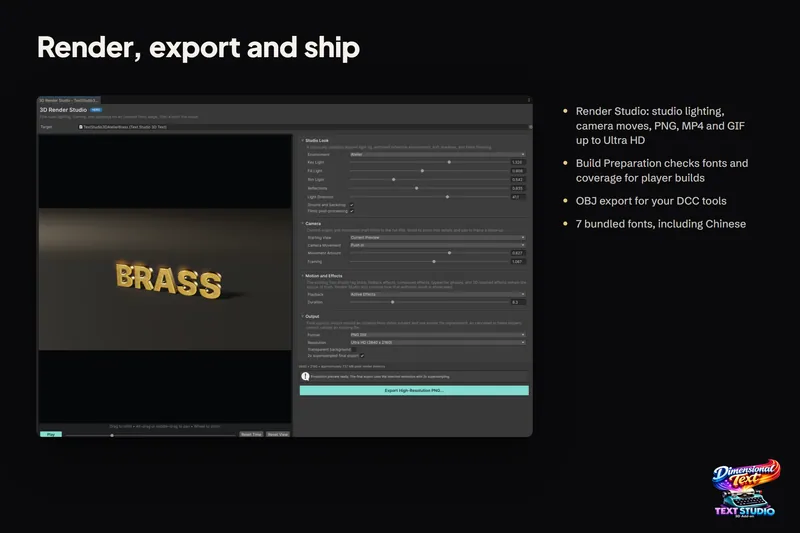 Use case