Real 3D text vs TextMeshPro's 3D text and bevel
TextMeshPro 3D text draws flat SDF letters, and the TMP bevel is a lighting effect. When that is enough, and when text needs real geometry with sides and shadows.
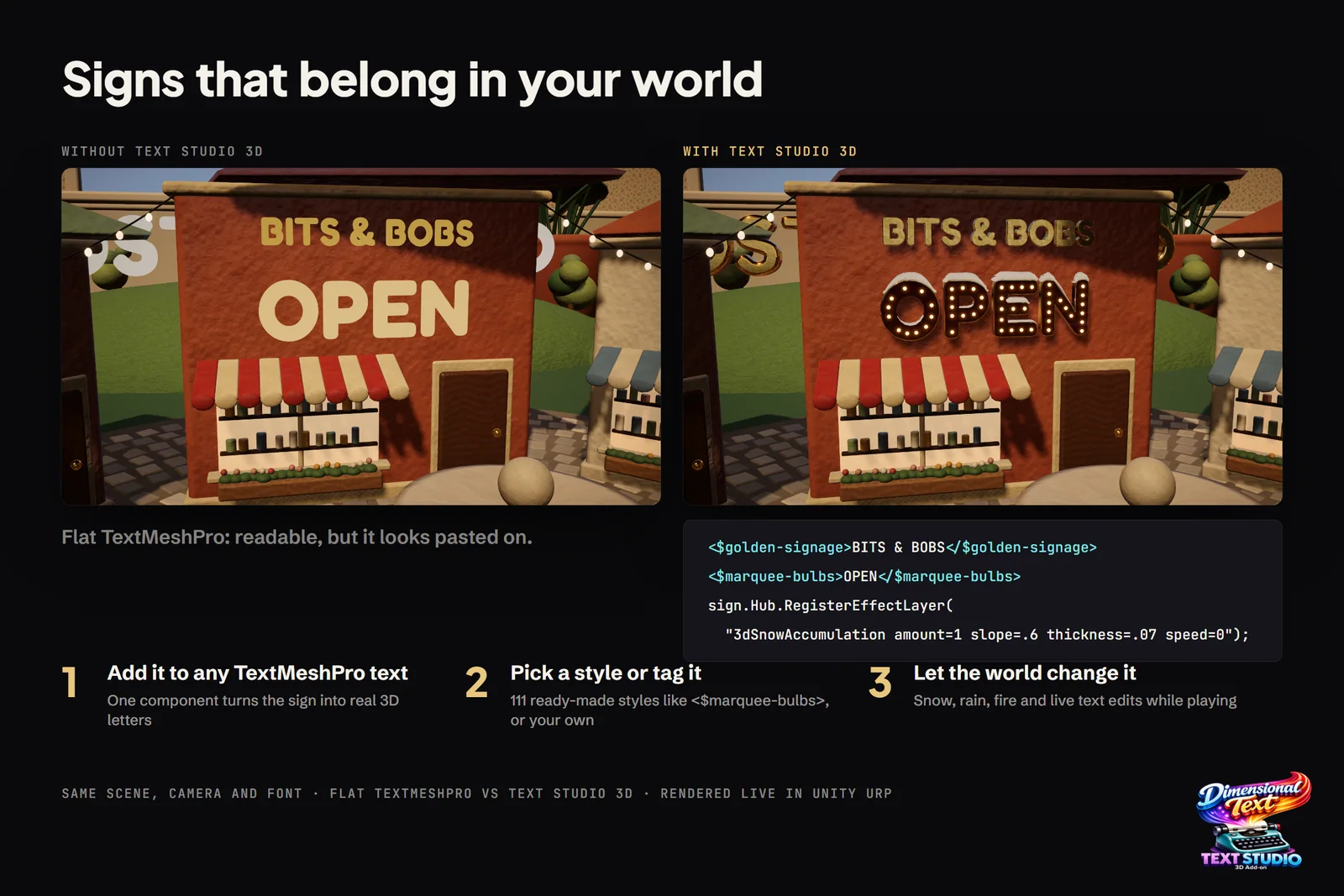
Searching for TextMeshPro 3D usually starts the same way: you create a TextMeshPro 3D text object, orbit the camera, and the letters turn out to be paper-thin. That is by design. The 3D text object is a GameObject with a Mesh Renderer, a TextMeshPro component and a material that uses a TextMeshPro shader. It sits in the scene like any other object, but each letter is a flat quad drawn from a signed distance field (SDF). The TMP bevel shades that quad so it looks raised; it does not add depth.
That design makes TextMeshPro excellent at what most text in a game is: readable, flat and cheap. This page explains what the bevel and lighting options do, where they are enough, and where text needs real geometry. The TextMeshPro facts come from Unity’s TextMeshPro documentation for the Unity UI 2.0 package, checked on 2026-11-11. For animating flat text, see Text Studio vs TextMeshPro.
At a glance
| TextMeshPro 3D text | Text Studio 3D | |
|---|---|---|
| What it draws | One flat quad per letter, shaded from a signed distance field | Solid meshes from the font outlines, with caps, bevels, sides and counters |
| Bevel | Shader effect: Outer or Inner Bevel inside the glyph | Real front and back bevels, 22 profiles or a custom Bezier curve |
| Lighting | Distance Field: unlit, with a simulated local light; Distance Field (Surface): scene lights at a higher GPU cost | Lit and Glass materials in Built-in, URP and HDRP |
| Seen from the side | No thickness; thins to a line edge-on | Sides and silhouette hold at any angle |
| Shadows | No volume to cast a solid shadow | Casts and receives real shadows |
| Surfaces | Face, outline and underlay in one SDF material | Separate materials for fronts, sides, bevels, inner walls, trim and decorations |
| Physics | None from the letters | Physical Letters: a rigid body and collider per glyph |
| Cost | Very low: four vertices per letter | More vertices; detail presets, caching and Strict Freeze keep it bounded |
| Price | Free, included with Unity | US$24 plus Text Studio (US$38) |
| Unity | Every current version | 2023.2 or newer |
How TextMeshPro 3D text and the TMP bevel work
TextMeshPro’s Distance Field shader groups its settings into Face, Outline, Underlay, Lighting, Glow and Debug Settings. Lighting holds four parts:
- Bevel. Type is Outer Bevel (raised lettering with sloped sides) or Inner Bevel (a raised outline). Amount sets the steepness, Offset moves the bevel away from the outline, Width sets its size, Roundness smooths angular regions and Clamp limits the maximum height.
- Local Lighting. A simulated light shades the bevel: Light Angle (in radians), Specular Color and Specular Power for highlights, Reflectivity Power for the environment map’s share, and Diffuse Shadow and Ambient Shadow for the overall and ambient light levels.
- Bump Map and Environment Map. Surface texture and reflections on the same flat face.
All of this happens per pixel inside the letter. Unity’s documentation states that these shaders are unlit and do not react to scene lighting: the light angle is a material setting, so moving the sun or a spotlight leaves the highlight where it was, and the letter’s silhouette never changes.
When text must react to scene lights, Unity provides the Distance Field (Surface) shader. It uses Unity’s surface shader framework, which the documentation describes as flexible but more demanding on the GPU, and it is not physically based. It keeps a Bevel section, but pronounced bevels can show artifacts, depending on the material.
For front-facing text and a fixed camera, such as a title card or a label read straight on, this fake depth is often all you need, and it costs almost nothing.
Where TextMeshPro is stronger
For most text in most games, TextMeshPro is the right tool, and geometry would only add cost:
- Flat UI, HUD and labels. Menus, health bars, subtitles, dialogue, tooltips and nameplates are read face-on. SDF text stays crisp at any size, and outlines, underlays and glows are cheap material settings.
- Free and built in. TextMeshPro ships with Unity, works in every render pipeline, and every Unity developer knows it.
- Cost at scale. Four vertices per letter make large amounts of text cheap: chat logs, documents, scoreboards and hundreds of world labels.
- Any current Unity version. Text Studio 3D needs Unity 2023.2 or newer.
- Fake depth is often enough. A beveled, lit title on a fixed camera reads as raised lettering at no geometry cost.
Text Studio 3D does not try to replace any of this, and projects that use it still render their UI with flat TextMeshPro.
Where Text Studio 3D is stronger
Real geometry pays off wherever the camera, the light or the player can get around the letters:
- Sides you can see. When the camera orbits or the player walks past a sign, a flat quad thins to a line. Solid letters show their sides, bevels and counters from every angle.
- A silhouette at grazing angles. An SDF bevel only shades the inside of the letter, so the outline stays flat. A real bevel changes the silhouette and catches light along the edge.
- Real light and shadows. Geometry takes scene lights, reflection probes and shadows, and casts shadows onto the wall behind it. Metallic styles need something to reflect; since 1.4.0, Setup Status explains when a skybox, reflection cubemap or probe is missing.
- Physics. Physical Letters gives every glyph a rigid body and collider, so letters can fall, tumble and be knocked over.
- Depth in VR. In stereo, a flat label reads as a sticker, while solid letters have real depth. Text Studio 3D supports single-pass instanced stereo for its Lit and Glass shaders and was measured on Meta Quest 3.
- Surfaces and effects. Separate materials per region, neon tubes and marquee bulbs along the contours, and 29 native 3D effects such as Chrome Sweep and Snow Accumulation.
 Real geometry: the generated mesh of SOLID, with caps, bevel rings and sides that a flat SDF quad does not have.
Keep your TextMeshPro pipeline
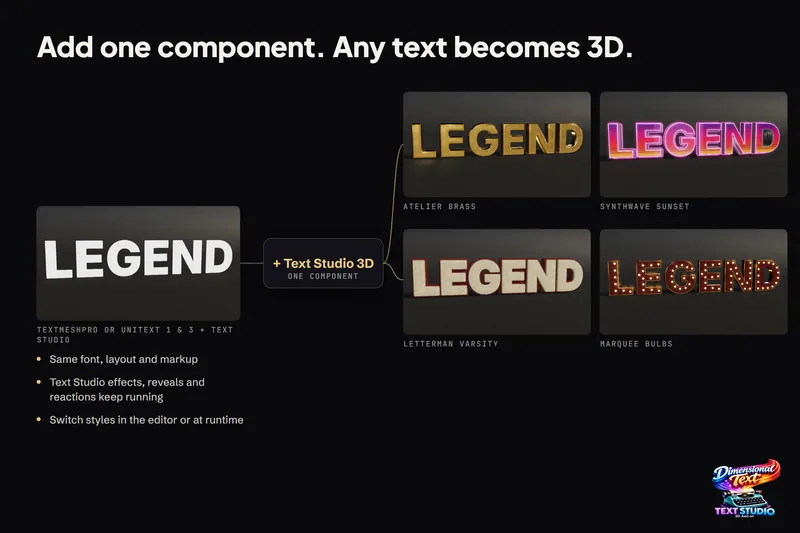
Text Studio 3D builds on TextMeshPro instead of replacing it. You keep the component, the font asset and the text, and add depth:
- Select a world-space TextMeshPro text. Its setup card adds Text Studio and Text Studio 3D in one step and keeps the existing text. Since 1.4.0, GameObject > Text Studio > 3D > Text also creates a centered 3D text from scratch.
- Pick a look from the Style Browser in the inspector or from Tools > Text Studio > 3D Gallery, or keep the default extrusion.
- Keep editing in TextMeshPro. Bold, italic, case, Small Caps, tracking, underline, strikethrough, colors and gradients carry into the 3D result, and underline and strikethrough become real geometry.
- Animate with Text Studio tags as you would flat text; compatible effects carry into the mesh.
- Before a build, open Tools > Text Studio > Runtime Preparation so the player has outline data for every glyph it shows.
Fonts need outline data: TrueType and CFF1 OpenType outlines work directly, while CFF2, color-only, dynamic OS and atlas-only fonts need an imported outline source. Flat and 3D text mix freely, so your UI can stay flat TextMeshPro while world signs and titles use the same fonts in 3D. Create Your First 3D Title walks through the setup, and Prepare Fonts, Glyphs, and Builds covers fonts for players.
The bottom line
Use TextMeshPro for text that is read face-on: UI, HUD, subtitles and labels. Its SDF bevel and lighting are a cheap way to suggest depth on a fixed camera. When the camera, the lights or the players move around the text, or when it should cast shadows, fall over or stand in VR, use real geometry. Text Studio 3D builds that geometry from the TextMeshPro text you already have, so your text pipeline stays the same. See turning TextMeshPro text into 3D for the full workflow, or lit 3D text in URP and HDRP for lighting.
Frequently asked questions
Can TextMeshPro make real 3D text?
No. TextMeshPro draws each letter as a flat quad shaded from a signed distance field. Its bevel, lighting, bump and environment maps shade that flat surface, so the text has no sides and thins to a line when seen edge-on. Real depth needs geometry, from a tool such as Text Studio 3D or a mesh modeled elsewhere.
How do I add a bevel to TextMeshPro text?
Use a material with the Distance Field shader and open its Lighting section. Under Bevel, choose Outer Bevel or Inner Bevel and adjust Amount, Offset, Width, Roundness and Clamp, then set the simulated light under Local Lighting. For text that reacts to scene lights, Unity offers the Distance Field (Surface) shader.
Does Text Studio 3D replace TextMeshPro?
No. It builds on TextMeshPro: your text, font asset and rich text stay in the TextMeshPro component, and Text Studio 3D generates geometry from them. It requires Text Studio, which provides authoring, animation and the TextMeshPro integration.
Is real 3D text more expensive to render?
It has more vertices than one quad per letter, so budget for it. Text Studio 3D offers Mesh Detail presets from Draft to Hero, chunked and per-letter output, caching and Strict Freeze for finished titles, and its Performance Lab page lists measured workloads.
Real 3D text for Unity, built from your TextMeshPro text.
Keep reading
 Use case
Turn TextMeshPro text into real 3D geometry
Text Studio 3D adds depth to the TextMeshPro text you already have instead of replacing it. Font, layout, rich text and Text Studio effects carry over, and Runtime Preparation makes sure the same letters build in a player. Use case
3D text with depth in Unity: extrusion and bevels
TextMeshPro letters are flat and vanish when seen from the side. Text Studio 3D builds solid letters from the real font outlines, with bevels, layers, relief and a material for every surface, at the mesh detail you choose.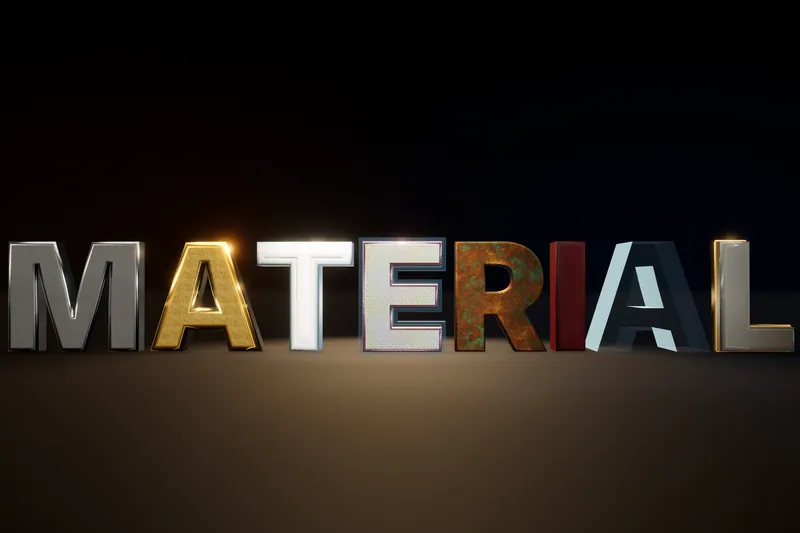 Article