3D damage numbers and floating combat text
Floating 3D damage numbers in Unity: emit Damage, Critical, Heal, Status, Combo and Score feedback as solid, beveled text in world space or screen projected.
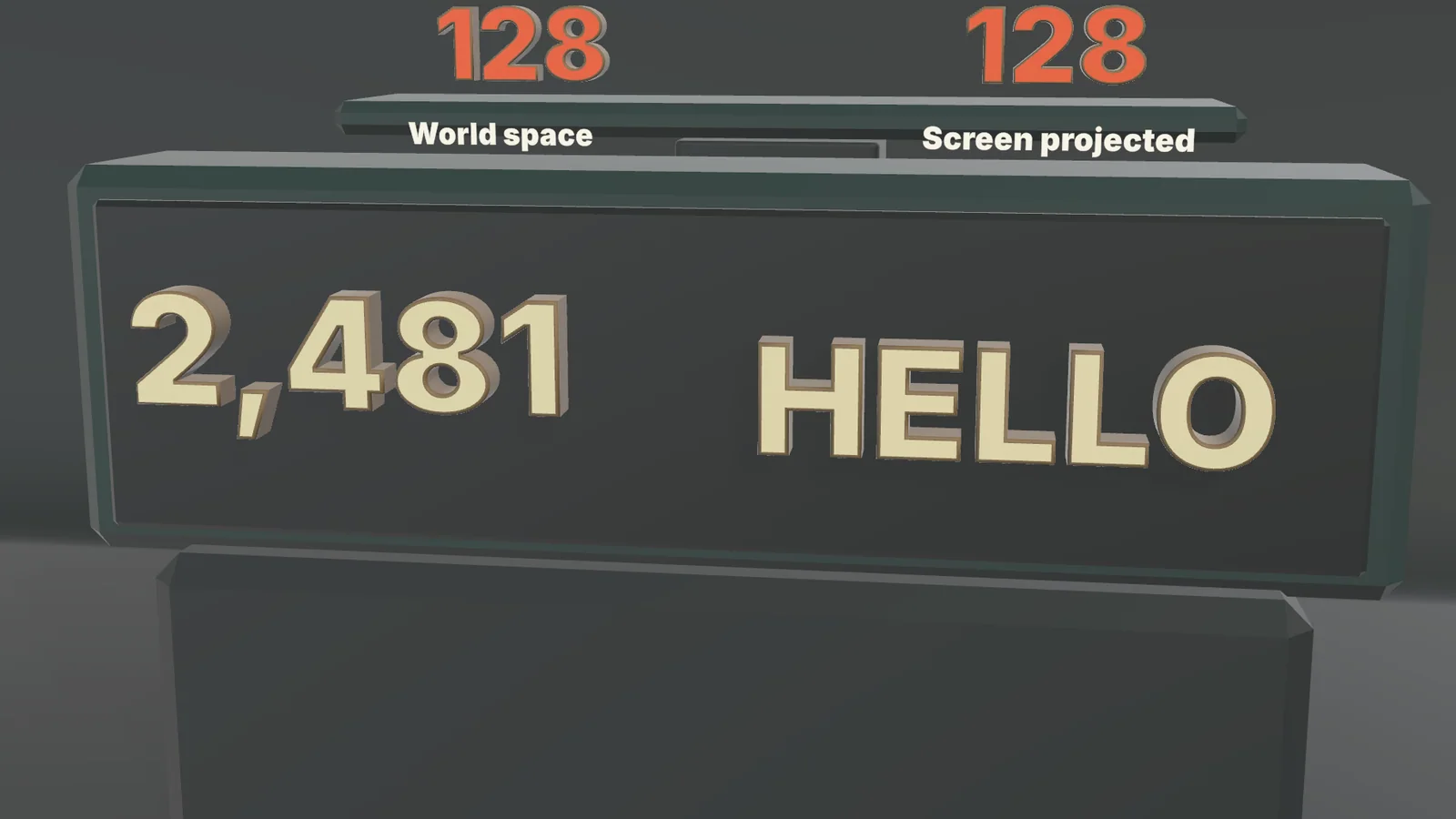
Floating damage numbers are usually flat: a TextMeshPro popup that rises and fades. In a 3D game, flat numbers ignore the scene’s lighting, have no volume when the camera circles the fight, and a critical hit looks like every other hit with a bigger font.
Text Studio 3D turns floating damage numbers into 3D text: extruded, beveled, lit digits emitted through the same Text Studio emitter and presets as flat popups. The cover shows the Live Feedback sample, where the same 128 is emitted in world space and screen projected above a live 3D counter. For flat Canvas and world-space popups, and for pooling, stacking and merging in depth, see damage numbers with Text Studio.
Emit 3D damage numbers with the Text Studio emitter
The emitter belongs to Text Studio, so flat and 3D popups share one API and one set of presets: Damage, Critical, Heal, Status, Combo and Score. Only the host decides how a popup looks.
- Create GameObject > Text Studio > Temporary Text > Emitter. It comes with a default Emission Preset and a world-space TextMeshPro host.
- Open the host prefab, add Text Studio > Text Studio 3D to its text object through Add Component, and pick a readable style with modest depth.
- Use the starter Damage, Critical, Heal, Status, Combo and Score presets, and give Critical its own Host Override with a heavier 3D style.
- Add the presets with overrides to Prewarmed Preset Overrides, so their hosts are prepared too.
- Emit from gameplay code:
using TextStudio;using UnityEngine;
public class HitFeedback : MonoBehaviour{    [SerializeField] TextStudioEmitter emitter;    [SerializeField] TextStudioEmissionPreset damage, critical;
    void Start() => emitter.Prewarm();
    public void ShowHit(float amount, bool isCritical, Transform target) =>        emitter.EmitValue(isCritical ? critical : damage, amount, target);}
Every emission returns a handle for later updates, and EmitText(statusPreset, "STUNNED", target) shows a word instead of a number.
World space or screen projected
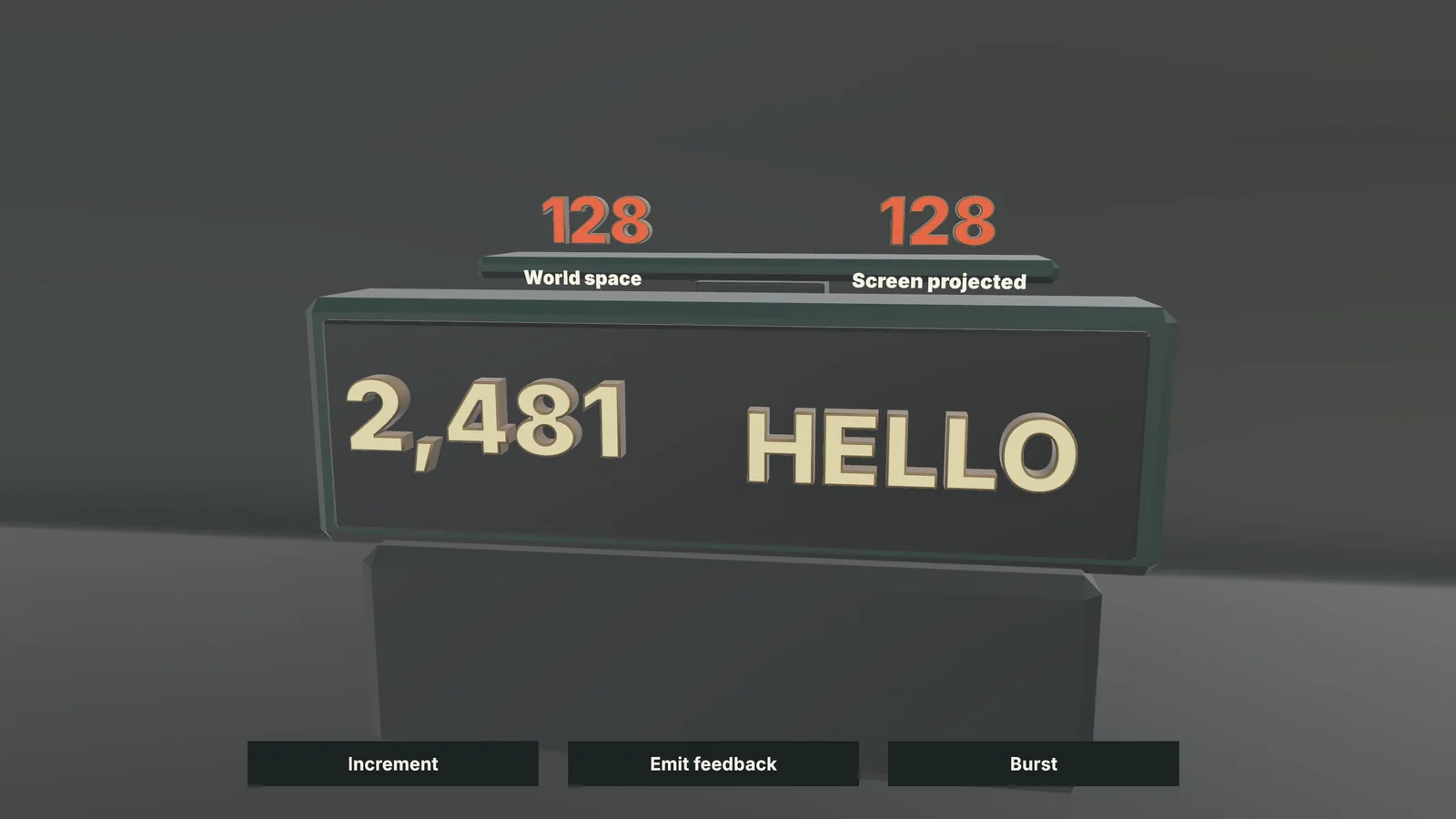 The Live Feedback sample emits the same value both ways.
The emitter’s Output Space decides where a popup lives:
- World places the number at the target in the scene, optionally turned toward the camera with Face Camera. It shares the scene’s lighting and depth.
- Screen Projected tracks the target’s position on screen and places the number on a canvas, so it stays in the HUD layout while the target moves.
Follow Targets keeps popups on moving enemies, and Stack Matching Anchors puts simultaneous popups in stable vertical slots instead of piling them up. Open the Live Feedback sample from Tools > Text Studio > Examples to compare both spaces with Emit feedback and Burst.
Make a critical hit read as critical
A 3D host gives you more than a bigger font. Point the Critical preset to a host with a deeper bevel, a gold or chrome material and a native effect such as Chrome Sweep or Facet Pulse, and pair it with a sharper Behavior Profile. Heals can rise gently toward the player, Status words can wait for manual dismissal, and Combo or Score popups can merge hits within a merge window. With a 3D Theme, popup hosts can bind to its Gameplay Feedback style or a named variation such as Boss Damage, so changing the theme restyles them without touching the emitter.
Pooling, prewarming and prepared digits
- Pooling. The emitter keeps one Unity object pool per host prefab and returns each host after its normal Hide lifecycle, so a popup normally gets a warm host instead of a new one. Prewarm Per Host, Maximum Active and Overflow bound the pool.
- Prewarming. Call
emitter.Prewarm()during loading. For hosts outside an emitter,PrewarmCharacterswarms glyph geometry without changing the visible text. - Prepared digits. Numeric Value text prepares its digits automatically; Prepare Digits on the emitter sets this on a host that lacks it. Declare the rest of the template, such as minus signs, separators, a K suffix or status words, in Runtime Preparation, especially for Prepared only builds.
- Changing values. When a merging Combo or Score popup updates its number, Numeric Value text with compatible Combined Mesh output rebuilds only the digits that change (since 1.4.0).
Combined Mesh output supports every effect channel and is the right default. Per Letter GameObjects gives each digit its own object, for digits that scatter or carry their own material, at the cost of one object per glyph. Physical Letters hand each digit to Unity physics for a crit that breaks apart.
What each popup costs
A popup builds a few glyphs from prepared or cached geometry once, then animates through transform, color and material channels that do not rebuild topology. The 2026-11-04 Performance Lab run (Windows IL2CPP release player, i9-13900K, RTX 4090, URP, median of three repetitions) measured the closest workloads. UniText 3D ran in matched lab workloads; Modular 3D Text rows were measured with the same font and glyph count, but not input-matched, and the lab does not rank them.
| Isolated main thread per frame | Text Studio 3D | UniText 3D | Modular 3D Text |
|---|---|---|---|
| Rebuilding 13 glyphs every frame | 0.618 ms | 0.600 ms | 0.559 ms |
| Recreating a 26-glyph text every frame, warm cache | 1.098 ms | 0.800 ms | 0.944 ms |
| Swapping cached 52-glyph strings | 0.640 ms | 0.969 ms | 0.987 ms |
| Rebuilding 105 glyphs every frame as per-letter objects | 0.836 ms | no per-letter mode | 2.687 ms |
The table cuts both ways: for short texts the three tools are close, with both others slightly ahead on 13 glyphs, and both are ahead when a text is created from scratch. Text Studio 3D pulls ahead when cached strings are swapped, when glyph counts grow and with per-letter objects. Pooled hosts skip the creation step, one reason the emitter pools them. On the GPU, rebuilding 827 glyphs every frame cost 0.036 ms, against 0.406 ms for UniText 3D and 0.038 ms for Modular 3D Text. The Performance page has every workload.
To keep the cost down, avoid word, line or whole-text outlines on popups, since they rebuild for every new value, and avoid Contour Bloom and Bevel Pulse, which rebuild geometry as they animate. Measure your own scene with Runtime Statistics and the Profiler, and check 3D text on mobile and Quest before shipping to standalone headsets.
When flat popups are the better choice
Dense combat with dozens of numbers a second, small text far from the camera and HUD-only feedback are the job of flat popups from the base Text Studio product or a dedicated damage-number asset. 3D numbers earn their cost where the camera sees them in space: crits, boss hits, combo finishers, score bursts and VR, where flat text reads like a sticker. The emitter makes mixing both a host change. The manual’s Choose Output and Performance chapter covers output modes, prewarming and caches in depth.
Frequently asked questions
How do I make 3D floating damage numbers in Unity?
Create a Text Studio emitter with GameObject > Text Studio > Temporary Text > Emitter, give it a host prefab whose TextMeshPro text has Text Studio 3D, and call emitter.EmitValue(preset, amount, target) from gameplay code. The presets, pooling and stacking work exactly as they do for flat popups.
Can critical hits look different from normal hits?
Yes. Each preset can use its own host prefab, so the Critical preset can point to a 3D host with a deeper bevel, a metallic material and a native effect such as Chrome Sweep, plus a sharper Behavior Profile.
Are 3D damage numbers more expensive than flat ones?
Yes, each digit is real geometry. In the 2026-11-04 lab run, rebuilding 13 glyphs every frame took 0.618 ms of main-thread time on a desktop PC, close to the other 3D text tools measured, so pool and prewarm hosts, prepare the digits and keep popups short. Flat popups stay the lighter choice for dense combat.
Do the digits work in Prepared only builds?
Yes. Numeric Value text prepares its digits automatically. Declare everything else the template adds, such as minus signs, separators, a K suffix or status words, in Runtime Preparation before the build.
Real 3D text for Unity, built from your TextMeshPro text.
Keep reading
 Use case
Change 3D text at runtime: scores, counters and names
Baked 3D text cannot show a score or a player's name. Text Studio 3D builds the geometry from the live string, so it changes in player builds, and since 1.4.0 compatible counters rebuild only the digits that change. Use case
Fast 3D text on mobile and Quest, with small builds
Phones and headsets run out of GPU time and heat before CPU. How to pick output, mesh detail and prepared geometry for them, and what Text Studio 3D 1.4.0 changed: Quest 3 first frame 74 to about 18 ms, build share 93.7 to 0.7 MB. Use case