Animate 3D text: reveals, weather and energy effects
Animated 3D text in Unity: Text Studio effects carried into the mesh plus 29 native 3D effects, from 3D reveals and chrome sweeps to snow, moss, flame and electric arcs.
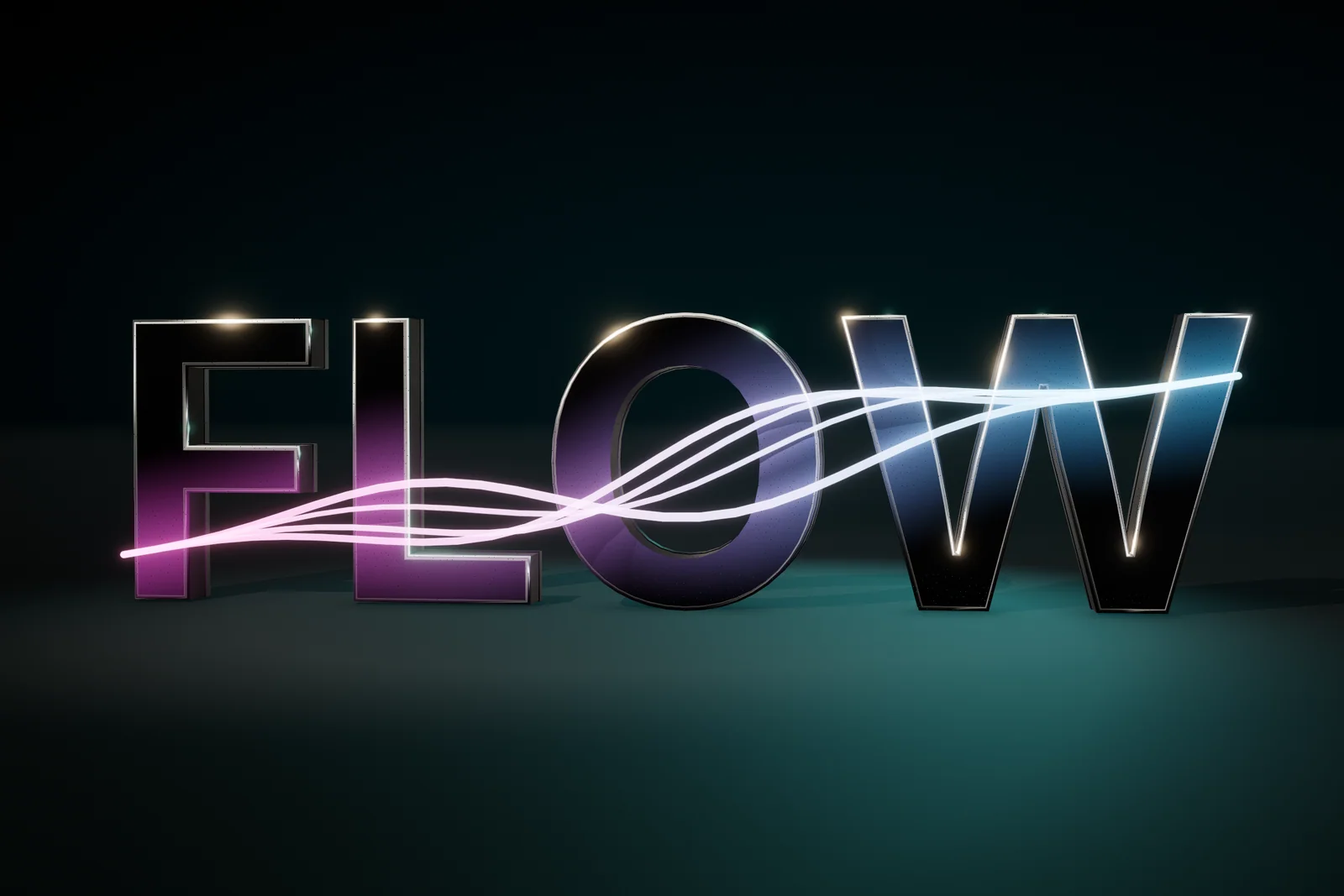
Animating 3D text in Unity usually means moving a whole object with Timeline or tweening a mesh modeled elsewhere. That works for a logo sting, but the letters cannot react on their own, and the effects that make 3D text worth having, such as light running along a bevel or snow settling on the tops of the letters, need geometry that knows its own surfaces.
Text Studio 3D animates the 3D text itself. Every compatible Text Studio effect, including the spatial reveals, carries into the extruded mesh, and 29 native 3D effects add what flat text cannot show: sweeps over bevels, weather that grows over the letters and energy that runs along them. The cover shows FLOW with strands of light sweeping across glossy letters.
3D text animation with the Text Studio effects you know
Position, full XYZ rotation, scale including depth, color, transparency, corner deformation, spatial motion, Areas, sequences, motion policy and Effect Code all work on the 3D letters. Combined, Chunked, Hybrid and LOD output support the complete channel set; Per Letter and Physical output support position, rotation and scale on each glyph object. Text Studio 3D adds emission, metallic, smoothness, dissolve and depth-scale channels, evaluated in the same Composed Effect, so one reveal can fade in color and glow together.
Reveals, holds and exits in depth
The Effects category of Tools > Text Studio > 3D Gallery previews eleven spatial examples on real 3D text. Hero Depth Rise, Card Flip Y, Top Hinge, Domino Line, Spiral Assemble, 3D Scatter & Return and Accordion reveal the letters; Rolling Ribbon, Soft Spatial Float and Orbit hold them; Fold Away exits. Create Effect Example creates editable 3D text with the effect, and Copy Tag copies its markup for your own text.
Native effects for surfaces, bevels and depth
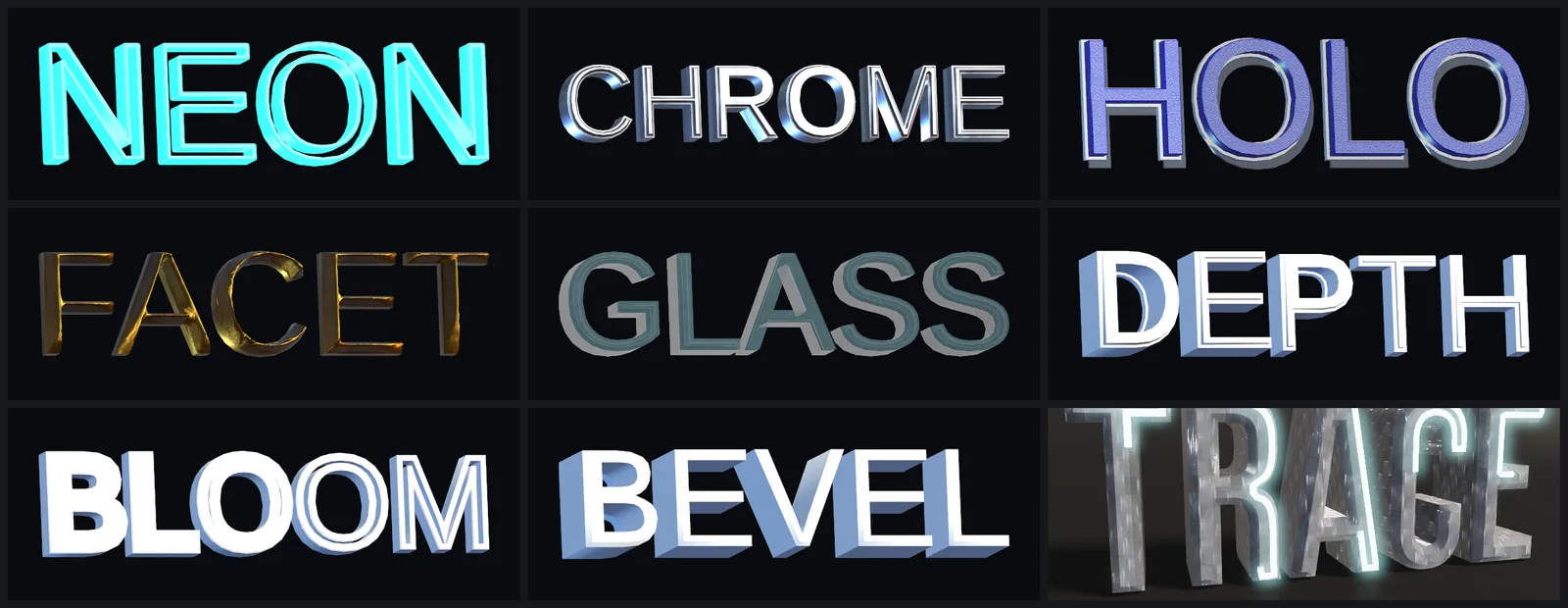 Nine of the 29 native effects, each captured as a still frame.
Native effects target semantic surfaces instead of submesh numbers: Front, Front Relief, Front Bevel, Sides, Inner Sides, Back Bevel, Back, Edges and Decorations. Chrome Sweep runs a highlight across polished metal, Facet Pulse lights the bevels, Hologram Scan and Glass Reveal suit sci-fi and acrylic looks, and Depth Wave moves through the extrusion depth. Material Morph, Molten Flow, Sparkle Field, Liquid Ripple, Refraction Ripple, Impact Wave, Edge Melt, Exploded Assembly and Volume Dissolve add morphs, heat, glints, ripples, melting and dissolves. Each effect has a tag, such as <3dChromeSweep>GOLD</3dChromeSweep>, and the native effect gallery lists every control and default.
Contour Bloom and Bevel Pulse rebuild geometry as they animate. Geometry Effect Rate and Geometry Value Steps in the Performance section cap that cost; lower them before you cut ordinary motion.
Weather that grows over the letters
As far as we know, Text Studio 3D is the only Unity 3D text tool whose weather effects grow over the generated geometry. Snow Accumulation forms rounded powder on exposed surfaces, including inner ledges; Frost Growth branches crystalline frost; Moss Growth roots cushions and filaments to the surface; Ice Glaze, Ash Deposit, Rust Bloom and Rain-Wet Surface coat, stain and wet the letters; Living Flame sets them alight. None of them needs a particle system: <3dSnowAccumulation>WINTER</3dSnowAccumulation> coats only that word.
 Snow Accumulation, Moss Growth, Living Flame, Ice Glaze, Ash Deposit, Rust Bloom, Rain-Wet Surface and Plasma Tether.
The coatings default to a settled state with speed=0, and Amount sets the coverage; a nonzero speed cycles the growth. Living Flame animates by default. To grow snow with your game’s weather instead, take control of the effect family from a script:
using TextStudio.ThreeD;using UnityEngine;
public class SnowfallTitle : MonoBehaviour{    [SerializeField] TextStudio3DText title;    TextStudio3DCompanionControl snow;
    void OnEnable() =>        title.TryAcquireCompanionControl(TextStudio3DCompanionFamily.CryogenicIce, out snow);
    // 0 shows no snow, 1 shows the amount authored on the effect.    public void SetSnow(float progress) => snow?.SetProgress(progress);
    void OnDisable() { snow?.Dispose(); snow = null; }}
CryogenicIce covers Frost Growth, Snow Accumulation and Ice Glaze; Combustion covers Living Flame and Ash Deposit, Vegetation covers Moss Growth, Corrosion covers Rust Bloom and Precipitation covers Rain-Wet Surface. Since 1.4.0, progress scales the authored amount, and snow first spreads a thin coat before it rises into its settled cap.
Energy: arcs, tethers and traced contours
Electric Arc spans the text with bolts and branches animated on the GPU. Plasma Tether suspends smooth strands across it, and SetPlasmaEndpoints pins the main strand to objects in the world. Contour Trace runs a light along the exact letter outlines, including counters, with direction, start offset, trail and simultaneous or sequenced tracing; Runic Inlay seats metallic inscriptions into the faces with a traveling highlight. For Electric Arc and Plasma Tether, Seed, Cycle and Variation control the motion: variation=loop repeats exactly, variation=evolving keeps changing, and speed=0 freezes a chosen moment.
Writing and timing
A Writing Style, assigned in the base Text Studio Typewriter settings, draws the letters as Surface Reveal, Raised Ribbon or Volumetric Tube with the same typewriter timing. To combine several effects, switch a Composed Effect’s Visual Layers from Layers to Timing: native 3D effects and ordinary channels line up on one Reveal, Active and Hide lifecycle, and dragging a bar moves its start.
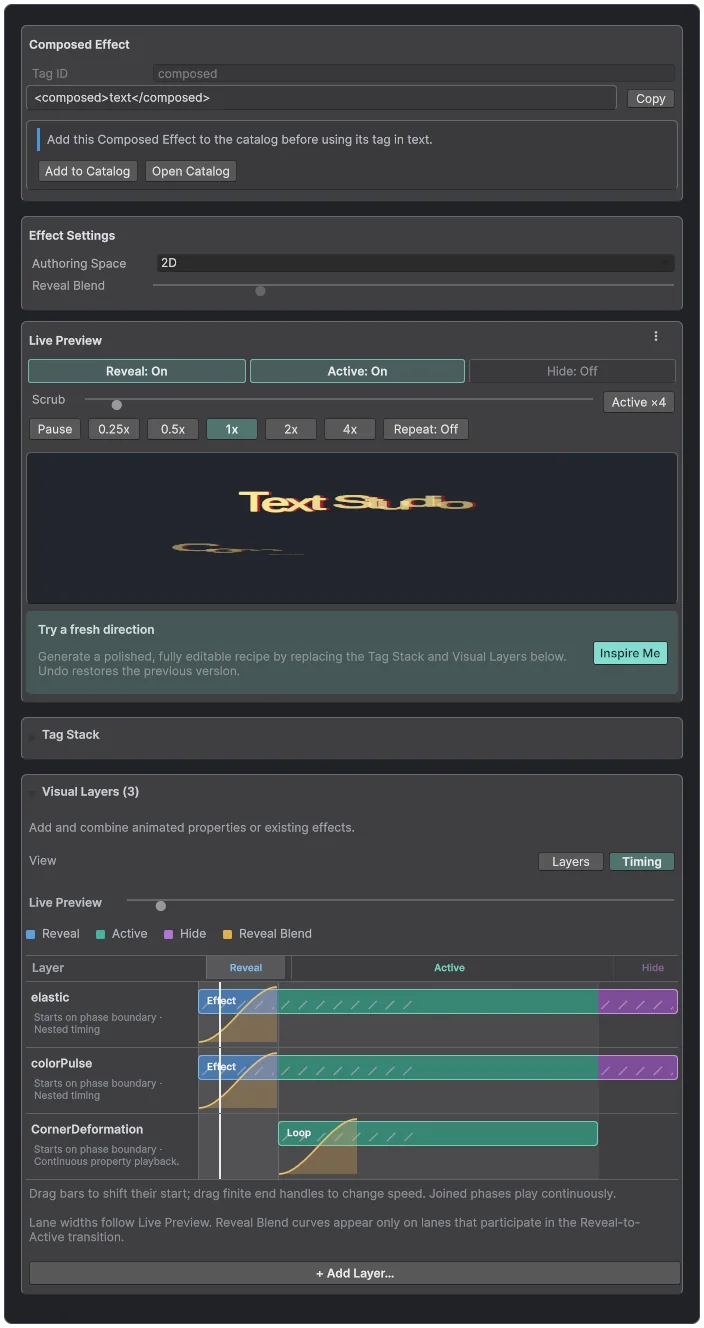 The Timing view, here on a flat Composed Effect; 3D Composed Effects use the same view.
Add an effect in five steps
- Select the 3D text and wrap a passage in an effect tag, or add the effect to Default Effects for the whole text.
- Pick the surfaces it should touch, such as Front Bevel for a highlight or Front for a coating.
- Tune the parameters while scrubbing the Live Preview transport through Reveal, Active and Hide.
- Check the result with Reduced Motion turned on; each native effect has its own reduced motion control.
- Test in Play Mode, including text replacement and disabling the object.
Optional Visual Effect Graph companions
The Visual Effect Graph integration adds particles around the native effects: Combustion with flame, smoke and embers, Cryogenic Ice with vapor and shards, Electric Discharge with corona and sparks, and Burn Away, Disintegrate and Acid Corrosion. It needs Unity 6.3 LTS, Visual Effect Graph 17.3 and URP or HDRP in linear color space; after importing the integration, add a companion from Tools > Text Studio > 3D > Visual Effects. Reduced Motion restrains movement and flashes, and None stops new particles.
Strict Freeze cannot store GPU-driven effects such as settled snow or Electric Arc, so use Render Studio when you need them as a still or video. The manual chapter Animate 3D Text and Use Physical Letters covers the full workflow, and 3D letters with physics continues where animation hands over to real collisions.
Frequently asked questions
How do I animate 3D text in Unity?
With Text Studio 3D the letters themselves animate: wrap a passage in a Text Studio effect tag or a native 3D effect tag, or add the effect to the text's Default Effects. Reveals, holds and exits move each letter in depth, and the Timing view lines several effects up on one lifecycle.
Can snow or moss grow on 3D text over time?
Yes. Snow Accumulation, Frost Growth, Moss Growth, Rust Bloom, Rain-Wet Surface and related effects build on the final letter shapes. They default to a settled coating; a nonzero speed cycles the growth, and a script can drive it from 0 to 1 through TryAcquireCompanionControl and SetProgress.
Do I need the Visual Effect Graph for these effects?
No. The 29 native 3D effects need no particle system. The optional Visual Effect Graph companions add flame, smoke, vapor, sparks and dust around some of them, in Unity 6.3 with URP or HDRP.
Does animated 3D text respect Reduced Motion?
Yes. The native 3D effects have a reduced motion control, Text Studio's motion policy applies to the 3D letters, and the Visual Effect Graph companions restrain movement and flashes, or stop new particles, for players who need calmer feedback.
Real 3D text for Unity, built from your TextMeshPro text.
Keep reading
 Use case
3D game titles and logos in Unity
Start from one of 25 complete hero designs, shape it layer by layer, frame it with a generated backing or your own SVG logo, reveal it in 3D and export stills or video for the trailer, while the title stays editable text. Use case
3D letters with real physics
Knocking over a title used to mean modeling every letter. Physical Letters turns live 3D text into one Rigidbody and convex collider per glyph, released and reset from the inspector or from a script.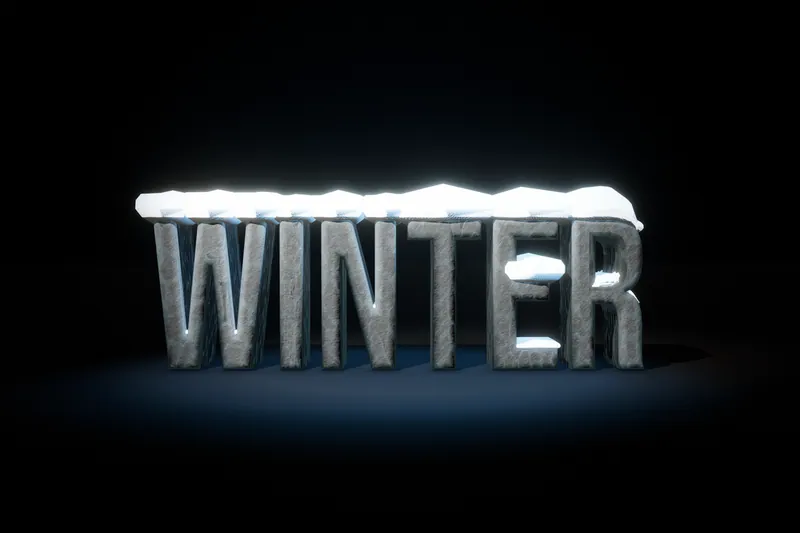 Article