Building a text animation platform for Unity
Why I built Text Studio, how one authored line drives reveal, effects and looks on every Unity text system, and what a bad 1.2 release taught me about performance.

I should say upfront that I am not neutral: I built Text Studio, and before that Asset Inventory. This is the story of why it exists and the decisions behind it, including one release I am not proud of.
Text kept turning into a pile of scripts
Every game I worked on ended up with the same collection: one typewriter script, a different script for damage numbers, a third for wobbly dialogue words, hand-timed audio for typing sounds, and a completely separate solution whenever text had to be 3D. Each piece worked alone. Together they fought over the same TextMeshPro mesh, disagreed about timing, and broke the moment someone changed a font.
The typical failure is described in why a TextMeshPro typewriter breaks your text effects: two scripts both believe they own the text. I wanted one system that owns the whole life of a line, so the pieces stop negotiating.
One authored line, three phases
The core idea is that a line of text is authored once, with its intent inside it:
The <wave>lantern</wave> is lit. <shake>Run!</shake>From that source Text Studio builds a semantic plan: glyphs, words, lines, paragraphs and tagged ranges. Every effect targets units of that plan instead of raw character indices, so the same wave can run per glyph, per word or over a whole range. The life of the text has three phases. Reveal is how it arrives, the typewriter included. Active is how it behaves while it is on screen. Hide is how it leaves. Timing, waits, sounds, events and skip behavior belong to the same lifecycle instead of living in separate components.
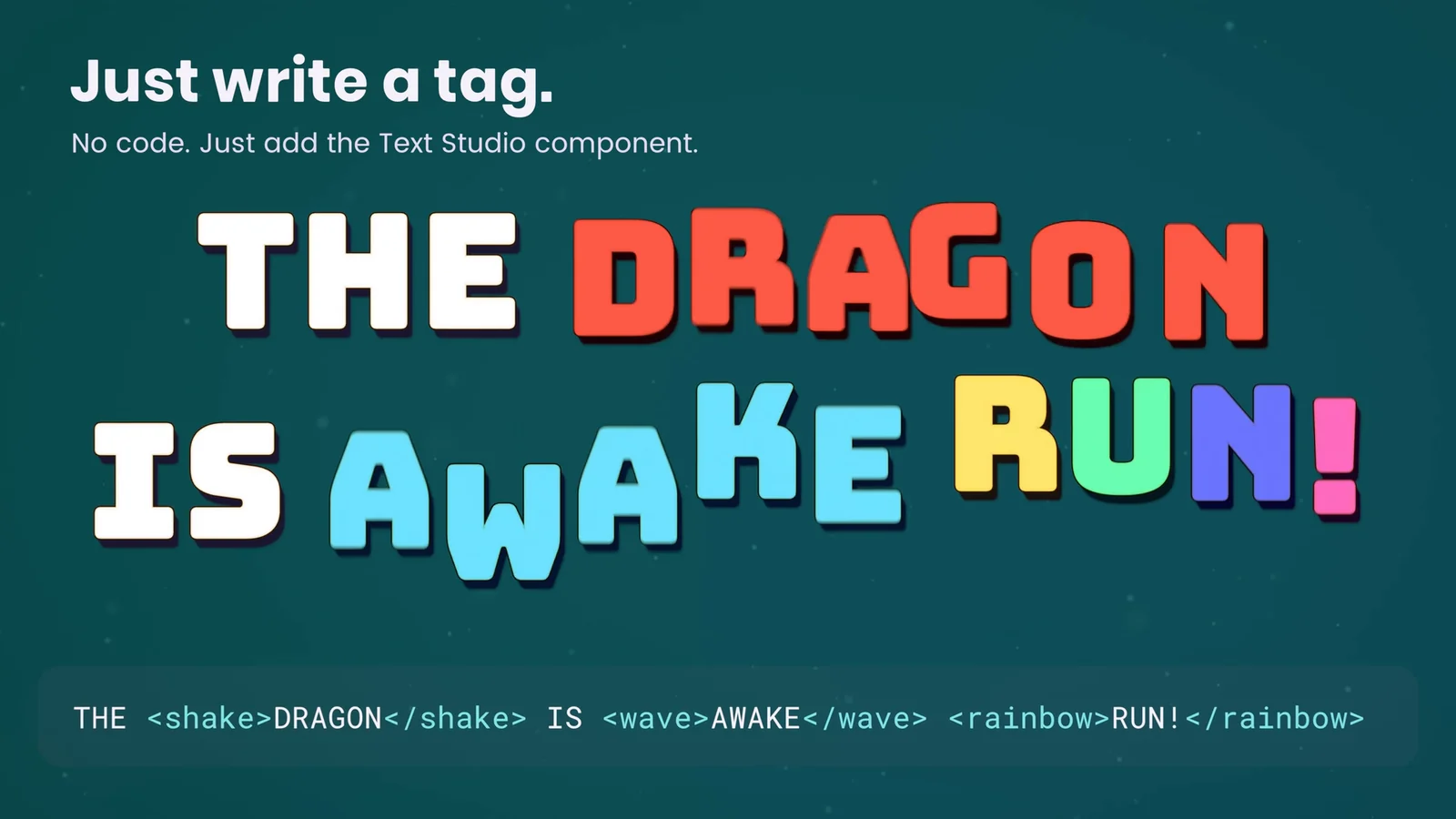 One line of markup, three effects, no code: the tag is the interface.
Write once, render anywhere
Unity has several text systems, and real projects mix them: TextMeshPro on Canvas and in world space, UI Toolkit for menus, sometimes the legacy UI Text component in older UI. I did not want the authored line to care. Effects produce one renderer-neutral state per glyph, and each output presents it: TextMeshPro, UI Toolkit labels, legacy UI Text, the optional UniText integration, and the Text Studio 3D add-on, which turns the same tags into extruded, lit letters.
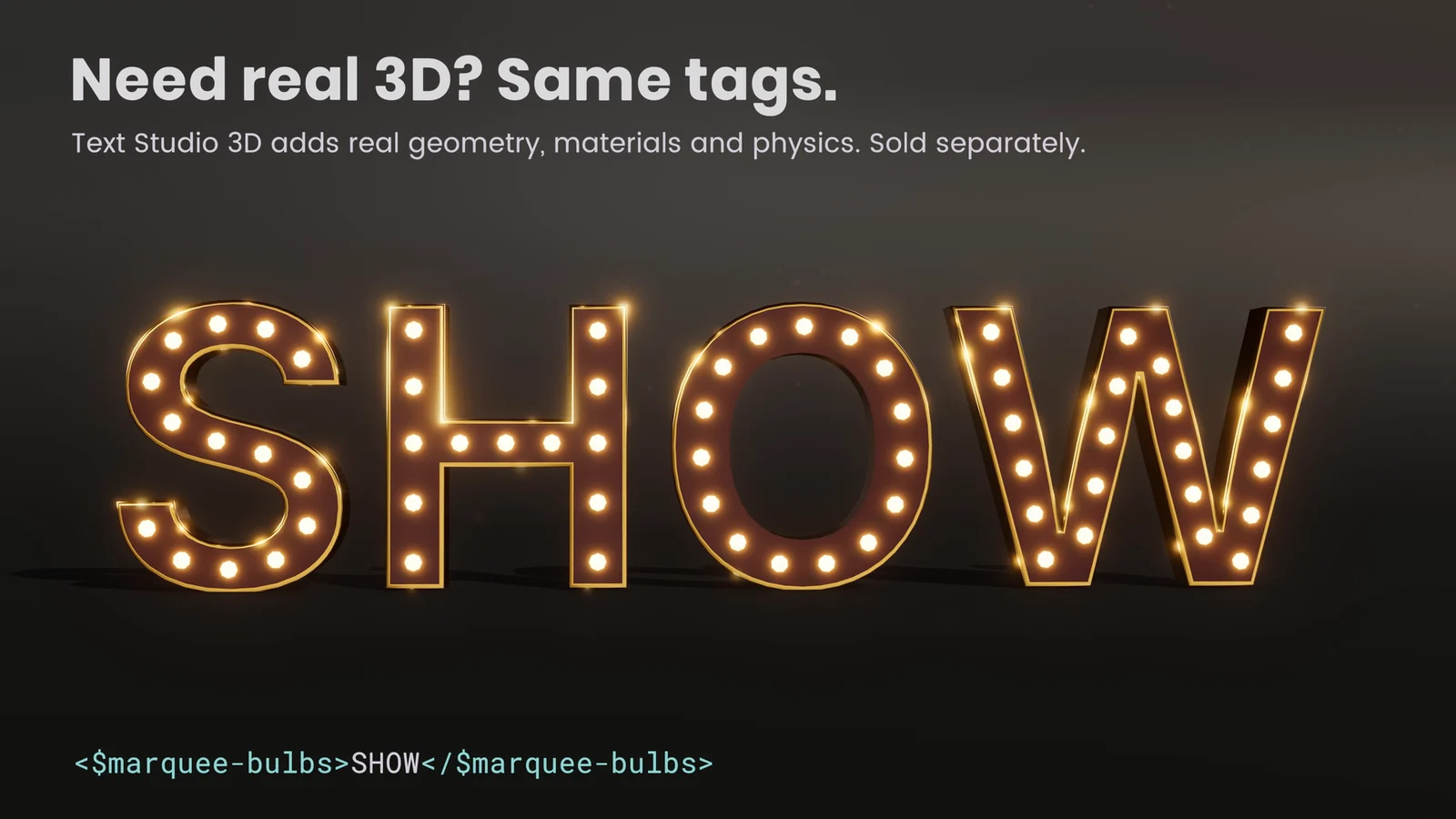 Text Studio 3D uses the same tags. The add-on is sold separately.
Looks followed the same rule. A look is a stack of layers, fills, strokes, shadows, glows, bevels and faux depth, applied to the text you already have, in your own font. Text Studio ships 60+ of them. Handwriting became its own system, because a convincing pen needs real stroke paths with lifts and pressure rather than a mask that wipes across a glyph.
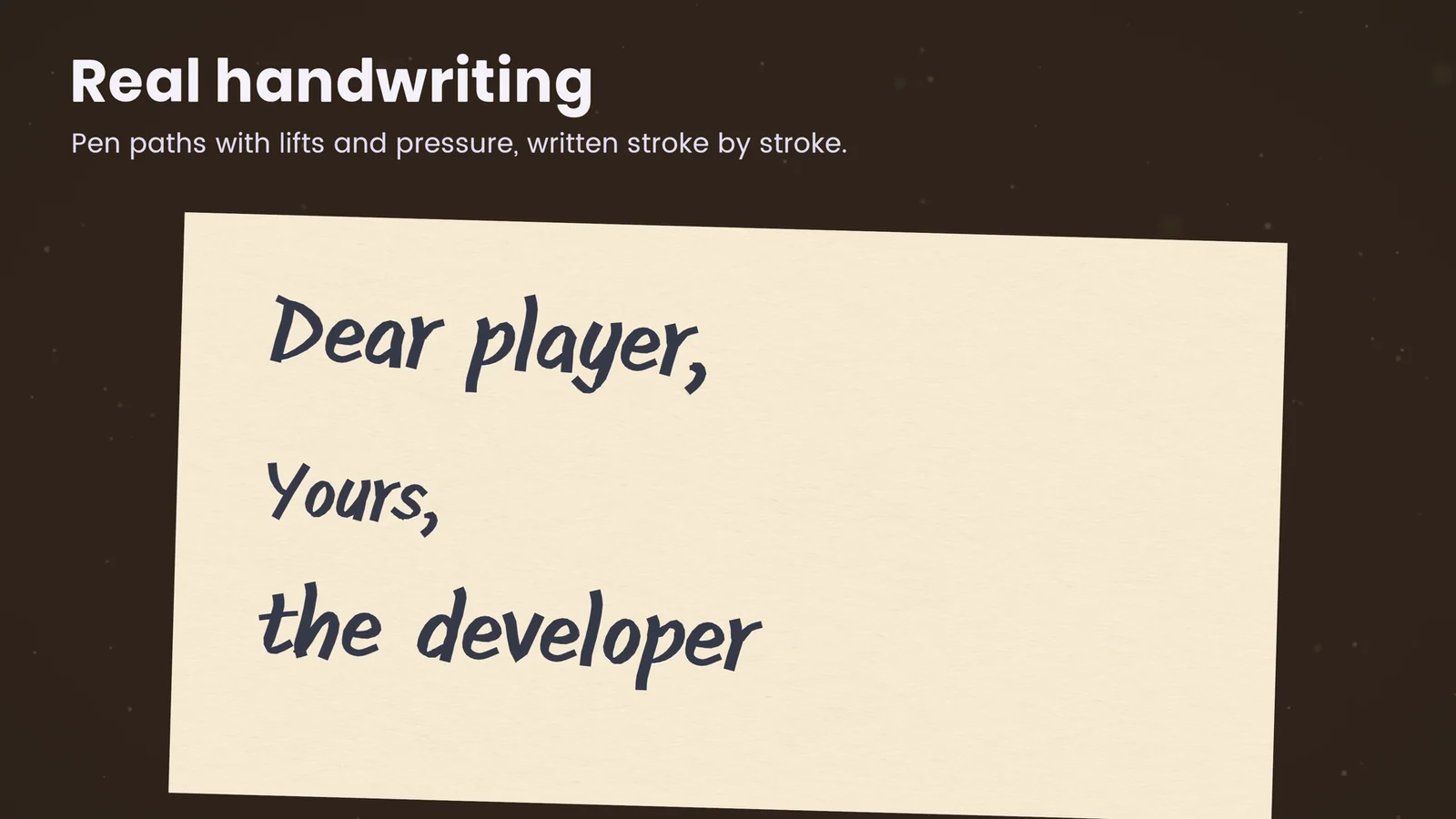 Handwriting follows prepared pen paths, letter by letter.
Fast is a feature, and 1.2 taught me why
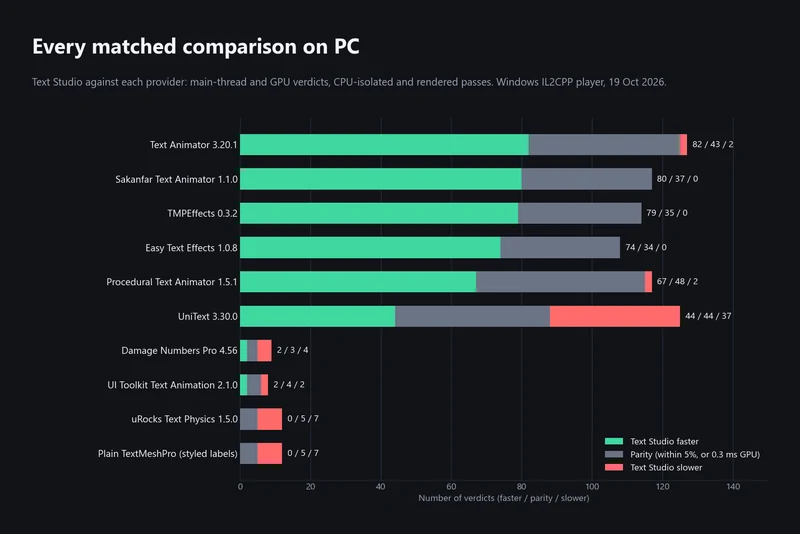
Text is everywhere in a game, so a text system has to stay out of the frame budget. From the start Text Studio was built around prepared plans, reused work and allocation-conscious updates, and I measure it in a Performance Lab that runs matched workloads against other text tools in clean player builds. The benchmark article explains the method and publishes the full set, including the rows where Text Studio is not the fastest.
Then I made a mistake. With 1.2 I published a state that performed badly on phones, and a reviewer rightly gave it two stars for frame drops on mobile. I used the time to test on many more devices: an Android tablet, Quest, an iPad, Mac and PC. Version 1.3 rebuilt how styled 2D text renders on mobile GPUs and standalone headsets. In measured Quest 3 scenes, 200 labels with a fill, outline and shadow rendered about 18 times faster; on an Adreno 619 phone, an eight-layer 1400 pixel title dropped from 649 to 42 ms of GPU time per frame. Settled text now skips Text Studio’s per-frame updates while its inputs stay unchanged. The details are in styled text on phones and Quest.
The best test is our own game. Snowball Party, a mixed reality snowball fight for Meta Quest, uses Text Studio for lots of real-time 3D text, on hardware where every millisecond is visible.
Text belongs to the rest of the game
Dialogue lines come from dialogue systems, translations come from localization, cutscenes come from Timeline. Text Studio has 15+ optional integrations, among them Yarn Spinner, Ink, Naninovel, the Pixel Crushers Dialogue System, Adventure Creator, Game Creator 2, PlayMaker, Unity Localization, Timeline and Visual Scripting, each with a sample scene. They activate when you import them, and the base package stays free of their dependencies.
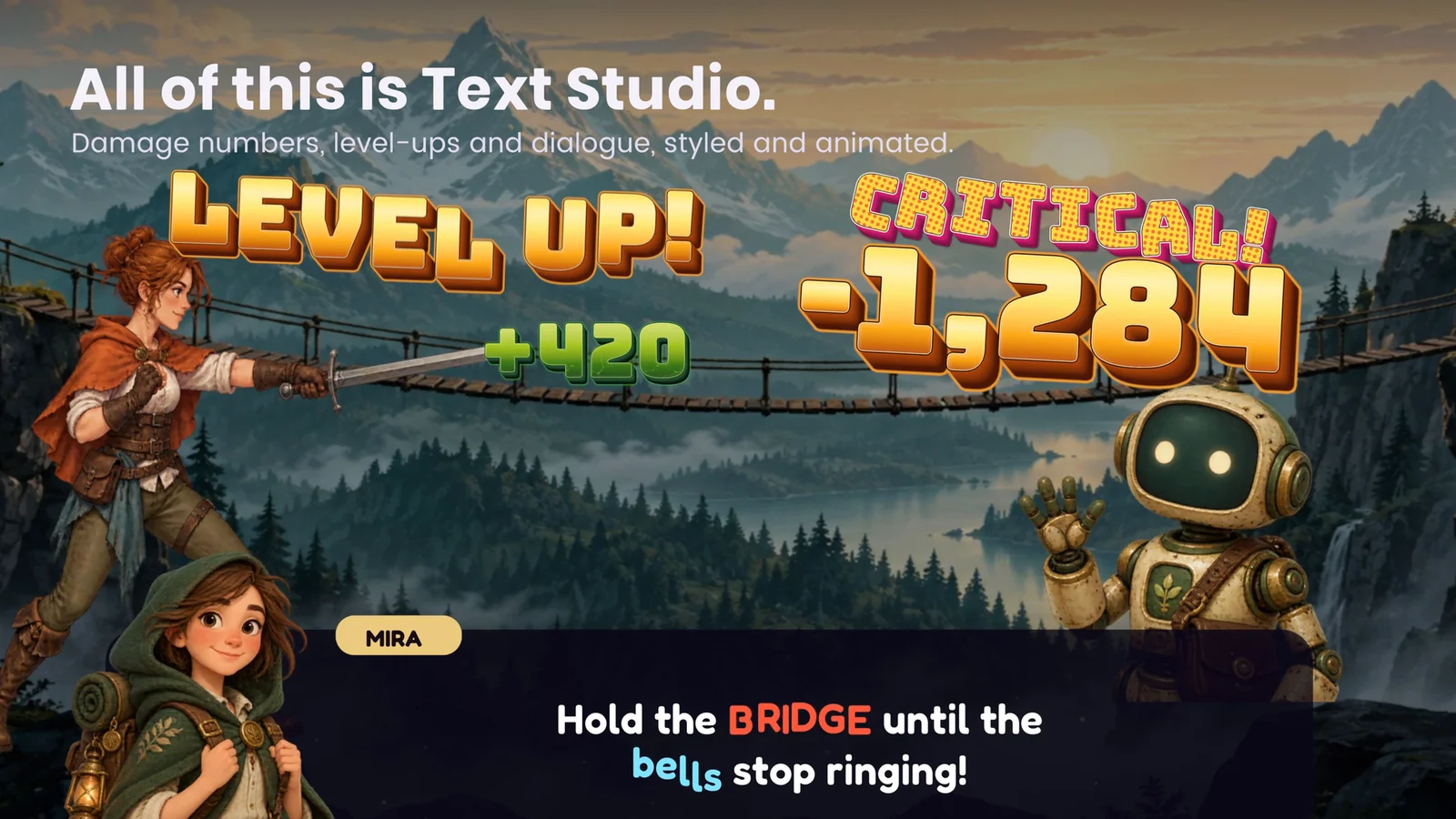 Damage numbers, level-ups and dialogue in one scene, all from the same system.
Accessibility from the first version
Animated text can make a game harder to play. Every Text Studio project and every text object can choose Full, Reduced or No Motion. Reduced Motion keeps the meaning while lowering travel, rotation, flashing and depth; No Motion keeps a stable, readable result. The Inspector warns when authored flashing can exceed three flashes per second. I wrote more about it in reduced motion and flashing text in games.
Filming the store video with the product itself
For the store film I set one rule: every word on screen is rendered by Text Studio, with the same tags a customer would write. The film renders offline through the camera at 4K without needing a visible Game view, and motion blur comes from averaging several renders per frame, because transparent text writes no depth, so URP’s camera motion blur cannot blur it. Whenever a look did not hold up on camera, I fixed it in the product instead of tuning it for the film. That rule cost time, and it also found real bugs before customers did.
What I would tell myself at the start
Build the lifecycle first and the effects second. Effects are the fun part, but the hard part is ownership: who decides when a glyph is visible, what happens when the text changes mid-reveal, how skip interacts with a wait, and what the renderer does when it rebuilds. Once that is right, every new effect, look and integration plugs into the same frame instead of fighting it.
If you want to see where that ended up, the effect gallery shows the effects as real animated output, and the use cases cover typewriters, damage numbers, curved text and more.
Frequently asked questions
Who makes Text Studio?
Robert Wetzold, publishing as Impossible Robert, who also makes Asset Inventory, a nominee for Best Development Tool at the 16th Unity Awards. Text Studio was released on the Unity Asset Store in August 2026.
Which text systems does Text Studio work with?
TextMeshPro in Canvas and world space, UI Toolkit labels, the legacy UI Text component and the optional UniText integration. The separate Text Studio 3D add-on turns the same tags into real 3D geometry.
Is Text Studio used in a released game?
Yes. Snowball Party, our mixed reality snowball fight for Meta Quest, uses Text Studio for lots of real-time 3D text.
What changed in Text Studio 1.3?
Mostly performance. Styled 2D text became much cheaper on phones and standalone headsets: in measured Quest 3 scenes, 200 labels with a fill, outline and shadow rendered about 18 times faster than before, and an eight-layer title on an Adreno 619 phone dropped from 649 to 42 ms of GPU time per frame.
Style and animate every word in Unity.
Keep reading
 Article
How we benchmark Unity text animation tools
Matched workloads, clean IL2CPP players, three repetitions and a fixed verdict rule. The October 2026 PC run in full: where Text Studio leads, where it ties and where UniText, uRocks and Damage Numbers Pro are faster.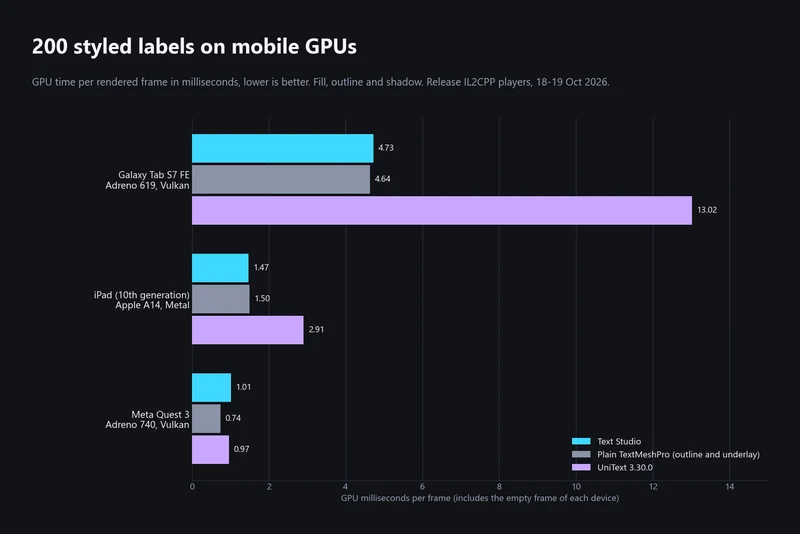 Article
Styled text on phones and Quest: what we measured
A reviewer found Text Studio 1.2 slow on phones. Here is what went wrong, what 1.3 and 1.4 changed, how styled labels now compare with TextMeshPro and UniText on a tablet, an iPad and Quest 3, and where mobile is still slower. Comparison