Typewriter timing that reads like speech
Why uniform typewriter speed reads robotic, where punctuation pauses belong, when to reveal by glyph, word or line, and how to let players skip without frustration.
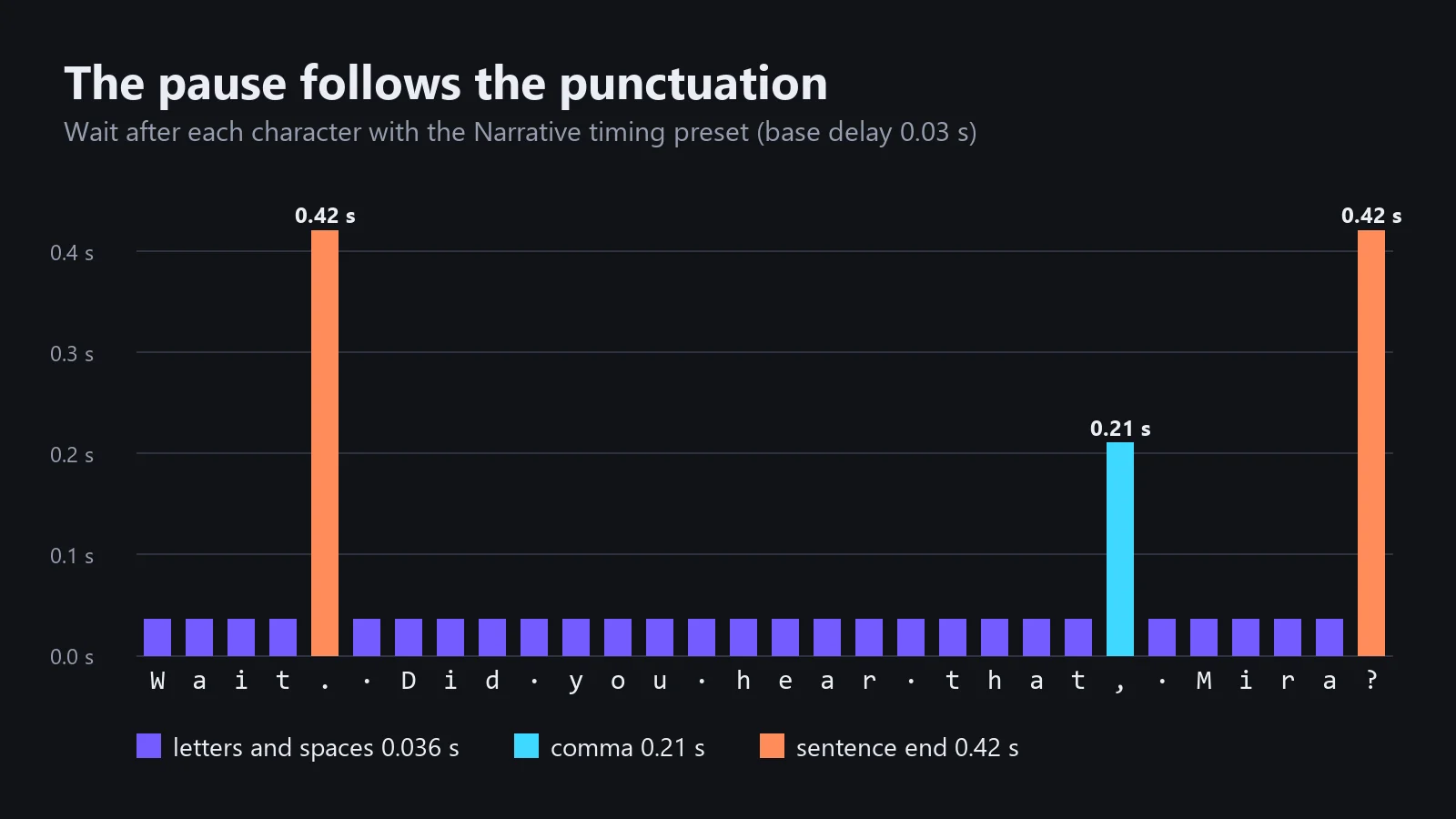
A typewriter effect is not about letters appearing one by one. It is about rhythm. People read in phrases and pause at punctuation, so text that ticks out at a perfectly uniform speed reads like a machine reading aloud. The fix is cheap: a handful of pauses in the right places, a sensible reveal unit, and skip behavior that respects players who read faster than your timing.
The numbers below come from Text Studio’s built-in timing presets, but the principles apply to any typewriter.
Pause after the mark, not before
The most natural pause comes right after a punctuation mark has appeared. The reader sees the period and gets a beat to finish the thought. Pausing before the mark, or adding the delay to the next letter, feels like a stutter instead.
Text Studio’s Narrative preset: a calm tick for letters, a short breath at the comma, a full beat at sentence ends.
Text Studio’s Character Timings asset is built around that idea. Its inspector says it plainly: “Each value is a wait after the visible text unit, so punctuation appears before its reading pause begins.” It separates long-pause characters (.!? by default) from medium-pause characters (,;:-), with their own delays.
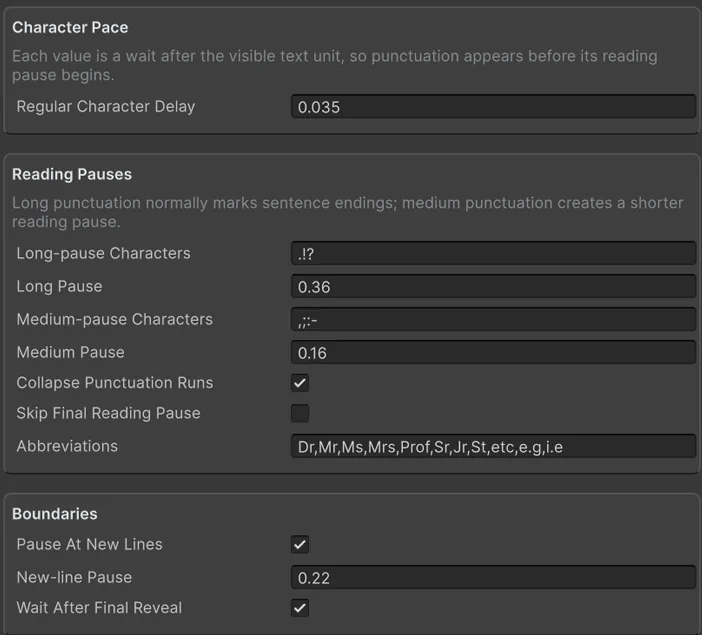 An example Character Timings asset: a regular delay, two reading pauses, and the rules that keep them honest.
Abbreviations, ellipses and the last word
Three details separate natural timing from naive punctuation pauses:
- Abbreviations. “Dr. Vale” should not get a sentence-ending pause after “Dr.” The Character Timings asset ships with an abbreviation list (
Dr, Mr, Ms, Mrs, Prof, Sr, Jr, St, etc, e.g, i.e) whose trailing period creates no pause. - Punctuation runs. An ellipsis or ”?!” should be one deliberate beat, not three stacked pauses. Collapse Punctuation Runs lets only the first mark in a run add the pause.
- The end of the line. A pause after the final period is time the player spends waiting for nothing. Skip Final Reading Pause and Wait After Final Reveal decide whether that trailing delay counts toward completion.
Text Studio’s manual suggests one test line for all three: “Dr. Vale… wait!” The abbreviation should not pause, and the ellipsis should create one intentional beat.
Glyph, word or line
The reveal unit changes how text reads more than the speed does.
- By Glyph suits dialogue and the classic typewriter look. Keep the per-character delay short and let punctuation carry the rhythm.
- By Word is easier to read at speed and works well for subtitles, narration and editorial text, because the eye never lands on half a word.
- By Line stages complete lines, which fits subtitles, chapter cards and credits.
- By Letter reveals shaped letter clusters together, so ligatures, combining marks and emoji sequences arrive as one unit instead of in broken pieces.
The presets as starting points
Text Studio’s timing presets show how much character a few multipliers create. Values are the wait after each unit at the default base delay of 0.03 seconds, which is a project setting:
| Timing | Letters | After a comma | After . ! ? | Notes |
|---|---|---|---|---|
| Uniform | 0.03 s | 0.03 s | 0.03 s | Constant, no pauses |
| Fast | 0.015 s | 0.015 s | 0.015 s | Action UI and notifications |
| Slow | 0.06 s | 0.06 s | 0.06 s | Room for voice and atmosphere |
| Narrative | 0.036 s | 0.21 s | 0.42 s | Calm dialogue box pacing; 0.12 s after ; : - |
| Expressive | 0.03 s | 0.30 s | 0.60 s | Stronger punctuation rhythm; 0.20 s after ; : - |
| Cinematic | 0.039 s | 0.45 s | 1.05 s | 0.12 s after every word, for staged scenes |
| Staccato | 0.0075 s | 0.0075 s | 0.0075 s | Clipped, terminal-style rhythm |
| By Word | 0 within a word | 0 | 0 | 0.30 s after each word, 0.36 s at new lines |
| Typist | 0.018 to 0.042 s | +0.09 s | +0.18 s | Random human jitter, occasional micro-pauses |
The 15+ typewriter presets combine a reveal unit, a timing and reveal and hide motion. A few examples:
- Dialogue Typewriter: by glyph with Narrative timing and subtle reveal and hide motion.
- Classic Typewriter: by glyph with Typist timing for the old mechanical feel.
- Word Fade and Word Pop: by word with By Word timing.
- Cinematic Line: by line with Cinematic timing, for subtitles and chapter cards.
- Low Motion: readable pacing with fade-only effects for motion-sensitive players.
- Instant Accessible: no timed reveal or transition effects at all.
Shape single moments in the text
Presets set the baseline; the dramatic beats belong in the line itself:
I opened the door.<wait seconds=.5> Nothing.<wait seconds=.35> Then <speed=2>everything happened at once.<instant>[SYSTEM]</instant> Connection lost.Use waits sparingly. A pause the player cannot skip is a pause they will resent the third time through.
Let the player set the pace
Skipping is part of timing. The pattern players expect:
- The first press completes the current line.
- The next press advances to the next line.
- Waits inside the line are skippable too.
Text Studio’s AdvanceOrSkip implements exactly this for continue buttons: it completes an active wait or reveal, turns a finished page, and returns true only when the owning dialogue system may advance. IsWaitingForAction and SkipCurrentWait handle timed and input waits. The manual’s test list is worth stealing for any typewriter: rapid repeated input, non-skippable custom actions, and a continue press during the very first frame of a new line.
The Game Accessibility Guidelines recommend letting players progress through text prompts at their own pace. In practice that means a text speed option with an instant setting, and no dialogue that advances on a timer the player cannot control.
Two clock details round it off. Dialogue in pause menus should run on unscaled time so it keeps typing while Time.timeScale is zero, and a maximum frame delta stops one long hitch from consuming a whole reveal at once. Text Studio exposes both.
Sound follows the same rhythm
Typing sounds and voice blips should follow the reveal, not run on their own timer. Tie them to revealed units, keep them quiet on spaces, and make sure a skip does not fire a burst of every remaining sound. In Text Studio, the Events and Sound and Character Voices samples connect reusable audio to the reveal while keeping dialogue flow separate from playback, and the Reveal Timing sample compares glyph, word and line pacing side by side. The dialogue use case covers voices, emotions and markers for portraits and cameras.
For the motion side of accessibility, see reduced motion and flashing text in games.
Frequently asked questions
How fast should a typewriter effect be?
There is no universal value. Text Studio's default base delay is 0.03 seconds per character, about 33 characters per second, and its presets range from a quarter to double that. Pauses at punctuation matter more for readability than the base speed, and a text speed option lets each player choose.
Should the pause come before or after a punctuation mark?
After. Show the period, then wait. Text Studio's Character Timings treat every value as a wait after the visible unit, so punctuation appears before its reading pause begins.
How do I stop the typewriter from pausing after Dr. or Mr.?
Use an abbreviation list. Text Studio's Character Timings asset ships with Dr, Mr, Ms, Mrs, Prof, Sr, Jr, St, etc, e.g and i.e, so their trailing period does not create a sentence pause, and it can collapse runs such as an ellipsis into one beat.
What should the continue button do while text is still typing?
Complete the current line on the first press and advance on the next. Text Studio's AdvanceOrSkip completes an active wait or reveal, turns a finished page, and only then reports that the dialogue system may move to the next line.
Style and animate every word in Unity.
Keep reading
 Use case
Typewriter effect for TextMeshPro and UI Toolkit
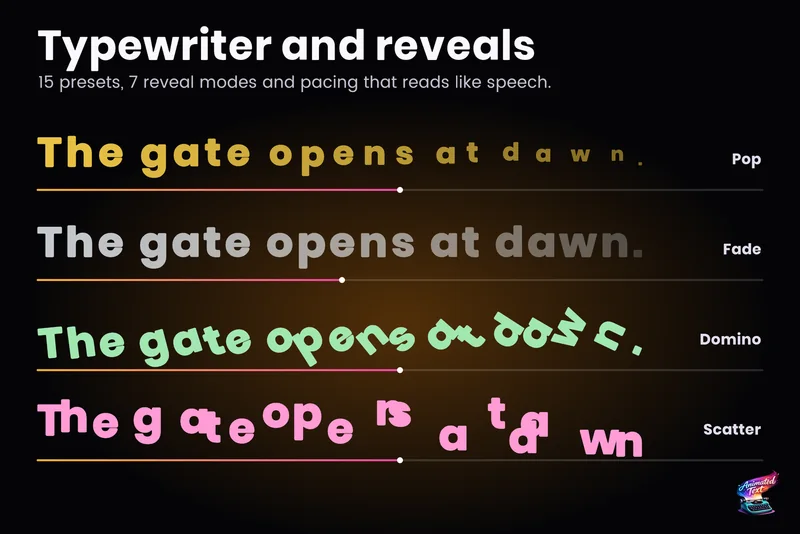
Reveal text by glyph, word or line with timing that understands punctuation, then add waits, skipping, sounds and events without writing a coroutine.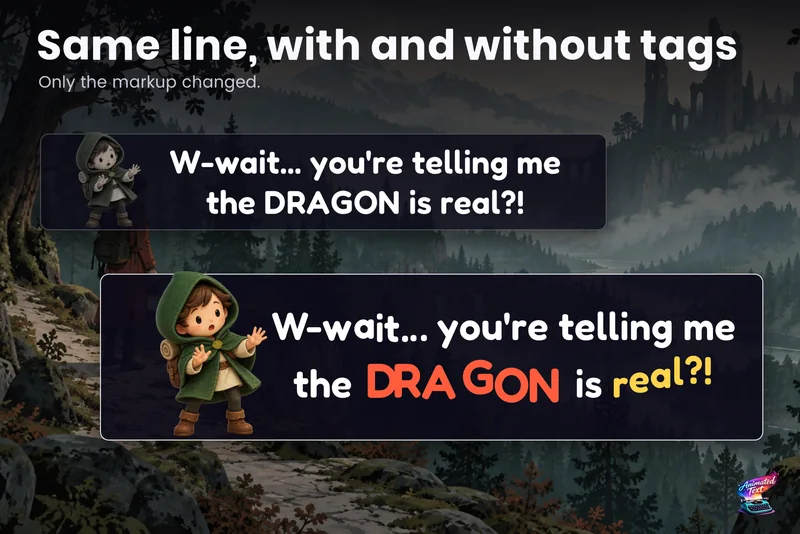 Use case
Dialogue text with typewriter, voice blips and emotion
Make a line sound nervous, excited or broken with a few tags, give each character a typing voice, and keep continue, skip, portraits and cameras in sync with the reveal. Article