Text Studio vs Super Text Mesh
Super Text Mesh is a dialogue-focused text renderer for Unity sold since 2016. How it compares with Text Studio on typewriter, voices, effects, text systems and price.

The facts below come from Super Text Mesh’s Asset Store listing, its itch.io page and its documentation, checked on 2026-11-11 at version 1.15.5.
At a glance
| Super Text Mesh | Text Studio | |
|---|---|---|
| Renderer | Its own component, with a 3D mode and a Unity UI mode | TextMeshPro, UI Toolkit Labels, legacy UI Text, UniText |
| Typewriter | Read delays, events | 15+ presets, punctuation-aware timing, waits, speed tags, input gates, skip and advance, pages |
| Voices and sound | Voices and audio per character | Audio sets with per-glyph rules, marker cues, pooling, cooldown and pitch control |
| Effects | Waves, jitters, draw animations, gradients, inline images | 40+ effects, Composed Effects, handwriting, text on paths |
| Looks | Outline and drop shadow through its Ultra shader, with URP versions since 1.15.0 | 60+ layered looks with outlines, glows, shadows, bevels and faux depth |
| Accessibility | A universal switch to turn animated effects off | Full, Reduced and No Motion policy with flash guidance |
| Right-to-left | Listed as future work | RTL flow; shaped scripts through UniText |
| Dialogue tools | Not covered in this review | Yarn Spinner, Ink, Naninovel, Dialogue System, Adventure Creator, Game Creator 2, PlayMaker and more |
| Price | US$95 per seat | US$38 |
| Track record | Since 2016, 63 reviews | Since August 2026, 10 reviews |
Where Super Text Mesh is stronger
- Ten years of dialogue focus. Super Text Mesh has shipped since 2016 and was designed around stylish dialogue from the start. Its voice and timing model is mature and well understood by its users.
- One component. Text, timing, voices and effects live in one component, which some teams find easier than a renderer plus an animation layer.
- An accessibility switch from early on. Its universal switch to disable animated text effects predates most of its competitors.
Where Text Studio is stronger
- No renderer swap. Text Studio keeps the TextMeshPro objects, fonts and materials a project already has, and covers UI Toolkit too. Super Text Mesh’s documentation does not mention TextMeshPro or UI Toolkit.
- Layouts that work in UI. Super Text Mesh’s docs warn that multi-line UI text in layout groups may not work as expected yet. Text Studio uses the layout of the text component it drives.
- Languages. Right-to-left and zero-space languages are future work for Super Text Mesh. Text Studio follows right-to-left flow, uses Unicode text segmentation and shapes complex scripts through its UniText integration.
- Text that changes while it types. Backspacing is on Super Text Mesh’s to-do list. Text Studio appends and replaces text while it reveals.
- More effects, looks and game text. 40+ effects, 60+ ready-made looks, handwriting, curved text and pooled damage numbers.
- Price. US$38 against US$95 per seat.
How to choose
- Starting a dialogue-heavy game and happy to adopt a new renderer? Super Text Mesh is a proven choice.
- Already on TextMeshPro or UI Toolkit, or using a dialogue tool such as Yarn Spinner or Ink? Text Studio fits without changing the renderer. See dialogue text with voices.
- Shipping in right-to-left languages? Text Studio with UniText today.
Sources, checked 2026-11-11: Super Text Mesh on the Asset Store, Super Text Mesh on itch.io and its documentation.
Frequently asked questions
Does Super Text Mesh use TextMeshPro?
No. Super Text Mesh is its own text component with a 3D mode and a Unity UI mode. Its documentation does not mention TextMeshPro or UI Toolkit. Text Studio builds on TextMeshPro and also supports UI Toolkit, legacy UI Text and UniText.
Which one is better for dialogue voices?
Both handle it. Super Text Mesh has voices and audio per character built into its component. Text Studio plays typing sounds through audio sets with per-glyph rules, marker cues, pooling and cooldowns, and keeps per-character sounds silent when a line is shown instantly.
Does Super Text Mesh support right-to-left text?
Its documentation lists right-to-left and zero-space languages as future work. Text Studio follows right-to-left flow and handles shaped scripts such as Arabic through its UniText integration.
Style and animate every word in Unity.
Keep reading
 Use case
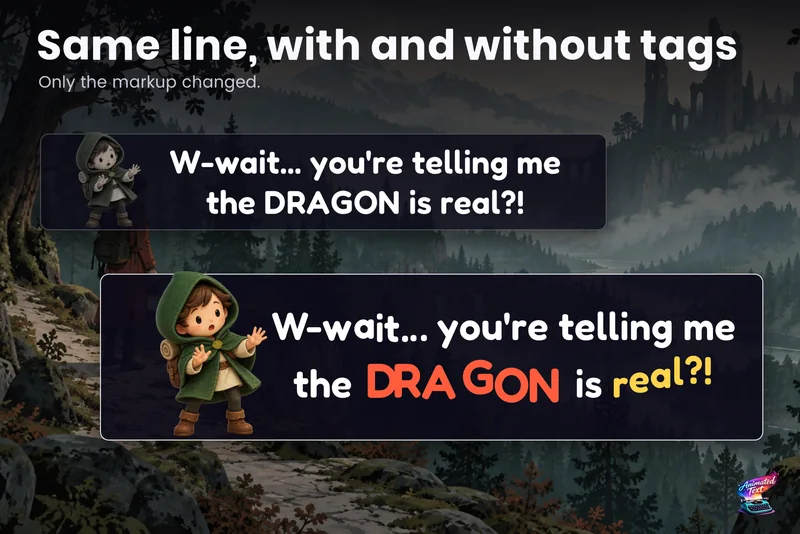
Dialogue text with typewriter, voice blips and emotion
Make a line sound nervous, excited or broken with a few tags, give each character a typing voice, and keep continue, skip, portraits and cameras in sync with the reveal. Comparison
Text Studio vs Text Animator for Unity
Text Animator 3 is mature, focused and supports Unity 2022.3. Text Studio covers more of the text job, from looks and damage numbers to paths and handwriting, costs less and converts Text Animator 3 markup. Use case