Text Studio vs Text Animator for Unity
Text Animator is the established text animation asset for Unity. How Text Studio compares on typewriter, effects, looks, UI Toolkit, integrations, speed and price.
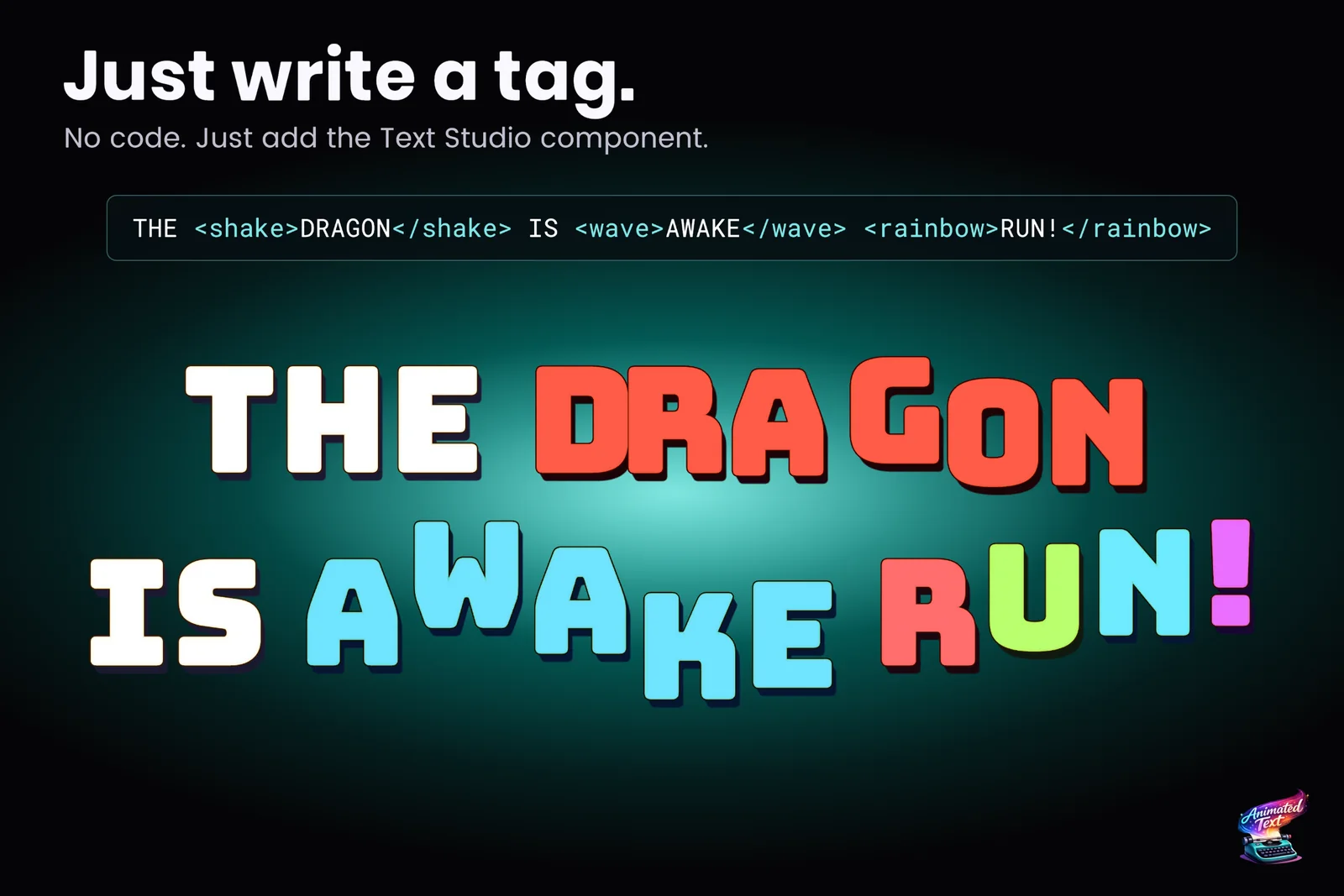
Both tools share the same core idea, and it is a good one: put effects into the text as tags, then let a typewriter reveal it with timing, events and sounds. Text Animator calls the phases appearance, persistent and disappearance; Text Studio calls them Reveal, Active and Hide. If you know one, you will feel at home in the other.
The facts about Text Animator below come from Febucci’s Asset Store listing, website and documentation, checked on 2026-11-11 at version 3.20.1.
At a glance
| Text Animator 3 | Text Studio | |
|---|---|---|
| Runs on | TextMeshPro UI and world text; UI Toolkit through its AnimatedLabel on Unity 6.3+ | TextMeshPro UI and world text, ordinary UI Toolkit Labels, legacy UI Text, UniText |
| Unity | 2022.3 or newer | 2023.2 or newer, including Unity 6.7 and 7 |
| Typewriter | Waits, input, events, sounds, skip and pause | 15+ presets, waits, speed tags, input gates, skip, sounds, events, pages |
| Tag effects | 15+ effects, custom effects, styles | 40+ effects, no-code Composed Effects, custom code effects |
| Styled looks | Not its focus | 60+ layered looks: fills, outlines, glows, shadows, bevels, faux depth |
| Text on paths | Not documented | Arc, circle, wave, grid, custom curves and Unity Splines |
| Damage numbers | Not documented | Pooled Text Emitters with stacking, merging and target following |
| Handwriting | Not documented | Pen-stroke Writing styles with lifts and pressure |
| Dialogue tools | Ink, Game Creator 2, Localization, Feel, Visual Scripting, Yarn Spinner, Dialogue System, Naninovel, Dialogue Sounds Toolkit | Yarn Spinner, Ink, Naninovel, Dialogue System, Adventure Creator, Game Creator 2, PlayMaker, Localization, Timeline, Visual Scripting, Splines and more |
| Reduced motion | Global toggles per animation category | Project-wide Full, Reduced and No Motion policy with flash guidance |
| Switch from another tool | Upgrade guides between its own versions | Converts Text Animator 3 and TMPEffects markup, guided Text Animator migration |
| Price | US$65 on the Asset Store; Professional and Enterprise licences sold directly from €250 a year | US$38 on the Asset Store |
| Track record | Verified Solution (2025), Unity Awards Best Artistic Tool (2023), 173 reviews | Released August 2026, 10 reviews, used in our own Meta Quest game Snowball Party |
Where Text Animator is stronger
Being fair matters in a comparison, so here is what Text Animator does better:
- Track record. Its listing says it was chosen by Dredge, Cult of the Lamb and more than 20,000 developers. It is a Unity Verified Solution and won Best Artistic Tool at the 2023 Unity Awards. Text Studio launched in August 2026, and ten reviews are not 173.
- Unity 2022.3 support. Text Animator runs on Unity 2022.3. Text Studio needs 2023.2 or newer, which rules it out for projects that cannot move.
- A focused mental model. Text Animator does animation and does it well. Teams that only want animated letters may prefer a smaller tool to learn.
- Partner support. Yarn Spinner and Pixel Crushers maintain Text Animator support on their side, and Febucci documents Feel and Dialogue Sounds Toolkit integrations that Text Studio does not have.
- Licences for larger teams. Professional and Enterprise licences are available directly from Febucci, and Febucci also makes a Text Animator for Unreal for studios working in both engines.
If those points describe your project, Text Animator is a sensible choice.
Where Text Studio is stronger
- More of the text job in one tool. Besides animation, Text Studio brings 60+ ready-made looks with outlines, glows, bevels and depth, pooled damage numbers, text on arcs, circles and splines, and real handwriting. With Text Animator those jobs need other assets or your own code. See outlines, glows and bevels and damage numbers.
- More effects. 40+ built-in effects against Text Animator’s 15+, plus Composed Effects that stack layers, curves and timing without code. The Text Gallery plays every one of them.
- More text systems. Text Studio animates ordinary UI Toolkit Labels, from Unity 2023.2 with reveal and events and from Unity 6.2 with per-letter effects, including the Advanced Text Generator that is the default in Unity 6.5. Febucci’s docs say plain Labels and Buttons cannot be animated yet and require its AnimatedLabel, and its changelog lists the Unity 6.5 text system as a known issue with a fix in progress. Text Studio also covers legacy UI Text and UniText.
- Text that changes while it types. Febucci lists replacing parts of the text during typing as unsupported. Text Studio appends and replaces text while it reveals, which matters for chat logs, live HUDs and dialogue that reacts to the player.
- Price. US$38 against US$65 on the Asset Store.
- Measured speed. In our complete October 2026 lab run against Text Animator 3.20.1, Text Studio needed 0.50 ms of main-thread time against 1.95 ms for a reveal-and-hide cycle of 128 labels, 0.51 against 28.66 for restarting and skipping them, and 1.30 against 2.28 for 200 animated labels. Text Animator won two verdicts, among them GPU time with 200 active labels (0.54 ms against 1.40). The benchmark article describes the method and lists every row, and the Performance page shows the qualified results.
Moving from Text Animator
Open Tools > Text Studio > Setup > Migration to compare Text Animator markup with Text Studio output, then run the guided Text Animator migration for components, typewriter sounds and events, typing speeds, playbacks and style aliases. It is built for Text Animator 3 projects and works additively, so nothing is removed until you choose to. The migration guide walks through it, and the manual’s migration page lists what needs manual work.
If you still use Text Animator 2.x, Febucci’s own upgrade page keeps 2.x on long-term support and recommends 3.x only for new projects. The same advice applies to a switch: move during a new project or a planned refactor, not two weeks before release.
How to choose
- Locked to Unity 2022.3? Choose Text Animator, or plan the Unity upgrade first.
- Only need animated letters in TextMeshPro? Both work; Text Animator has the longer track record, Text Studio the lower price and the larger effect catalog.
- Need looks, damage numbers, paths, UI Toolkit Labels or legacy UI Text as well? Text Studio covers them in the same workflow.
- Already on Text Animator 3 and hitting its limits? The guided migration is the shortest way to try Text Studio on your real content.
Sources, checked 2026-11-11: Text Animator on the Asset Store, Febucci’s Text Animator site and its documentation, including the 2.x to 3.x upgrade page.
Frequently asked questions
Is Text Studio a drop-in replacement for Text Animator?
Not literally. The Migration window converts supported Text Animator 3 markup and the guided migration adds Text Studio next to existing texts, sounds, events, typing speeds and playbacks. Custom C# effects, scripts that call the Text Animator API and typed listeners need manual adaptation.
Does Text Studio support Unity 2022.3?
No. Text Studio needs Unity 2023.2 or newer. Text Animator 3 supports Unity 2022.3, so projects that must stay on 2022.3 are better served by Text Animator or by upgrading Unity first.
Can both tools live in one project during a migration?
Yes. The guided migration is additive and leaves Text Animator components and assets in place. Keep the old and the new component off the same final text object, compare the results, then follow the removal checklist.
Which one is faster?
In our complete October 2026 lab run, Text Studio needed less main-thread time than Text Animator in nearly every matched workload, for example 0.50 ms against 1.95 ms for a reveal-and-hide cycle of 128 labels. Text Animator won two verdicts, including GPU time with 200 active labels. The benchmark article lists the method and every row.
Style and animate every word in Unity.
Keep reading
 Use case
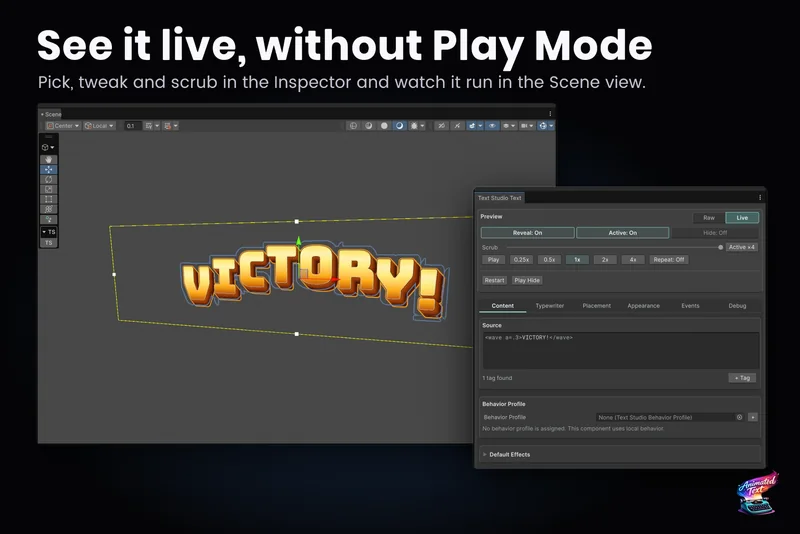
Move a project from Text Animator to Text Studio
The guided migration checks your project, converts texts, typewriter sounds, events, typing speed, playbacks and style aliases one step at a time, explains what needs you, and never edits or deletes Text Animator itself.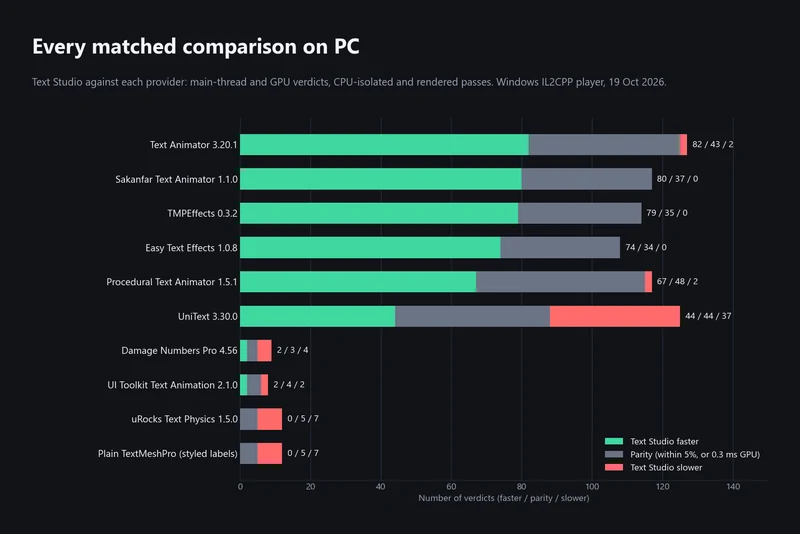 Article
How we benchmark Unity text animation tools
Matched workloads, clean IL2CPP players, three repetitions and a fixed verdict rule. The October 2026 PC run in full: where Text Studio leads, where it ties and where UniText, uRocks and Damage Numbers Pro are faster. Comparison