Text Studio vs TMPEffects and other free tools
TMPEffects and Easy Text Effects animate TextMeshPro for free. When a free text animator is enough, and when typewriter timing, looks and UI Toolkit need Text Studio.
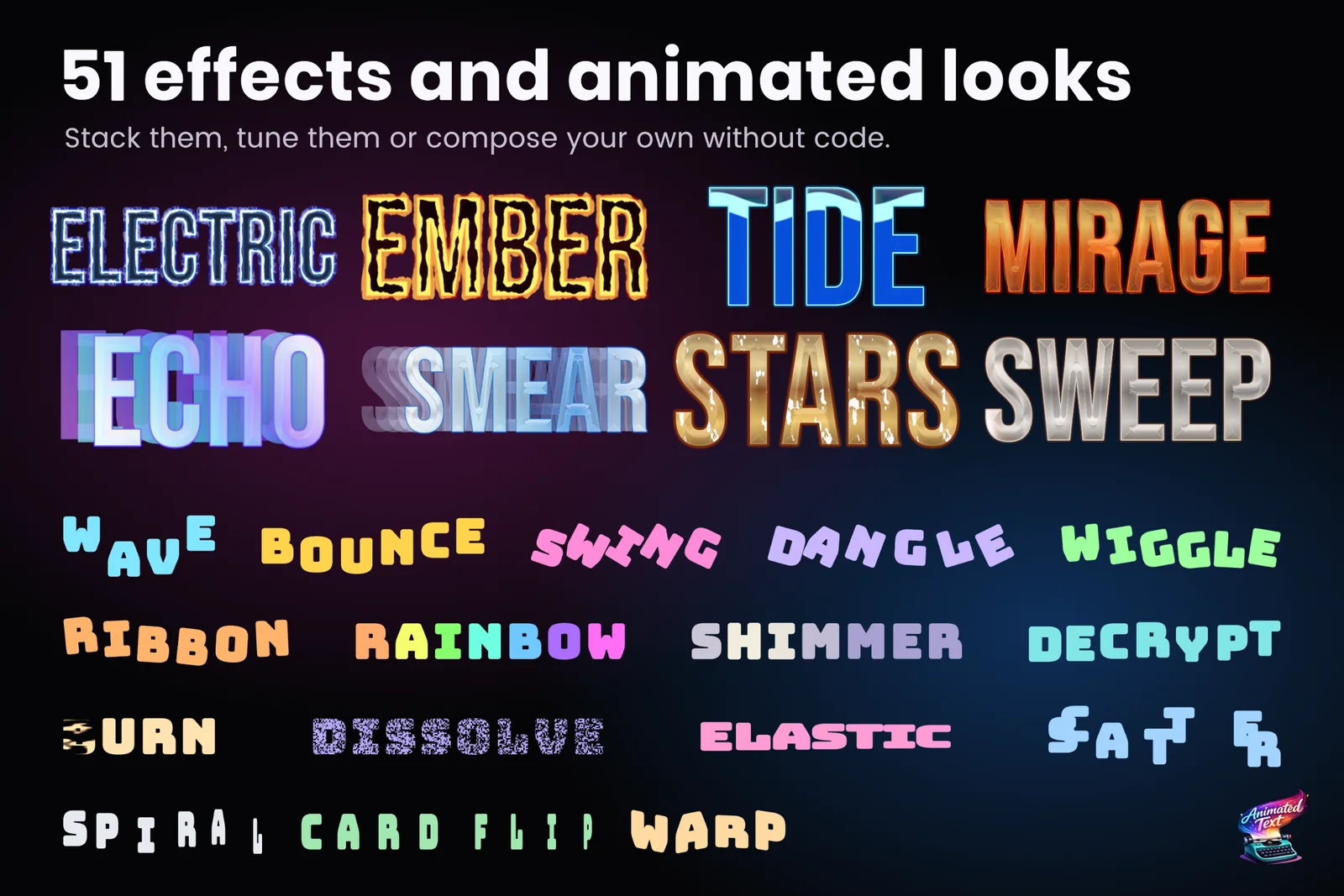
Free tools are a fair starting point, and many teams never need more. The facts below come from both projects’ GitHub repositories, checked on 2026-11-11.
At a glance
| TMPEffects | Easy Text Effects | Text Studio | |
|---|---|---|---|
| Licence and price | MIT, free | MIT, free | US$38 on the Asset Store |
| Version and activity | Package 0.3.2, last commit June 5, 2026 | Last push March 12, 2026; README asks for maintainers | 1.4, updated every few weeks |
| Adoption | 809 GitHub stars | 1,083 GitHub stars | 10 Asset Store reviews, 4.7 average |
| Text systems | TextMeshPro | TextMeshPro | TextMeshPro, UI Toolkit Labels, legacy UI Text, UniText |
| Typewriter | TMPWriter with commands and events at character positions | Not its focus | 15+ presets, punctuation-aware timing, waits, input gates, skip and advance, sounds |
| Effects | Tag animations, show and hide sequences, custom animation API | Tag effects with Edit Mode preview | 40+ effects, Composed Effects, handwriting, text on paths |
| Looks | Not included | Not included | 60+ layered looks |
| Integrations | Timeline, Yarn Spinner | Not documented | Yarn Spinner, Ink, Naninovel, Dialogue System, Adventure Creator, Game Creator 2, PlayMaker, Localization, Timeline and more |
| Unity | 2021.3 or newer | Not covered in this review | 2023.2 or newer |
Where the free tools are stronger
- Price and source. Free, MIT licensed and readable end to end. For learning how text animation works, reading their source is worth an afternoon.
- Timeline authoring. TMPEffects lets you author animations as Timeline tracks and clips and convert between Timeline and its animation assets. It is the strongest Timeline workflow we reviewed.
- Older Unity versions. TMPEffects supports Unity 2021.3; Text Studio needs 2023.2.
- Small scope. One effect on one label needs no larger system.
Where Text Studio is stronger
- Dialogue timing. Punctuation-aware typewriter presets, waits and speed tags in the text, input gates, skip and advance and typing sounds. See the typewriter guide.
- Everything beyond animation. 60+ looks, pooled damage numbers, curved text and handwriting.
- More text systems. UI Toolkit, legacy UI Text and UniText as well as TextMeshPro.
- Maintenance and support. Regular releases, a manual, 30+ example scenes and support through Discord and email. Easy Text Effects’ README is looking for maintainers.
- Measured speed. In our October 2026 lab run, TMPEffects 0.3.2 needed several times the main-thread time of Text Studio in every matched workload, for example 7.16 ms against 0.50 for a reveal-and-hide cycle of 128 labels and 6.01 against 1.30 for 200 animated labels, and Text Studio lost no verdict against TMPEffects or Easy Text Effects. The benchmark article lists the method and every row.
Moving from TMPEffects
Text Studio’s compatibility front end recognizes a bounded, safe subset of TMPEffects 0.3.2 syntax and converts it into Text Studio markup before parsing. Unknown tags stay visible and produce diagnostics with the exact source range, and conversions are marked as approximate where units differ. Open Tools > Text Studio > Setup > Migration to compare TMPEffects markup with the converted output before applying it with Undo. The manual’s migration page has the details.
How to choose
- A few effects, no budget, comfortable with source code? Start with TMPEffects or Easy Text Effects.
- Cutscenes authored in Timeline? TMPEffects’ Timeline tracks are excellent; Text Studio’s Timeline integration covers reveal clips, blended effects and markers. See text animation in Timeline.
- Dialogue, looks, UI Toolkit or many kinds of game text? Text Studio.
Sources, checked 2026-11-11: TMPEffects on GitHub, Easy Text Effects on GitHub.
Frequently asked questions
Is TMPEffects really free for commercial games?
Yes. TMPEffects is published under the MIT licence on GitHub, as is Easy Text Effects. Keep the licence notice with your copy of the code.
Can I convert TMPEffects markup to Text Studio?
Yes, for a safe subset. Text Studio's syntax compatibility converts defensible TMPEffects animations, show and hide ranges, writer waits and routed events into Text Studio markup, and reports unknown tags with diagnostics instead of dropping them.
Do the free tools support UI Toolkit?
Both README files name TextMeshPro only. Text Studio animates UI Toolkit Labels, legacy UI Text and UniText as well as TextMeshPro.
Style and animate every word in Unity.
Keep reading
 Comparison
Text Studio vs TextMeshPro and your own scripts
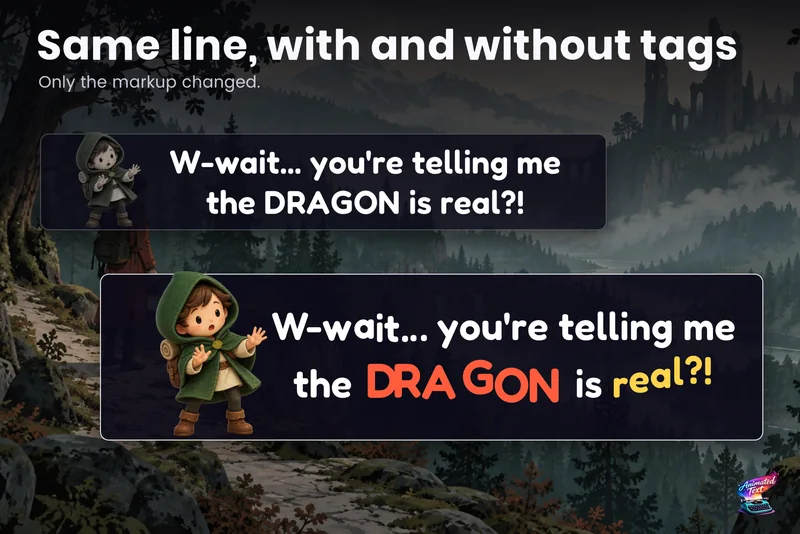
TextMeshPro renders beautiful text and leaves animation to your code. A short script covers one typewriter or one wobble; timing, skipping, sounds, stacked effects, UI Toolkit and looks are where a tool saves weeks. Use case
Wave, shake and rainbow text with tags
Wrap a word in <wave> or <shake> and it moves, in the Inspector and in the build. 40+ effects, named parameters, nesting, reusable Composed Effects and your own project tags.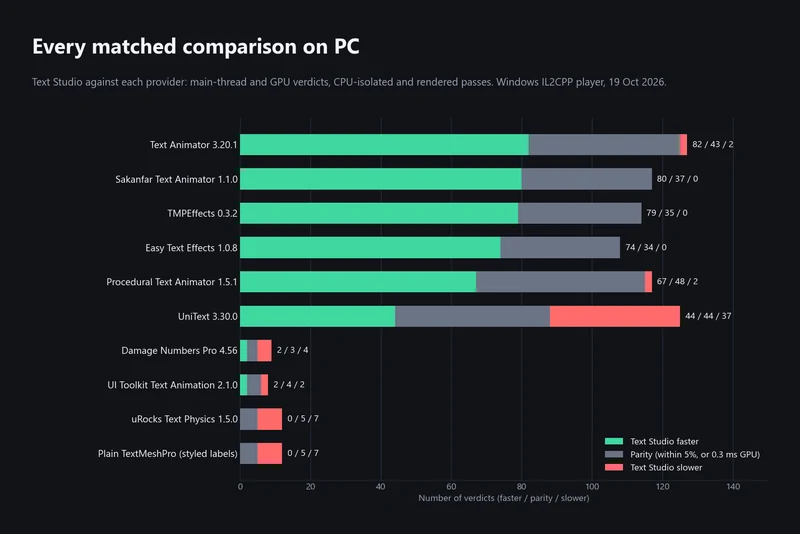 Article