Animated text in every language, including right-to-left
Keep text animation working in every language: Unity Localization strings with Text Studio tags, locale switches that replay the reveal, and Arabic or Hebrew through UniText.
The English line reads “Hold the
Text Studio is built so that the animation follows meaning, not positions. With a few habits and the right integrations, the same tags, reveals and effects work in every language you ship.
Tag phrases, not positions
The most important habit costs nothing: keep effect tags around semantic phrases. A tag wraps the word that matters, the translator moves it to the matching word in their language, and the effect follows. Text Studio applies each effect to whatever its tag wraps after the text is resolved, so the translated phrase gets the same treatment without any index bookkeeping.
Under the hood, Text Studio segments text the way people read it. It uses Unicode 18 text segmentation, so emoji sequences, combining marks and Indic conjuncts stay intact through markup, reveal and text replacement, and a typewriter reveals whole characters rather than pieces of them.
Unity Localization
The Unity Localization integration routes localized strings into Text Studio while Unity Localization keeps doing its own job:
- Install
com.unity.localization1.0.0 or newer and import the Text Studio Unity Localization integration from Tools > Text Studio > Integrations. - Choose Add Component > Text Studio > Integrations > Unity Localization > Localize String (
TextStudioLocalizeString) on the object with yourTextStudioText, or on a separate object that targets it. - Assign the
LocalizedString. Text Studio markup inside the localized value is applied like any other source text. - Enable Use Show Text if a locale change should replay the reveal. Each change then calls
ShowText, which sets the text and starts the reveal; otherwiseSetTextupdates it in place.
OnLocalizedTextApplied fires after each string arrives, which is a good place to resize a panel or log missing translations. The Locale Switcher component cycles through project locales or an ordered list of your own for testing.
Unity Localization still owns everything that is about language: locales, string and asset tables, Smart Strings, fallback behavior, pseudo-localization and CSV, XLIFF or Google Sheets workflows. Text Studio does not repair invalid tags in a translation, so check each locale in the preview.
The Localized Captions sample
The integration ships Localized Captions.unity, a mountain traversal lesson with native English, German and Japanese short and long captions. It includes the Noto Sans JP font with its license and a TextMeshPro atlas for the authored captions, plus a caption that exists only in English to demonstrate fallback. Buttons switch the language and replay the reveal, and a toggle switches between revealing each change and showing it immediately.
On Unity 6 with Localization 1.5 or newer, the scene also shows a UI Toolkit route: a hidden Label carries Unity’s native LocalizedString binding, and a visible Label with a Text Studio binding presents it. Localization owns the content and Text Studio owns the presentation.
Right-to-left and shaped scripts with UniText
Arabic, Hebrew and other complex scripts need shaping: letters change form and join, lines mix directions, and one source character is not always one visible glyph. TextMeshPro on its own does not join Arabic letters. For these scripts, Text Studio works with UniText, a complete text engine with HarfBuzz shaping.
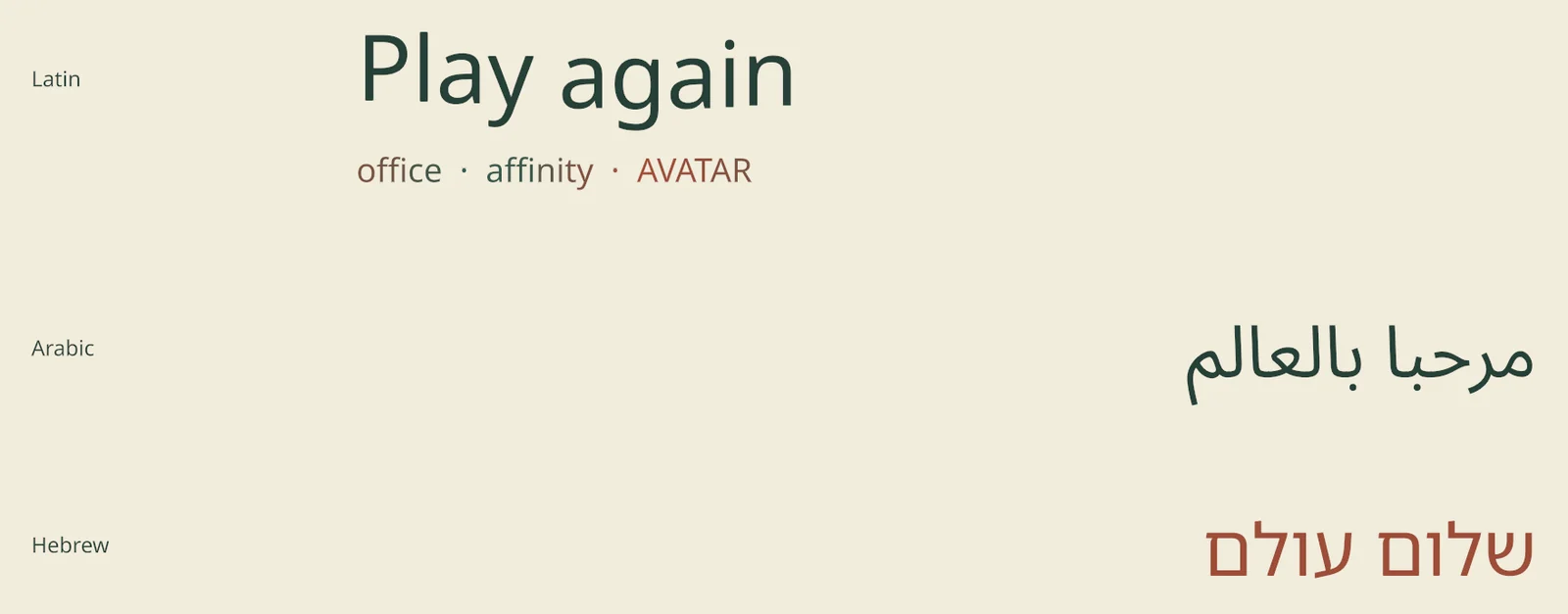
Latin, Arabic and Hebrew lettering shaped by UniText and presented by Text Studio.
The division of work is clear:
- UniText owns shaping, fallback faces, bidirectional order, glyph geometry and its native styling.
- Text Studio owns markup, reveal, effects, placement and presentation, applied to the shaped glyphs.
The integration supports UniText Open Source 1.x and UniText Folio 3.42 or newer. Import it once from the Integrations window, select a UniText or UniTextWorld object and use Configure Selected on the UniText card. The Folio samples include Multilingual Lettering with native Latin, Arabic and Hebrew shaping and Text Studio animation, using bundled Noto Sans, Noto Sans Arabic and Noto Sans Hebrew fonts under the SIL Open Font License, so you do not need UniText’s own vendor examples. The UniText comparison explains when to use the two together.
For plain TextMeshPro text, Text Studio follows TextMeshPro’s right-to-left flow; for joined letters and lines that mix directions, use UniText. Test the exact edition and fonts you ship: the two UniText editions are separate qualification targets.
Fonts and prepared characters
Animated looks with layered outlines and depth use prepared font data. If a styled title changes language, or a counter shows digits in another script, add those characters under Tools > Text Studio > Runtime Preparation. Characters shown at runtime accepts digit, Latin, punctuation and other character sets plus whole phrases, so text that changes while playing still renders with its look. Plain effects and the typewriter need no preparation.
A localization checklist for animated text
The Common Game Scenarios chapter recommends a short routine before shipping:
- Switch repeatedly between locales and check that reveals restart the way you intended.
- Test missing tables, missing entries, Smart String output and fallback fonts.
- Read the longest translation at the narrowest layout, with pages and wrapping.
- Check Arabic or Hebrew layout with the edition and fonts you ship.
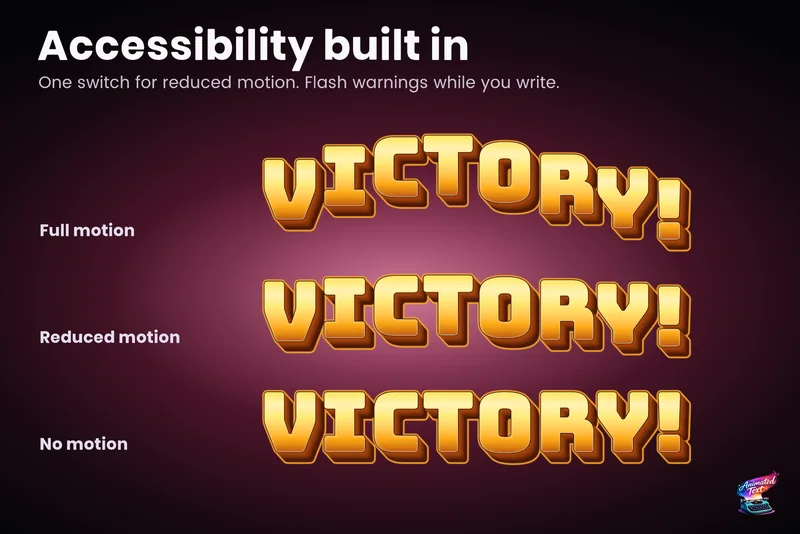
- Run Reduced Motion in every locale, so the calm version reads well everywhere.
Captions and subtitles have their own considerations, from reading speed to speaker labels; the subtitles guide covers them.
Frequently asked questions
Do Text Studio tags survive translation?
Yes. Tags are part of the localized string, so translators can keep or adapt the emphasis for each locale. Every locale must contain valid markup, so wrap tags around whole phrases rather than single letters, and check translations in the preview.
Does Text Studio support Arabic and Hebrew?
Yes, through the UniText integration. UniText shapes the text, joins Arabic letters and orders bidirectional lines, and Text Studio animates the shaped result. TextMeshPro on its own does not join Arabic letters, so use UniText for shaped scripts.
Does the reveal restart when the player changes language?
If you want it to. On the Localize String component, Use Show Text makes each locale change call ShowText, which sets the new text and starts the reveal. Without it, the new text appears in place.
Which Unity Localization version do I need?
com.unity.localization 1.0.0 or newer. The native UI Toolkit Label binding in the Localized Captions sample needs Unity 6 and Localization 1.5 or newer.
Style and animate every word in Unity.
Keep reading
 Use case
Accessible subtitles and captions
Subtitles exist to be read. Text Studio paces them by word or line, highlights key phrases without moving them, respects motion preferences and keeps every wait skippable. Comparison
Text Studio and UniText
UniText is a complete text engine with HarfBuzz shaping, bidirectional text and its own styles and animation. Text Studio animates and styles the text systems you have, including UniText through an optional integration.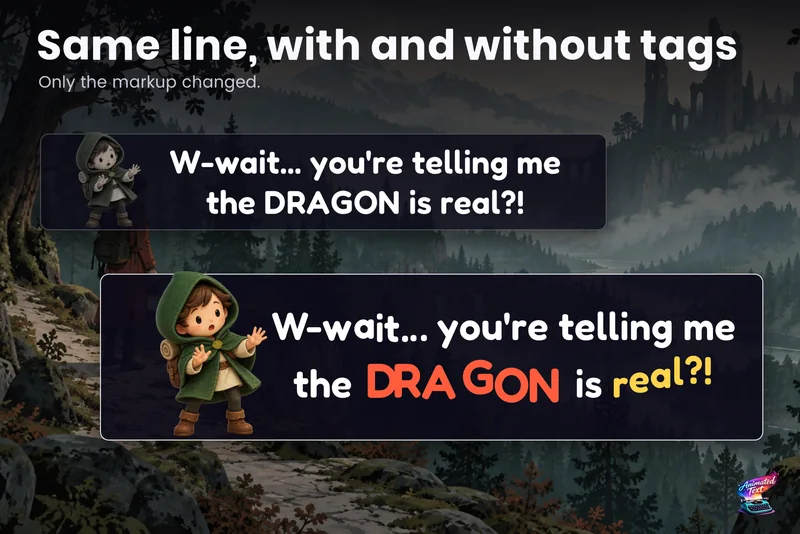 Use case