Text animation in Timeline cutscenes
Animate text in Unity Timeline: reveal tracks with curves, effect tracks that blend Composed Effects, and control markers, with scrubbing in Edit Mode and exact seeking.
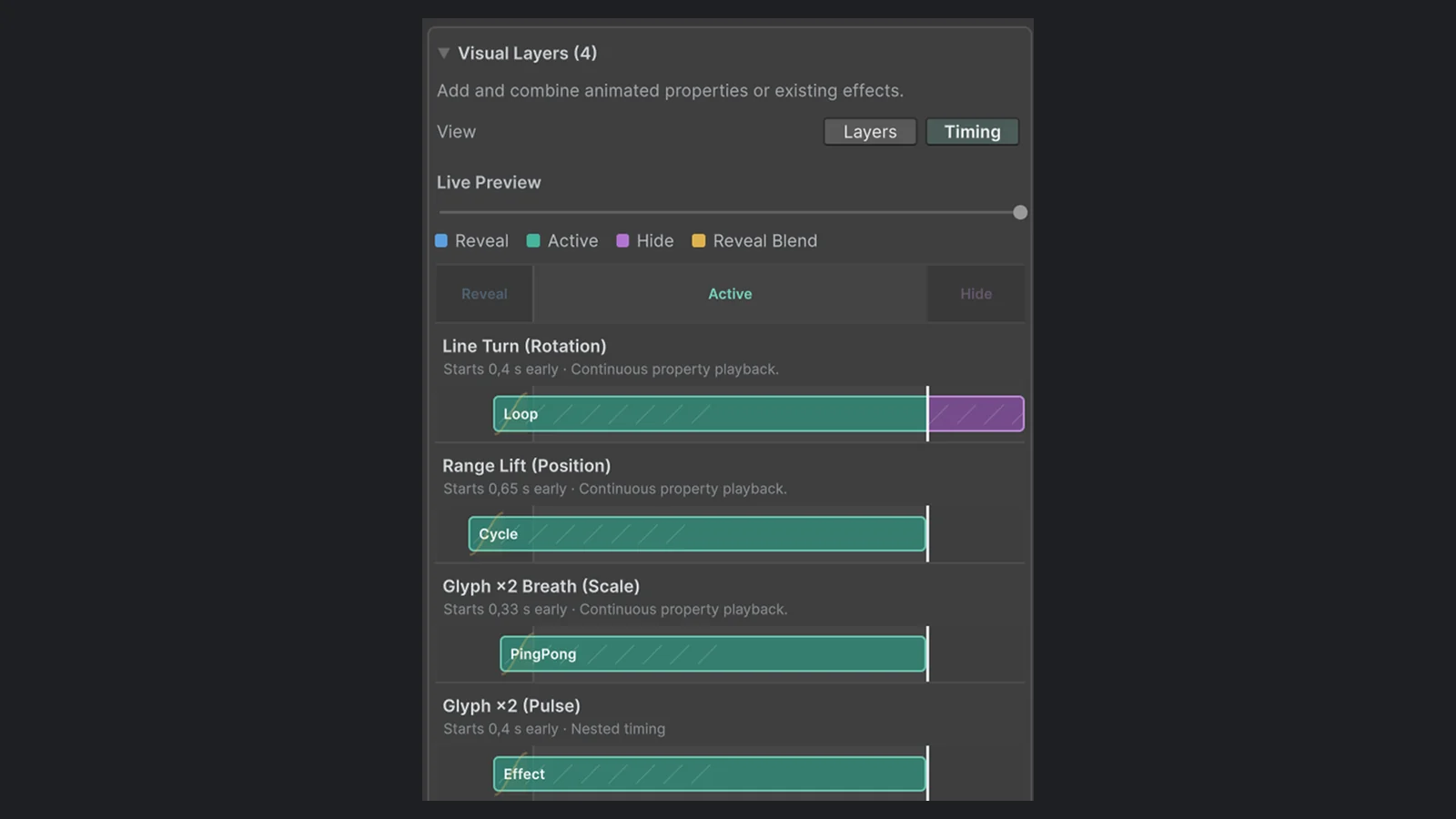
The opening title should type in on the second drum hit, the subtitle should hold until the camera cut, and the tagline should shimmer once while the music swells. In gameplay, code decides when text appears. In a cutscene, time decides, and time lives in Unity’s Timeline.
Text Studio adds its own Timeline tracks, so text reveals and effects sit on the same timeline as the camera, the animation and the audio. You scrub them together, see them together, and change their timing by dragging clips instead of editing numbers in code.
What you get in Timeline
Three building blocks cover most sequences:
- Text Reveal Track with Text Reveal Clips. A clip can set the text to display, or keep the text already on the component, and carries a reveal curve where X is normalized clip time and Y is reveal progress. Auto Skip On End completes the reveal when forward playback reaches the end of the clip.
- Text Effect Track with Text Effect Clips. A clip applies an effect or a Composed Effect with an intensity curve over its duration, either to the whole text or to a semantic range. The range uses an exclusive end, and
..means all text. - Text Studio Control markers. One-shot commands at a point in time, received by a
TextStudioTimelineReceiveron the bound object.
The control markers cover the whole text lifecycle: Show Text, Show Text Instant, Clear Text, Start Reveal, Continue Reveal, Pause Reveal, Resume Reveal, Skip Current Wait, Skip Reveal, Stop Reveal, Set Reveal Speed, Set Reveal Progress, Drive Reveal Progress, Trigger Remaining Events, Start Disappear, Skip Disappear, Stop Disappear and Restart Effects. Each marker can fire when playback starts after it, fire only once per graph, and run in Edit Mode if you allow it. Ordinary markup effects keep running underneath, so a wave tag in the text still waves while a Timeline clip reveals it.
Set it up
- Install
com.unity.timeline1.7.0 or newer. The Timeline adapter in the base product activates by itself. - Optionally import the Timeline integration from Tools > Text Studio > Integrations to get the Relay Ridge sample.
- Add a Text Reveal Track and a Text Effect Track to your Timeline and bind both to the text.
- Assign Composed Effects to the effect clips, shape the reveal curves, and add Text Studio Control markers where the sequence needs a command.
- Add a
TextStudioTimelineReceiverto the bound object so the markers arrive.
For a Composed Effect you already like, there is a shortcut: select it and choose Assets > Create > Text Studio > Animation > Timeline From Composed Effect. You get a saved Timeline with one effect track that references the composition; bind it and you are done. In the clip Inspector, Open Composition edits the shared asset, and Create Variant makes an independent copy while keeping the clip settings.
How overlaps, pauses and seeking behave
Cutscenes are scrubbed, paused, skipped and replayed constantly while you edit them, so the behavior has to be predictable:
- Overlapping reveal clips resolve through one deterministic track mixer, and clip and track weights apply to effects.
- Pausing the director keeps the sampled reveal and effect state exactly where it is.
- Seeking and reverse playback sample the text at the playhead. A reveal completes only after genuine forward playback, so scrubbing backwards or pausing next to a clip never snaps the text to its end.
- While a reveal track owns the clock, the text’s own timed reveal pauses, but its effects keep evaluating. When the clip ends or the binding changes, ownership returns to the text.
Seeded effects such as Scramble and Glitch produce the same frames at the same time on every pass, which keeps reviews consistent.
Preview in Edit Mode
Select the director and open Window > Sequencing > Timeline, then enable Preview. The Timeline transport and the playhead drive the bound text, reveal curves and effect blends without entering Play Mode. Control markers that change other scene objects run only in Play Mode, which keeps the saved scene unchanged while you scrub; turn on the marker’s Edit Mode option when a command is safe to preview.
The Relay Ridge sample
The Timeline integration ships Relay Ridge.unity, a complete title sequence. Reveal and effect tracks bind directly to the headline, timing rows in the scene show the saved clips, their overlaps and the control markers, and a relay accent lights when its marker arrives. A warm-highlight variation adds shimmer to the drift effect. In Play Mode, the Game view has Play, Restart and a scrubber; Restart creates a fresh graph so one-shot markers fire again. Move a clip or marker in Timeline and the timing rows update to match.
Where Timeline ends and Text Studio begins
Timeline stays responsible for the PlayableDirector, bindings, clip sequencing, audio and animation tracks, and signals outside the Text Studio receiver. Text Studio evaluates only its own tracks, clips and markers and the text they bind to. When gameplay rather than authored time should decide what happens, for example a line that waits for the player, use the component API or a dialogue integration instead. The Timeline section of the manual lists the full coverage.
Common uses
- Title sequences and credits: reveal curves timed to music, effect clips for one-off accents.
- Subtitles in cutscenes: reveal by word with markers for speaker changes; the subtitles guide covers readability and Reduced Motion.
- Lyrics and karaoke in music sequences: a Color Sweep on an effect clip next to the audio track; see the karaoke guide.
- Tutorial callouts: a marker shows the text, an effect clip pulses it, and a second marker hides it when the step ends.
Frequently asked questions
Which Timeline version do I need?
Unity Timeline 1.7.0 or newer. The Text Studio Timeline adapter is part of the base product and activates automatically when the Timeline package is present. The optional integration package adds the Relay Ridge sample.
Can I scrub text animation in Edit Mode?
Yes. Enable Preview in the Timeline window and drag the playhead: the bound text, reveal curves and effect blends follow it. Control markers that change other scene objects run only in Play Mode unless you allow them outside it.
What happens when two reveal clips overlap?
One deterministic track mixer resolves the overlap, and clip and track weights apply to effects. A reveal only completes after real forward playback, so pausing, seeking backwards or scrubbing never forces the text to its end.
Can I reuse a Composed Effect in Timeline?
Yes. Select it and choose Assets > Create > Text Studio > Animation > Timeline From Composed Effect. Clips can open the shared composition or create an independent variant that keeps the clip settings.
Style and animate every word in Unity.
Keep reading
 Use case
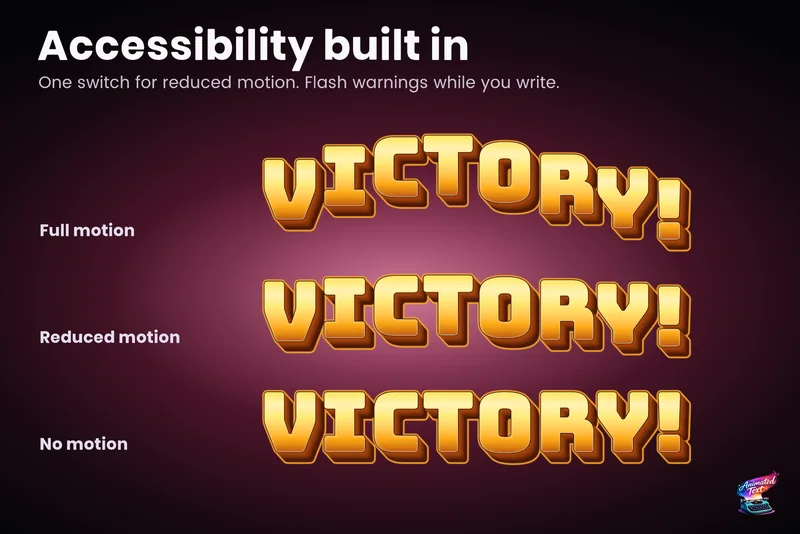
Accessible subtitles and captions
Subtitles exist to be read. Text Studio paces them by word or line, highlights key phrases without moving them, respects motion preferences and keeps every wait skippable.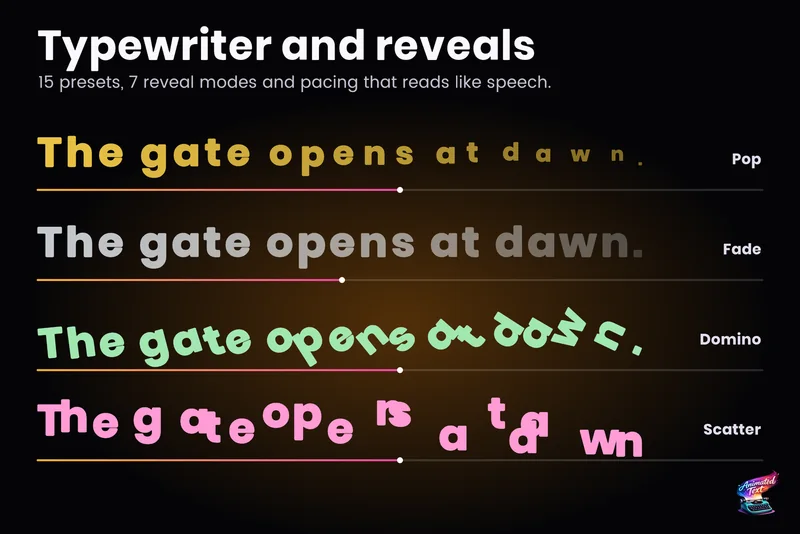 Use case
Typewriter effect for TextMeshPro and UI Toolkit
Reveal text by glyph, word or line with timing that understands punctuation, then add waits, skipping, sounds and events without writing a coroutine. Use case