Asset Inventory 4 vs Unity Asset Library
Compare Unity Asset Library’s 3D, Audio and Sprite search with Asset Inventory 4’s offline library, prefab, VFX and UI previews, audio tools and license reports.
You need a street lamp for a night scene. In Unity Asset Library, describe the lamp, set a triangle budget, and drag a result into the scene. If you remember a lamp from an old bundle, or your studio has its own kit, Asset Inventory can find that lamp and show which materials and textures will come with it. Both workflows end with one asset in the scene. The important question is where you need to look.
Which asset types can you find and preview?
The Asset Library Editor plug-in’s documented search modes are 3D, Audio and Sprite. Its 3D examples show model assets that can arrive as prefabs. When a model needs textures, materials or animation data, those files can come with it. To find a UI panel, a particle effect or another kind of prefab directly, Asset Inventory 4 indexes the .prefab files and previews the content built into them. Unity’s Editor guide · Asset Inventory previews
| Asset type | Asset Inventory 4 | Unity Asset Library Editor |
|---|---|---|
| 3D models and model prefabs | Find individual models and prefabs across your sources. Inspect the Unity-rendered preview and available mesh statistics. | 3D search and model inspection. Eligible model prefabs can be placed in the scene. |
| Sprites, sprite sheets and textures | Search image files with size and color filters. Preview sprites, textures and supported sprite-sheet animations. | Sprite search for participating content. |
| Sound effects and music | Search by duration and other filters. Audition, scrub, find similar sounds and edit clips. | Audio search for participating content. |
| Particle systems and VFX Graph | Find effect prefabs and VFX Graph assets. See animated effect previews. VFX Graph previews require Unity 6 or later. | The published Editor guide lists three search modes and no dedicated effects mode. |
| UI prefabs | Find Canvas-based menus, HUDs and controls in packages and project folders. Preview the UI before importing. | The published Editor guide lists model prefabs and no dedicated UI mode. |
| Materials and shaders | Find standalone materials, shaders and Shader Graph files. Preview how supported materials render. | A delivered model can include its materials. Standalone material search has been announced. |
| Animation clips, fonts and video | Find animation clips, animated FBX files, fonts and video. Play supported motion and video previews and see font samples. | Model inspection can show whether the model is animated. Unity has announced further animation support. |
| Scenes, scripts, plug-ins and documentation | Find these files by name, type and path inside indexed packages. That includes the demo scene and PDF that came with a tool. | The documented Editor modes focus on Store content in 3D, Audio and Sprite. |
Availability within Unity’s modes depends on publisher participation. Asset Inventory’s preview coverage depends on asset type, Unity version and the asset’s render requirements. Unity’s availability notes · Unity’s Unite announcement · Asset Inventory preview requirements
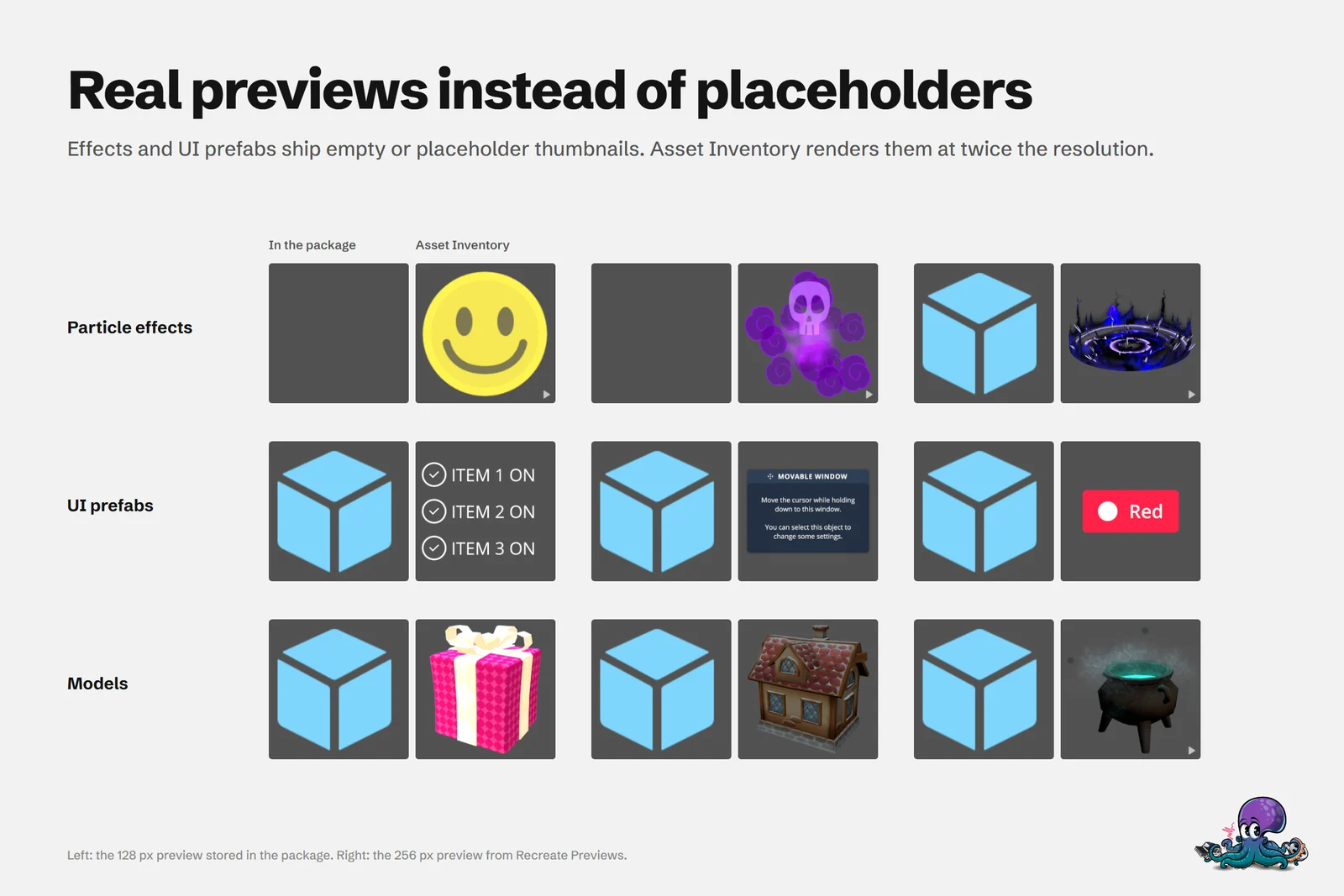
How the two tools compare
| What you need to do | Asset Inventory 4 | Unity Asset Library |
|---|---|---|
| Search a Store package for the first time | Index from a local download. Pick the packages to index first. | Search Unity’s catalog immediately after setup for assets from participating packages. |
| Find a file from another source | Search custom Unity packages, registry packages, project files, folders, ZIP/RAR/7z archives and optional online or cloud sources. | Searches participating Asset Store content. |
| Find something whose name you forgot | Search filenames, paths, tags and captions. Filter by dimensions, duration, color and recorded vertex counts. Optional local models add descriptions and search by meaning. | Search by description or a GameObject reference, or get 3D suggestions from the Scene view. Filter 3D results by style, theme and triangle count. |
| Inspect a result | See Unity-rendered previews of prefabs, materials, animated assets, UI, fonts, particles and VFX. | Inspect individual results, including model previews and geometry information where available. |
| Import just one asset | Inspect the dependency graph and file sizes, choose the destination and control which scripts come along. | Drag into the scene or a Project folder. Unity delivers the item’s files with their metadata and selects the project’s render-pipeline variant where available. |
| Find and edit a sound | Audition and scrub before import, find similar passages with an optional local model, and trim, normalize or loop a clip. | Audio search is documented for the Editor. |
| Organize a collection for repeated work | Use hierarchical file and package tags, saved searches, workspaces and custom metadata. | Filter the Store catalog and narrow results by package or publisher. |
| Work offline | Search already indexed files and browse saved previews. Import from available local sources. | Catalog search uses Unity’s service. Completed downloads are cached across projects. |
| Review sources, versions and licenses | Inspect project origins, export third-party notices, retrieve Store invoices and retain backup versions of packages. | Use Store package ownership to access items. The CLI can select a specific item version. |
| Share a library | Choose SQLite, shared storage, or MySQL/MariaDB for concurrent work. Export a searchable static catalog for colleagues. | Store access follows the Unity organization. Unity Cloud Asset Manager is the separate service for private team assets and reviews. |
| Use scripts or a coding assistant | Search the indexed collection and automate selective imports through Asset Inventory’s Unity integrations. | The separate Asset Library CLI can search, inspect, download and import items from the Store catalog. |
| Use it in an older Unity project | The Editor tool supports Unity 2022.3 and later. | The experimental Editor plug-in requires Unity 6.0 or later, sign-in and an organization-linked Unity Cloud project. |
The Asset Library entries describe the experimental Editor plug-in and its separately installed CLI as documented on the date above. Unity’s coverage and ownership rules · Editor workflows · Installation requirements · CLI commands
Where Unity Asset Library gets you there faster
Unity has already indexed the items it makes available. On a new machine that is a real advantage. If all you need is a compatible prop from an eligible pack, you can search for it, inspect it and drag it into place in one session. The Editor shows free content and eligible content from packages you own. The CLI can also search and inspect unowned paid items, and ownership still applies at the package level. A publisher can exclude assets, so owning a package does not guarantee it will appear. Unity’s coverage and ownership rules
Reference search is a particularly good fit for dressing a scene. A description gives you a starting point, and dropping an existing GameObject onto the search bar helps when you already have the look you want. Unity also documents suggestions based on the Scene view for an empty 3D search. Those visual workflows use Unity’s service. Editor search · Search data handling
Search the library you already have
Add the folders you already use. A Humble Bundle archive, a custom .unitypackage, your team’s texture folder and the Asset Store cache can all contribute to the same search. You can bring in free online catalogs such as Poly Haven and ambientCG as well. Start with one folder or a few packages and let the rest index over time. Indexed names, tags and locally stored previews are still there when you lose your connection. Keep the archive or another accessible copy if you need to import offline. Search inside your packages · Free online catalogs
The library behind our examples contains 4,935 packages, 3.2 million files and 906 hours of audio. It includes files that would otherwise be spread across packages and disk locations. You can save a search for 4K environment textures or short UI sounds and run it again as the library grows. If a file name tells you very little, optional local models can caption a preview or describe a sound so it becomes findable by what it shows or sounds like. The example library · Search with local captions
See what a prefab will bring with it
Open the dependency graph before importing. You can see which meshes, materials, textures and shaders the prefab needs, what is already in the project and how large the remaining set is. Choose where the files go and how much script analysis to do. This is especially useful when the asset’s dependencies cross into a render-pipeline support package or your team wants to keep external scripts out of the project. Runtime-loaded references can still need a manual check. Selective import walkthrough
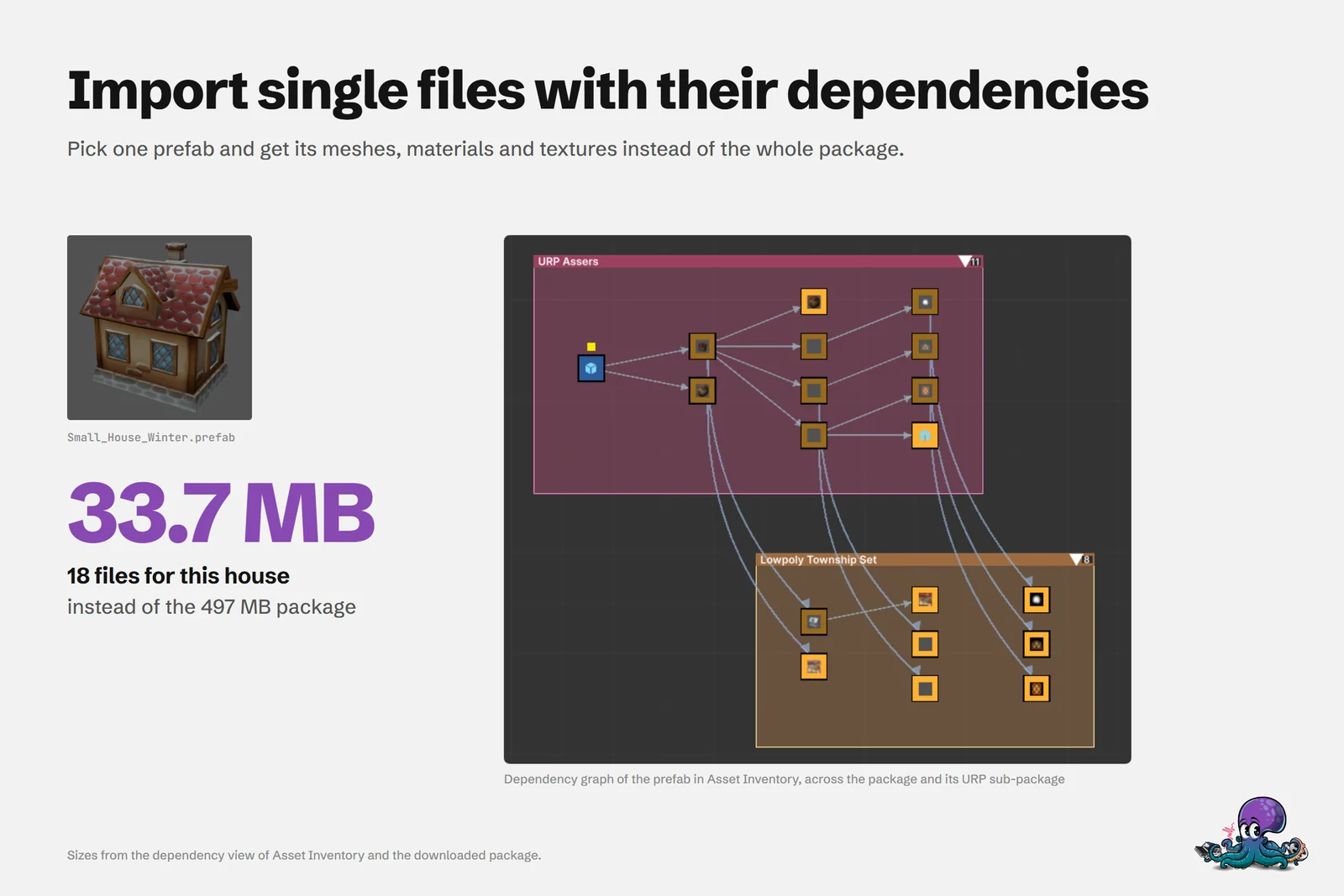
In the example above, 18 files totaling 33.7 MB brought in the winter house from a 497 MB package, including files from its URP sub-package. Those figures compare this import with bringing in that whole package. Worked import example · File count and package comparison
Find the right sound and make it usable
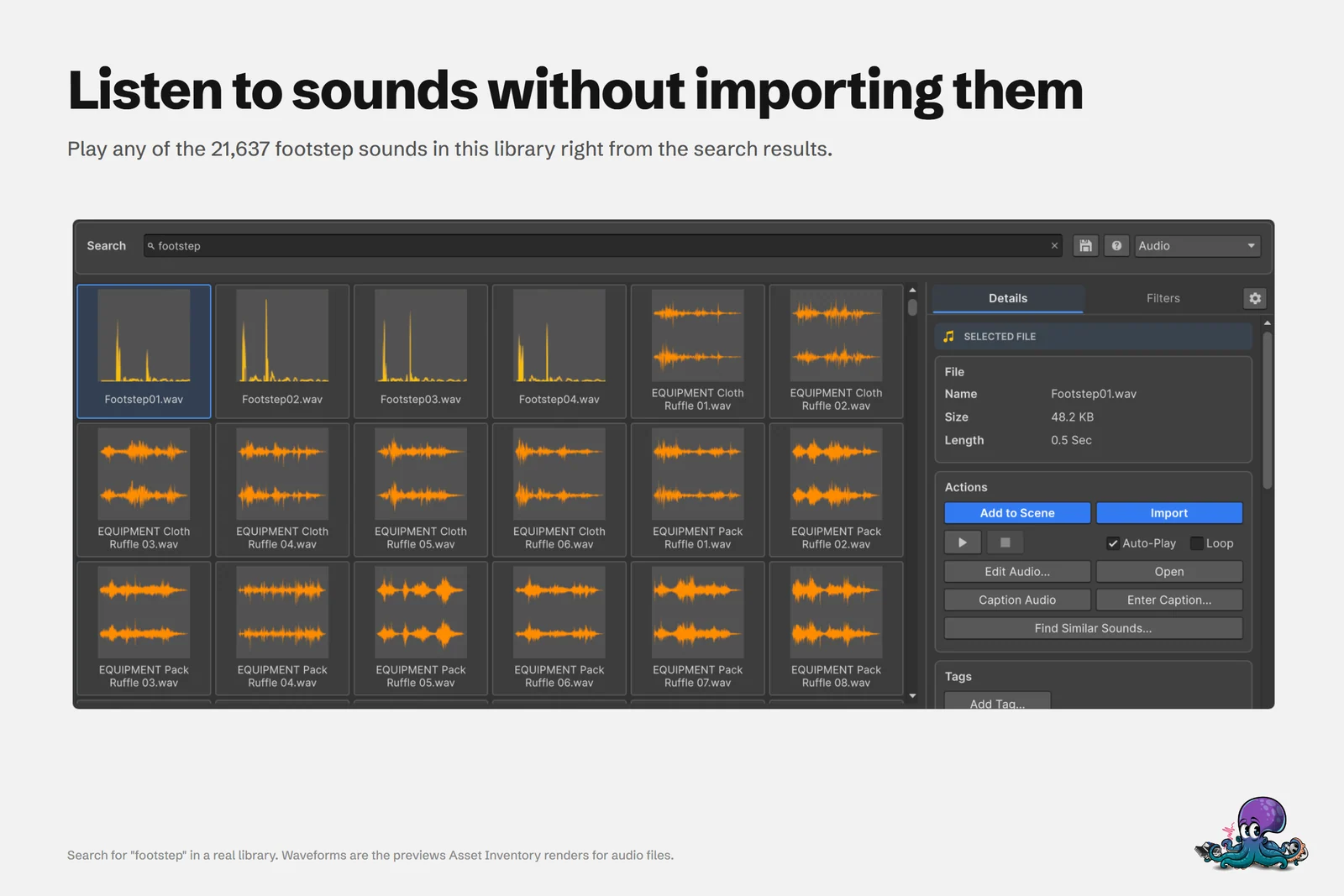
Search for a sound under two seconds, play it in the result grid, and scrub to the useful part. For a longer recording, optional local similarity search can take a reference sound and jump to the passage it matched in another recording. Trim that passage, normalize it or make a seamless loop in the included Audio Editor. The source sound can come from a Store package, a sound-effects bundle or your own recordings. Search and edit sounds in Unity
Keep track of what the project uses
Months after an import, someone asks where a texture came from and under which license you can use it. Asset Inventory checks your project files against available provenance and indexed packages. Review the matches and unknowns, apply the project’s license choices, and export third-party notices. The Orders window can find the original Store invoice. Backed-up package versions help recover the files the project originally used. Before removing old assets, you can check where they’re referenced. Project license reporting · Orders and invoices · Package maintenance
Your catalog and previews can stay on infrastructure you choose. A small team can share the index on local storage, and teams with concurrent users can use MySQL or MariaDB. A searchable static export lets a colleague browse without opening Unity. Asset Inventory can also index Unity Cloud Asset Manager collections alongside your other sources. Shared team libraries · Static catalog export · Unity Asset Manager comparison
The same collection is available to scripts and coding assistants through Asset Inventory’s Unity integrations. An assistant can search a private pack for a prefab and preview the files a selective import would bring in. Unity’s CLI gives agents a separate way to look for items in the Store catalog. Asset Inventory automation workflow · Unity Asset Library CLI
Which one should you use?
Use Unity Asset Library for a fast search in the participating Store catalog, especially when you have a scene or existing model to use as a reference. Use Asset Inventory 4 when you want the same library across projects, a clear view of what will be imported, and a record of where the files came from. It is a one-time Asset Store purchase per seat. You choose where to keep the catalog and previews. Explore Asset Inventory 4
Frequently asked questions
What is the difference between Unity Asset Library and Asset Inventory 4?
Unity Asset Library searches participating Asset Store packages for individual assets and delivers the files for the item you pick. Asset Inventory indexes the collection you work with, including Store and custom packages, local folders and archives. It also gives you dependency controls, audio tools and project license reporting.
Do I have to download the whole package first?
Unity Asset Library can find a participating asset before you download its package. Asset Inventory needs the source contents once to index them. It can download, index and remove a Store archive to save disk space. The indexed results stay searchable, and importing later needs access to the source files.
Can I use Asset Inventory 4 offline?
Yes. Already indexed content and locally stored previews remain searchable and browsable. Imports also work offline when the source files are available locally. Store downloads, online catalog refreshes and hosted AI services require connectivity.
Can Unity Asset Library search for VFX or UI prefabs?
Unity documents 3D, Audio and Sprite search in its Editor plug-in, and its prefab examples show models. Asset Inventory 4 indexes prefab files across your sources and can render previews of Canvas-based UI, particle systems and VFX Graph effects.
Can I use both tools in one Unity project?
Yes. Use Unity Asset Library to find a covered Store item and Asset Inventory to search and manage the rest of your library. Asset Inventory can scan files in the open project. Source attribution depends on the available origin metadata and matching catalog records.
Find any Unity asset you own. Import only what you need.
Keep reading
 Use case
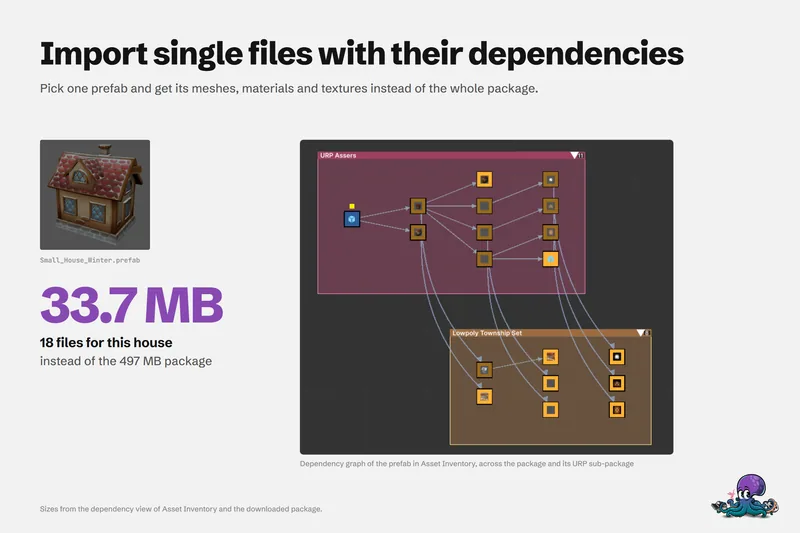
Import single assets from a package with their dependencies
Pick one prefab and get its meshes, materials and textures instead of the whole package: how the dependency analysis works, where files land, how scripts and render pipelines are handled, and where the limits are.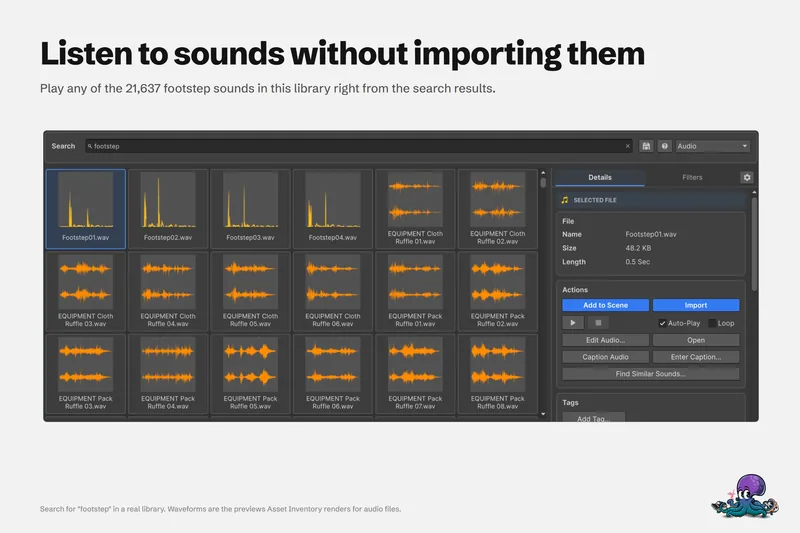 Use case
Search your whole Unity sound effects library without importing
Package names say little about the sounds inside. Search every audio file you own by name and length, listen in the results, trim before import, and let a local model caption, tag and match sounds.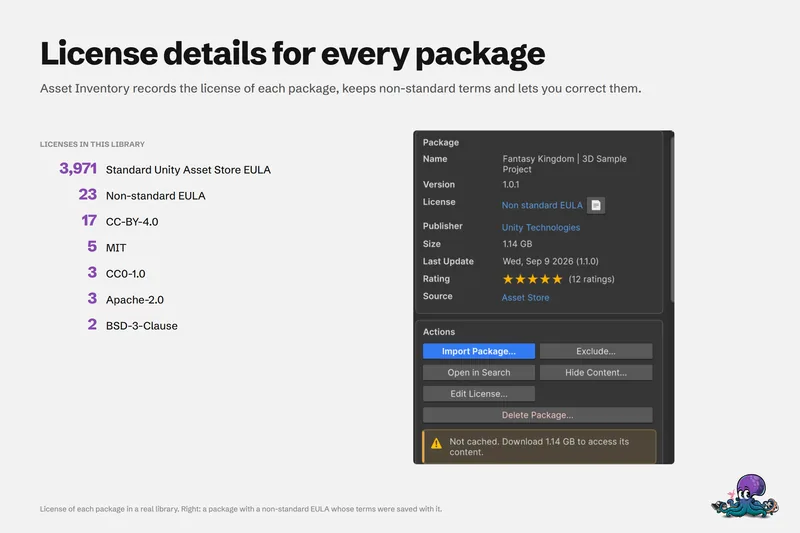 Use case