What you can do with Asset Inventory
Everyday jobs Asset Inventory handles inside Unity: search inside every package, preview without importing, import single assets with dependencies, and more.
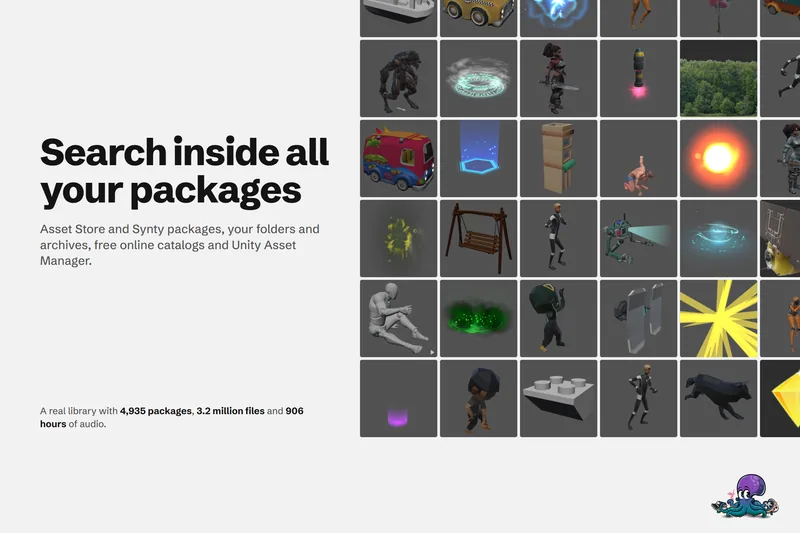
Search inside every Unity package you own
The Package Manager searches package names. Asset Inventory indexes every file in every package you own, with filters, saved searches and Unity Search integration, so you search for the asset itself.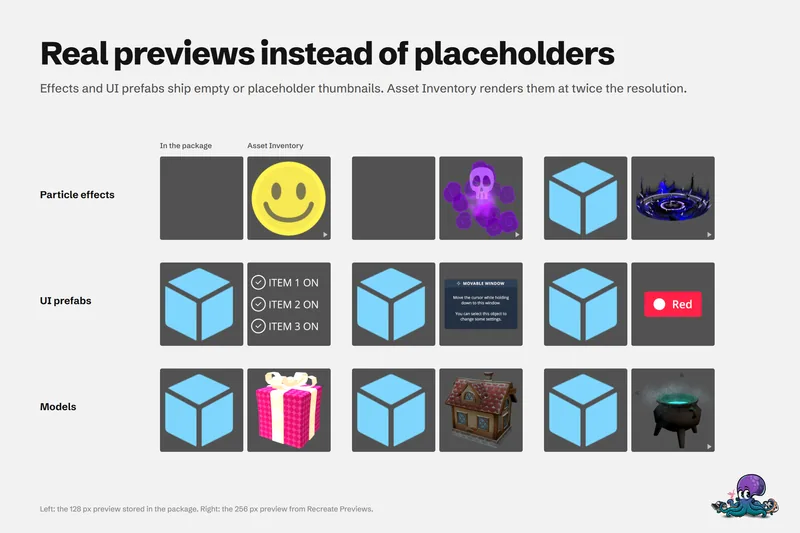
Preview Unity package contents without importing
Unity's embedded previews are small, often badly lit and missing for effects, UI and fonts. Asset Inventory indexes package contents and renders its own previews, animated where it helps, before anything is imported.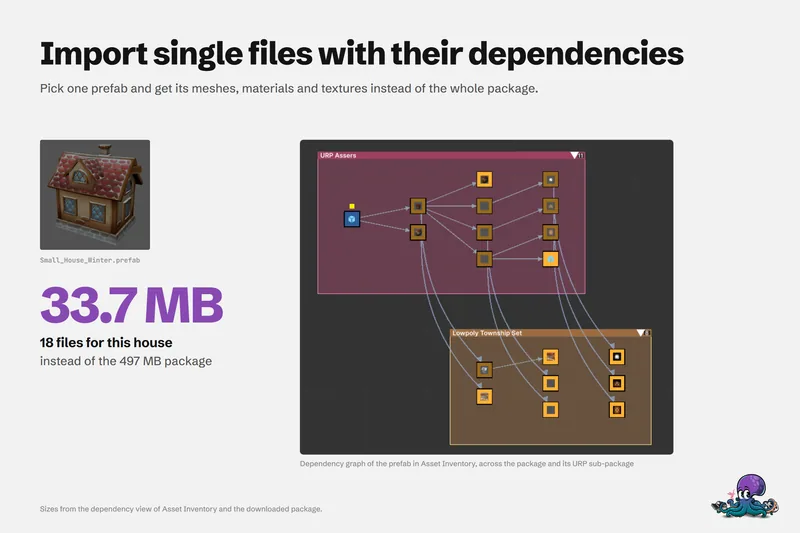
Import single assets from a package with their dependencies
Pick one prefab and get its meshes, materials and textures instead of the whole package: how the dependency analysis works, where files land, how scripts and render pipelines are handled, and where the limits are.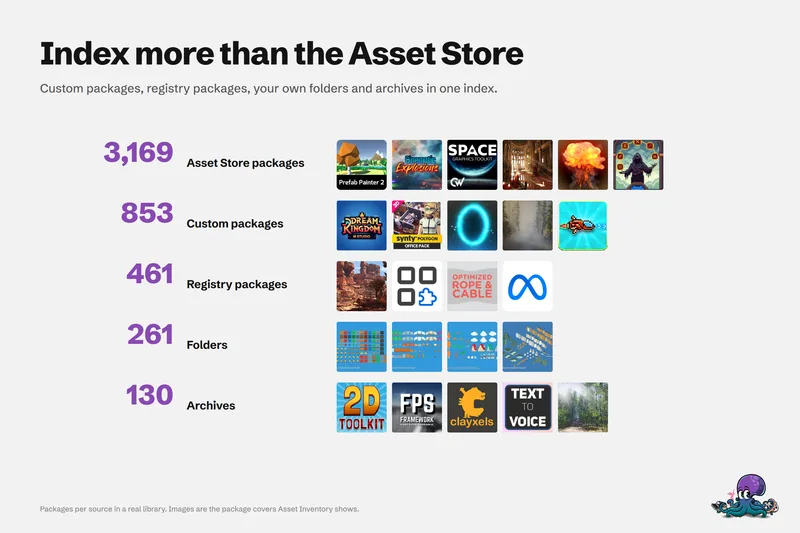
Organize every Asset Store purchase in one library
Asset Store purchases, custom and Synty packages, registries, folders, archives, catalogs and Asset Manager in one list inside Unity, with tags, update strategies, hiding, custom metadata and bulk actions.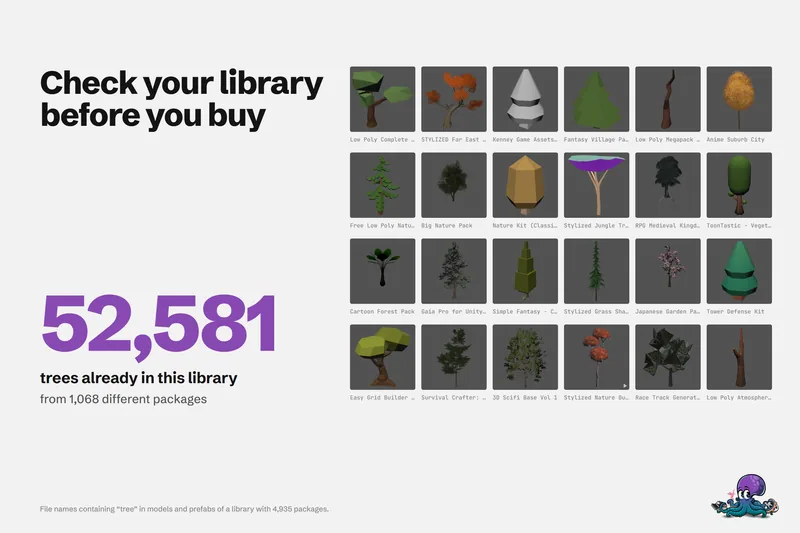
Check if you already own an asset before you buy
One real library holds 52,581 files with tree in their name. How to search what you own, find badly named files, check free catalogs and unclaimed freebies, and see what you paid before you add to the cart.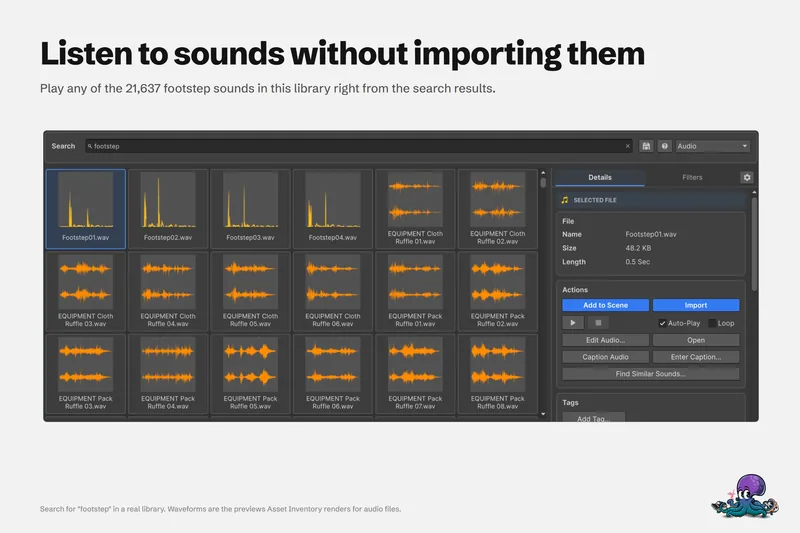
Search your whole Unity sound effects library without importing
Package names say little about the sounds inside. Search every audio file you own by name and length, listen in the results, trim before import, and let a local model caption, tag and match sounds.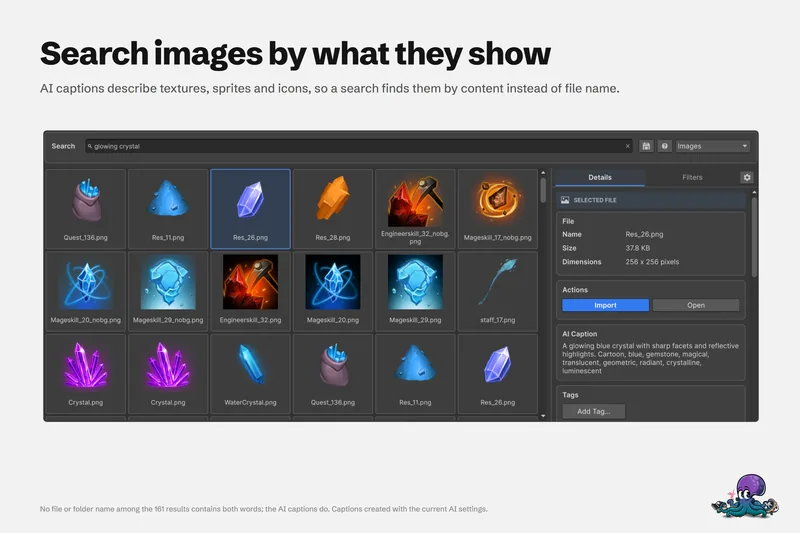
Find Unity assets by what they show or sound like, with local AI
File names lie. A local model captions each preview and sound, and search by meaning ranks results with your filters still applied. Runs on Ollama, LM Studio or BLIP, with hosted providers optional.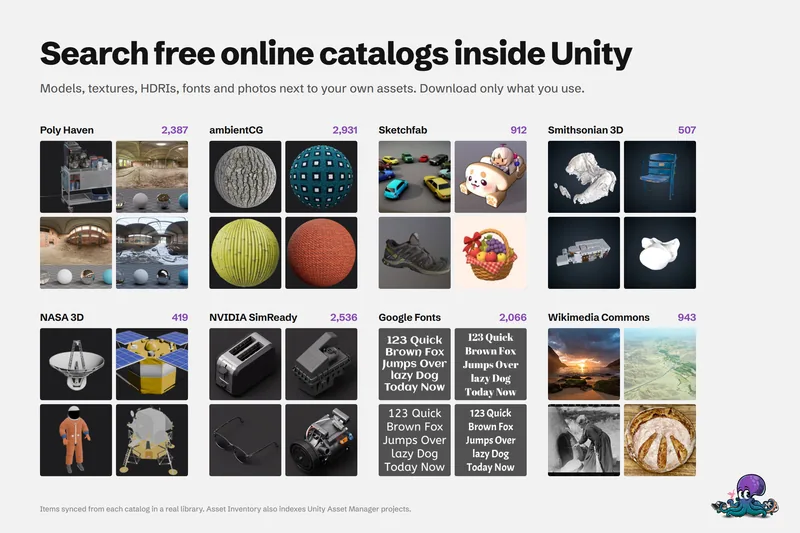
Search free asset catalogs inside Unity, next to the assets you own
Search free online catalogs such as Poly Haven and ambientCG in the same window as your purchases. Catalogs store metadata and previews only, and you download or import just the items you choose.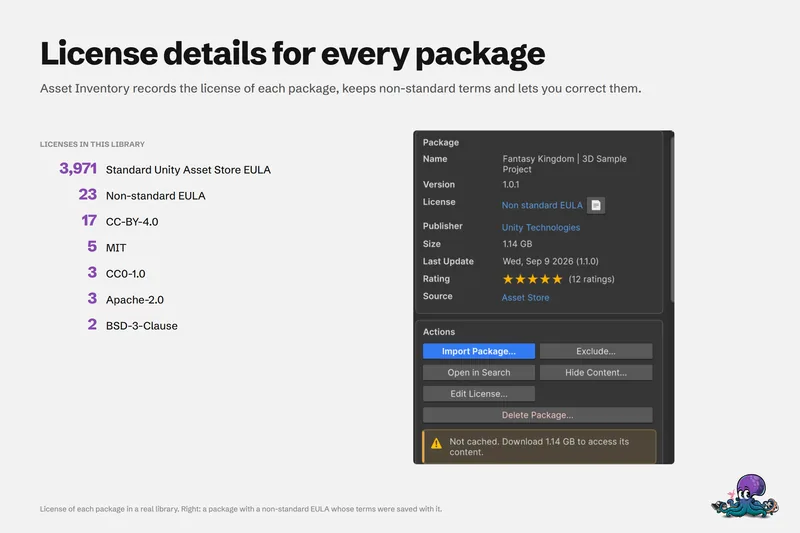
Create a license report for the assets in your Unity project
Shipping means knowing what you used and under which terms. Asset Inventory identifies the packages behind your project files, shows each license with its agreements, and exports a Third Party Licenses file in Markdown.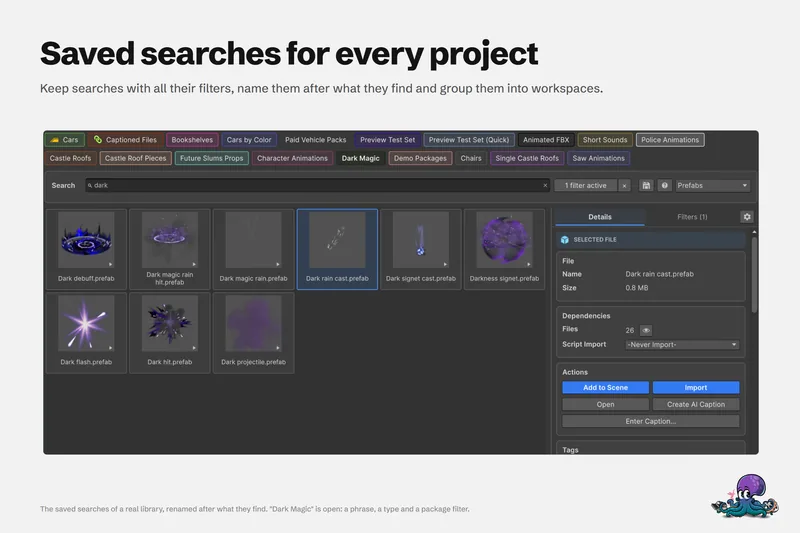
Use one Unity asset library across your team and all your computers
Index once and use the catalog everywhere: SQLite on a network drive for light use, MySQL or MariaDB when several people work at once, shared tags through override files, and a static website for people without Unity.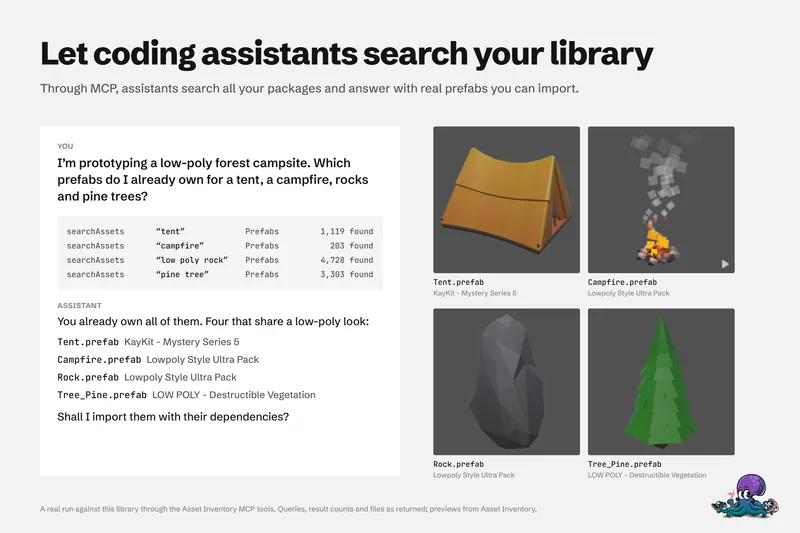
Let coding assistants search and import the Unity assets you own
Connect Claude Code, Codex or Unity AI Assistant to Asset Inventory. 41 tools let an assistant search every package you own, import prefabs with dependencies and place them, with a dry run before every change.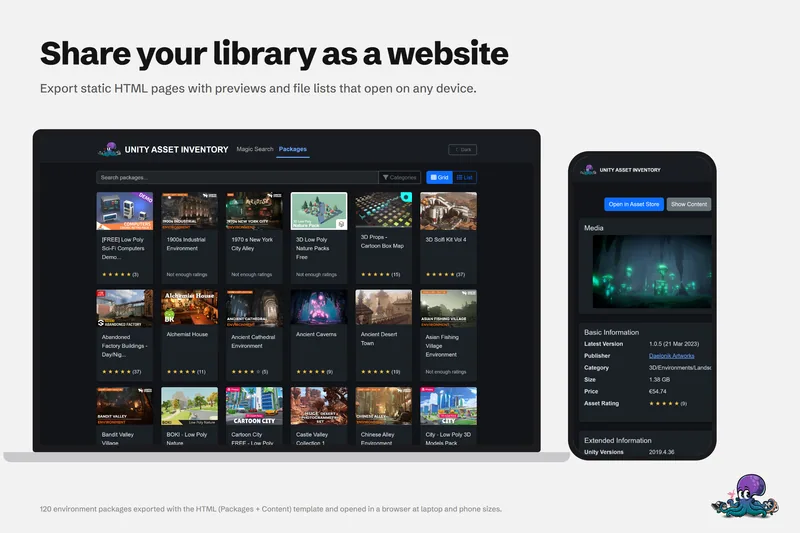
Share your Unity asset library as a website
Template exports turn your Asset Inventory catalog into a static HTML site with file search, package pages and light and dark themes, ready for any web server or CDN. CSV, Markdown and custom formats work too.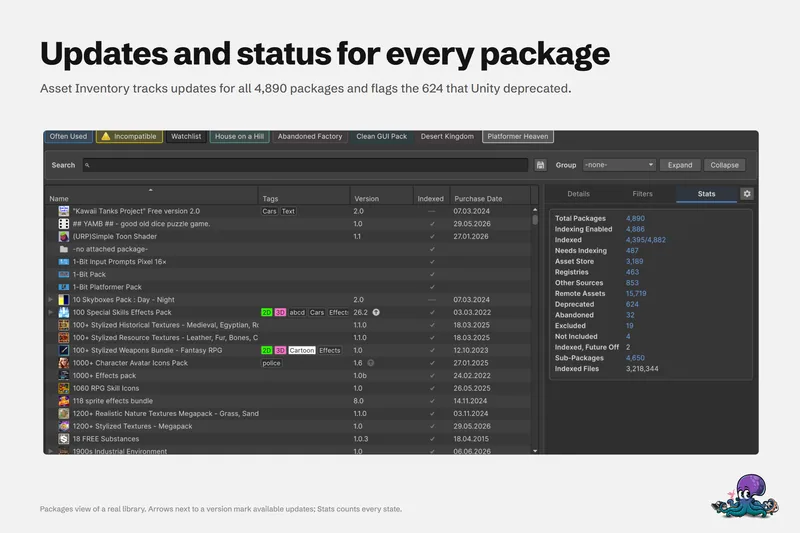
Back up Asset Store packages and keep older versions
Asset Inventory copies your Asset Store downloads into a backup folder, keeps several versions per package and imports an older one from a dropdown, even after Unity deprecates or disables the package.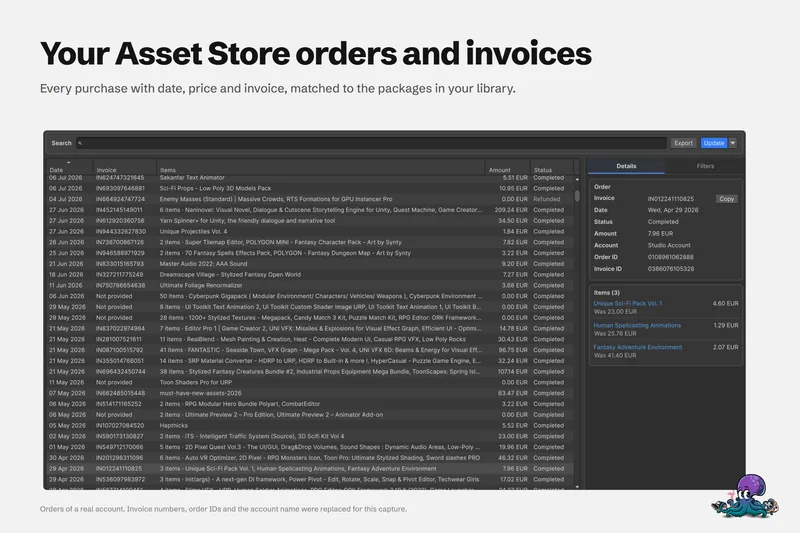
Find your Unity Asset Store orders and invoices in one place
The Orders window loads the order history of the Unity account in your Editor, searches it by invoice, order, package or publisher, exports CSV or JSON, and records what you actually paid for each package.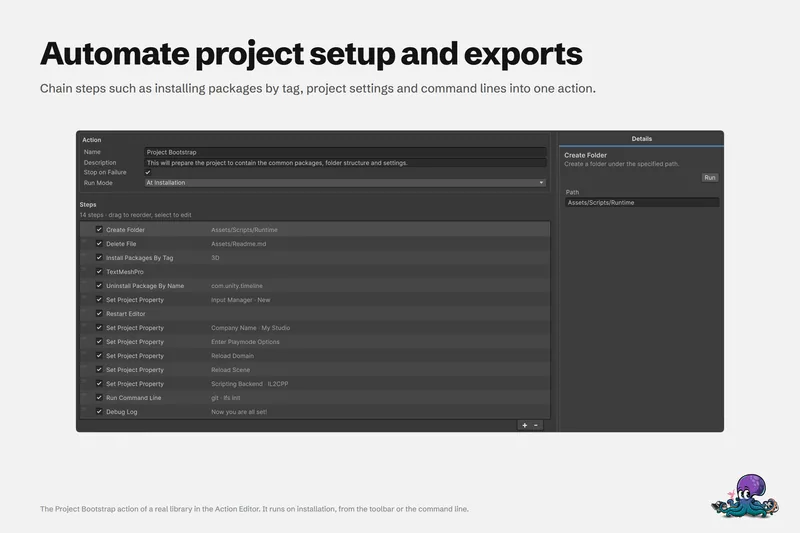
Automate Unity project setup with reusable actions
Custom actions create your folder layout, copy shared files, set project properties and define symbols, and install the packages you always use. Set one to At Installation and every new project offers to set itself up, in any supported Unity version.Start with the problem you have today
Most people arrive with one of three problems. They own hundreds or thousands of packages and cannot find anything in them. Their projects are slow and bloated because whole packages were imported for a few files. Or they keep buying assets they already own because the library is invisible.
- If finding things is the problem, start with searching inside every package and previews without importing.
- If project size and compile times are the problem, start with importing single assets with their dependencies.
- If spending is the problem, start with checking your library before you buy and the free catalogs inside Unity.
The library behind these guides
The screenshots on these pages come from a real library, not a demo project: 4,935 packages with 3.2 million files and 906 hours of audio, made up of Asset Store purchases, custom and Synty packages, registry packages, folders and archives. That is a large collection, and it is the scale Asset Inventory is built for. A library with fifty packages works the same way, just faster to index.
Requirements in one paragraph
Asset Inventory runs inside the Unity Editor, version 2022.3 or newer, and is actively tested on Windows and macOS. The catalog is a local SQLite database by default, or MySQL and MariaDB for teams. A few features need newer Unity versions, such as VFX Graph previews (Unity 6) and the MCP integration for coding assistants (Unity 6.3). The technical details list every restriction.