Charts in VR, AR and world space
Place interactive charts in Unity VR, AR and world space with Chart Guru: world-space Canvas charts without colliders, lit 3D scene charts and Single Pass Instanced XR.
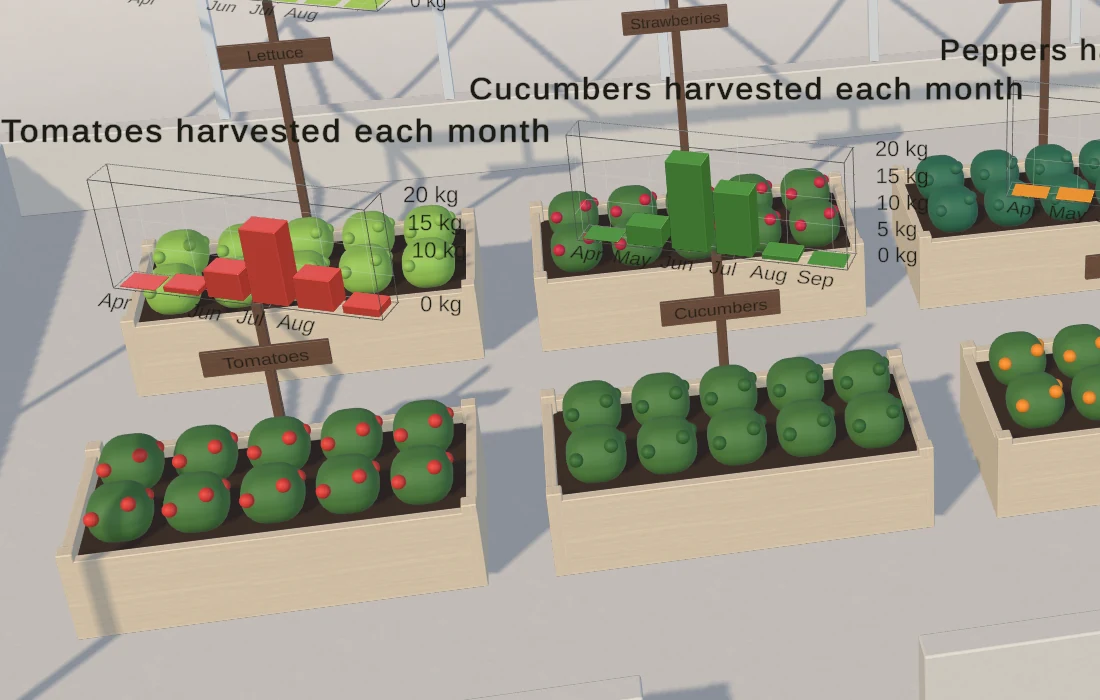
In a headset there is no screen corner for a dashboard. A chart has to stand in the room: on a panel beside a machine, on a table in a training scene, next to the data it explains. A 2018 forum thread asking for a bar chart in VR got answers suggesting world-space sliders or scaled cubes, and the research toolkits for immersive analytics, such as IATK, DxR and u2vis, have seen little maintenance since their last commits between 2018 and 2023. Chart Guru gives VR and AR projects the same charts as screen UI, with axes, labels, tooltips, live data and a 3D module that is included in the package.
Ways to put a chart in the world
| Host | What you get | Input |
|---|---|---|
| Chart Graphic on a world-space Canvas | A flat 2D chart with text, legend and tooltips | EventSystem pointer events, no colliders needed |
| Chart 3D in the scene | A lit 3D chart seen by every camera, with titles and legends facing each camera | A Chart Raycaster on the camera: orbit, hover and tap |
| Chart 3D Image on a Canvas | A 3D chart rendered through its own camera into the Canvas | Canvas pointer input with orbit and zoom |
| UI Toolkit chart element | A ChartGuruElement or Chart3DElement in UXML | UI Toolkit events in a UIDocument, or a PanelRenderer on Unity 6.5 or newer |
The rendering paths documentation explains how the hosts share one chart definition, so the same chart, data and theme can move between them.
Flat charts on a world-space Canvas
GameObject > Chart Guru > World Space Chart creates a chart on its own world-space Canvas. It is the same Chart Graphic as in screen UI, with the same Inspector, themes, data sources and TextMeshPro text. World-space charts receive pointer events without colliders: Chart Graphic implements Unity’s standard EventSystem pointer interfaces for down, up, move, exit, drag and scroll, so it responds to whatever input path already drives your world-space buttons. The manual does not document specific XR interaction toolkits, so test hover and drag with your rig early.
For more presence, Convert to 3D Chart under Rendering on the Output tab replaces a world-space chart with a 3D chart that lifts out of its flat drawing, keeping its chart, data, name and place as one Undo step. Convert to 2D Chart goes back.
3D charts in the scene
A Chart 3D component stands in world space, lit by the scene and seen by every camera. For text in a headset, these details matter:
- The chart’s title and subtitle face each camera, outside the axes and legend.
- Legends draw camera-facing labels beside the plot, and Y-axis labels face the camera.
- X and Z labels rest on the floor beyond the plot’s edges and lean toward low cameras, so a chart can stand on a table. Turning off Labels Face Camera keeps labels in the chart’s planes.
- 3D text scales with the plot, so labels keep their share at every plot size.
- Without a camera rig, every camera picks its own walls, ticks and label sides.
A bar chart in VR becomes a Bar3D chart, and points, lines, areas, surfaces, pies, donuts and radars have 3D forms too. Scene charts take pointer input through a Chart Raycaster on the camera and an EventSystem: drag to orbit, hover for a tooltip, tap to select a mark and read its X, Y and Z values. A pose change turns the chart’s content without rebuilding it, so turning a chart toward the viewer every frame stays cheap.
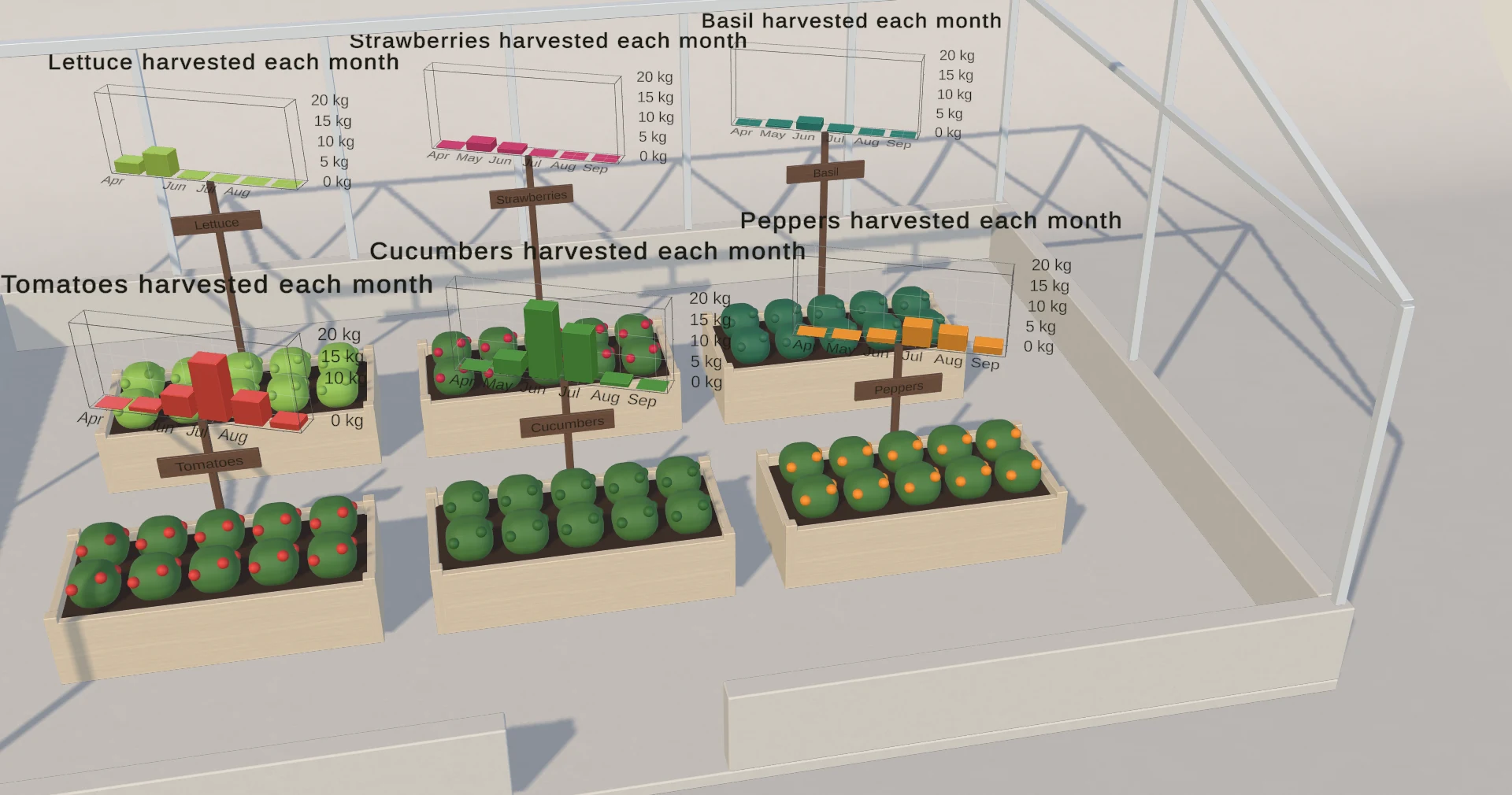 The Charts in a Game World sample: each greenhouse bed carries a small chart of its monthly harvest, and a HUD ranks the beds.
Charts in a game world walks through that sample, and the 3D documentation covers poses, labels and input.
Rendering in XR
- Since Chart Guru 1.4, shipped chart meshes support Single Pass Instanced XR rendering.
- The 3D surface shader carries stereo eye data. The 3D shaders use GPU and DOTS instancing in every URP and HDRP pass plus single-pass stereo instancing, so they work with the SRP Batcher, BatchRendererGroup and the GPU Resident Drawer.
- The offscreen camera of a Chart 3D Image or Chart 3D Texture is excluded from stereo rendering on the Built-in Render Pipeline.
- 3D charts write their geometry with Burst jobs and upload only the parts that changed, and hover and selection recolor a chart without rebuilding it.
UI Toolkit panels
A ChartGuruElement or a Chart3DElement goes into UXML like any other element. The UI Toolkit Chart Binder binds chart elements in a UIDocument, or in a PanelRenderer on Unity 6.5 or newer, and connects scene data sources to them. Chart3DElement has been qualified in Play Mode inside a world-space PanelRenderer on Unity 6.5 and newer, including rendering, pointer orbit and cleanup when the panel goes away. See UI Toolkit charts.
visionOS and other limits
- visionOS has not been validated. Chart Guru 3D follows the concepts of Swift Charts 3D, which Apple ships on visionOS, and the importer reads supported
Chart3Dcode from a visionOS app, see importing Swift Charts 3D. Running the charts on Apple Vision Pro is untested, so plan your own tests before you commit to that platform. - The manual has no per-platform list. Test frame time and text legibility on each headset you ship to.
- In 3D, drag selection, panning and 2D zoom do not apply, zoom is runtime-only, and a Chart 3D Texture takes no input; use a Chart 3D Image when users should touch the chart.
The Chart Guru 3D page shows the 3D chart types, and the Chart Guru product page covers the rest of the package. Both come in one purchase on the Unity Asset Store.
Frequently asked questions
Does Chart Guru support Single Pass Instanced rendering in VR?
Yes. Since Chart Guru 1.4, shipped chart meshes support Single Pass Instanced XR rendering, and the 3D shaders carry stereo eye data. Chart outputs that render through their own offscreen camera are excluded from stereo rendering on the Built-in Render Pipeline.
Does Chart Guru run on Apple Vision Pro?
Chart Guru has not been validated on visionOS. Its importer reads supported Swift Charts 3D code, but running the charts on Apple Vision Pro is untested, so test it yourself before you commit to that platform.