Demo screenshots without customer data
Store screenshots, trailers and sales demos need believable content but no real personal data. How to build convincing demo states with generated data in Unity.
A store screenshot of a sales dashboard with three rows looks empty. A trailer of a multiplayer lobby with nobody in it looks dead. Marketing needs content that looks lived in, and the quickest source, a copy of production data, is exactly what should never appear in public. This article covers why, what makes generated demo data believable, and how to rebuild the same demo state in Unity whenever a screenshot needs redoing.
Why real data does not belong in screenshots
- Screenshots are public and permanent. Store pages, press kits and trailers get downloaded, re-uploaded and archived. A name, an e-mail address or an order history on screen stays out there.
- Privacy law and contracts. Laws such as the GDPR limit the use of personal data beyond the purpose it was collected for, and a marketing image is rarely that purpose. Customer contracts and NDAs often forbid showing a client’s data at all. Rules differ by country and contract, so ask a lawyer about a specific case. Generated data avoids the question.
- Blurring is fragile. A missed column, a tooltip, an autocomplete list or a log line gives the data away, and every re-shoot needs the blurring again.
- Real names imply real relationships. A client’s company or product in your screenshot suggests a partnership or an endorsement that may not exist.
What makes demo data believable
Random is not the same as realistic. Viewers notice when every value is equally likely, or when the name and the e-mail address on one row belong to different people.
- Plausible distributions. Real numbers cluster.
Mock.Age()draws from a normal distribution around 38 and stays between 18 and 85, andMock.StarRating()averages about four stars with most ratings at the top end, like a real store. For charts, Seasonal, Trending Up and Random Walk series look like business data, while uniform Random values look like noise. - Consistent people.
MockPerson.New()builds the e-mail address and username from the drawn name.Mock.Name()andMock.Email()called separately draw two different people, which looks wrong on the same row. - Realistic dates. Activity feeds need recent dates in order:
Mock.Dates(40, yearsBack: 1, yearsForward: 0)stays within the last year, and sorting the result gives a believable timeline. Fix the reference date withMock.UseDateReferenceso the dates match between shoots, and freeze “today” in your own UI code as well, or labels such as “2 days ago” change. - The right market. Mock Magic’s full addresses are US addresses whose city, state and ZIP code prefix belong together, its phone numbers follow North American numbering, and its names come from many regions. For a screenshot aimed at another country, register tokens with local names, cities and formats.
Rebuild the same state with Stable mode
Screenshots are never shot once. Stores want several device sizes, localized versions follow, and a UI change brings a re-shoot months later. Seeded data makes every take identical.
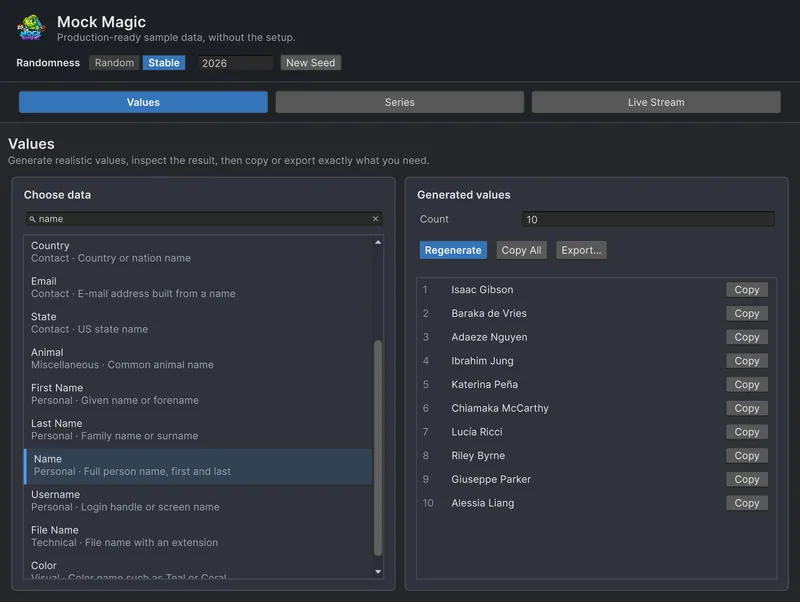
In the Generator, switch Randomness to Stable and pick a seed: Regenerate then returns the same values every time, with dates counted from 1 January 2026, and Copy All or Export… moves them into the scene. The window remembers the mode and the seed. In code, seed once while the demo scene builds its content:
using System;using MockMagic;using UnityEngine;
public class Contact{    public string Name;    public string Email;    public string Phone;    public string Company;    public string LastContact;}
public class DemoScene : MonoBehaviour{    public Contact[] Contacts { get; private set; }
    void Awake()    {        Mock.UseDateReference(new DateTime(2026, 11, 1));
        Contacts = MockOf<Contact>.New(() => new Contact())            .UseSeed(2026) // seeds this pass only, then restores the previous state            .Set(c =>            {                MockPerson person = MockPerson.New();                c.Name = person.FullName;                // The address part is already plain ASCII; only the domain changes                c.Email = person.Email.Substring(0, person.Email.IndexOf('@')) + "@example.com";            })            .Set(c => c.Phone = Mock.Phone(true)) // 555-0100 to 555-0199, reserved for fiction            .Set(c => c.Company = Mock.Company())            .Set(c => c.LastContact = Mock.Date(yearsBack: 1, yearsForward: 0))            .Generate(40);
        Mock.UseDateReference(null);    }}
The same calls in the same order produce the same 40 contacts at every resolution and in every language, as long as the code and the Mock Magic version stay the same. MockPerson birth dates follow the date reference too, so a seeded person repeats down to the birthday. UseSeed leaves the rest of the scene alone. When everything in the scene should repeat, call Mock.Seed instead, which also seeds UnityEngine.Random until Mock.ResetSeed. The reproducible test data guide explains the details.
Use example.com for addresses people can read
Mock.Email() uses real mail provider domains such as gmail.com and outlook.com, so a generated address can belong to a real person. MockPerson builds its addresses on invented domains made of short words, and some of those may be registered as well. For any address a viewer can read, use a domain reserved for examples: RFC 2606 sets aside example.com, example.net and example.org. Registered as tokens, the safe forms are available in every template:
using MockMagic;
public static class DemoTokens{    public static void Register()    {        Mock.RegisterToken("demoEmail", () =>        {            string email = Mock.Email(); // plain ASCII name part on a real provider domain            return email.Substring(0, email.IndexOf('@')) + "@example.com";        });        Mock.RegisterToken("demoPhone", () => Mock.Phone(true));    }}
// Mock.Parse("Invitation sent to {{demoEmail}}, call {{demoPhone}}")
When a name is visible on the same row, build the address from that name, as DemoScene does. Phone numbers need the same care: Mock.Phone() follows North American numbering, so its numbers look real and can be real. Mock.Phone(true) keeps a realistic area code and uses 555-0100 to 555-0199 instead, the range NANPA keeps reserved for fictional use.
Card numbers need care, too. Mock Magic’s card numbers are random and pass the Luhn check, which suits input fields, validation and layout, but no bank issued them, and a long card number on screen looks careless either way. Show only the last four digits, as real apps do.
Avoid real brand names
Demo content is only as safe as its sources. Mock Magic’s company and product names are invented, so Mock.Company() and Mock.ProductName() avoid famous brands and franchises, but a generic name such as Apex Dynamics may still belong to a real business somewhere. The bigger risk is your own data: test accounts named after colleagues, sample files with a client’s products, or item databases with real brand names. Check every name that will be readable in a screenshot, and for scenes you shoot often, keep a short checked list and pick from it with Mock.Pick or a registered token.
Images deserve a look as well. Mock.ImageUrl() returns photo addresses from picsum.photos, which MockPerson also uses for avatars, and Mock.PlaceholderImageUrl() returns placeholders from placehold.co. Both are third-party services, so download and check every image that appears in marketing material.
Live dashboards for trailers
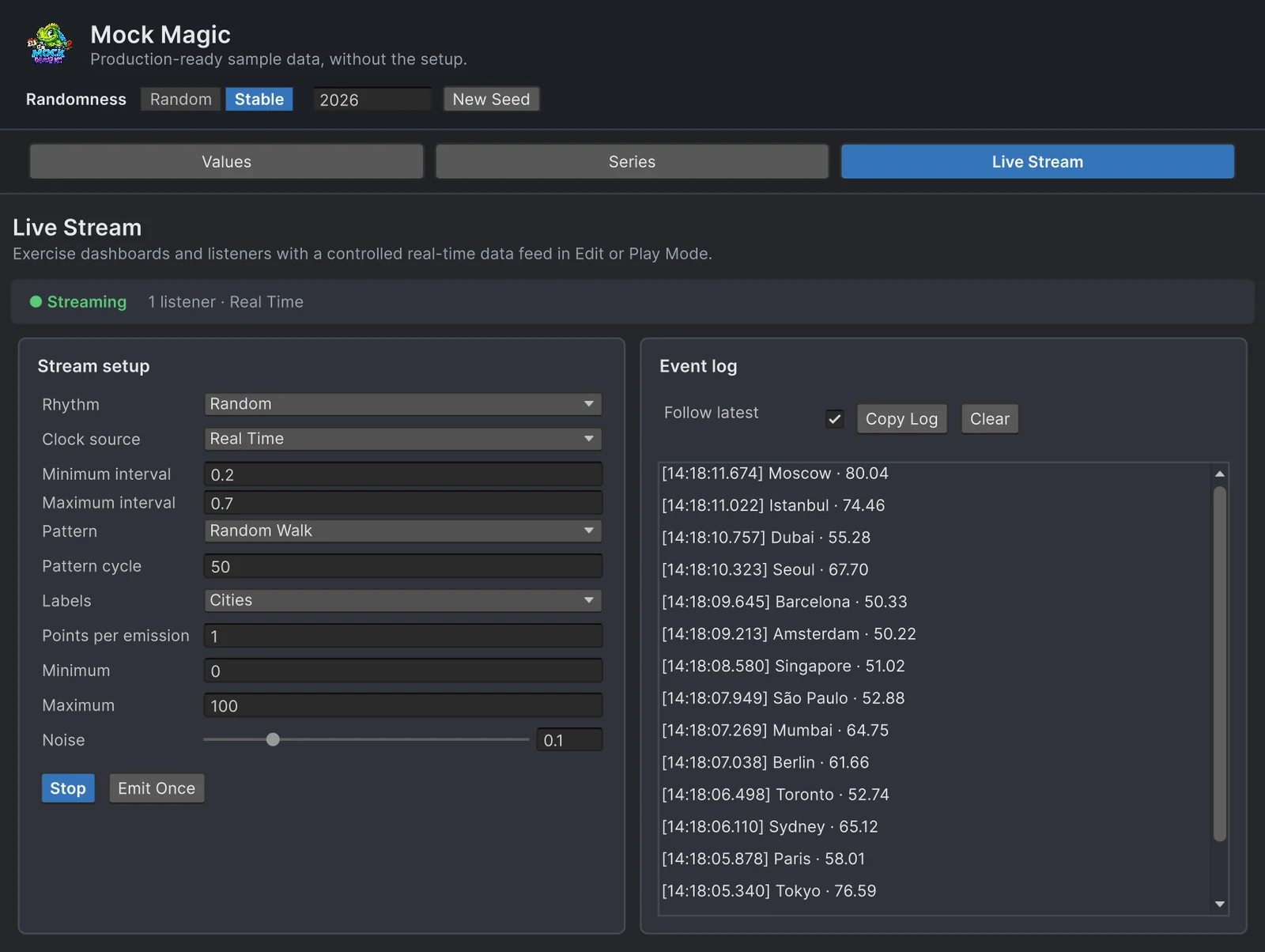
Screenshots freeze a moment, while trailers and sales demos need motion. The Live Stream workspace feeds listeners in Edit Mode and Play Mode: the Random rhythm gives irregular timing, Random Walk values drift from one reading to the next instead of jumping, and Cities labels give each reading a place, as in the screenshot above. The event log shows what is emitted before you record anything. In code, the same stream drives your own UI:
using MockMagic;using UnityEngine;
public class TrailerFeed : MonoBehaviour{    void OnEnable()    {        MockStreaming.Configure(SeriesPattern.RandomWalk, min: 0f, max: 100f, labelPreset: LabelPreset.Cities);        MockStreaming.Stream.MinInterval = 0.2f;   // seconds between readings        MockStreaming.Stream.MaxInterval = 0.7f;        MockStreaming.Register(OnReading);        MockStreaming.Start(rhythm: StreamRhythm.Random);    }
    void OnDisable()    {        MockStreaming.Unregister(OnReading);        MockStreaming.Stop();    }
    void OnReading(MockDataPoint[] points)    {        foreach (MockDataPoint point in points)            Debug.Log($"{point.Label}: {point.Value:F1}"); // update your dashboard here    }}
For trailers that need a particular feel, such as a quiet feed with sudden bursts, how live data really arrives matches each rhythm to a real kind of feed. With Chart Guru, the Mock Chart Data Source component connects a chart to a generated series or stream without code. See using Mock Magic with Chart Guru and Chart Guru’s guide to real-time graphs.
One last check before anything goes public: look through the final images for details from a real system, such as a support address in a footer, a colleague’s name on a test account or a server name in a log panel. Generated data only helps if it is the only data on screen.
Frequently asked questions
Can I use real customer data in store screenshots?
It is best avoided. Screenshots are public and stay online for years, and customer records are usually covered by privacy law and by your contracts. Generated data shows the same features without that risk; for a specific case, ask a lawyer.
Which e-mail addresses are safe to show in screenshots?
Addresses at example.com, example.net or example.org, which RFC 2606 reserves for documentation. Mock Magic's built-in e-mail addresses use real mail provider domains, so build prominent ones from a template with example.com.
Which phone numbers are safe for fictional use?
In North America, NANPA keeps 555-0100 to 555-0199 reserved for fictional use. Mock.Phone(true) returns numbers in that range with a realistic area code.
How do I recreate the same demo state later?
Seed the generator: turn on Stable mode in the Generator, or call Mock.Seed with a fixed number before the scene builds its content, and fix the date reference with Mock.UseDateReference. The same calls in the same order then produce the same content.
Realistic fake data for Unity, from one value to a live stream.
Keep reading
 Use case
Fill Unity UI with realistic test data
Rows named Test 1 and Test 2 hide the layout bugs that real data exposes. Generate believable names, e-mail addresses, prices and dates in the Editor or at runtime, including records with missing fields.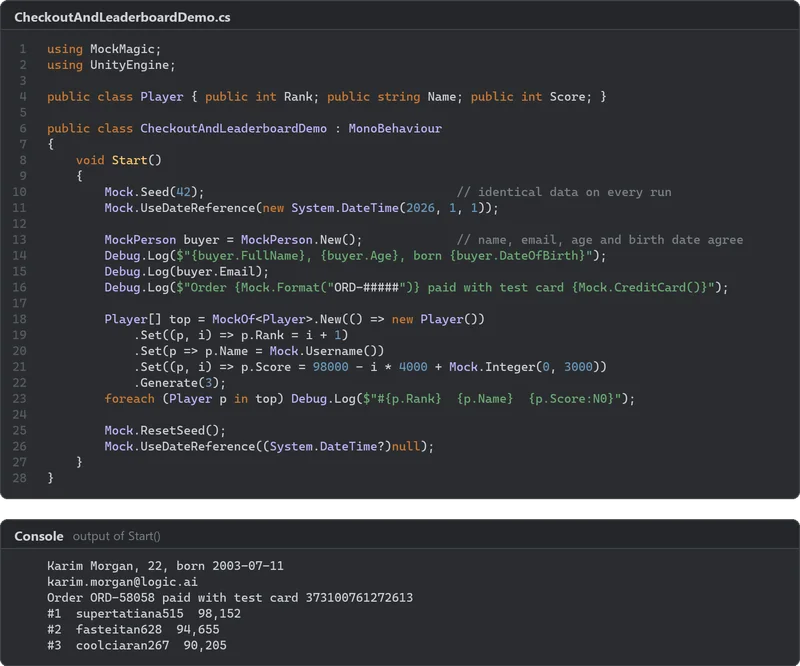 Use case
Mock leaderboards, chat logs and shop reviews
Fill leaderboards, chat panels, shop pages and social feeds with generated usernames, scores, messages, prices, ratings and reviews, including the ties, long names and empty states that break layouts. Use case
Reproducible fake data for Unity tests
Random test data only helps when a failure can be repeated. Seed Mock Magic, pin the date it counts from, keep IDs predictable, and return to fresh random output when the test ends.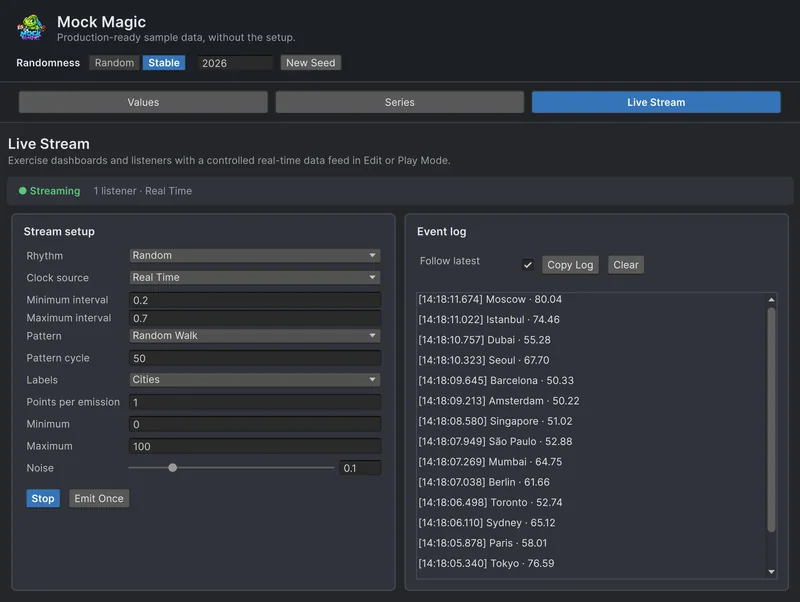 Use case