Mock Magic vs Mockaroo and online generators
Mockaroo and other online generators create files in the browser. Mock Magic generates values, series and live streams inside Unity. Where each one fits best.
Browser generators are a common first stop for fake data: open a page, name a few columns, pick their types and download a file. Mockaroo is a well-established example with a free tier and paid plans, so this page uses it. Most of the points apply to other online generators as well.
What Mockaroo does well
- Schemas in the browser. Each column gets a name, a field type and options, and a saved schema produces a fresh file whenever you need one.
- Many field types and formulas. Beyond names and addresses there are types such as mobile device data and medical identifiers, a percentage of blank values per field, formulas that alter a value, and a normal distribution type for numbers.
- Output formats. CSV, JSON, SQL, XML, Excel and more. A backend developer can load SQL inserts straight into a database.
- Mock APIs. You design endpoints and control URLs, responses and error conditions, which helps when a client has to talk to a server that does not exist yet.
- Nothing to install. Anyone with a browser can use it, including teammates who never open Unity.
Prices and limits
The free plan generates files of up to 1,000 rows and allows 200 API requests per day. Silver costs US$60 per year and raises the limit to 100,000 rows per file, Gold costs US$500 per year for up to 10 million rows, and Enterprise costs US$7,500 per year. Saved schemas and downloads through the API need an account.
Mock Magic is free on the Unity Asset Store. The Generator produces 1 to 1,000 values per click, and in code you generate as many as your project needs, offline and without request limits.
Seeds and repeatability
Mockaroo’s documentation describes no seed setting, so a schema gives new data on every download. A thread on the Mockaroo forum asks for exactly this, and the answer suggests saving the generated data instead. That is a valid workflow: the downloaded file becomes the fixture, and you commit it to version control.
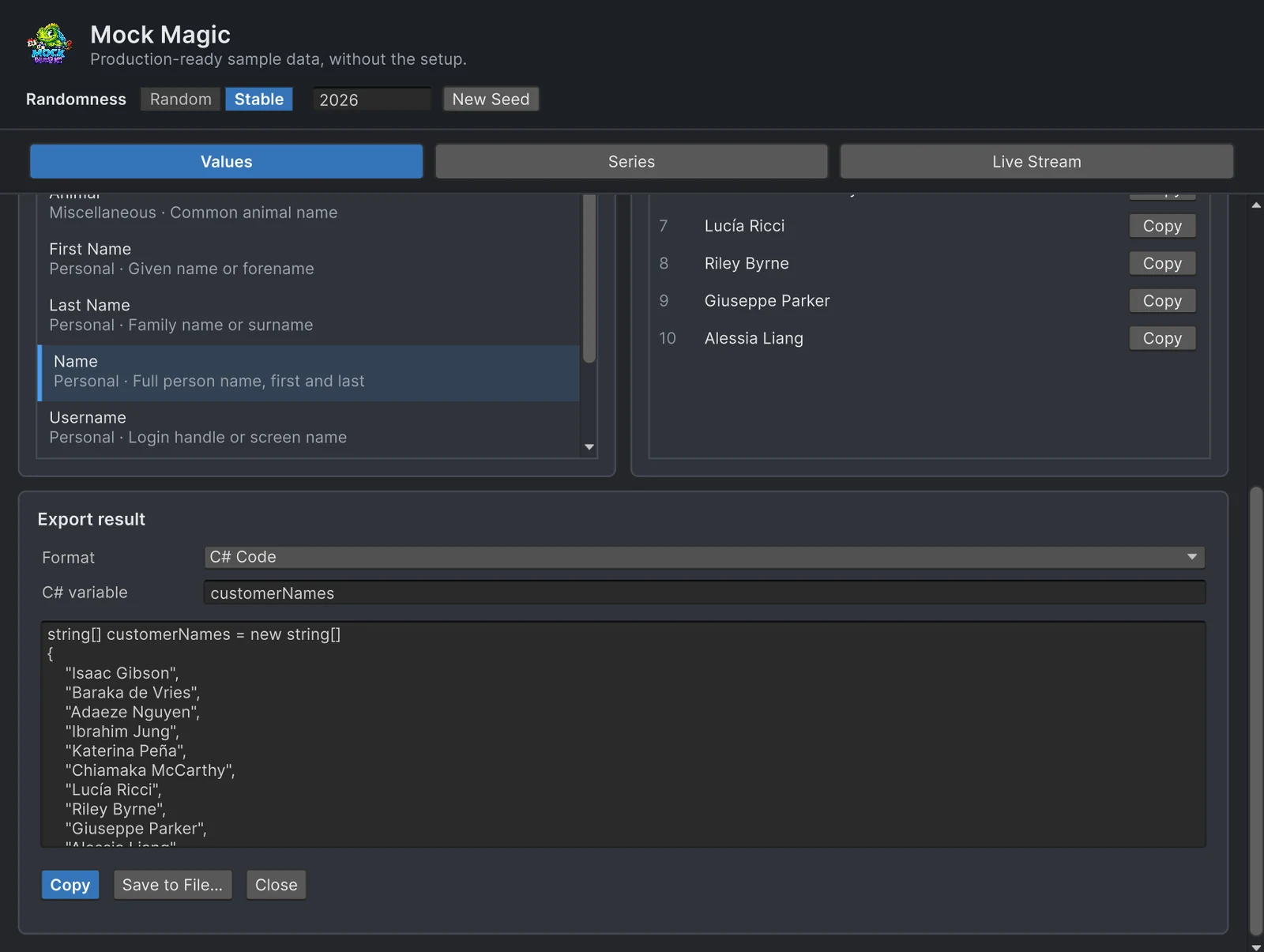
Mock Magic keeps the generator rather than the file. Stable mode in the Generator, or Mock.Seed(2026) in code, repeats the same values and series as long as the same calls run in the same order. Changing the row count or adding a field later is a code change, not a new download. When a fixture must stay fixed even across Mock Magic updates, export it once as a C# array, as the export guide shows.
The round trip into Unity
With a browser generator, data reaches Unity as a file:
- Open the schema and download CSV or JSON.
- Copy the file into
Assetsand reference it as aTextAsset. - Parse it.
JsonUtilityneeds an object at the top level, so a plain JSON array needs a wrapper or a JSON library. - Repeat the three steps whenever a field, a count or a format changes.
Mock Magic skips the file. Both versions below fill the same list, one from a downloaded file and one generated in place:
using System;using MockMagic;using UnityEngine;
public class CustomerList : MonoBehaviour{    [Serializable] class Customer { public string name; public string email; public string city; }    [Serializable] class CustomerFile { public Customer[] customers; }
    [SerializeField] TextAsset downloadedJson; // the array wrapped as {"customers": [...]}
    Customer[] FromFile() => JsonUtility.FromJson<CustomerFile>(downloadedJson.text).customers;
    Customer[] Generated() => MockOf<Customer>.New(() => new Customer())        .Set(c =>        {            MockPerson person = MockPerson.New();            c.name = person.FullName;            c.email = person.Email; // matches the name            c.city = person.City;        })        .Generate(50);}
The Generator covers the cases where you want values without code: pick a type, set Count, then Copy All or Export… as CSV, JSON or a C# array.
Shapes and time
Mockaroo describes rows. Chart data usually needs a shape as well: a seasonal curve, a trend, or three random walks that cross each other. Mock Magic’s Series workspace has 15 patterns and 17 label presets with a preview, and the Live Stream workspace sends new points on a rhythm in Edit Mode and Play Mode. That is what a dashboard or a real-time chart has to be tested against, and a downloaded file cannot deliver data over time without code you write yourself.
When a browser tool is the better choice
- Teammates without Unity. A producer who wants a spreadsheet or a web developer who needs sample rows gets them from a shared schema without installing anything.
- Backend fixtures. SQL inserts for a staging database, or one dataset shared by the game client and the server tests.
- A mock server. If your Unity app calls a REST API that is not finished, a Mockaroo mock API can answer real HTTP requests. Inside Unity, the Api Mocking Toolkit asset (US$19.99) mocks HTTP endpoints. Both complement a data generator rather than replace one.
- Formats Mock Magic does not write. SQL, XML and Excel.
If you build your own browser tooling in JavaScript, Faker.js (MIT, over 70 locales) is the library to start from.
Sources
- Mockaroo pricing, documentation and the forum thread on seeding schemas.
- Mock Magic’s exporting data, series data and streaming data manual pages.
Which one to choose
Choose Mockaroo, or another browser generator, when the data leaves Unity: SQL for a backend, a spreadsheet for the team, a mock API for a client, or a one-time file you commit and keep.
Choose Mock Magic when the data is used inside Unity: UI and charts filled from the Editor, typed objects in tests, series with a shape, live streams, and results you repeat with a seed instead of storing a file.
They also work side by side. A JSON file from Mockaroo can feed one screen while Mock Magic fills the rest, and Mock Magic exports CSV and JSON when a teammate outside Unity needs the same data.
Frequently asked questions
Is Mockaroo free?
For files of up to 1,000 rows and 200 API requests per day. Silver costs US$60 per year for files of up to 100,000 rows, Gold US$500 per year for up to 10 million rows, and Enterprise US$7,500 per year.
Can Mockaroo generate the same data twice?
Its documentation describes no seed setting, and an answer on its forum suggests saving the generated data instead. In Mock Magic, Stable mode or Mock.Seed repeats a result exactly, as long as the same calls run in the same order.
How do I get Mockaroo data into Unity?
Download CSV or JSON, add the file to your project as a TextAsset and parse it. JsonUtility cannot read a JSON array at the top level, so wrap the array in an object or use a JSON library.
When is a browser generator the better choice?
When people without Unity need the data: a backend developer who wants SQL inserts, a producer who wants a spreadsheet, or a client team that needs a mock API before the real server exists.
Realistic fake data for Unity, from one value to a live stream.
Keep reading
 Use case
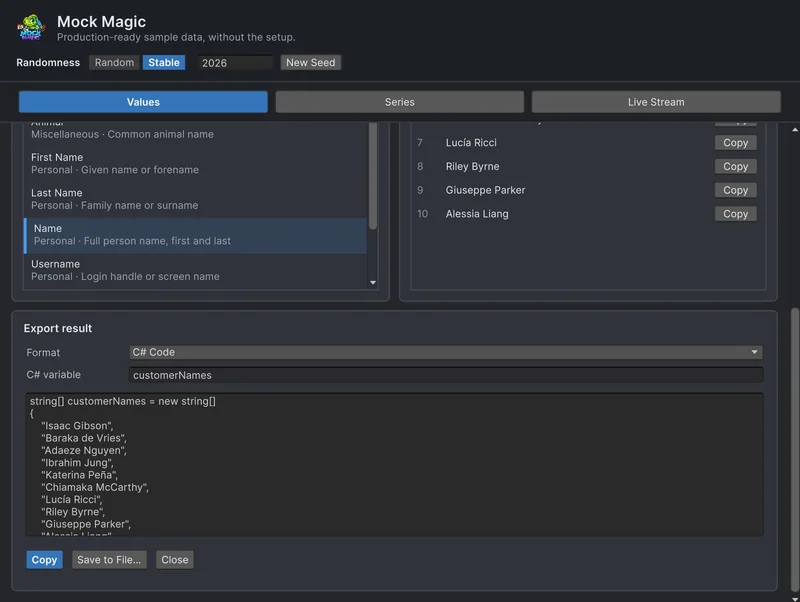
Export fake data as CSV, JSON or C# arrays
Mock Magic's Export panel and the MockExport class write generated values and series as text, CSV, JSON or C# arrays. Exact samples of each format, how numbers are written and where each format fits.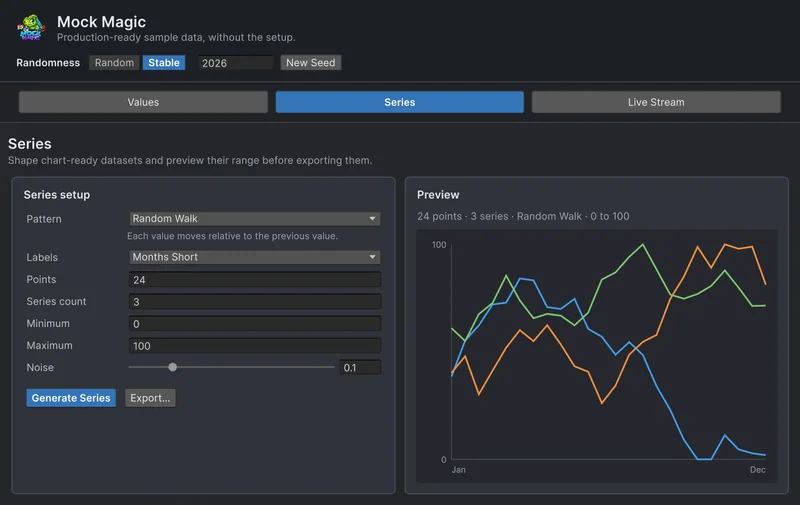 Comparison
Mock Magic vs Bogus
Bogus is a mature fake data library for .NET with 50 locales and a deep catalog. Mock Magic has a smaller catalog but lives in the Unity Editor and adds chart series, live streams and export. Where each one wins, and how to use both. Use case