Let coding assistants search and import the Unity assets you own
Unity MCP asset search for Claude Code, Codex and Unity AI Assistant: find, import and place the assets you already own, with a dry run before each change.
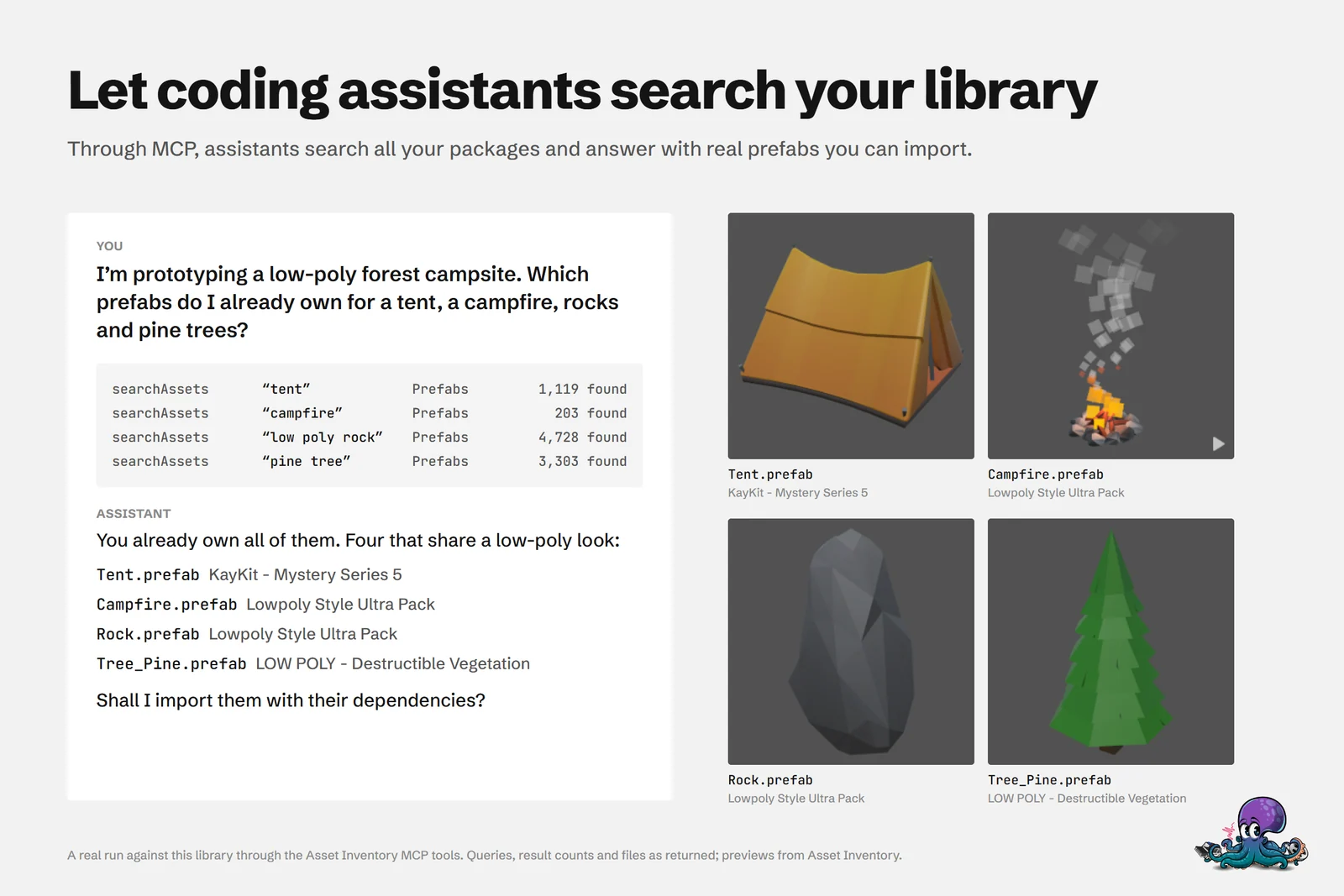
Prototyping goes faster when you start from what you already own. Ask a coding assistant “I’m prototyping a low-poly forest campsite. Which prefabs do I already own for a tent, a campfire, rocks and pine trees?” and, once it is connected to Asset Inventory, it does not have to guess file names or suggest a store purchase. It searches the library you indexed, answers with real prefabs from your own packages, and offers to import them with their dependencies and place them in the scene.
The cover shows a real run. Four searchAssets calls limited to prefabs found 1,119 tents, 203 campfires, 4,728 low-poly rocks and 3,303 pine trees. The assistant picked four that share a low-poly look, from three different packages, and asked before importing anything.
One set of tools, three ways in
Asset Inventory exposes its catalog and automation through three transports. They share one implementation and the same validation and safety layer, so you choose by convenience rather than capability.
| Interface | How it runs | Tool names | Best for |
|---|---|---|---|
| Unity Pipeline, direct CLI | unity command ... in a terminal | asset_inventory_* | Agents that run shell commands, scripts and repeatable one-shot calls |
| Unity Pipeline, MCP server | unity mcp --project-path "..." | asset_inventory_* | MCP clients such as Claude Code or Codex that discover tools and chain steps |
| Unity AI Assistant | Inside the Unity Editor | AssetInventory_* | Workflows that already happen in Unity AI Assistant |
For Editor extensions you write yourself, the C# API is the direct route, without starting the CLI or MCP. How these tools moved from an Editor-owned MCP server to the new Unity CLI, including latency measurements, is told in I migrated 31 Unity MCP tools to the new Unity CLI.
Connect an assistant to your library
- Open your project in Unity 6.3 (6000.3) or newer and keep the Editor running.
- Add Unity Pipeline (
com.unity.pipeline0.9 or 0.10) for the CLI and MCP server, or Unity AI Assistant 2.0.0-pre.1 or newer. Asset Inventory’s adapters are bundled and activate automatically, so there is no extra integration package to install. - For MCP, start the server for that project (first command below) and configure your client to launch or connect to it, following the client’s own MCP instructions.
- Confirm the connection with a read-only call, for example by asking the assistant for inventory statistics or by running the second command below in a terminal.
unity mcp --project-path "D:\Unity\MyProject"unity command asset_inventory_get_inventory_stats --project-path "D:\Unity\MyProject" --jsonAlways pass an absolute project path when more than one Editor might be open. Otherwise a command can reach whichever Editor registered first. Unity documents installing its CLI and configuring MCP clients in its migration guide.
41 tools, grouped by purpose
| Group | Tools | What an assistant does with them |
|---|---|---|
| Search (8) | searchAssets, searchPackages, searchProjectAssets, listPackageFiles, getPackageDetails, getInventoryStats, getAssetGroupTypes, checkAssetInProject | Finds files and packages across every indexed source and checks what is already in the project |
| Acquire (4) | downloadPackage, getDownloadProgress, importAsset, addToScene | Downloads a package, imports a file with its dependencies and places it in the active scene |
| Tags (4) | listTags, tagPackage, tagAssetFile, deleteTag | Organizes what it found |
| Actions (10) | listActions, getActionDetails, createAction, updateAction, deleteAction, runAction, listActionStepTypes, addActionStep, removeActionStep, updateActionStep | Builds and runs automation actions |
| Export (4) | exportCSV, exportHTML, listExportFields, listExportTemplates | Writes CSV reports and static HTML catalogs |
| Orders (5) | listOrders, getOrder, refreshOrderHistory, getOrderRefreshStatus, exportOrders | Reads and exports your Asset Store order history |
| Remote (4) | listRemoteCatalogs, searchRemoteOnline, updateRemoteCatalogs, listRemoteVariants | Searches free online catalogs and picks download formats |
| Window (2) | openWindow, closeWindow | Shows results in the Asset Inventory window |
Pipeline writes these names in snake case with a prefix (asset_inventory_search_assets), while Unity AI Assistant keeps them as they are behind an AssetInventory_ prefix (AssetInventory_searchAssets).
Imports follow the same rules as in the window. Dependencies resolve for text-serialized (YAML) assets, and scripts are not imported by default (-Never Import-); Direct Only, Extended Analysis and All Scripts are opt-in. Before anything changes, the import preview reports the dependency analysis state, file count and total size.
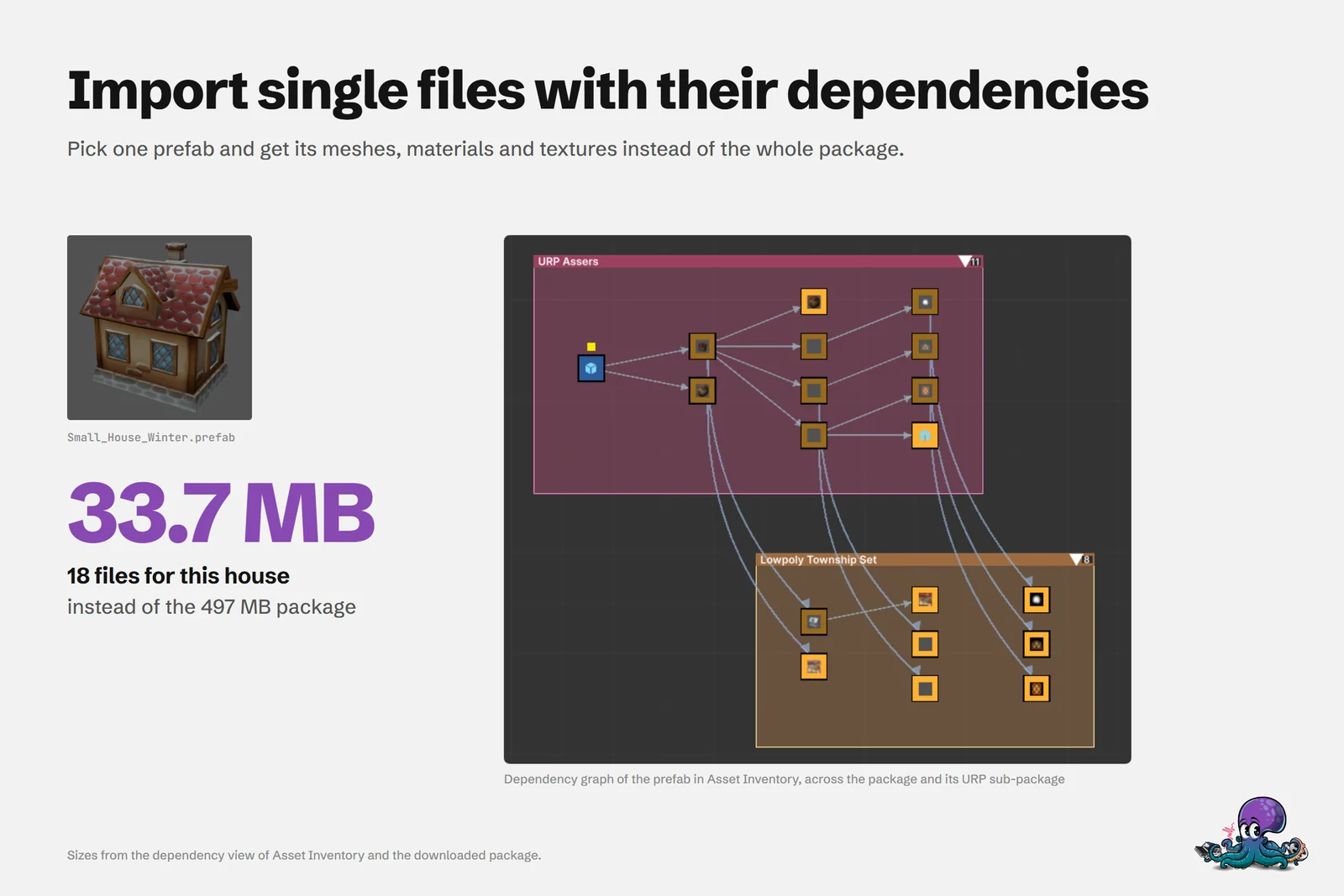 Small_House_Winter imports with its dependencies as 33.7 MB instead of the 497 MB package.
Every change starts as a dry run
Operations that change data default to a dry run. The preview validates the exact target and returns a confirmation token without applying anything. Only the same call, repeated with execution enabled and that token, makes the change:
unity command asset_inventory_create_action --project-path "D:\Unity\MyProject" --name "Prepare Build" --jsonunity command asset_inventory_create_action --project-path "D:\Unity\MyProject" --name "Prepare Build" --no-dry-run --confirmation-token "<token>" --jsonThe token is bound to the validated operation and its scope. Changing an input, action state, scene, prefab or parent invalidates it, and it only works in the project that produced the dry run. Read-only calls such as searches need no token. MCP and Assistant calls follow the same contract, so every import, tag or placement is previewed first, and you can tell your assistant to wait for your approval before it confirms.
Requests to try
The manual suggests prompts like these:
- “Find environment packages updated this year, sort the most useful results by rating, and tell me which packages are already downloaded.”
- “Search my indexed files for a mossy stone doorway, import the best matching prefab with its dependencies, and add it to the active scene at the origin.”
- “Create an Asset Inventory action called Prepare Build, add the appropriate steps, show me the dry-run preview, and wait for confirmation before executing it.”
For more context, Asset Inventory ships six optional Markdown skills in its AI/Skills folder: setup, finding assets across sources, organizing, importing safely, auditing dependencies and duplicates, and automating catalog workflows. Point a compatible coding assistant at the folder and load the skill for the task. The skills add no AI service, subscription or runtime dependency.
Requirements and limits
- The assistant integration needs Unity 6.3 or newer. Asset Inventory itself runs on Unity 2022.3 and newer.
- It needs Unity Pipeline 0.9 or 0.10, or Unity AI Assistant 2.0.0-pre.1 or newer. Pipeline is experimental and its versions move quickly, so check the changelog for the range the current release supports.
- A live Editor with the target project open is required. Batch mode and headless runs are not supported, so this is not a build server tool.
- The assistant sees what Asset Inventory has indexed. Downloads, remote catalog searches and order refreshes need the internet.
- Asset Inventory adds no AI service, but the assistant you connect sends your prompts and the tool results it reads to its provider, which may charge for usage.
To see every installed command with its parameters, defaults and JSON schema, run unity command --query asset_inventory --detail full --project-path "D:\Unity\MyProject" --json. The settings documentation covers project targeting and the error results.
Frequently asked questions
Which coding assistants can use Asset Inventory?
Any MCP client can connect through the Unity Pipeline MCP server, for example Claude Code or Codex. Agents that run shell commands can call the same operations through the direct Unity CLI, and Unity AI Assistant gets them as AssetInventory_* tools inside the Editor.
Can an assistant change my project without asking?
Every operation that changes data starts as a dry run that returns a confirmation token. Nothing is imported, tagged or placed until the same call is repeated with that token, and the token stops working when an input or the project state changes.
Which Unity version do I need for Unity MCP asset search?
Unity 6.3 (6000.3) or newer with Unity Pipeline 0.9 or 0.10, or Unity AI Assistant 2.0.0-pre.1 or newer. The Editor must be running with the project open; batch mode and headless runs are not supported.
Does Asset Inventory send my library to an AI service?
No. The tools and the bundled skills add no AI service or subscription. The assistant you connect receives your prompts and the tool results it reads, under its provider's terms and pricing.
Find any Unity asset you own. Import only what you need.
Keep reading
 Article
I Migrated 31 Unity MCP Tools to the New Unity CLI. It Was Easier Than I Expected
Moving Asset Inventory’s 31 MCP tools to the new Unity CLI came down to shared product operations behind thin CLI and MCP adapters. I also benchmarked latency and memory for direct commands, a warm shell, and persistent MCP.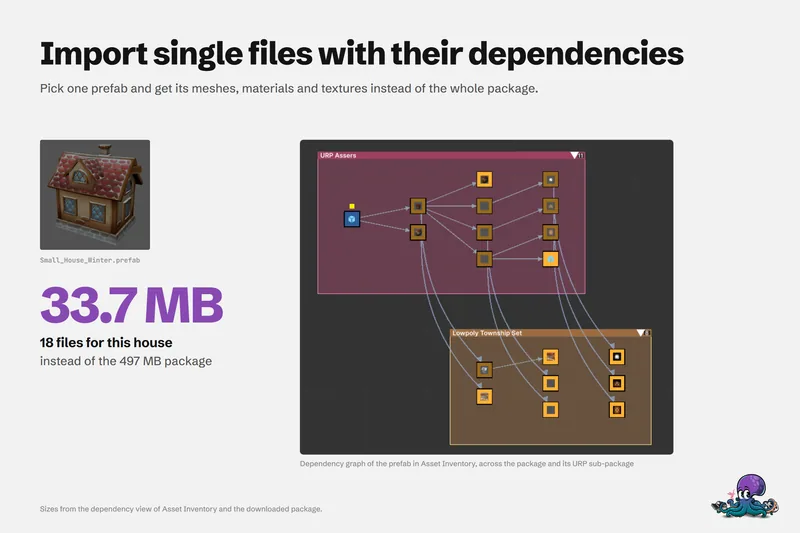 Use case
Import single assets from a package with their dependencies
Pick one prefab and get its meshes, materials and textures instead of the whole package: how the dependency analysis works, where files land, how scripts and render pipelines are handled, and where the limits are. Use case