Paste Swift Charts code into Unity
Copy Swift Charts code from an app or tutorial, paste it into Chart Guru in Unity and get a live chart plus clean C#, with every unsupported part reported by name.
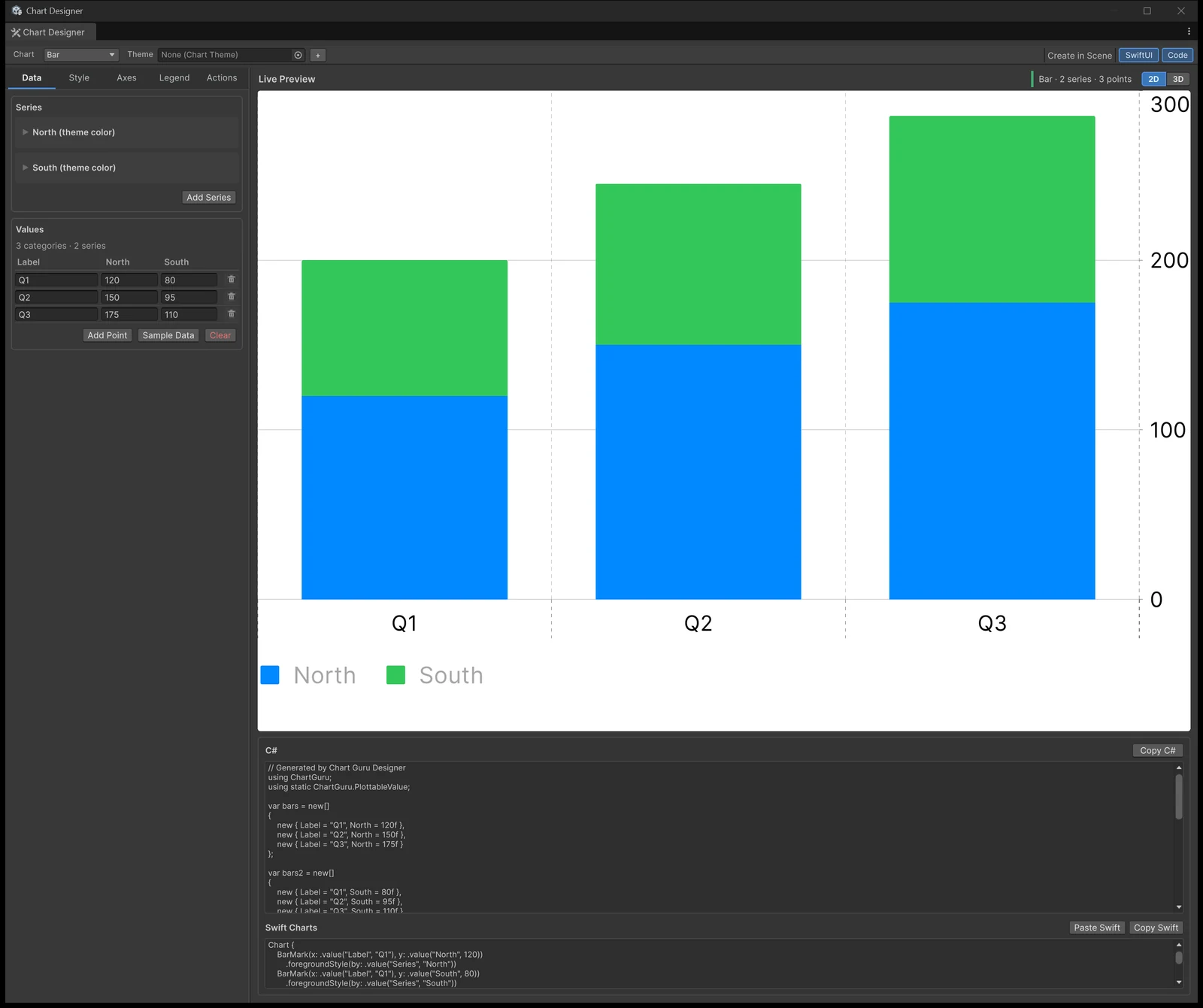
You have a chart in a SwiftUI app, a tutorial or a design prototype, and you need the same chart in Unity. Copy the Swift Charts code, paste it into Chart Guru, and a working Unity chart appears, together with clean C# you can keep. Anything the importer could not read is listed by name, so you know exactly what to finish by hand.
What happens when you paste
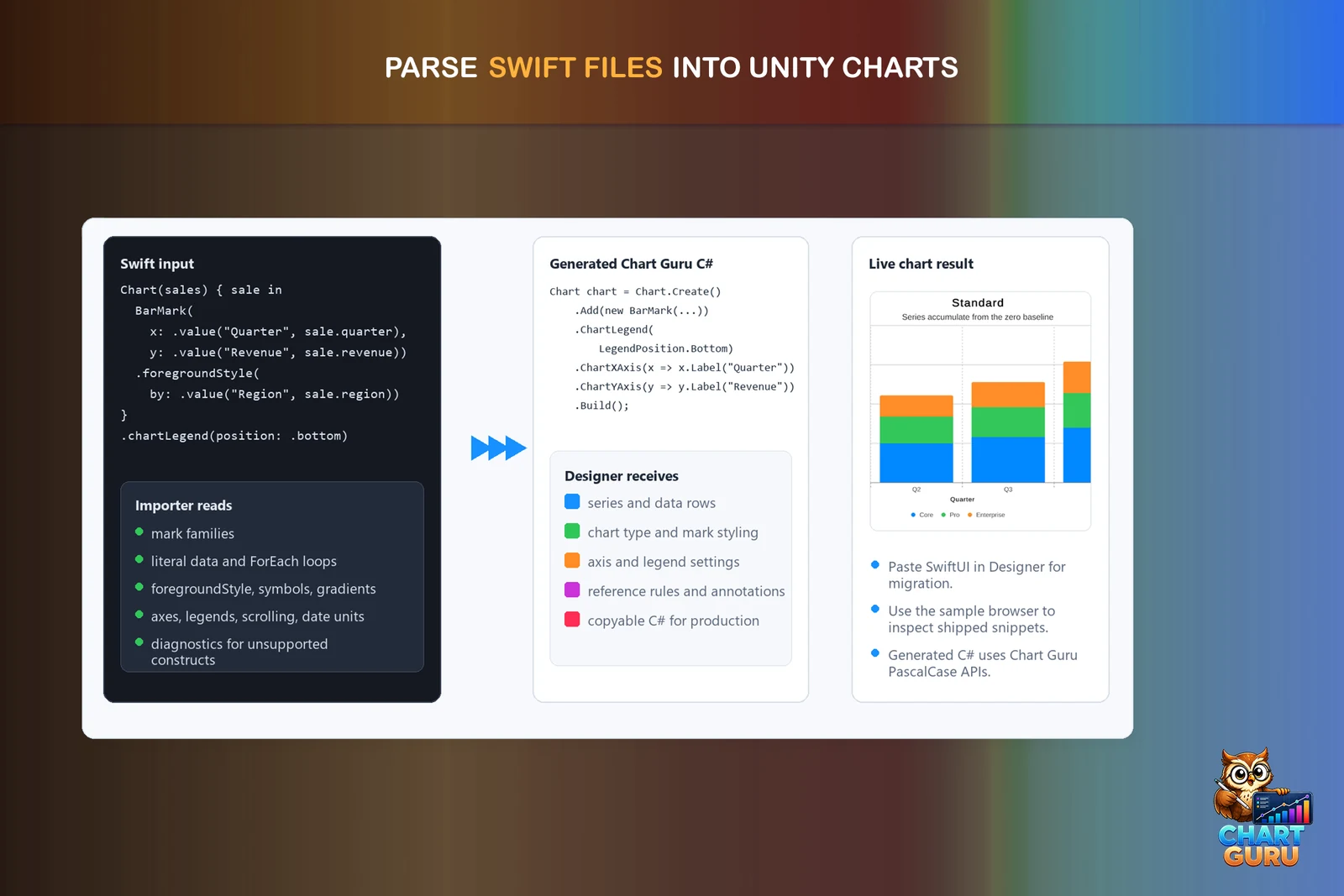
Copy a Swift Charts Chart { ... } declaration and choose Paste Swift in the Chart Designer’s code panel, or Paste Swift Charts in any chart Inspector: on the Data tab of a chart without data, or under Export on the Output tab. Chart Guru reads the declaration from the clipboard and turns it into a chart definition, the same saved format the Inspector, the Designer, the C# generator and every Canvas, UI Toolkit and world-space host share.
In an Inspector the paste replaces the chart’s own definition as one Undo step, stops using an assigned chart asset and lists what it skipped. In the Designer the C# panel shows the generated code next to the live chart; in an Inspector, Copy C# puts it on the clipboard.
A real example from the sample corpus
This is sample 22 of the Swift corpus that ships with Chart Guru, a line with a dashed average rule:
import SwiftUIimport Charts
// RuleMark with annotation + line marks.struct AverageOverlayView: View {    struct Reading { let day: Int; let value: Double }    let readings: [Reading] = [        Reading(day: 1, value: 12),        Reading(day: 2, value: 18),        Reading(day: 3, value: 9),        Reading(day: 4, value: 21),        Reading(day: 5, value: 16),        Reading(day: 6, value: 14),        Reading(day: 7, value: 22)    ]
    var body: some View {        Chart {            ForEach(readings, id: \.day) { reading in                LineMark(x: .value("Day", reading.day),                         y: .value("Value", reading.value))                .foregroundStyle(.blue)            }            RuleMark(y: .value("Average", 16))                .foregroundStyle(.red)                .lineStyle(StrokeStyle(lineWidth: 1, dash: [4, 2]))                .annotation(position: .top, alignment: .leading) {                    Text("avg")                        .foregroundStyle(.red)                }        }    }}
After the paste, Copy C# writes this for it:
// Generated by Chart Guruusing ChartGuru;using UnityEngine;using static ChartGuru.PlottableValue;
var lines = new[]{    new { X = 1.0, Series1 = 12f },    new { X = 2.0, Series1 = 18f },    new { X = 3.0, Series1 = 9f },    new { X = 4.0, Series1 = 21f },    new { X = 5.0, Series1 = 16f },    new { X = 6.0, Series1 = 14f },    new { X = 7.0, Series1 = 22f }};
var chart = Chart.Create()    .ChartType(ChartType.Line)    .ForEach(lines, row => new LineMark(Value("X", row.X), Value("Series 1", row.Series1))        .ForegroundStyle(new Color(0f, 0.53f, 1f, 1f)))    .Add(RuleMark.Horizontal(16f)        .ForegroundStyle(new Color(1f, 0.22f, 0.24f, 1f))        .LineStyle(1f)        .LineStyle(new[] { 4f, 2f })        .Annotation(AnnotationPosition.Top, AnnotationAlignment.Leading, "avg")        .AnnotationTextColor(new Color(1f, 0.22f, 0.24f, 1f)))    .ChartXAxis(x => x        .AutomaticTickCount()        .AxisLine(false))    .ChartYAxis(y => y        .AutomaticTickCount()        .AxisLine(false))    .ChartXScale(ScaleType.Linear)    .ShowAxisTitles(false)    .ChartLegend(LegendPosition.Hidden)    .Build();
What changed on the way:
- The
ForEachover declared data became a typed row array and one.ForEachclosure that builds the sameLineMark. RuleMark(y:)becameRuleMark.Horizontal(16f), keeping the stroke width, the dash pattern and the annotation’s position, alignment, text and color.- Swift Charts defaults that differ from Chart Guru’s own are written out: hidden axis lines, automatic tick counts, hidden axis titles and no legend for a single unkeyed series. Settings that already match Chart Guru’s defaults are left out.
- The table columns get neutral names such as X and Series 1, which you can rename as you adopt the code.
Put the statements in a method and show the result with host.SetChart(chart), or keep the imported definition and edit it in the Inspector.
What the importer reads
- Marks:
BarMark,LineMark,AreaMark,PointMark,RectangleMark,RuleMarkandSectorMark, including ranges built from them. CustomChartContenttypes are expanded into the marks of theirbody. - Data: literal values,
Chart(data),ForEachand supported enumerated or nested loops over arrays the source declares, vectorized plots, andLinePlotandAreaPlotfunctions sampled over their domain. - Modifiers: foreground style by color or by value, gradients, symbols and symbol sizes, opacity, interpolation, line style, corner radius and stacking.
- Axes and scales: axis visibility, marks, grid lines, labels and formatting, scale types and domains. As in Swift Charts, the first
.chartXScalecall for an axis wins. - Composition and interaction: legends, annotations, reference rules,
chartOverlayandChartProxypatterns, scrollable axes, visible domains and scroll positions, and accessibility labels and values.
The importer accepts Swift’s member casing, such as foregroundStyle and chartLegend, and writes PascalCase C#, such as ForegroundStyle and ChartLegend. Swift Charts symbol sizes are areas, while Chart Guru’s are diameters; the importer converts them, so do not copy Swift’s numbers into C# by hand.
How it reports what it cannot read
Nothing supported is dropped silently, and nothing is invented. Every paste ends with a list of diagnostics, from notes about SwiftUI layout to warnings about code the importer cannot run. These are real messages from samples in the corpus:
Ignored .aspectRatio(...) because it constrains the outer SwiftUI view layout, not the chart model itself..chartScrollTargetBehavior was not imported; set the scroll target behavior on the chart in C#..chartLegend(isOverview ? .hidden : .automatic) depends on a runtime condition and was not imported; the legend keeps its automatic placement.`salesData` is filled by code the import cannot run, so the chart shows the Sale values the pasted source declares instead. Declare the values of `salesData` in the pasted source to import them.Data that your app computes at runtime is the most common gap. The importer cannot run your view model, so it names the property and keeps the values the source declares, or numbered placeholders. It never fills in realistic-looking numbers based on sample names. Replace such data with literal arrays before pasting, or bind your real data to the imported chart afterwards.
Back to Swift
Copy Swift in the Inspector and the Designer’s Swift panel write Swift Charts code from a chart definition and list every setting they leave out. Chart Guru extensions that Swift Charts lacks, such as candlesticks, radar charts, color scale presets and chart backgrounds, are reported with their layer instead of being written. The export reads its own code back to check what survived: 31 of the 41 corpus samples are tested to return as an equal chart after a Swift to Unity to Swift to Unity round trip, and the others report what they lose. In the 2D Gallery, a badge on each template says whether its marks and data export to Swift Charts.
41 Swift samples with native renders
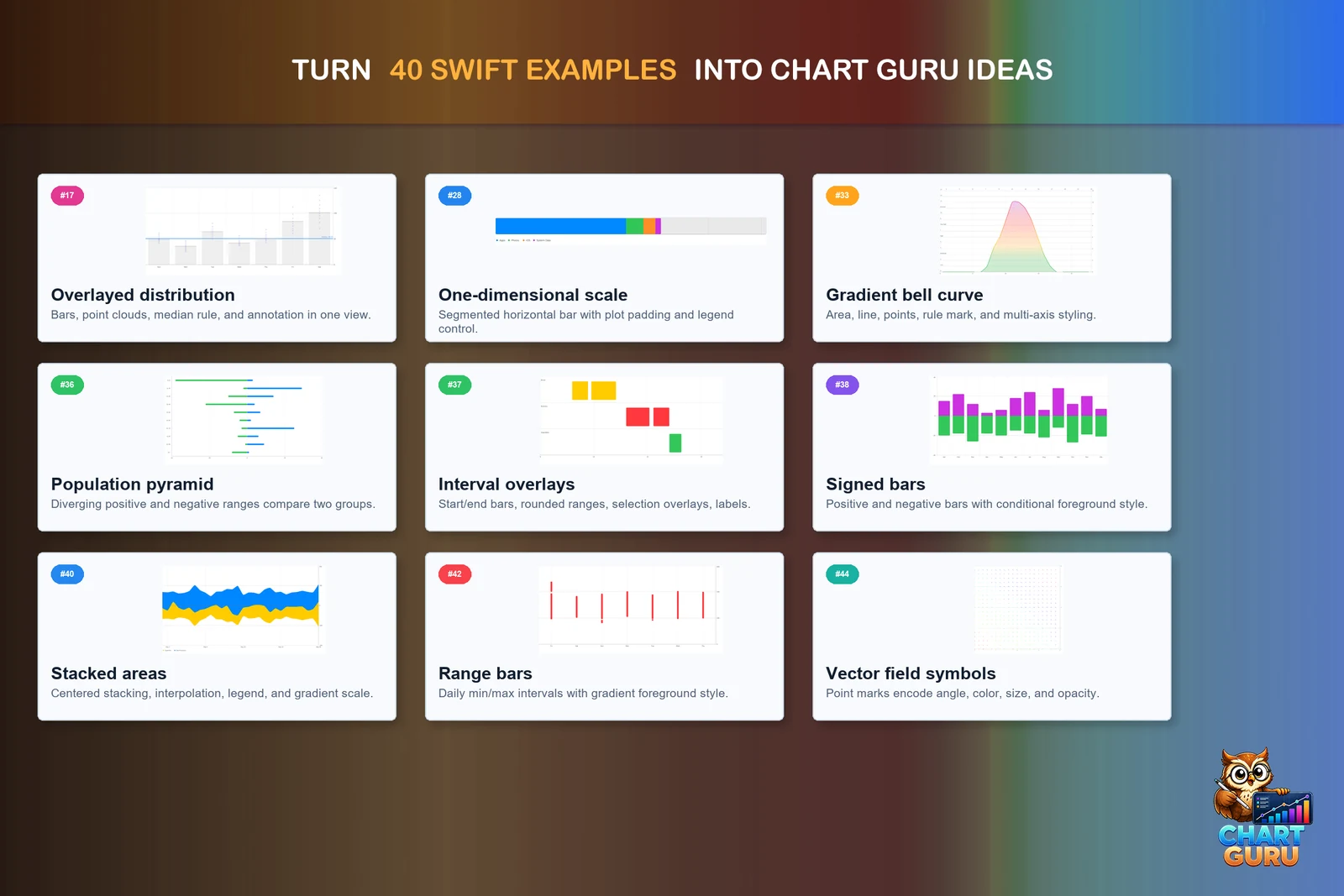
Chart Guru ships 41 Swift Charts files, numbered up to 45, in Examples/04_Workflows/Swift. Each sits beside a PNG rendered by Apple’s Swift Charts, so you can compare the original with the import. Samples 27 to 44 are adapted from the open source Swift Charts Examples project under the MIT license. The Swift Import lesson shows three sources on real data, NOAA’s Mauna Loa carbon dioxide record and the Palmer penguins, beside the charts imported from them, and Swift Selection recreates a monthly expenses screen whose chart is sample 45.
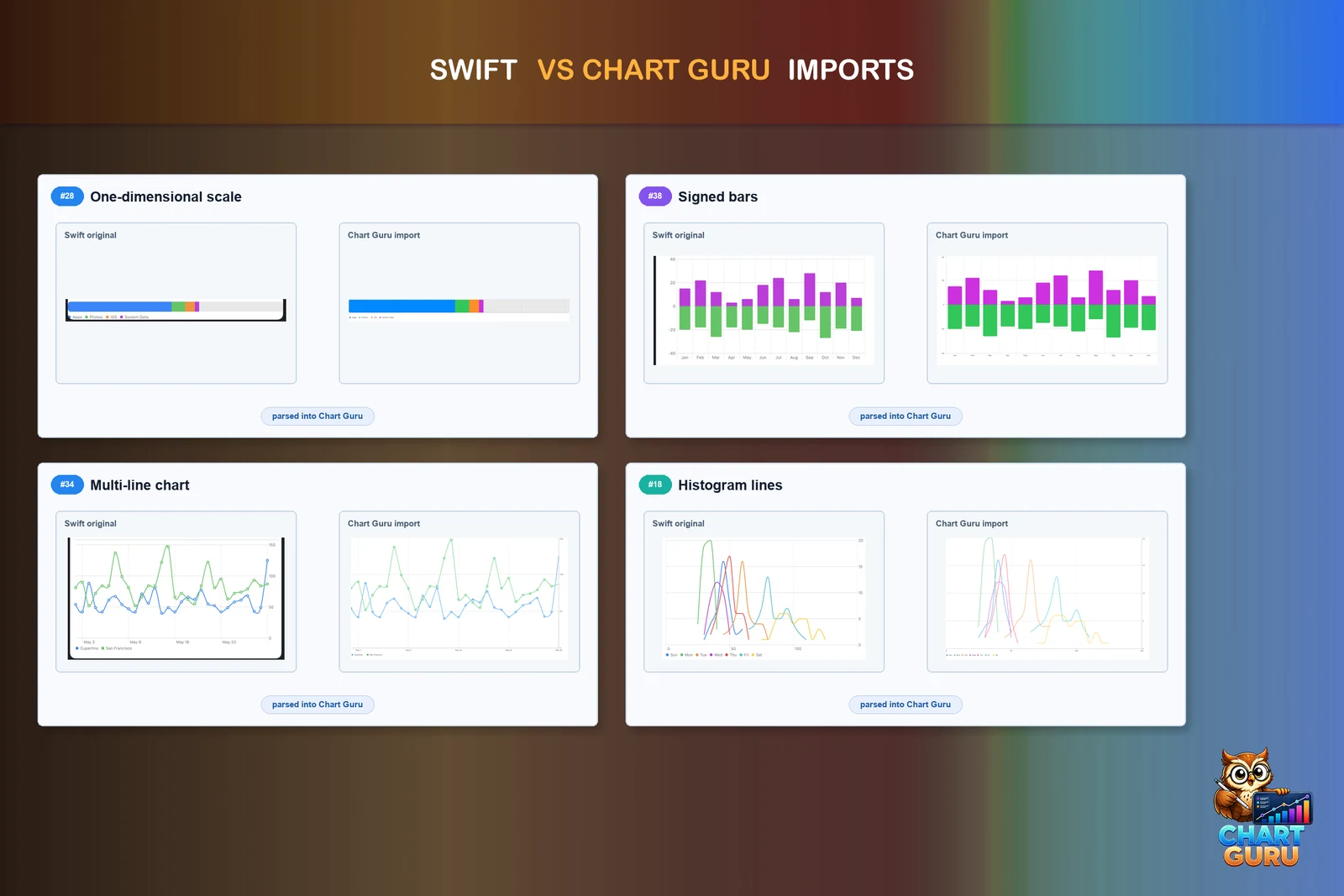
The feature parity inventory in the package lists 237 Swift Charts concepts: 212 covered fully, 22 partially, 1 missing and 2 not applicable. Full means the API and behavior are covered, not that every pixel matches Apple’s renderer.
Why the translation is this direct
Chart Guru’s API follows Swift Charts’ vocabulary by design: marks, plottable values, modifiers on marks and modifiers on the chart. The importer has little to reinterpret because the concepts line up one to one, and only the casing changes to suit C#.
| Swift Charts | Chart Guru C# |
|---|---|
BarMark(x: .value("Region", "North"), y: .value("Sales", 12)) | new BarMark(PlottableValue.Value("Region", "North"), PlottableValue.Value("Sales", 12f)) |
.foregroundStyle(by: .value("Product", name)) | .ForegroundStyle(PlottableValue.Value("Product", name)) |
ForEach(rows) { row in ... } | .ForEach(rows, row => ...) |
RuleMark(y: .value("Target", 100)) | RuleMark.Horizontal(100f) |
.chartXScale(domain: 0...100) | .ChartXScale(0, 100) |
.chartLegend(position: .bottom) | .ChartLegend(LegendPosition.Bottom) |
Defaults line up as well: bars and areas of several series stack the way they do in Swift Charts, and an imported chart carries Swift’s axis and legend settings with it. The Swift Charts to Unity cheat sheet covers more of the mapping.
If you have never written Swift
You do not need Swift for any of this. The 2D Gallery has searchable templates grouped by chart family, the Chart Designer edits a chart visually with Undo, and the chart Inspector configures data, marks, axes, labels, style and behavior on tabs with live previews. The conventions that make Swift code paste cleanly are simply the API you work with: a small, consistent vocabulary and defaults that look finished.
The corpus is still worth a look as a gallery of ideas. Find a chart close to what you need, import it, and continue in C# or the Inspector.
Limits
- Supported input is chart-focused code with concrete marks and data the importer can extract. App logic, view state and networking are not converted.
- SwiftUI layout modifiers such as
.frame,.paddingand.aspectRatioare ignored with a note, because the host’s size controls the chart in Unity. - The importer and the C# generator are editor tools. At runtime, use the generated C# or the saved chart definition.
- A
Chart3Ddeclaration needs a 3D host from the included Chart Guru 3D module; see Swift Charts 3D import.
The authoring workflows and editor tools pages document the importer in detail. The Chart Guru product page shows the rest of the package, and Chart Guru is available on the Unity Asset Store.
Frequently asked questions
Do I need to know Swift to use Chart Guru in Unity?
No. Most people start from the 2D Gallery templates, the Chart Designer, the chart Inspector or C#. The Swift Charts conventions are simply the API you use: a small, consistent vocabulary with defaults that look finished. Pasting Swift code is an extra route for people who already have it.
Does the importer convert a whole SwiftUI app?
No. It reads chart-focused code: a Chart or Chart3D declaration with concrete marks and data it can extract. View layout, state and data your app computes at runtime are reported by name instead of converted. Replace computed data with literal arrays before pasting, or bind your real data to the imported chart afterwards.
Can I export a Unity chart back to Swift Charts?
Yes, for charts inside the shared feature set. Copy Swift and the Designer's Swift panel write Swift Charts code and list every setting they leave out, and extensions Swift Charts lacks, such as candlesticks, radar charts and color scale presets, are reported instead of written. 31 of the 41 samples in the included Swift corpus are tested to survive a full round trip unchanged.
Easy, reliable charts for Unity, from sparklines to multi-series 3D.
Keep reading
ArticleWhy Chart Guru follows Swift Charts conventions
Ad-hoc chart APIs leave categories, series and styling to you. Chart Guru adopts the grammar of Apple's Swift Charts instead. What that gives people who never wrote Swift, what Swift developers get, how it extends to 3D, and where parity stops. Article