Good test data is uncomfortable
Long labels, missing fields, negative values, clustered points and sudden bursts break interfaces. How to generate that data on purpose before customers do.

Mock Magic began as a side project of Chart Guru. Chart Guru needed data for its examples and tests, and tidy data did not find the bugs. The making-of article sums up the lesson in one line: “Good chart examples require uncomfortable data.” Labels get long, series counts change, values cluster, dates compress, and a chart, a table or a dashboard has to keep working when its input stops being curated.
Demo data tends to be comfortable: twelve months, values between 20 and 80, short labels, every field filled. Real data is not. This article is a catalog of the uncomfortable kinds and how to generate each one on purpose with Mock Magic, so a screen breaks on your desk instead of in front of customers.
Long text
Real labels grow: “Northern Europe and the Baltic States”, a product name with size and color, a customer with a double-barrelled surname. Generate them instead of waiting for them:
Mock.Sentence(25, 40)gives one long sentence for a label or a button, andMock.Paragraph(8)orMock.LoremIpsum(120)fill descriptions.Mock.Review(40, 60)writes review-style text of at least 40 words.Mock.AlphaNumeric(48)andMock.Hash(64)produce long strings without spaces, like file names, URLs or tokens, which cannot wrap at a space.- The built-in name lists include accented, hyphenated and multi-word names such as Müller, Al-Farsi and de la Cruz, so code that expects only A to Z, or takes the last word as the surname, meets them early. E-mail addresses and usernames fold these names to plain ASCII.
Mock.Emoji()returns one visible symbol whose C#Lengthis 1 or 2, because most emoji take two UTF-16 code units. Truncating byLengthcan cut such a symbol in half, and fonts without emoji glyphs show boxes.
For chart axes, set Labels to Custom in the Series workspace and type long labels separated by commas, or pass them in code. Labels repeat when there are fewer labels than points.
Missing values
Optional fields are optional in real data. Mock Magic’s extension methods drop a value with the probability you choose:
using MockMagic;
public class Contact{    public string Name;    public string Email;    public string Company;    public int? Age;}
public static class ContactData{    public static Contact[] Create(int count) => MockOf<Contact>.New(() => new Contact())        .Set(c => c.Name = Mock.Name())        .Set(c => c.Email = Mock.Email().OrNull(0.2f))   // one in five without an e-mail address        .Set(c => c.Company = Mock.Company().OrNull())    // 30 percent by default        .Set(c => c.Age = Mock.Age().OrNullable(0.1f))    // value types become nullable        .Generate(count);}
OrNull works on reference types, OrNullable turns a value type into a nullable one, and OrDefault returns the type’s default value for either. An empty string is a different case from a missing one, and UI code often treats the two differently: MockRandom.Chance(0.1f) ? "" : Mock.FirstName() covers it.
Negative values, sparse data, clusters and spikes
Many charts are only ever tested with positive numbers between friendly limits. The series generators make the unfriendly shapes easy:
using MockMagic;
public static class UncomfortableSeries{    // Three series that cross each other and the zero line    public static MockDataPoint[][] Crossing() => MockSeries.GenerateMultiSeries(        SeriesPattern.RandomWalk, seriesCount: 3, pointCount: 24,        min: -50f, max: 50f, labelPreset: LabelPreset.MonthsShort);
    // Mostly zeros with a few values in between    public static MockDataPoint[] Sparse() => MockSeries.Sparse(30, 0f, 500f);
    // A tight cluster with one reading far away from it    public static MockDataPoint[] Spike()    {        MockDataPoint[] latency = MockSeries.GaussianNoise(120, 0f, 400f, noise: 0.05f);        latency[Mock.Integer(0, latency.Length)].Value = 400f;        return latency;    }
    // Labels longer than the axis has room for, repeated when the list runs out    public static MockDataPoint[] LongLabels() => MockSeries.Generate(        SeriesPattern.Random, count: 8, labelPreset: LabelPreset.Custom,        customLabels: new[] { "North", "Northern Europe and the Baltic States", "Southeast Asia (excluding Singapore)", "Other" });}
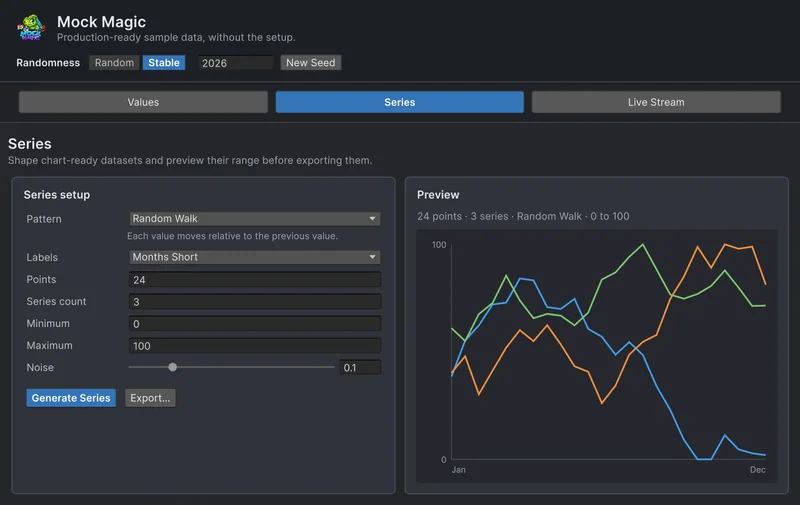
Negative values. Profit, temperature and deltas go below zero. The screenshot above shows the same setup in the Generator: Random Walk, three series, Minimum -50 and Maximum 50. Watch for the zero line, bars that grow downward, stacked bars that mix signs, and labels or tooltips below the axis. MockSeries.Sine(24, -1f, 1f) gives a wave that spends half its time below zero.
Sparse data. SeriesPattern.Sparse sets about 70 percent of the points to exactly zero, or to the nearest limit when zero is outside the range, and gives the rest random values in the range. That breaks averages, log scales, since zero has no logarithm, and auto-scaled axes that assume every bar is visible. Zero is not missing, though: for gaps in a line, generate nullable values with OrNullable and decide whether the line breaks, connects or drops.
Clusters. SeriesPattern.GaussianNoise draws from a normal distribution around the middle of the range, and Noise sets the spread as a share of the range, with a floor of 5 percent. Low noise piles points on top of each other, which tests overlapping markers and crowded tooltips. High noise pushes values past the range, where Mock Magic clamps them, so points stack up at Minimum and Maximum. SeriesPattern.BellCurve draws one smooth peak with long flat tails near Minimum.
Spikes. Because every generated value stays inside the range, a true outlier is one line of your own. In Spike() above, the values cluster around 200 with a spread of about 20, and the single 400 decides how an auto-scaled axis looks.
Bursts in live streams
Real feeds do not tick politely once per second. They go quiet, then deliver a backlog at once after a reconnect. The Burst rhythm in the Live Stream workspace simulates that: it emits Burst count times at a tenth of the Burst interval, then waits for the Delay between bursts. The Random rhythm varies the gap between a minimum and a maximum interval, and Points per emission delivers up to 100 points per event.
using MockMagic;using UnityEngine;
public class BurstFeed : MonoBehaviour{    void OnEnable()    {        MockStreaming.Configure(SeriesPattern.RandomWalk, min: 0f, max: 100f, pointsPerEmission: 10);        MockStreaming.Stream.BurstCount = 20;   // 20 quick emissions        MockStreaming.Stream.BurstDelay = 5f;   // then 5 seconds of silence        MockStreaming.Register(OnPoints);        MockStreaming.Start(interval: 1f, rhythm: StreamRhythm.Burst); // 0.1 seconds apart inside a burst    }
    void OnDisable()    {        MockStreaming.Unregister(OnPoints);        MockStreaming.Stop();    }
    void OnPoints(MockDataPoint[] points) => Debug.Log($"{points.Length} points, first {points[0]}");}
Bursts expose allocations per update, UI that rebuilds for every point, rolling windows that overflow and dropped frames. The Drip rhythm is uncomfortable in the opposite way: single points at irregular gaps, mostly short with an occasional long silence. Every rhythm continues its pattern from one emission to the next, so a random walk keeps wandering instead of restarting. How live data really arrives compares the rhythms, and the live data guide covers listeners and clock sources.
Empty, single and huge
- Empty.
Mock.Names(0)andMockOf<T>.Generate(0)return empty arrays. Use them for “no results” states and charts with nothing to draw. - One. A chart with one point or a table with one row. Layout code that divides by
count - 1to spread points along an axis fails here. - Huge.
Mock.Names(10000)tests list virtualization, sorting and search, andMockOf<T>.GenerateLazy(100000)creates items one at a time instead of allocating them all up front. The Generator caps Count and Points at 1,000 per click.
Duplicates, ties and other surprises
- Duplicate names. Names come from fixed lists, so repeats are a question of volume: among 1,000 generated full names a duplicate is very likely. That is useful, because names make bad keys, and sorting and lookups by name should cope.
- Ties.
SeriesPattern.Steppedwith Noise at 0 produces runs of identical values. Leaderboards with equal scores and sorts that must stay stable show their bugs here. Picking scores withMock.Pick(9800, 9800, 9750)makes ties the rule rather than the exception. - Future dates.
Mock.Date()covers five years back and one year ahead by default, so some “past” dates land in the future. Keep that to test validation, or passyearsForward: 0. - Decimal commas. Mock Magic formats generated numbers, dates, tokens and exports the same way on every machine, with a dot as the decimal separator, which keeps tests stable. Players’ systems are not that tidy, so produce commas on purpose:
Mock.Float(0f, 100f).ToString("F2", CultureInfo.GetCultureInfo("de-DE"))returns text such as “42,17”. Parsing code that expects a dot fails on it, and it is better to find out before a player in Germany does.
Keep one uncomfortable scene
Collect the cases in one place: a test scene or fixture with long labels, missing fields, negative series, sparse data, a spike and a burst. Turn on Stable mode or call Mock.Seed so it looks the same every time, and check it after every UI change. With Chart Guru, the Mock Chart Data Source component fills a chart from a series or a stream without code, as described in using Mock Magic with Chart Guru.
Frequently asked questions
What is edge-case test data?
Input at the limits of what your code expects: very long or empty text, missing fields, negative and extreme numbers, duplicates and sudden bursts of updates. It finds the bugs that tidy sample rows hide.
How do I generate missing values with Mock Magic?
Use the OrNull extension on strings and other reference types, OrNullable on value types and OrDefault for either. Each takes a probability, 0.3 by default.
Does the Sparse pattern leave gaps in a chart?
No. Sparse sets most points to exactly zero, which tests a chart full of zeros. For real gaps, use nullable values, for example with OrNullable, and decide how your chart draws a missing point.
Why do generated names repeat?
Generators draw names from fixed lists, so repeats are a matter of volume. Among 1,000 generated full names a duplicate is very likely, which is useful for testing sorting and lookups by name.
Realistic fake data for Unity, from one value to a live stream.
Keep reading
 Use case
Test charts and dashboards with patterned data
A chart that has only seen tidy numbers is untested. Generate labeled series in 15 shapes, with noise, negative ranges and up to 10 series at once, preview them in the Editor, then export them or feed them to a chart. Use case
Fill Unity UI with realistic test data
Rows named Test 1 and Test 2 hide the layout bugs that real data exposes. Generate believable names, e-mail addresses, prices and dates in the Editor or at runtime, including records with missing fields.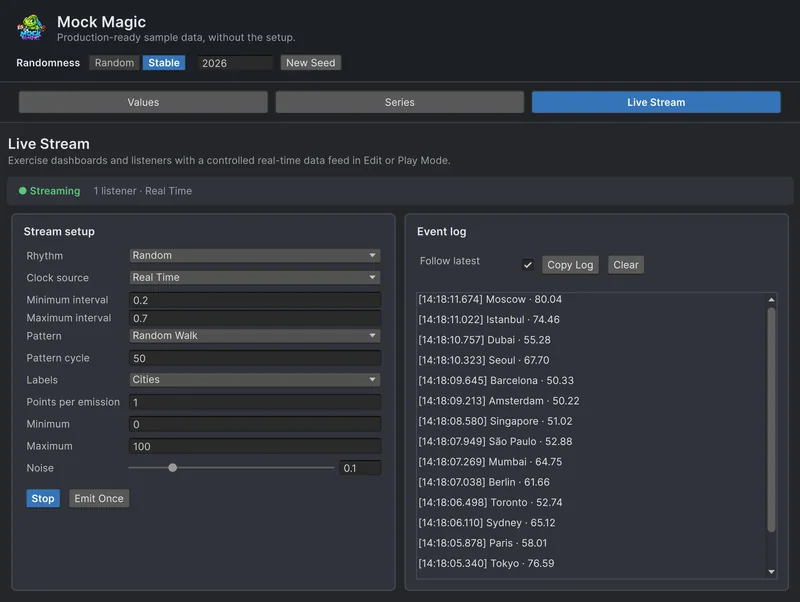 Use case