3D Marks and Chart Types
Swift Charts 3D Parity Marks
PointMark3D, RectangleMark3D, RuleMark3D, and SurfacePlotMark are the closest matches to Swift Charts 3D. Prefer them when a chart is meant to mirror Swift Charts 3D concepts.
Swift parity mark | What it represents |
|---|---|
PointMark3D | A point in X/Y/Z space rendered as a sphere, cylinder, cone, cube, billboard or custom mesh. SymbolSize is a diameter in plot units; Swift sphere radii are converted on import and export. |
SurfacePlotMark | A bivariate surface y = f(x, z), with height-based, normal-based, gradient, or solid styling. |
RectangleMark3D | A ranged rectangle in a plane. Swift Charts 3D rectangles span two axes; full three-axis boxes are Chart Guru extensions. |
RuleMark3D | A 3D reference or drop line between two 3D points. |
Surface Color, Clipping And Boundaries
Use ForegroundStyle(SurfaceStyle.HeightBased) to color a surface by height, or NormalBased to color it by orientation. The gradient overload supplies a custom palette. YRange(min, max) sets the height-to-color mapping and does not clip geometry. Use the Chart Guru extension ClampY(min, max) only when sampled heights should be clamped before domain inference and projection.
Undefined function samples preserve empty interiors. The default Boundary(SurfaceBoundaryMode.ClipToDomain) closes nonfinite edges against the appropriate Y-domain boundary. Boundary(SurfaceBoundaryMode.Open) is a Chart Guru extension that leaves those edges open. Surface resolution changes the sampling density; it does not turn undefined interior data into valid samples. Keep the Swift parity controls and Unity-specific extensions distinct when documenting a chart.
Chart Guru 3D Extension Marks
Chart Guru also adds Unity-specific 3D visualizations that Swift Charts 3D does not provide directly, including extruded bars, line ribbons, area prisms, 3D pies and donuts, radar meshes, sized scatter symbols, and serialized surface grids.
Chart3DBuilder builder = Chart3D.Create()
    .ChartType(ChartType.Bar3D)
    .Grouped()
    .Add(new Bar3DMark(0f, 10f, 0f).Width(0.6f).Depth(0.6f))
    .Add(new Bar3DMark(0f, 14f, 1f).Width(0.6f).Depth(0.6f));
When to Choose 3D
Use 3D for surfaces, spatial comparisons, depth lanes, scene-embedded charts, or premium preview imagery. Avoid 3D when the reader needs maximum label density or precise 2D comparison.
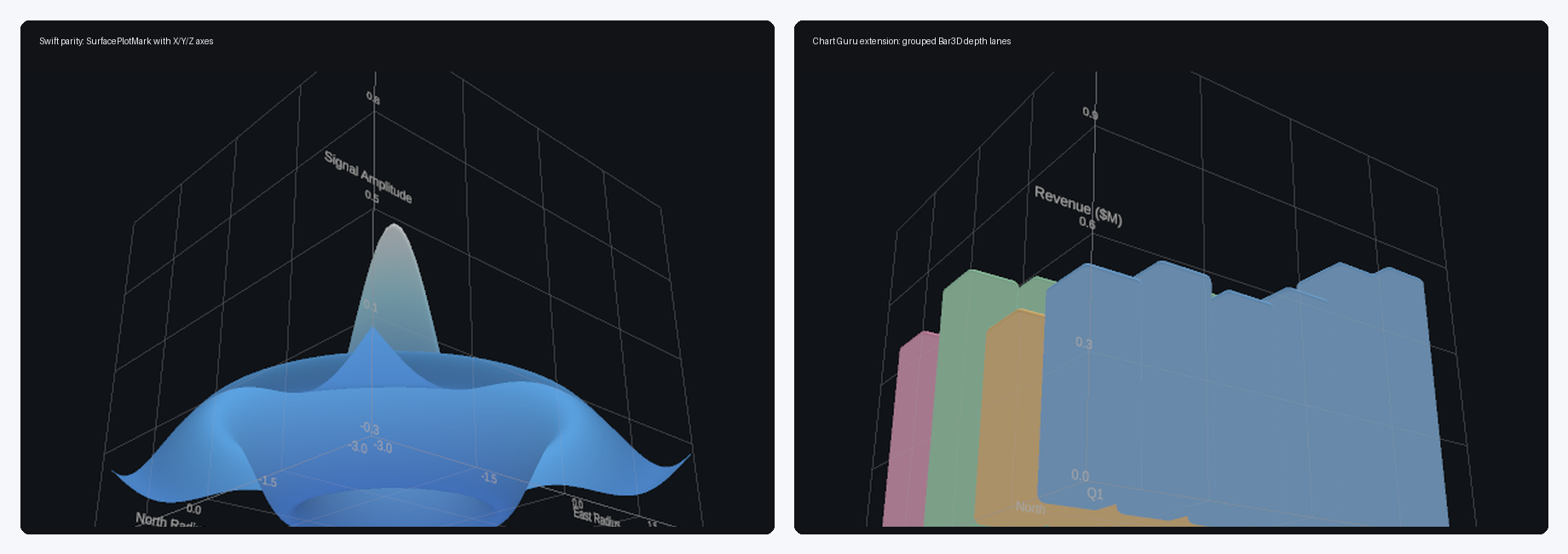
Figure 2. 3D mark deltas: a Swift-parity SurfacePlotMark with X/Y/Z axes and a Chart Guru grouped Bar3D extension showing depth lanes and extrusion.
Use Swift-parity marks when matching native Chart3D concepts. Use Chart Guru extension marks when the Unity scene needs extruded bars, ribbons, sectors, radar meshes, or other 3D-only visual forms.