Simple Data
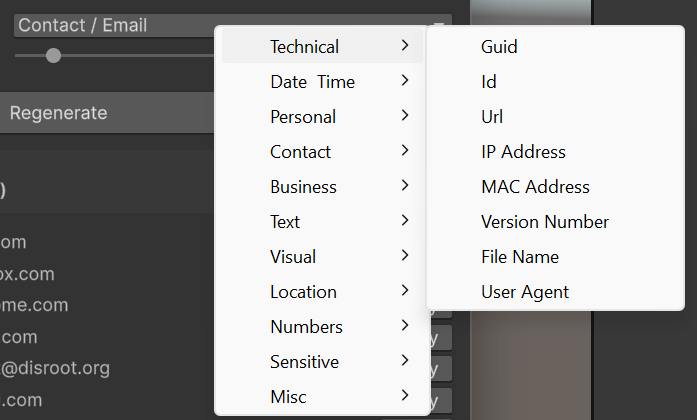
The Simple Data tab generates individual fake values or batches of values from 57 built-in data types. Every value is generated from realistic embedded datasets - names are multicultural, emails have plausible domains, addresses follow real formats.
Using the Simple Data Tab
- Data type dropdown - Click to open a categorized menu. Types are grouped into 11 categories for easy discovery.
- Count slider - Set how many values to generate (1–100).
- Regenerate - Click to generate a new batch. Data also regenerates automatically when you change the type or count.
- Copy All - Copies all generated values to the clipboard, separated by newlines.
- Preview list - A scrollable list showing all generated values, numbered. Each item has its own Copy button for copying a single value.
Note: All generated data is fake. Credit card numbers pass the Luhn check but are not real. ISBN check digits are valid. Passwords use Fisher-Yates shuffling with guaranteed uppercase, lowercase, digit, and special character.
Tips
- Combine types for realistic records. Generate 10 names, 10 emails, and 10 cities separately, then pair them together for a mock user database.
- Use Copy All for bulk pasting. The clipboard output is newline-separated - paste directly into spreadsheets, text files, or code editors.
- Adjust the count slider for anything from a single value (quick placeholder) to 100 items (stress testing).