Getting Started
Installation
If installing as a standalone package from the Asset Store, install Audio Tools normally. Audio Tools requires Unity 2022.3 or newer. When updating, remove an older installation first if Unity reports duplicate scripts or assemblies.
If you have installed Asset Inventory, the audio tools are already installed along with it.
The welcome guide opens once for a standalone installation. Reopen it at any time from Tools > Audio Tools > Welcome. A copy bundled with Asset Inventory keeps automatic onboarding quiet.
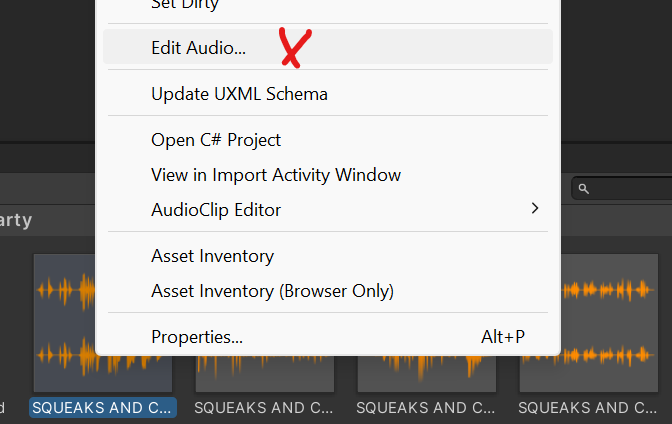
Right-click one audio file in the Unity Project window and select “Edit Audio” or choose Tools > Audio Tools > Audio Editor. The editor also accepts an AudioClip, a dragged audio file, or a file selected with Browse File.
Usage
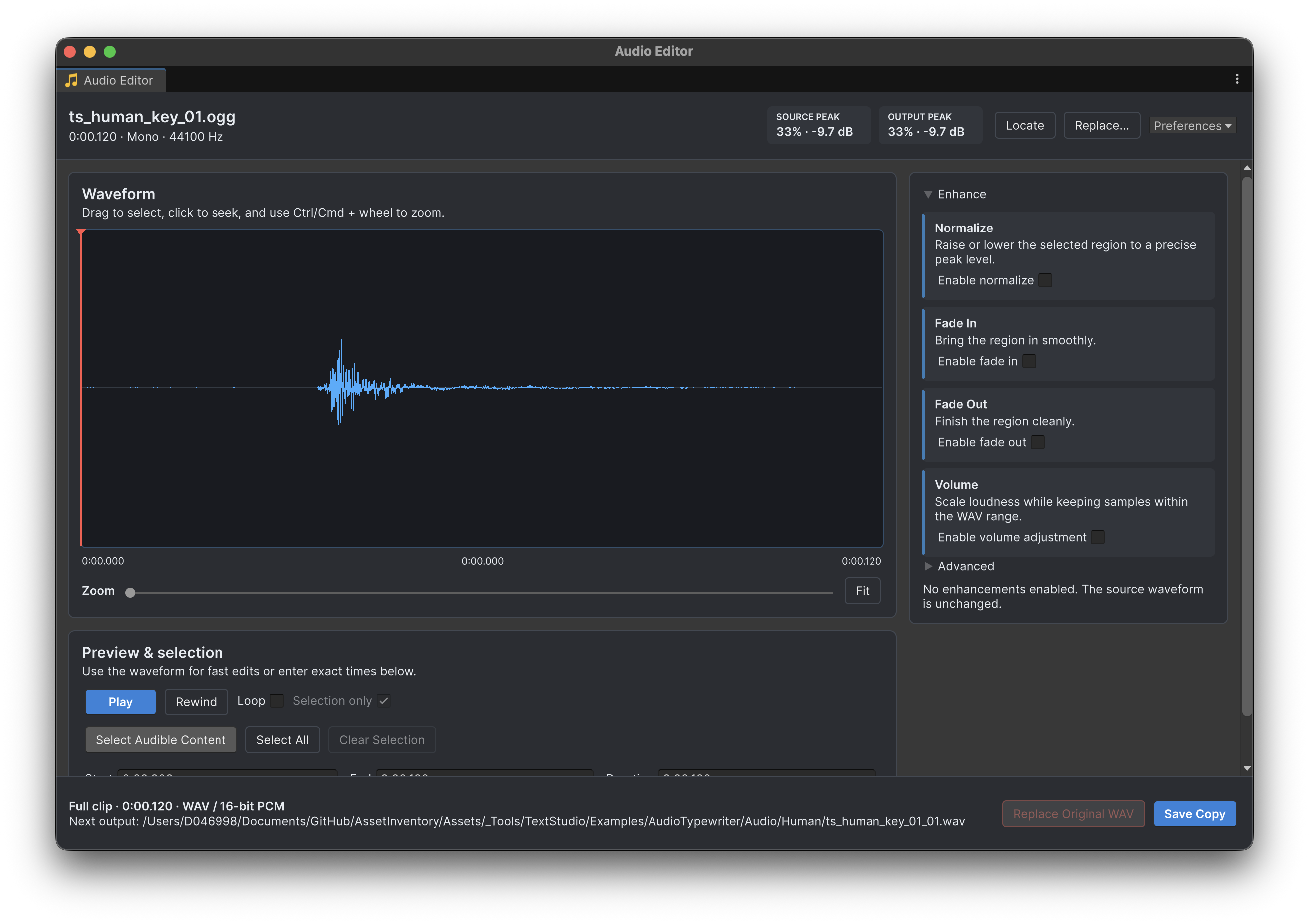
Drag across the waveform to create a selection, drag its handles to resize it, or drag inside it to move the region. Click to seek without creating a selection, or click outside the selected region to clear it. The current start, end, and duration stay visible beneath the waveform, and playback loops the selection automatically while you compare edits. Use Ctrl/Cmd + mouse wheel to zoom. Select Audible Content detects quiet edges using the threshold under Advanced. Enable only the enhancements you need, preview with Space or Play, then Save Copy. Replacing an original WAV always requires confirmation.
Selection and Saving
When a range is selected, Save Copy exports only that range. Clear the selection to export the full clip. Enhancements are previewed from the original samples, so toggling an effect does not repeatedly process the previous preview. Use Unity Undo and Redo to revisit edit settings. Replacing an original WAV writes the file and cannot be undone through Audio Tools.
Keyboard and Waveform Controls
Space starts or pauses preview. Escape clears the selection, Home and End seek to the clip boundaries, and Ctrl/Cmd + A selects the full clip. Left and Right move the playhead; hold Alt/Option for one sample at a time or Shift for a larger step.
Ctrl/Cmd + mouse wheel zooms around the pointer position. Right-drag pans the waveform without changing the selection, and the mouse wheel without Ctrl/Cmd pans through the clip.
AI Assistant Workflows
Audio Tools includes four optional Markdown skills in its AI/Skills folder for setup, preview and selection, processing, and WAV export. Point a compatible coding assistant at that folder, let it load the skill for your request, and review its proposed changes. AI/README.md explains the available workflows. The skills do not add an AI service, subscription, or runtime dependency.
The Audio Editor writes 16-bit PCM WAV files. Developers who specifically need 32-bit float WAV output can use AudioProcessor.ExportToWav with use32BitFloat set to true from editor code. There is no bit-depth selector in the Audio Editor.